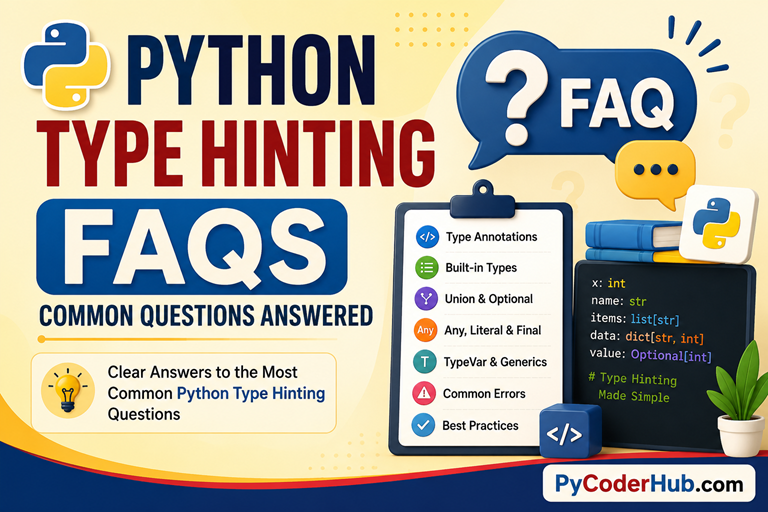
Introduction: Python Type Hinting FAQs
Throughout this chapter, we’ve explored Python Type Hinting from multiple angles. We started by understanding why type hints were introduced, how they differ from type casting, and how Python’s gradual typing system works. We then learned annotation syntax, built-in type hints, collection types, and special types such as Union, Optional, Any, Literal, and Final.
As we progressed, we explored generic types, TypeVar, constraints, bounds, AnyStr, and the modern improvements introduced by PEP 695. We also covered important rules, guidelines, best practices, and the most common type hinting mistakes that developers encounter.
By now, you have learned the core concepts behind Python’s typing system. However, even after completing a chapter, it is natural to still have a few questions, confusion points, and practical “when should I use this?” situations.
That’s exactly why this final lesson—Python Type Hinting FAQs—exists.
Rather than introducing new concepts, this lesson answers some of the most common questions that arise when learning and using Python type hints. Think of it as the final review step that helps reinforce everything you’ve learned throughout this chapter.
What You’ll Learn
In this lesson, you’ll learn:
- Answers to the most common Python type hinting questions
- Clarifications for concepts that often cause confusion
- Practical guidance for choosing between similar type hints
- Common misconceptions about annotations and type checking
- Best-practice recommendations for everyday Python code
- Important questions related to generics, TypeVar, and special types
To make navigation easier, the FAQs are organized into topic-based categories. This allows you to quickly find answers related to annotations, built-in types, special types, generics, best practices, and other important areas of Python type hinting.
Category 1: General Python Type Hinting Questions
This category covers the most fundamental questions about Python type hinting. These are the questions that many developers have when they first encounter Python’s typing system and begin learning how type hints work.
Most of the topics discussed here are closely related to concepts covered in Lesson 1: Python Type Hinting Explained. If you’d like a deeper explanation of any concept, that lesson provides additional details, examples, and historical background.
FAQ 1: What Is Python Type Hinting?
Python type hinting is a feature that allows developers to specify the expected data types of variables, function parameters, return values, and other objects in their code.
These hints act as additional information that makes code easier to understand, document, and analyze. They help both humans and development tools understand how a piece of code is intended to be used.
For example:
user_name: str = "PyCoder"

user_age: int = 25
In this example, the annotations indicate that user_name is expected to contain a string and user_age is expected to contain an integer.
Type hints do not change how Python executes the code. Instead, they provide useful information that can be used by IDEs, static type checkers, and other development tools.
FAQ 2: Why Was Type Hinting Added to Python?
Python was originally designed as a dynamically typed language, which provides a high degree of flexibility. However, as Python became popular for large applications, developers began looking for ways to make code easier to understand and maintain.
Type hinting was introduced to address these challenges. It helps document code, improves editor support, and allows type-checking tools to identify potential mistakes before the program is executed.
Rather than replacing Python’s dynamic nature, type hinting adds optional type information that developers can use when it provides value.
FAQ 3: Is Type Hinting Mandatory in Python?
No. Type hinting is entirely optional.
Python code can run perfectly without any type hints. In fact, Python existed for many years before type hinting was introduced.
Many modern projects choose to use type hints because they improve readability and tooling support, but Python itself does not require them. Whether you use type hints depends on the needs of your project and team.
FAQ 4: Do Type Hints Change How Python Executes Code?
No. Type hints generally do not affect Python’s runtime behavior.
Python typically ignores type hints during execution. This means that an annotation does not automatically prevent a variable from storing a different type of value later.
For example:
user_name: str = "PyCoder"

user_name = 100

print(user_name)
Output:
100Even though user_name was annotated as a string, Python still allows an integer assignment and executes the program successfully.
This is one of the most important ideas in Python type hinting: type hints describe expected types, but they do not automatically enforce those types.
FAQ 5: Is Python Type Hinting the Same as Static Typing?
No. Python type hinting is related to static typing, but the two concepts are not identical.
In traditional statically typed languages, type rules are often enforced before a program can run. Python works differently because it remains a dynamically typed language.
Type hints allow developers to add optional type information that can be checked by external tools. This combination of dynamic typing and optional static analysis is commonly known as gradual typing.
As a result, Python gains some of the advantages of static typing while still retaining its dynamic flexibility.
FAQ 6: What Is the Difference Between Type Hinting and Type Casting?
Although their names sound similar, they serve completely different purposes.
Type hinting describes the type a value is expected to have.
Type casting converts a value from one type into another.
For example:
user_age: int = 25      # Type hint

age_text = "25"

converted_age = int(age_text)    # Type cast
Here, the annotation : int simply provides type information. The int() function, however, performs an actual conversion from a string to an integer.
A useful way to remember this is:
- Type hinting describes a type.
- Type casting changes a type.
FAQ 7: Do Type Hints Improve Program Performance?
In most cases, no.
Type hints were not designed as a performance optimization feature. Their primary purpose is to improve code readability, maintainability, documentation, and static analysis.
The biggest benefit of type hints is that they help developers detect mistakes earlier and better understand complex codebases. Any performance impact is typically negligible and should not be considered a reason to adopt type hinting.
FAQ 8: Should Beginners Learn Type Hinting?
Yes, but after first understanding Python fundamentals.
Before learning type hints, it is important to be comfortable with variables, data types, functions, collections, and basic Python syntax. Once those concepts are familiar, type hinting becomes much easier to understand.
Learning type hints early can help beginners develop good coding habits and prepare them for modern Python development. However, type hints should be viewed as a tool that improves code clarity, not as a replacement for understanding how Python itself works.
Category 2: Type Annotation Questions
This category focuses on type annotations—the actual syntax used to write type hints in Python code. Many beginners understand the idea of type hinting but become confused when they encounter annotation syntax, annotation storage, return type annotations, and related concepts.
Most of the questions in this section are closely related to Lesson 2: Python Type Annotations Explained. If you want a deeper understanding of annotation syntax, __annotations__, or how Python stores type information internally, that lesson provides a more detailed explanation.
FAQ 1: What Is the Difference Between a Type Hint and a Type Annotation?
These two terms are closely related, which is why they are often used interchangeably. However, they are not exactly the same thing.
A type hint is the information that describes an expected type.
A type annotation is the syntax used to write that type information in code.
For example:
user_name: str = "PyCoder"In this statement:
stris the type hint.: stris the type annotation.
You can think of it this way: a type hint is the information, while a type annotation is the mechanism used to express that information.
FAQ 2: What Is a Variable Annotation?
A variable annotation is a type annotation attached to a variable.
It tells readers and tools what type of value the variable is expected to contain.
For example:
user_name: str = "PyCoder"
user_age: int = 25
account_balance: float = 1250.75
These annotations indicate the intended data type of each variable.
Variable annotations improve readability because developers can understand the expected type without searching through the rest of the code.
FAQ 3: Can a Variable Be Annotated Without Assigning a Value?
Yes.
Python allows variables to be annotated even when no value is assigned immediately.
For example:
user_name: str
user_age: int
This tells Python and type-checking tools that these variables are expected to exist and should eventually contain values of the specified types.
This pattern is commonly used when a value will be assigned later in the program.
FAQ 4: What Is a Return Type Annotation?
A return type annotation specifies the type of value a function is expected to return.
It is written using the arrow (->) syntax.
For example:
def get_user_name() -> str:
    return "PyCoder"
Here, the annotation indicates that the function is expected to return a string.
Return type annotations make functions easier to understand because readers can quickly see what kind of result a function is designed to produce.
FAQ 5: What Does -> None Mean?
The annotation -> None indicates that a function is not intended to return a meaningful value.
For example:
def display_message() -> None:
    print("Welcome to PyCoderHub")
This function performs an action but does not return data that other code is expected to use.
Many beginners mistakenly think that -> None means the function returns the value None. While that can happen internally, the main purpose of this annotation is to communicate that the function is intended for side effects rather than producing a result.
FAQ 6: What Is the __annotations__ Attribute?
Python stores annotation information in a special dictionary called __annotations__.
For example:
user_name: str = "PyCoder"
user_age: int = 25

print(__annotations__)
Output:
{'user_name': <class 'str'>,
 'user_age': <class 'int'>}
This dictionary contains the annotation information associated with the current scope.
The existence of __annotations__ demonstrates an important fact: Python does not simply discard annotations. Instead, it stores them as metadata that can be accessed by tools, libraries, and frameworks.
Important Note
The example above is intended to demonstrate the concept of annotation storage. In modern Python versions, annotation handling has evolved significantly, including the introduction of deferred (lazy) annotation evaluation and related changes.
As a result, accessing and inspecting annotations may not always behave exactly as older examples suggest. If you want to understand how variable annotations are stored and how to access them correctly in modern Python, refer to Lesson 2: Python Type Annotations Explained, particularly the sections:
- Where Python Stores Annotations
- Variable Annotation Storage in Python
- Deep Understanding — How Python Organizes Annotation Storage
FAQ 7: Why Does Python Store Annotation Information?
Python stores annotations because many tools and libraries rely on them.
Static type checkers, IDEs, documentation generators, data validation libraries, and various frameworks can inspect annotation metadata to provide additional functionality.
Without storing annotations, these tools would not be able to access the type information provided by developers.
This is one reason type hints have become so useful throughout the Python ecosystem.
FAQ 8: Are Type Comments Still Used Today?
Sometimes, but much less frequently than in the past.
Before modern annotation syntax became widely available, developers often wrote type information using comments.
For example:
user_name = "PyCoder" # type: strToday, the preferred approach is:
user_name: str = "PyCoder"Modern annotation syntax is cleaner, easier to read, and officially recommended by Python’s typing guidelines.
You may still encounter type comments when working with older codebases, but new projects generally use annotation syntax instead.
FAQ 9: Do Type Annotations Automatically Enforce Types?
No.
A common beginner misunderstanding is that annotations automatically prevent incorrect assignments.
For example:
user_name: str = "PyCoder"

user_name = 100
Python will still execute this code successfully.
The annotation indicates the intended type, but Python does not automatically enforce that rule during normal execution.
This is why type annotations are often described as metadata rather than runtime restrictions.
FAQ 10: Is There Any Way to Enforce Type Hints at Runtime?
By default, no.
Python’s built-in type hinting system does not enforce types during program execution. Even if a variable or function is annotated with a specific type, Python will normally allow values of other types without raising an error.
For example:
user_name: str = "PyCoder"

user_name = 100

print(user_name)
Python executes this code successfully, even though the annotation suggests that user_name should contain a string.
However, if you want runtime type enforcement, third-party libraries can provide that functionality.
Some popular examples include:
beartypetypeguardpydantic
These tools inspect type annotations and can raise errors when values do not match the declared types.
For example, a runtime type-checking library may reject code similar to:
user_name: str = 100and raise an exception while the program is running.
It is important to understand that this behavior comes from the library, not from Python’s built-in type hinting system itself.
In practice, most Python developers rely on static type checkers such as MyPy or Pyright during development rather than enforcing type hints at runtime. Runtime enforcement is usually reserved for situations where additional validation is required.
FAQ 11: Can Type Annotations Improve Code Readability?
Yes—this is one of their biggest benefits.
Without annotations, developers often have to inspect multiple lines of code to determine what type of data a variable or function is expected to use.
With annotations, that information is immediately visible.
For example:
def calculate_discount(price: float, discount_rate: float) -> float:
    ...
Even before reading the function body, a developer can quickly understand what kind of data the function expects and what it returns.
In large projects, this additional clarity can significantly improve code readability, maintenance, and collaboration.
Category 3: Built-in Type Hints and Collections Questions
This category focuses on Python’s built-in type hints and collection type hints. After learning annotation syntax, many developers begin wondering how to properly annotate lists, dictionaries, tuples, sets, nested collections, and other common data structures.
Most of the questions in this section are closely related to Lesson 3: Python Built-in Type Hints Explained. If you would like a deeper explanation of collection type hints, homogeneous versus heterogeneous collections, nested types, or the role of Any, that lesson provides more detailed coverage.
FAQ 1: What Are Built-in Type Hints?
Built-in type hints are type hints based on Python’s built-in data types. They allow you to specify the expected type of a variable, parameter, or return value using familiar Python types.
For example:
user_name: str = "PyCoder"

user_age: int = 25

account_balance: float = 1250.50

is_active: bool = True
These annotations make it clear what type of data each variable is expected to contain.
Built-in type hints are the foundation of Python’s typing system and are often the first type hints developers learn.
FAQ 2: What Is the Difference Between object and Any?
Although they may appear similar, they serve different purposes.
The object type hint means a value can be any Python object, but type checkers still enforce type-safety rules when you try to use that value.
For example:
data: object = "PyCoder"Since the value is typed as object, type checkers know very little about it.
The Any type hint is much more permissive:
from typing import Any

data: Any = "PyCoder"
When a variable is annotated with Any, type checkers generally stop enforcing type-related checks for that variable.
A simple way to remember the difference is:
objectmeans “I don’t know the exact type.”Anymeans “Allow any type-related operation.”
FAQ 3: Why Does None Have a Special Role in Type Hinting?
None represents the absence of a value and is treated specially within Python’s typing system.
For example:
user_name: str | None = NoneThis annotation indicates that user_name may contain either a string or the value None.
Because None is commonly used to represent missing, unavailable, or not-yet-assigned data, Python’s typing system provides several features that work specifically with None, including the Optional type hint discussed later in this chapter.
FAQ 4: What Does list[str] Mean?
The annotation list[str] describes a list whose elements are expected to be strings.
For example:
user_names: list[str] = [
    "PyCoder",
    "Alice",
    "David"
]
This annotation communicates that every item in the list should be a string.
Without the inner type specification, a plain list annotation provides much less information about the contents of the collection.
FAQ 5: Why Specify Types Inside Collection Hints?
Specifying element types makes code easier to understand and allows type-checking tools to detect mistakes more accurately.
For example:
scores: list[int] = [90, 85, 95]A reader can immediately see that the list is intended to store integers.
Compare this to:
scores: list = [90, 85, 95]The second version tells us only that the variable is a list, but not what kind of values it should contain.
Providing element types makes annotations significantly more useful.
FAQ 6: What Is the Difference Between a Homogeneous and Heterogeneous Collection?
A homogeneous collection contains elements of the same type.
For example:
user_names: list[str] = [
    "PyCoder",
    "Alice",
    "David"
]
Every element is a string.
A heterogeneous collection contains multiple types.
For example:
user_record: tuple[str, int, bool] = (
    "PyCoder",
    25,
    True
)
The tuple contains three different types of values.
Understanding this distinction helps you choose the most appropriate collection annotation.
FAQ 7: How Do Dictionary Type Hints Work?
Dictionary type hints require two type arguments:
- The key type
- The value type
For example:
user_scores: dict[str, int] = {
    "Alice": 90,
    "David": 85,
    "PyCoder": 95
}
Here:
- Keys are strings (
str) - Values are integers (
int)
This makes the structure of the dictionary immediately clear to both readers and type-checking tools.
FAQ 8: Can Tuples Contain Multiple Different Types?
Yes.
Unlike lists, tuples often store a fixed number of values where each position has a specific meaning.
For example:
user_record: tuple[str, int, bool] = (
    "PyCoder",
    25,
    True
)
In this annotation:
- Position 1 contains a string.
- Position 2 contains an integer.
- Position 3 contains a boolean.
This is one reason tuples are commonly used for structured data.
FAQ 9: What Are Nested Collection Type Hints?
A nested collection type hint describes collections that contain other collections.
For example:
student_scores: dict[str, list[int]] = {
    "Alice": [90, 85, 88],
    "David": [95, 92, 89]
}
Let’s read this annotation from right to left:
- Each value is a
list[int] - The dictionary keys are
str - Therefore the complete type is
dict[str, list[int]]
Nested annotations allow developers to describe complex data structures with precision.
FAQ 10: Should I Always Specify Collection Element Types?
In most situations, yes.
When possible, it is a good practice to specify the types of items stored inside collections.
For example:
user_names: list[str]is usually more informative than:
user_names: listProviding element types improves readability, helps static analysis tools catch mistakes, and makes your code easier to maintain.
However, there may be situations where the element types are unknown or intentionally flexible. In those cases, more general annotations such as Any may be appropriate.
FAQ 11: What Is the Purpose of Any in Collection Type Hints?
Sometimes a collection may legitimately contain multiple unrelated types or its contents may not be known in advance.
In such situations, Any can be used.
For example:
from typing import Any

mixed_data: list[Any] = [
    "PyCoder",
    25,
    True,
    99.5
]
This annotation tells type-checking tools that elements of many different types are allowed.
While Any can be useful, it should generally be used carefully because it reduces the amount of type checking that tools can perform.
FAQ 12: Should I Use Built-in Collection Syntax or Older typing Syntax?
For modern Python versions, built-in collection syntax is generally preferred.
For example:
user_names: list[str]is usually preferred over:
from typing import List

user_names: List[str]
The newer syntax is shorter, easier to read, and aligns with modern typing recommendations.
You may still encounter the older style when working with legacy codebases, but most new projects use the built-in collection syntax whenever possible.
Category 4: Union, Optional, Any, Literal, and Final Questions
This category covers some of the most powerful and frequently misunderstood type hints in Python. While basic type hints allow you to describe a single expected type, real-world code often requires more flexibility. That’s where tools such as Union, Optional, Any, Literal, and Final become useful.
Most of the questions in this section are closely related to Lesson 4: Python Union and Optional Type Hints Explained. If you would like a deeper explanation of the design goals, syntax variations, or best practices for these special type hints, that lesson provides more comprehensive coverage.
FAQ 1: What Is a Union Type Hint?
A Union type hint allows a value to be one of multiple possible types.
For example:
user_id: int | strThis annotation indicates that user_id can contain either an integer or a string.
Before Python 3.10, the same annotation was typically written as:
from typing import Union

user_id: Union[int, str]
Union is useful when a variable, parameter, or return value may legitimately hold different types in different situations.
FAQ 2: What Is the Difference Between Union and Optional?
This is one of the most common sources of confusion in Python type hinting.
Union allows multiple possible types:
user_id: int | strOptional is a special case that means a value may either be a specific type or None.
For example:
user_name: str | Nonewhich is equivalent to:
from typing import Optional

user_name: Optional[str]
In other words:
Optional[str]is essentially shorthand for:
str | NoneFAQ 3: Does Optional Mean a Function Parameter Is Optional?
No.
This is one of the biggest misconceptions beginners have.
Many developers see the word “Optional” and assume it means an argument does not need to be provided.
For example:
user_name: Optional[str]does not mean the value can be omitted.
Instead, it means the value can be either:
- a string
None
Whether a function parameter is optional depends on whether it has a default value, not on the use of Optional.
FAQ 4: When Should I Use Any?
Any is useful when the exact type cannot reasonably be specified.
For example:
from typing import Any

data: Any
This annotation tells type-checking tools to allow essentially any type-related operation on the variable.
Any can be useful when:
- Working with highly dynamic data
- Interfacing with third-party libraries
- Gradually introducing type hints into an existing codebase
- The exact type is genuinely unknown
However, Any should usually be used thoughtfully rather than as a default choice.
FAQ 5: Is Using Any Considered Bad Practice?
Not necessarily.
Any exists for a reason and is sometimes the most practical solution.
The problem occurs when Any is used excessively.
For example:
from typing import Any

user_data: Any
user_name: Any
user_age: Any
If everything is annotated with Any, type checkers lose much of their ability to detect mistakes.
A good rule of thumb is:
- Use specific types whenever possible.
- Use
Anywhen flexibility is genuinely required.
Think of Any as an escape hatch rather than the default approach.
FAQ 6: What Is a Literal Type Hint?
A Literal type hint restricts values to specific, predefined constants.
For example:
from typing import Literal

status: Literal["pending", "approved", "rejected"]
This annotation indicates that only these three string values are considered valid.
Unlike a normal string annotation:
status: stra Literal provides much more precise information about the allowed values.
FAQ 7: When Should I Use Literal Instead of a Normal Type Hint?
Use Literal when only a small set of exact values is valid.
For example:
from typing import Literal

theme: Literal["light", "dark"]
This communicates much more information than:
theme: strbecause readers and tools immediately know which values are expected.
Literal is especially useful for configuration options, modes, statuses, and settings that have a fixed set of acceptable values.
FAQ 8: What Does Final Mean?
Final indicates that a value is intended not to be reassigned after its initial definition.
For example:
from typing import Final

MAX_USERS: Final = 100
This annotation communicates that MAX_USERS should be treated as a constant.
The primary goal is to make code intentions clearer and allow type-checking tools to detect accidental reassignment.
FAQ 9: Does Final Prevent Reassignment at Runtime?
No.
Just like most type hints, Final is primarily intended for static analysis.
For example:
from typing import Final

MAX_USERS: Final = 100

MAX_USERS = 200
Python will still execute this code.
However, many type checkers will report a warning or error because the annotation indicates that reassignment was not intended.
This highlights an important theme throughout Python type hinting: annotations communicate intent, while external tools enforce rules.
FAQ 10: Can Union Contain More Than Two Types?
Yes.
A Union can include as many types as needed.
For example:
user_data: int | str | float | boolThis annotation indicates that user_data may contain any of the listed types.
However, if a Union becomes excessively large, it may be a sign that the design should be reconsidered because overly broad type hints can reduce readability.
FAQ 11: What Is a Type Alias?
A type alias allows you to assign a descriptive name to a type hint.
For example:
UserID = int | strLater, you can write:
user_id: UserIDinstead of repeatedly writing:
user_id: int | strType aliases improve readability and reduce repetition, especially when working with complex type hints.
FAQ 12: Why Were These Special Type Hints Added to Python?
As Python applications became larger and more sophisticated, developers needed ways to express ideas that basic type hints could not easily describe.
For example:
Unionallows multiple possible types.Optionalallows missing values.Anyprovides flexibility.Literalrestricts values to specific constants.Finalexpresses immutability intentions.
Together, these special type hints make Python’s typing system far more expressive and practical for real-world development while still preserving Python’s dynamic nature.
Category 5: Generic Types and TypeVar Questions
This category focuses on generic types and TypeVar, which allow type hints to become more flexible and reusable. While basic type hints describe specific types such as str or int, generics allow you to write annotations that work with many types while still preserving type information.
Most of the questions in this section are closely related to Lesson 5: Python Generic Types Explained. If you would like a deeper understanding of generic functions, generic classes, constraints, bounds, AnyStr, or the newer PEP 695 syntax, that lesson provides much more detailed coverage.
FAQ 1: What Problem Do Generic Types Solve?
Generic types solve the problem of writing reusable code while preserving type information.
Without generics, developers often have to choose between:
- Writing separate versions of code for different types.
- Using
Anyand losing type safety.
Generics provide a middle ground.
For example, imagine a function that simply returns whatever value it receives:
def identity(value):
    return value
This works, but the type information is unclear.
Generic types allow type checkers to understand that the returned value should have the same type as the input value, making the code both reusable and type-safe.
FAQ 2: What Is a TypeVar?
A TypeVar is a type variable that acts as a placeholder for an unknown type.
For example:
from typing import TypeVar

T = TypeVar("T")
Here, T does not represent a specific type such as int or str. Instead, it represents a type that will be determined later.
Type variables are the foundation of most generic type hints because they allow relationships between types to be expressed.
FAQ 3: How Is TypeVar Different from Any?
Although both may seem flexible, they serve very different purposes.
Consider:
from typing import Any

def identity(value: Any) -> Any:
    return value
Here, type checkers know very little about the relationship between the parameter and the return value.
Now compare that with:
from typing import TypeVar

T = TypeVar("T")

def identity(value: T) -> T:
    return value
This tells type checkers that the returned value will have the same type as the argument that was passed in.
In short:
Anyremoves type information.TypeVarpreserves type information.
This distinction is one of the most important concepts in generic programming.
FAQ 4: When Should I Use a TypeVar?
You should use a TypeVar when multiple parts of an annotation need to represent the same unknown type.
For example:
from typing import TypeVar

T = TypeVar("T")

def first_item(items: list[T]) -> T:
    return items[0]
The type variable connects the list element type with the return type.
If a list of strings is passed in, the return type becomes a string.
If a list of integers is passed in, the return type becomes an integer.
Without TypeVar, expressing this relationship would be much more difficult.
FAQ 5: What Is a Generic Function?
A generic function is a function that works with multiple types while maintaining type relationships.
For example:
from typing import TypeVar

T = TypeVar("T")

def identity(value: T) -> T:
    return value
This single function can work with strings, integers, floats, lists, and many other types.
The key advantage is that type checkers can still infer the correct return type based on the argument provided.
This makes generic functions both flexible and type-safe.
FAQ 6: What Is a Generic Class?
A generic class is a class that can operate with different types while preserving type information.
For example:
from typing import Generic, TypeVar

T = TypeVar("T")

class Storage(Generic[T]):
    ...
Instead of creating separate classes for strings, integers, floats, and other types, a generic class can work with all of them.
Generic classes are commonly used in libraries and frameworks that need to handle many different types of data.
FAQ 7: What Are TypeVar Constraints?
Constraints limit a type variable to a specific set of allowed types.
For example:
from typing import TypeVar

T = TypeVar("T", str, bytes)
This means T can only be:
strbytes
and nothing else.
Constraints are useful when a generic type should remain flexible but only within a limited set of acceptable types.
FAQ 8: What Are TypeVar Bounds?
Bounds restrict a type variable to a particular type hierarchy.
For example:
from typing import TypeVar

T = TypeVar("T", bound=str)
This means T must be:
str- or a subclass of
str
Unlike constraints, which specify a fixed list of allowed types, bounds define a type that all permitted types must inherit from.
This provides more flexibility while still maintaining certain guarantees.
FAQ 9: What Is the Difference Between Constraints and Bounds?
This is one of the most common generic type questions.
Constraints specify a fixed set of allowed types.
For example:
T = TypeVar("T", str, bytes)Only str and bytes are allowed.
Bounds specify a base type that all permitted types must inherit from.
For example:
T = TypeVar("T", bound=str)Here, any subclass of str is also allowed.
A useful way to remember the difference is:
- Constraints create a whitelist of specific types.
- Bounds create a family of related types.
FAQ 10: Can a TypeVar Use Both Constraints and Bounds at the Same Time?
No.
A TypeVar can use either constraints or a bound, but it cannot use both simultaneously.
For example, this is valid:
from typing import TypeVar

T = TypeVar("T", str, bytes)
This uses constraints.
And this is also valid:
from typing import TypeVar

T = TypeVar("T", bound=str)
This uses a bound.
However, combining them is not allowed:
from typing import TypeVar

T = TypeVar(
    "T",
    str,
    bytes,
    bound=str
)
This will raise an error because Python’s typing system does not permit a TypeVar to have both constraints and a bound at the same time.
The reason is that constraints and bounds represent two different ways of restricting a type variable:
- Constraints define a fixed list of allowed types.
- Bounds define a base type that all allowed types must inherit from.
Since these approaches serve different purposes, Python requires you to choose one or the other.
A useful rule to remember is:
A TypeVar can be constrained or bounded, but never both.
FAQ 11: What Is AnyStr?
AnyStr is a predefined type variable that represents either str or bytes.
Historically, it was commonly used for functions that should work with text and binary data while preserving type consistency.
Conceptually, it behaves similarly to:
TypeVar("AnyStr", str, bytes)If a function receives a string, it returns a string.
If a function receives bytes, it returns bytes.
This helps prevent accidental mixing of text and binary data.
FAQ 12: Is AnyStr Still Important Today?
Yes, but its role has changed over time.
Modern Python typing features, especially newer generic syntax, often allow developers to express the same ideas more directly.
However, you will still encounter AnyStr in:
- Existing codebases
- Older tutorials
- Library source code
- Type hinting documentation
Understanding AnyStr remains valuable because it helps explain the evolution of Python’s generic typing system.
FAQ 13: Do Generics Affect Runtime Behavior?
No.
Like most type hints, generics exist primarily for static analysis and documentation purposes.
For example:
from typing import TypeVar

T = TypeVar("T")

def identity(value: T) -> T:
    return value
Python executes this function normally without enforcing generic type rules at runtime.
The primary benefits of generics come from:
- Better type checking
- Improved editor support
- Clearer documentation
- More reusable code
They help developers write safer and more maintainable code without changing Python’s runtime behavior.
Category 6: Modern Type Hinting and PEP Questions
This category focuses on the evolution of Python’s type hinting system and the PEPs that shaped it. While most developers use type hints in their daily code, many are curious about where these features came from, why they were introduced, and how modern syntax differs from older approaches.
Most of the PEP-related questions in this section are connected to concepts discussed in Lesson 6: Python Type Hinting Rules and Guidelines. If you’d like to explore the recommendations behind Python’s typing system in greater detail, revisit that lesson. For complete information about individual PEPs, you can also consult the official Python PEP documentation.
FAQ 1: What Is a PEP?
PEP stands for Python Enhancement Proposal.
A PEP is a design document that describes a proposed feature, improvement, or change to Python. It explains the motivation behind the change, how it should work, and why it would benefit the language.
Many of Python’s most important features began as PEPs before becoming part of the language.
For example:
- PEP 8 introduced style guidelines.
- PEP 484 introduced type hints.
- PEP 695 introduced modern generic syntax.
Whenever you see a feature associated with a PEP number, it means that the feature was formally proposed, discussed, and reviewed before being accepted into Python.
FAQ 2: What Is PEP 484?
PEP 484 is the proposal that officially introduced Python’s type hinting system.
Before PEP 484, developers sometimes documented expected types using comments, documentation, or naming conventions. However, there was no standardized way to describe types directly in code.
PEP 484 changed this by introducing:
- Type annotations
- The
typingmodule - Standardized type hint syntax
- Support for static type checking
For many developers, PEP 484 marks the beginning of modern Python typing.
FAQ 3: Why Was the typing Module Introduced?
The typing module was introduced to provide tools that could not be expressed using Python’s built-in types alone.
For example, basic types such as:
user_name: str
user_age: int
were not enough to describe concepts such as:
- Union types
- Optional values
- Generic types
- Type variables
- Literal values
The typing module provided these additional building blocks and made Python’s type system much more expressive.
FAQ 4: Did Python Always Have Type Hints?
No.
Python existed for many years before type hinting was introduced.
For most of Python’s history, developers relied entirely on dynamic typing and documentation to communicate expected types.
For example:
def greet(name):
    return f"Hello {name}"
This style is still perfectly valid Python today.
Type hints were added later as an optional feature to improve readability, tooling support, and maintainability without changing Python’s dynamic nature.
FAQ 5: Why Does Python Use Gradual Typing Instead of Static Typing?
Python was designed as a dynamically typed language, and that flexibility remains one of its defining characteristics.
When type hints were introduced, the goal was not to transform Python into a statically typed language. Instead, the goal was to provide optional type information for developers who wanted it.
This approach became known as gradual typing.
Gradual typing allows developers to:
- Add type hints where helpful.
- Omit them where unnecessary.
- Adopt typing features incrementally.
This balance helps Python remain flexible while still benefiting from many advantages of static analysis.
FAQ 6: What Changed in Python 3.9 Type Hinting?
One of the biggest improvements in Python 3.9 was support for built-in generic collection syntax.
Before Python 3.9, developers commonly wrote:
from typing import List

user_names: List[str]
Modern Python allows:
user_names: list[str]This newer syntax is shorter, easier to read, and more closely aligned with normal Python code.
As a result, most modern projects prefer the built-in collection syntax whenever possible.
FAQ 7: What Changed in Python 3.10 Type Hinting?
Python 3.10 introduced a simpler syntax for Union types.
Before Python 3.10:
from typing import Union

user_id: Union[int, str]
After Python 3.10:
user_id: int | strThis syntax is often easier to read and has become the preferred style in modern Python code.
The same improvement also applies to Optional-like annotations:
user_name: str | Nonewhich is equivalent to:
Optional[str]FAQ 8: What Is PEP 695?
PEP 695 introduced modern generic syntax in Python 3.12.
Its goal was to simplify the way generic types are defined and make generic code easier to read.
Before PEP 695, developers often had to create separate TypeVar declarations before using them.
Modern syntax allows type parameters to be declared directly within definitions, reducing boilerplate and improving readability.
PEP 695 represents one of the most significant typing improvements since the original introduction of type hints.
FAQ 9: Should I Learn Older Generic Syntax If PEP 695 Exists?
Yes.
Even though PEP 695 provides a newer and cleaner approach, older generic syntax remains widely used throughout the Python ecosystem.
You will still encounter it in:
- Existing projects
- Open-source libraries
- Tutorials
- Documentation
- Legacy codebases
Understanding both styles makes it easier to read and maintain code written by different developers.
FAQ 10: Is the Older Generic Syntax Deprecated?
No.
The older syntax continues to work and remains fully supported.
For example:
from typing import TypeVar

T = TypeVar("T")
is still valid Python.
PEP 695 introduced an alternative syntax rather than replacing the existing one.
This means developers can gradually adopt newer syntax without breaking older code.
FAQ 11: Why Does Python Keep Improving Type Hinting?
As Python has grown, developers have used it to build increasingly large and complex applications.
These larger codebases benefit from:
- Better readability
- Improved maintainability
- Stronger tooling support
- Earlier error detection
Because of this, Python’s typing system continues to evolve and become more expressive.
Each new improvement aims to make type hints easier to write, easier to understand, and more useful in real-world development.
FAQ 12: Do I Need to Memorize PEP Numbers?
No.
Most developers do not memorize large numbers of PEPs.
What matters most is understanding the features themselves and knowing where to find additional information when needed.
However, a few PEP numbers are worth recognizing because they are frequently referenced in discussions about type hinting:
- PEP 484 — Type Hints
- PEP 526 — Variable Annotations
- PEP 604 —
X | YUnion Syntax - PEP 695 — Modern Generic Syntax
You do not need to memorize every detail, but recognizing these major PEPs can make Python typing documentation easier to understand.
Category 7: Type Checking and Error Questions
This category focuses on one of the most misunderstood parts of Python type hinting: type checking and type hint errors. Many beginners assume that Python automatically validates annotations and raises errors whenever a type hint is violated. In reality, Python’s typing system works quite differently.
Most of the questions in this section are closely related to Lesson 7: Python Type Hint Errors Explained. If you’d like to see detailed examples of common mistakes, error messages, and practical fixes, that lesson explores those topics in much greater depth.
FAQ 1: What Is Type Checking?
Type checking is the process of verifying whether code follows the rules defined by its type hints.
For example:
user_name: str = "PyCoder"The annotation indicates that user_name is expected to contain a string.
If a different type is assigned later:
user_name: str = "PyCoder"

user_name = 100
a type checker may report a problem because the assigned value no longer matches the annotation.
The goal of type checking is to identify potential issues before they become bugs in real applications.
FAQ 2: Who Performs Type Checking in Python?
Python itself generally does not perform type checking based on annotations.
Instead, type checking is usually handled by external tools such as:
- MyPy
- Pyright
- Pyre
- IDE type analysis systems
These tools read your type hints and compare them with your code to identify inconsistencies.
This is one reason type hinting is often described as a system for static analysis rather than runtime validation.
FAQ 3: What Is a Type Hint Error?
A type hint error occurs when code conflicts with the expectations described by its type hints.
For example:
user_age: int = "25"The annotation indicates that an integer is expected, but a string is assigned instead.
A type checker may report this as a type-related problem because the code violates the declared type information.
Type hint errors help developers identify mistakes that might otherwise remain hidden until much later
FAQ 4: Does a Type Hint Error Stop My Program?
Usually, no.
This is one of the most important concepts to understand about Python type hinting.
For example:
user_age: int = "25"

print(user_age)
Python will typically execute this code without raising a type-hint-related exception.
However, a type checker may still report an error because the assigned value does not match the annotation.
This illustrates the difference between:
- Python execution
- Type-checking analysis
The type checker complains, but Python itself continues running.
FAQ 5: Why Doesn’t Python Raise Errors for Incorrect Type Hints?
Because Python’s typing system was intentionally designed as an optional feature.
When type hints were introduced, Python’s developers wanted to improve code quality without changing the language’s dynamic nature.
If Python automatically enforced all type hints at runtime, it would significantly alter how the language behaves.
Instead, Python leaves enforcement to external tools while preserving its traditional flexibility.
This design is one reason Python’s typing system is called gradual typing.
FAQ 6: What Is the Difference Between a Type Hint Error and a Runtime Error?
A type hint error is a warning or diagnostic produced by a type-checking tool.
A runtime error occurs while the program is actually executing.
For example:
user_name: str = 100A type checker may report a type hint error.
However, the code itself can still run successfully.
By contrast:
result = 10 / 0raises a runtime exception because Python encounters an error while executing the program.
Type hint errors and runtime errors are separate concepts and should not be confused.
FAQ 7: What Are the Most Common Type Hint Mistakes?
Some of the most common mistakes include:
- Assigning values that do not match annotations
- Incorrect collection type hints
- Confusing
Optionalwith optional parameters - Overusing
Any - Mixing incompatible types inside collections
- Incorrect use of generic types
- Writing unclear or overly complicated annotations
These mistakes are common because many type hinting concepts look similar at first but have different purposes.
Category 8: Best Practices and Real-World Usage Questions
This final category focuses on practical questions that developers often have after learning the fundamentals of Python type hinting. Rather than discussing syntax or specific type hint features, these questions focus on how type hints are used in real projects and what practices generally lead to cleaner, more maintainable code.
FAQ 1: Should I Add Type Hints Everywhere?
Not necessarily.
While type hints can improve readability and tooling support, adding annotations to every single variable is not always required.
For example:
user_name: str = "PyCoder"This annotation may be useful in some situations, but there are also cases where the type is already obvious from the assignment.
In practice, many developers focus on adding type hints where they provide the most value, such as:
- Public APIs
- Function parameters
- Return values
- Complex data structures
- Shared project code
The goal is to improve clarity, not to add annotations solely for the sake of adding them.
FAQ 2: How Much Type Hinting Is Too Much?
Type hints should make code easier to understand, not harder.
For example, an excessively complex annotation can sometimes reduce readability instead of improving it.
A good rule is:
If the type hint is harder to understand than the code it describes, it may be worth simplifying.
When possible:
- Prefer clear annotations over clever ones.
- Use type aliases for repeated complex types.
- Follow a consistent style throughout the project.
Readable type hints are usually more valuable than highly sophisticated ones.
FAQ 3: Should Small Projects Use Type Hints?
Yes, but the level of usage can vary.
A small script containing only a few lines of code may not need extensive type annotations.
However, even in smaller projects, type hints can provide benefits such as:
- Better editor support
- Easier maintenance
- Clearer documentation
- Earlier detection of mistakes
Many developers gradually adopt type hints regardless of project size because the habits transfer naturally to larger projects later.
FAQ 4: What Is the Most Important Thing to Remember About Python Type Hinting?
If you remember only one idea from this entire chapter, remember this:
Type hints describe the types you intend to use; they do not normally control how Python executes your program.
Everything else in this chapter builds upon that principle.
Whether you are working with:
- Basic annotations
- Collection type hints
- Union and Optional types
- Generics and TypeVar
- Type checking tools
the primary purpose remains the same: to make code easier to understand, maintain, and analyze.
Type hinting is best viewed as a communication tool—one that helps both developers and software tools understand your code more clearly.
Final Conclusion
Python type hinting may seem straightforward at first, but as you continue learning, you quickly discover many questions, edge cases, and subtle concepts along the way. From understanding what type hints actually do, learning annotation syntax, working with collections, exploring Union, Optional, Literal, and Final, to understanding generics, TypeVar, PEPs, type checking, and common errors, these FAQs help bridge the gap between theory and practical understanding.
The goal of this guide was not simply to answer individual questions, but to help you build a deeper mental model of how Python’s typing system works and why it was designed the way it is. Once you understand the purpose behind type hints, annotations, type checkers, and modern typing features, writing clearer, more maintainable, and more predictable Python code becomes much easier.
And with this lesson, Chapter 11: Python Type Hinting is now officially complete. 🎉
You have covered the complete foundation of Python’s type hinting system—from the basics of annotations and built-in type hints to advanced topics such as generics, TypeVar, modern typing syntax, PEP recommendations, best practices, and common typing mistakes. This knowledge will help you read modern Python code more confidently and prepare you for larger projects where type hints are widely used.
Most importantly, remember the central idea that appeared throughout this chapter:
Type hints describe the types you intend to use; they do not normally control how Python executes your program.
Keep practicing, keep experimenting, and keep paying attention to how type information improves code clarity and communication. The more you understand the reasoning behind Python’s typing system, the easier it becomes to write professional-quality Python code and work effectively with modern Python tools and codebases. 🐍