
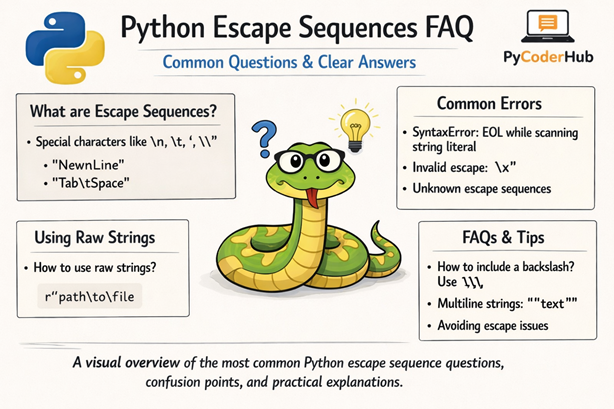
Introduction: Python Escape Sequences FAQ
This Python Escape Sequences FAQ is the final lesson of Chapter 7: Python Escape Sequences. In the previous lessons, we explored escape sequences, syntax rules, best practices, common errors, raw strings, Unicode usage, and how Python interprets backslashes inside strings.
But even after learning all that, you might still feel a little confusion — or have practical questions like:
Why is \n not working? When should I use raw strings? Why am I getting an invalid escape sequence warning?
That’s exactly what this lesson is here to clear up.
What You’ll Learn
In this FAQ guide, you’ll learn:
- Why some escape sequences don’t behave as expected
- When to use raw strings (
r"...") instead of normal strings - How to fix invalid escape sequence warnings
- The difference between escape sequences in strings vs bytes
- How Unicode escape sequences work in Python
- Common beginner mistakes with backslashes
- Best practices to avoid confusion in real-world code
- Practical explanations for frequently asked questions
This FAQ is divided into questions grouped by categories to make everything clearer and easier to navigate.
Let’s start with the first category.
Category 1: Basic Understanding & Core Concepts
Q – What are escape sequences in Python?
Ans – Escape sequences are special character combinations that start with a backslash (\) and represent characters that cannot be typed directly inside a string.
For example:
print("Hello\nWorld")Output:
Hello
World
Here, \n represents a new line.
Q – Why does Python use the backslash (\) for escape sequences?
Ans – The backslash acts as a signal to Python:
“The next character should not be treated normally.”
Without the backslash, Python would treat characters literally.
Q – What happens if I use a backslash without a valid escape sequence?
Ans – Python may raise a warning or treat it as a literal backslash (depending on the context).
Example:
file_path = "C:\newfolder"
print(file_path)
This may produce unexpected output because \n becomes a newline.
Correct way:
file_path = "C:\\newfolder"Or better:
file_path = r"C:\newfolder"Q – Are escape sequences case-sensitive?
Ans – Yes.
For example:
\n→ newline\N→ Unicode character by name (completely different meaning)
Case matters.
Category 2: Common Escape Sequences Confusion
Q – Why is \n not working in my string?
Ans – Most common reasons:
- You’re using a raw string (
r"...") - You’re printing the representation instead of the value
- You accidentally escaped the backslash
Example:
print(r"Hello\nWorld")Output:
Hello\nWorldRaw strings do not process escape sequences.
Q – How do I print a literal backslash in Python?
Ans – You must escape it:
print("This is a backslash: \\")Or use raw strings:
print(r"This is a backslash: \ ")Warning: It works only because there’s a space after the backslash. Remember, never end a raw string with a single backslash — it will cause a SyntaxError.
Q – How do I print quotes inside a string?
Ans – Use escape sequences:
print("She said, \"Hello\"")Or use alternating quotes:
print('She said, "Hello"')Q – What’s the difference between \t and spaces?
Ans – \t inserts a tab character. It is not the same as multiple spaces.
print("Name\tAge")Tabs align text based on tab width settings, not fixed spaces.
Category 3: Raw Strings & Real-World Usage
Q – What is a raw string in Python?
Ans – A raw string ignores escape sequences.
It is written using the r prefix:
raw_path = r"C:\newfolder\documents"Python does not interpret \n, \t, etc., inside raw strings.
Q – When should I use raw strings?
Ans – Use raw strings when working with:
- File paths (Windows)
- Regular expressions
- Strings with many backslashes
Q – Can a raw string end with a single backslash?
Ans – No.
This will cause an error:
invalid_raw = r"C:\folder\"Raw strings cannot end with an odd number of backslashes.
Q – Do raw strings completely ignore backslashes?
Ans – Not entirely.
They still cannot:
- End with a single backslash
- Break Python’s string syntax rules
Category 4: Unicode & Special Characters
Q – How do Unicode escape sequences work?
Ans – Unicode escape sequences use \uXXXX format.
Example:
print("\u2764")Output:

\u2764 represents the Unicode code point for a heart symbol.
Q – What is the difference between \u and \U?
Ans –
Example:
print("\U0001F600")Output:

Q – Why am I getting an error with Unicode escape sequences?
Ans – Usually because:
- You did not provide enough hexadecimal digits
- You used invalid characters
- You accidentally triggered a Unicode escape in a file path
Example mistake:
path = "C:\users\new"\u starts a Unicode escape — Python expects 4 hex digits.
Category 5: Less Common Escape Sequences
Q – What does \r do?
Ans – \r is a carriage return.
It moves the cursor to the beginning of the line.
Example:
print("Hello\rWorld")Output:
WorldQ – What does \b do?
Ans – \b is a backspace character.
It removes the previous character (in supported environments).
Q – What is \f used for?
Ans – \f is a form feed character.
Rarely used today, mostly historical.
Category 6: Escape Sequences in Bytes
Q – Do escape sequences work the same in byte strings?
Ans – Not exactly.
Byte strings use the b prefix:
byte_data = b"Hello\nWorld"
print(byte_data)
Output:
b'Hello\nWorld'In byte strings:
- Some escape sequences behave differently
- Unicode escape sequences (
\u,\U) are not allowed
Q – Can I use Unicode escapes inside byte strings?
Ans – No.
This will raise an error:
byte_data = b"\u2764"Byte strings support only ASCII-compatible escapes.
Category 7: Errors & Warnings
Q – What is an “invalid escape sequence” warning?
Ans – It appears when Python sees something like:
print("C:\documents")\d is not a valid escape sequence.
Fix by:
- Escaping the backslash
- Using raw strings
Q – Why does my file path break my code?
Ans – Because sequences like:
\n\t\u
Are interpreted as escapes.
Always use:
file_location = r"C:\newfolder\project"Category 8: Best Practices & Clean Code
Q – What is the safest way to write file paths in Python?
Ans – Use raw strings or forward slashes:
file_location = r"C:\project\data"Or:
file_location = "C:/project/data"Q – Should I always use raw strings?
Ans – No.
Use raw strings only when necessary. Overusing them can reduce readability.
Q – Is it better to alternate quotes instead of escaping?
Ans – Yes, when possible.
Instead of:
print("He said \"Hello\"")Write:
print('He said "Hello"')Cleaner and easier to read.
Q – How can I avoid escape sequence confusion completely?
Ans – Follow these rules:
- Use raw strings for file paths and regex
- Escape backslashes when needed
- Use forward slashes where possible
- Be careful with
\uin Windows paths - Keep strings simple and readable
Category 9: Advanced & Practical Questions
Q – How does Python interpret escape sequences internally?
Ans – When Python reads a string literal, it processes escape sequences before storing the string in memory.
That means:
message = "Hello\nWorld"The \n is converted into an actual newline character during parsing.
Q – Can I disable escape sequences entirely?
Ans – Only by using raw strings.
There is no global setting to turn escape processing off.
Q – Do escape sequences work in f-strings?
Ans – Yes.
Example:
user_name = "PyCoder"
print(f"Hello\n{user_name}")
Escape sequences are processed normally inside f-strings.
Category 10: Miscellaneous
Q – Are escape sequences only used inside strings?
Ans – Yes — escape sequences are only interpreted inside string literals and byte literals.
They do not work in:
- Variable names
- Comments
- Regular Python syntax
Q – Why do we need \' and \" when Python already supports quotes?
Ans – Because sometimes you want to use the same quote type inside the string.
Example:
print("She said \"Hello\"")If you use double quotes to define the string, you must escape inner double quotes. Otherwise, Python thinks the string ends early.
Alternatively, you can switch quote types:
print('She said "Hello"')Escaping is necessary when switching quotes is not practical.
Q – What does \\ represent?
Ans – \\ represents a single backslash character.
Example:
print("Folder path: C:\\Users\\Public")Output:
Folder path: C:\Users\PublicThe first backslash escapes the second one.
Q – Is \b (backspace) still useful today?
Ans – Rarely.
\b removes the previous character in environments that support backspace behavior, such as some terminals. However, in modern applications, it is not commonly used.
It mainly exists for historical and terminal-based formatting purposes.
Q – Why does repr() show escape sequences but print() does not?
Ans – Because they serve different purposes.
print()shows the string as users see it.repr()shows the string’s internal representation.
Example:
message = "Hello\nWorld"
print(message)
print(repr(message))
Output:
Hello
World
'Hello\nWorld'
repr() reveals escape sequences explicitly.
Q – Why do I get SyntaxError: EOL while scanning string literal?
Ans – This error usually happens when:
- You forget to close a quote
- A backslash escapes the closing quote
- You accidentally break a string across lines
Q – Why am I seeing SyntaxError: (unicode error)?
Ans – This often happens when Python detects an incomplete Unicode escape sequence.
Example:
file_path = "C:\users\new"\u starts a Unicode escape, and Python expects four hexadecimal digits. Since they are missing, it raises a Unicode-related syntax error.
Solution: use raw strings or escape the backslashes.
Q – What does ValueError: invalid \x escape mean?
Ans – \x requires exactly two hexadecimal digits.
Incorrect:
print("\x1")Correct:
print("\x41") # AIf the hexadecimal digits are missing or invalid, Python raises a ValueError.
Q – Are escape sequences still relevant in modern Python?
Ans – Absolutely.
Even in modern Python, escape sequences are essential for:
- Formatting output
- Handling file paths
- Writing regular expressions
- Representing Unicode characters
- Creating readable multiline strings
They remain a core part of string handling.
Q – Why do we need escape sequences when we can just type regular characters?
Ans – Because some characters:
- Cannot be typed directly
- Have special meaning in code
- Represent non-visible formatting (like newline or tab)
For example, you cannot visually type a newline inside a single-line string — \n makes that possible.
Q – Does the backslash count as a character in the string?
Ans – It depends.
If it forms a valid escape sequence like \n, it does not remain a backslash — it becomes the corresponding character (newline).
If escaped as \\, then yes, it becomes a single backslash character.
Example:
len("\n")   # 1
len("\\")   # 1
Q – Can I create custom escape sequences in Python?
Ans – No.
Python’s escape sequences are predefined by the language specification. You cannot define your own custom escape sequence like \z.
If you need special parsing behavior, you must process the string manually.
Q – Do escape sequences affect performance?
Ans – In normal applications, no.
Escape sequences are processed once when Python reads the string literal. After that, they behave like regular characters in memory.
There is no noticeable performance impact in real-world programs.
Final Conclusion
Escape sequences may look small, but they play a powerful role in how Python handles strings. Once you understand how backslashes are interpreted, most confusion disappears and your code becomes much more predictable.
Use them carefully, follow best practices, and choose raw strings when appropriate. With this clarity, you can now write cleaner, safer, and more professional Python strings with confidence.
Suggested Posts:
1. Python Escape Sequences Explained: Meaning, Purpose, and How They Work
2. How Common Python Escape Sequences Work: \n, \t, \, and Quotes Explained
3. Less Common Python Escape Sequences: \r, \b, \f, Unicode and More
4. Python Escape Sequence Rules: Syntax Requirements and Usage Guidelines
5. Python Escape Sequence Errors: Common Mistakes, Error Messages & How to Fix Them
6. Python Escape Sequences Best Practices – Complete Guide



7 thoughts on “Python Escape Sequences FAQ – Common Questions, Confusion & Clear Answers”