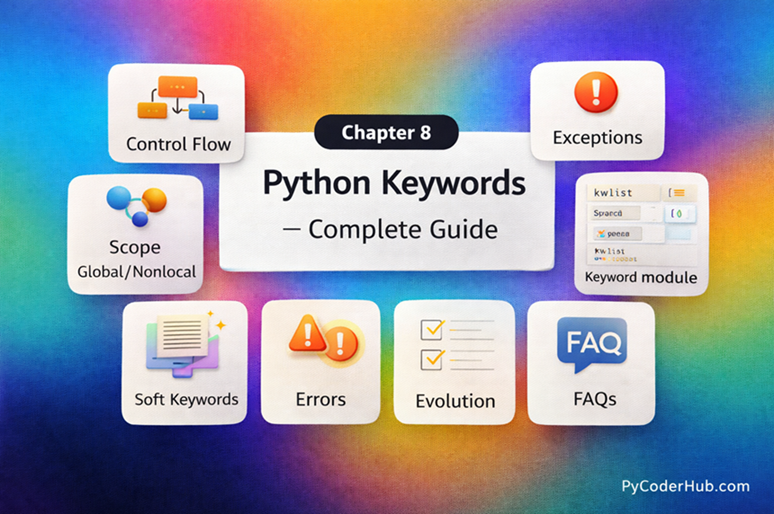
Chapter Overview: Python Keywords
In this chapter, you’ll learn everything about Python keywords and how they define the structure and rules of Python programs. You’ll understand what keywords are, why they are reserved, and how Python uses them to control logic, flow, and program behavior.
This chapter covers all important Python keywords such as if, else, for, while, True, False, None, def, class, return, import, and more. You’ll explore how keywords work in different contexts, how they are grouped based on their purpose, and why they cannot be used as variable or function names.
You’ll also learn practical examples of using keywords in real programs, best practices for writing clean and readable code, and common mistakes that lead to errors when keywords are misused or confused with identifiers.
By the end of this chapter, you’ll have a strong understanding of Python keywords, allowing you to write structured, error-free, and professional Python code with confidence.
What You Will Learn in This Chapter
In this chapter, you will learn:
- What Python keywords are and why they are essential for defining program structure
- How Python uses reserved words like
if,else,for, andwhileto control logic and flow - Commonly used Python keywords such as
True,False,None,def,class,return, andimport - How keywords affect code readability, structure, and overall program behavior
- The difference between keywords and identifiers, and why keywords cannot be used as variable or function names
- How Python keywords are grouped into categories like control flow, data handling, and logical operations
- Common errors caused by misusing keywords and how to fix them
- The difference between syntax errors and logical issues related to incorrect keyword usage
- Best practices for writing clean, readable, and professional Python code using keywords
Lessons in This Chapter
Below is a list of all the lessons included in this chapter. Click on any topic to dive into the full tutorial.
Lesson 1: Python Keywords Explained – What Are Reserved Keywords in Python?
This lesson explains Python keywords, including what they are, why they are reserved, and how they define the structure of Python programs. It covers how keywords control logic, flow, and behavior, and how Python interprets them during code execution. You’ll also understand why keywords cannot be used as identifiers and how they help write clear, structured, and readable code.
What You’ll Learn:
- What Are Python Keywords?
- Why Are Keywords Reserved in Python?
- How Many Keywords Are There in Python?
- How to List All Python Keywords (Using help())
- Using the keyword Module
- Are Python Keywords Case-Sensitive?
- Different Categories of Python Keywords (Short Overview)
- Difference Between Reserved Keywords and Built-in Functions
- Difference Between Keywords and Identifiers
Lesson 2: Python Control Flow Keywords Explained (With Function and Class Examples)
This lesson explores Python control flow keywords and how they guide the execution of your program. It covers how keywords like if, else, for, while, break, and continue work inside functions and classes to control decision-making and loops. You’ll also see practical examples to understand how these keywords help build logical, structured, and efficient Python code.
What You’ll Learn:
- What Are Python Control Flow Keywords?
- Decision-Making Keywords in Python
- Loop Keywords in Python
- Loop Control Keywords in Python
- Function-Related Keywords in Python
- Class-Related Keywords in Python
- Control Flow vs Function vs Class Keywords (Key Differences)
Lesson 3: Python Exception Handling Keywords Explained (With Boolean and Import Examples)
This lesson explains Python exception handling keywords and how they help manage errors gracefully in your programs. It covers keywords like try, except, else, finally, and raise, along with how they interact with Boolean values and import statements in real scenarios. You’ll also learn practical examples to handle errors effectively and write more robust, reliable Python code.
What You’ll Learn:
- Python Exception Handling Keywords
- Python Boolean and Null Keywords
- Python Import and Module Keywords
- The with Keyword for Context Management
- Differences Between Boolean, Exception, and Import Keywords
- Practical Example Combining Multiple Keyword Types
- Clarification About Python Keyword Category Naming
Lesson 4: Python Scope Keywords Explained (del, global, nonlocal) With Operator and Async Keywords Examples
This lesson explains Python scope-related keywords and how they control variable access and lifetime within a program. It covers del, global, and nonlocal, along with how operator keywords like and, or, not, and async keywords like async and await behave in real scenarios. You’ll also see practical examples to understand scope management, logical operations, and modern asynchronous code in Python.
What You’ll Learn:
- Python Scope Keywords
- Python Operator Keywords
- Python Async Programming Keywords
- Differences Between Scope, Operator, and Async Keywords
- Complete List of Keywords Covered in This Lesson
- Clarification About Python Keyword Category Naming
Lesson 5: Python Soft Keywords Explained: Meaning, History, List, Examples, and Differences from Reserved Keywords
This lesson explains Python soft keywords, including what they are, why they were introduced, and how they differ from reserved keywords. It covers examples like match and case, their role in modern Python features, and how their behavior depends on context. You’ll also understand their history, practical usage, and how to avoid confusion when using them in real programs.
What You’ll Learn:
- What Are Soft Keywords in Python?
- Why Python Introduced Soft Keywords
- History of Soft Keywords in Python
- How the Python Parser Handles Soft Keywords
- List of Soft Keywords in Python
- Soft Keyword 1: match Keyword Explained
- Soft Keyword 2: case Keyword Explained
- Soft Keyword 3: _ (Wildcard Pattern)
- Soft Keyword 4: type (Introduced in Python 3.12)
- Difference Between Reserved Keywords and Soft Keywords in Python
Lesson 6: Python Keyword Rules and Guidelines: Using Reserved and Soft Keywords Correctly
This lesson explains the essential rules and guidelines for using Python keywords correctly in your code. It covers how to work with reserved and soft keywords, where they can be used, and where they are restricted.
What You’ll Learn:
- Rule vs Guideline — Understanding the Difference
- Rule 1: Reserved Keywords Cannot Be Used as Identifiers
- Rule 2: Python Keywords Are Case-Sensitive
- Rule 3: Soft Keywords Act as Keywords Only in Specific Contexts
- Rule 4: Keywords Cannot Be Reassigned or Redefined
- Guideline 1: Avoid Using Soft Keywords as Identifiers
- Guideline 2: Avoid Using Names That Closely Resemble Python Keywords
- Guideline 3: Use a Trailing Underscore When a Name Conflicts with a Keyword
- Guideline 4: Use Python’s keyword Module to Check Keywords Programmatically
- Guideline 5: Use a Code Editor with Syntax Highlighting
- Guideline 6: Check the Python Version for New or Updated Keywords
Lesson 7: Python Keyword Module Explained: kwlist, iskeyword(), softkwlist with Examples
This lesson explains Python’s keyword module and how it helps you work with reserved and soft keywords programmatically. It covers kwlist, iskeyword(), and softkwlist, along with practical examples to check and manage keywords in your code. You’ll also learn how this module improves validation, prevents errors, and supports writing more reliable Python programs.
What You’ll Learn:
- What is a Module in Python?
- What is the Python Keyword Module?
- Why Use the Python Keyword Module Instead of Hardcoding Keywords?
- Features of the Python Keyword Module
- keyword.kwlist (List of Reserved Keywords)
- keyword.softkwlist (List of Soft Keywords)
- keyword.iskeyword(): Check Reserved Keywords
- keyword.issoftkeyword(): Check Soft Keywords
- Python Keyword Module vs help(“keywords”)
Lesson 8: Python Keyword Errors Explained: Common Mistakes and How to Fix Them
This lesson explains common errors related to Python keywords and how to fix them effectively. It covers mistakes like using keywords as identifiers, incorrect keyword placement, and confusion between keywords and variable names. You’ll also learn how to identify syntax and logical errors, understand error messages, and apply best practices to write clean and error-free Python code.
What You’ll Learn:
- Why Python Keyword Errors Happen
- Error #1: Using a Keyword as a Variable Name
- Error #2: Misspelling a Python Keyword
- Error #3: Incorrect Use of Keywords in Syntax
- Error #4: Misusing Soft Keywords (match, case, _)
- Error #5: Using Keywords in the Wrong Context
- Error #6: Forgetting Indentation After Keywords
- Error #7: Using Outdated Keyword Syntax
- Error #8: Using Keywords Inside f-Strings or Expressions Incorrectly
- Error #9: Confusion Between Keywords and Built-in Functions
- Error #10: Incorrect Use of Keywords with import and from
Lesson 9: Python Keywords Evolution: From Python 1 to Python 3.12+ (Complete Guide)
This lesson explores how Python keywords have evolved from early versions to modern Python 3.12+. It covers how new keywords were introduced, some became obsolete, and others changed behavior over time. You’ll also understand the reasons behind these changes and how they impact writing modern, compatible, and future-ready Python code.
What You’ll Learn:
- Python Keywords in Early Versions (Python 1.x Era)
- Evolution in Python 2.x
- Major Keyword Changes in Python 3.x
- Version-Wise Keyword Changes Summary
- Version-Based Code Examples (Understanding the Evolution)
- Future of Python Keywords
- How to Check Keywords in Your Python Version
Lesson 10: Python Keywords Best Practices: Write Cleaner, Error-Free Code
This lesson focuses on best practices for using Python keywords effectively in real-world code. It covers how to write clear, readable, and well-structured programs by using keywords correctly and consistently. You’ll also learn practical tips to avoid confusion, reduce errors, and follow clean coding standards for professional Python development.
What You’ll Learn:
- Best Practice #1 – Never Use Keywords as Identifiers
- Best Practice #2 – Use Keywords in the Correct Context
- Best Practice #3 – Avoid Overusing Complex Keyword Structures
- Best Practice #4 – Stay Updated with New Keywords
- Best Practice #5 – Be Careful with Soft Keywords
- Best Practice #6 – Maintain Proper Indentation After Keywords
- Best Practice #7 – Write Clear and Readable Conditions
- Best Practice #8 – Don’t Misuse Keywords for Clever Tricks
- Best Practice #9 – Use is vs == Correctly
- Best Practice #10 – Use Logical Keywords (and, or, not) Carefully
Lesson 11: Python Keywords FAQ – Common Questions, Confusion & Clear Answers
This lesson answers the most common questions and confusion related to Python keywords in a simple and clear way. It covers practical doubts, real-world scenarios, and tricky cases that beginners often face. You’ll also get clear explanations to strengthen your understanding and use Python keywords with confidence.
What’s Next After This Chapter
Now that you’ve mastered Python keywords and understand how they define program structure, control flow, and overall behavior, it’s time to move deeper into how Python handles data.
In the next chapter, you’ll explore Python data types — the building blocks used to store and manage different kinds of data in your programs. You’ll learn about numbers, strings, lists, tuples, sets, and dictionaries, along with how they behave and interact with each other.
If this chapter helped you understand how Python controls logic and structure, the next chapter will show you how Python stores, organizes, and processes data at a fundamental level.