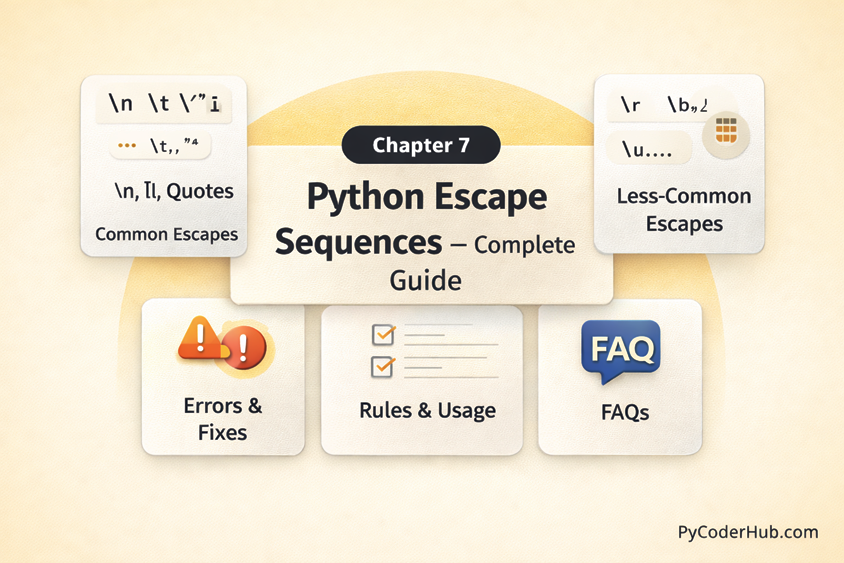
Chapter Overview: Python Escape Sequences
In this chapter, you’ll learn everything about Python escape sequences and how they are used to represent special characters inside strings clearly and correctly in Python programs. You’ll understand what escape sequences are, why they are important, and how Python interprets backslash (\) characters to create new lines, tabs, quotes, and other special formatting inside strings.
This chapter covers the most commonly used escape sequences such as \n, \t, \\, \', and \", how escape sequences work internally, differences between raw strings and normal strings, best practices for writing clean and readable string literals, and common mistakes that lead to errors like SyntaxError: EOL while scanning string literal or invalid escape sequence warnings.
By the end of this chapter, you’ll be able to use Python escape sequences confidently and correctly, avoid common string-related confusion, and write well-formatted, professional, and readable Python code.
What You Will Learn in This Chapter
In this chapter, you will learn:
- What Python escape sequences are and why they are important in string handling
- How Python uses the backslash (
\) to represent special characters inside strings - Commonly used Python escape sequences such as
\n,\t,\\,\', and\" - How escape sequences affect string formatting, output layout, and readability
- The difference between normal strings and raw strings (
r"...") when working with escape sequences - Common Python escape sequence errors and how to fix them (invalid escapes, unterminated strings)
- The difference between syntax errors and logical issues caused by incorrect escape sequence usage
- Best practices for writing clean, readable, and maintainable strings using escape sequences
Lessons in This Chapter
Below is a list of all the lessons included in this chapter. Click on any topic to dive into the full tutorial.
Lesson 1: Python Escape Sequences Explained: Meaning, Purpose, and How They Work
This lesson explains Python escape sequences, including what they are, their purpose, and how they work inside strings. It covers how the backslash (\) is used to represent special characters like new lines, tabs, quotes, and literal backslashes, and how Python interprets them while processing string literals. You’ll also understand how escape sequences improve string formatting, readability, and overall output structure in Python programs
What You’ll Learn:
- What Is an Escape Character in Python?
- What Is an Escape Sequence in Python?
- Why Do We Need Escape Sequences?
- How Python Interprets Escape Sequences
- List of Python Escape Sequences
- Why Escape Sequences Don’t Work with Raw Strings
- What Happens When You Use a Wrong Escape Sequence?
- How Escape Sequences Affect String Length in Python
- Why repr() Is Important for Escape Sequences
Lesson 2: How Common Python Escape Sequences Work: \n, \t, \, and Quotes Explained
This lesson explains how common Python escape sequences work, including \n, \t, \\, \', and \". It demonstrates how each escape sequence affects string output, formatting, and layout, with clear examples to show their behavior in real programs. You’ll also see how Python interprets these sequences internally and how to use them correctly to avoid string-related confusion and formatting issues.
What You’ll Learn:
- The Backslash (\) in Python – The Real Escape Character
- Escape Sequence #1: \\ (Literal Backslash)
- Escape Sequence #2: \’ (Single Quote)
- Escape Sequence #3: \” (Double Quote)
- Escape Sequence #4: \n (New Line)
- Escape Sequence #5: \t — Tab (Horizontal Tab Space)
Lesson 3: Less Common Python Escape Sequences: \r, \b, \f, Unicode and More
This lesson explores less common Python escape sequences such as \r, \b, \f, Unicode escapes like \uXXXX, and other advanced string representations. It explains how these sequences behave in different environments, where they are practically useful, and how Python processes them inside string literals. You’ll also understand when to use them appropriately and how to avoid unexpected output or confusion while working with special characters.
What You’ll Learn:
- Escape Sequence #1: \r — Carriage Return
- Escape Sequence #2: \b — Backspace
- Escape Sequence #3: \f — Form Feed
- Escape Sequence #4: \v — Vertical Tab
- Escape Sequence #5: \ooo — Octal Value Escape
- Escape Sequence #6: \xhh — Hexadecimal Value Escape
- Escape Sequence #7: \uXXXX — 16-bit Unicode Escape
- Escape Sequence #8: \UXXXXXXXX — 32-bit Unicode Escape
- Escape Sequence #9: \N{name} — Unicode Character by Name
Lesson 4: Python Escape Sequence Rules: Syntax Requirements and Usage Guidelines
This lesson explains the syntax rules and usage guidelines for Python escape sequences, including how they must be written inside string literals and how Python validates them. It covers correct backslash placement, valid versus invalid escape sequences, and how improper usage leads to errors or warnings. You’ll also learn practical guidelines to write clean, readable strings while avoiding common escape sequence mistakes.
What You’ll Learn:
- Rule #1 – Every Escape Sequence Must Begin with a Backslash (\)
- Rule #2 – Only Recognized Escape Sequences Are Interpreted
- Rule #3 – Escape Sequences Are Interpreted Only Inside String and Bytes Literals
- Rule #4 – Raw Strings Disable Escape Processing (With One Important Limitation)
- Rule #5 – Hexadecimal Escape Sequences Must Contain Exactly Two Hex Digits
- Rule #6 – Unicode Escape Sequences Must Follow Exact Length Requirements
- Rule #7 – Octal Escape Sequences Have Digit and Range Limits
Lesson 5: Python Escape Sequence Errors: Common Mistakes, Error Messages & How to Fix Them
This lesson covers common Python escape sequence mistakes, the typical error messages they trigger, and how to fix them effectively. It explains issues like invalid escape sequences, unterminated string literals, and incorrect backslash usage with clear examples and solutions. You’ll also learn how to identify whether a problem is caused by syntax rules or incorrect string formatting and how to resolve it confidently.
What You’ll Learn:
- Error #1: Invalid Escape Sequence
- Error #2: SyntaxError — EOL While Scanning String Literal
- Error #3: unicodeescape Codec Can’t Decode Bytes
- Error #4: Unexpected Character After Line Continuation Character
- Error #5: Using Escape Sequences Outside Strings
- Error #6: Confusion Between repr() and Printed Output
- Error #7: Mixing Tabs (\t) and Spaces for Precise Text Alignment
- Error #8: Assuming Escape Sequences Behave the Same in Every Terminal
Lesson 6: Python Escape Sequences Best Practices – Complete Guide
This lesson presents a complete guide to Python escape sequence best practices, focusing on writing clean, readable, and maintainable string literals. It explains when to use escape sequences, when to prefer raw strings, and how to avoid overcomplicating string formatting. You’ll also learn practical strategies for preventing common mistakes while keeping your code professional and consistent.
What You’ll Learn:
- Best Practice #1: Use Raw Strings When Working With Backslashes
- Best Practice #2: Don’t Use Escape Sequences When You Don’t Need Them
- Best Practice #3: Make Escape Sequences Explicit and Intentional
- Best Practice #4: Prefer f-Strings and Structured Formatting Over Manual Escaping
- Best Practice #5: Use repr() When Debugging Escape Sequences
- Best Practice #6: Use Triple-Quoted Strings (“”” “””) for Multi-Line Text Instead of Excessive \n
- Best Practice #7: Use len() to Verify How Escape Sequences Affect String Length When Debugging
- Best Practice #8: Prefer Unicode Escape Notation for Clarity
Lesson 7: Python Escape Sequences FAQ – Common Questions, Confusion & Clear Answers
This lesson answers the most common questions about Python escape sequences, clearing up frequent confusion around backslashes, quotes, raw strings, and special characters. It provides clear, concise explanations for practical doubts that arise while working with strings in real programs. The goal is to reinforce your understanding and ensure you can use escape sequences confidently without second-guessing their behavior.
What’s Next After This Chapter
Now that you’ve mastered Python escape sequences and understand how strings handle special characters, formatting, and internal interpretation, it’s time to move deeper into Python’s core language rules.
In the next chapter, you’ll explore Python keywords — the reserved words that define the structure and logic of Python programs. You’ll learn what keywords are, why they cannot be used as variable names, and how they control conditions, loops, functions, exceptions, and more.
If escape sequences taught you how Python handles text, the next chapter will show you how Python understands logic and program structure at a language level.