
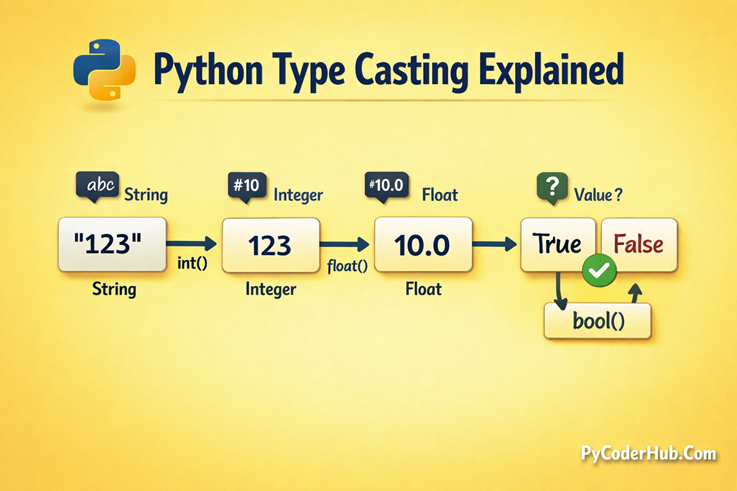
Introduction: Python Type Casting Explained
Have you ever faced a situation where Python gives you data in one form, but you need it in another?
For example:
- You get a number as a string, but you want to perform calculations
- You combine two values and suddenly the result changes type
- Or Python behaves differently when mixing different data types
This is where type casting comes into play.
Think of it like this:
You have the same content, but you change its container to make it usable in a different situation.
In Python, data types define how values behave. But in real programs, you often need to convert data from one type to another—and that’s exactly what you’ll learn in this lesson.
This lesson will build your foundation for understanding how Python handles data conversion, both automatically and manually.
What You’ll Learn
In this lesson, you will learn:
- What type casting is in Python
- Why type casting is important in real programs
- How Python handles data types dynamically
- The difference between implicit and explicit type casting
- A quick overview of built-in type casting functions like
int(),float(),str(), andbool() - Simple real-life examples of type conversion
Before we start understanding what type casting is, let’s first clear a very common confusion.
Let’s begin with Different Terms Used for Type Casting.
Different Terms Used for Type Casting (Avoid Confusion)
Before we dive deeper, let’s clear one very common confusion.
If you search online or watch tutorials, you’ll notice that different people use different terms for the same concept. This can feel confusing at first, especially for beginners.
The good news?
Most of these terms are closely related—you just need to understand how they connect.
1. Terms That Mean the Same Thing
These terms are often used interchangeably in Python:
- Type Casting
- Type Conversion
- Data Type Conversion
- Casting
- Convert Data Types
All of these generally mean:
Changing a value from one data type to another (for example, converting a string
"123"into an integer123).
So if you see any of these terms in tutorials, don’t worry—they are usually talking about the same idea.
2. Terms That Are Related but Slightly Different
Some terms are closely related but have a slightly more specific meaning.
Type Coercion
This refers to automatic conversion done by Python.
For example:
result_value = 10 + 2.5Here, Python automatically converts 10 into 10.0, and the result becomes a float.
This is also known as implicit type casting.
Type Promotion
This is a special case of type coercion.
It happens when Python converts a smaller type into a larger, more general type, such as:
int → float
In simple terms:
Type promotion is just Python “upgrading” a data type automatically.
Explicit Casting / Manual Casting
This is when you (the programmer) convert the type manually using functions like:
int()float()str()bool()
Implicit Casting / Automatic Casting
This is when Python automatically converts types behind the scenes, without you writing any conversion code.
3. Informal or Beginner Terms
You may also come across some non-technical phrases like:
- Change variable type
- Convert variable type
- Type convert
These are informal ways of describing type casting and are commonly used in beginner discussions.
4. Terms You Should NOT Confuse
Some terms may sound similar but actually mean something different.
Type Hinting
- Used to suggest a variable’s type
- Does NOT convert the value
Data Validation
- Used to check if data is correct
- Does NOT change the data type
Final Clarity
To keep things simple:
In this guide, we will mainly use the term Type Casting, but you may also see Type Conversion used interchangeably.
Once you understand this, you’ll be able to follow any Python tutorial or documentation without confusion
Understanding Data Types in Context
Before we understand type casting, it’s important to quickly revisit what data types are and how Python handles them.
Don’t worry—we won’t go deep here. This is just a quick refresher to connect everything smoothly.
Quick Recap of Common Data Types
In Python, every value has a data type, which defines:
- What kind of data it is
- What operations you can perform on it
Some of the most common built-in data types are:
- int → Whole numbers (e.g.,
10,-5) - float → Decimal numbers (e.g.,
3.14,2.0) - str → Text or strings (e.g.,
"Hello","123") - bool → Boolean values (
True,False) - list → Ordered collection of items
- tuple → Ordered, immutable collection
- set → Unordered collection of unique items
- dict → Key-value pairs
If you want a complete and detailed understanding of all data types, you can refer to:
Chapter 9 – Python Data Types: Complete Guide
Python’s Dynamic Typing (Quick Recap)
Python is a dynamically typed language, which means:
You don’t need to declare a variable’s type explicitly—Python automatically assigns it based on the value.
Example:
user_value = 10       # int
user_value = "Hello"  # now str
The same variable can hold different types at different times.
This flexibility is powerful—but it also creates situations where:
- You may need to convert one type into another
- Or Python may automatically convert types
And that’s exactly where type casting becomes important.
If you want a deeper understanding of dynamic typing, refer to our previous lesson on Python variables.
Checking Data Types Using type()
Sometimes, you may not be sure what type a value has.
Python provides a built-in function:
type() — used to check the data type of a value
Example:
print(type(10))        # <class 'int'>
print(type(3.14))      # <class 'float'>
print(type("Hello"))   # <class 'str'>
This function is very useful when:
- Debugging code
- Understanding unexpected behavior
- Working with dynamic data
Why This Matters for Type Casting
Now that you remember:
- What data types are
- How Python assigns them dynamically
- How to check them
You’re ready to understand how and why we convert one data type into another.
Let’s move ahead and explore what type casting really means.
What is Type Casting in Python? (Core Explanation)
Now that you understand data types, let’s answer the most important question:
Definition (Simple and Clear)
Type Casting in Python means:
Converting a value from one data type to another.
For example:
- Converting a string
"123"into an integer123 - Converting an integer
10into a float10.0
In simple terms:
You are changing how Python interprets a value.
Simple Example (Understanding the Need)
Let’s take a very common situation:
number_value = 10
string_value = "20"

result_value = number_value + string_value
Output:
TypeError: unsupported operand type(s) for +: 'int' and 'str'Why This Error Happens?
number_valueis an integerstring_valueis a string
Python does not know how to directly add a number and text.
Solution Using Type Casting
We convert the string into an integer:
number_value = 10
string_value = "20"

result_value = number_value + int(string_value)

print(result_value)
Output:
30Explanation
int(string_value)converts"20"→20- Now both values are integers
- Python can successfully perform addition
This is type casting in action.
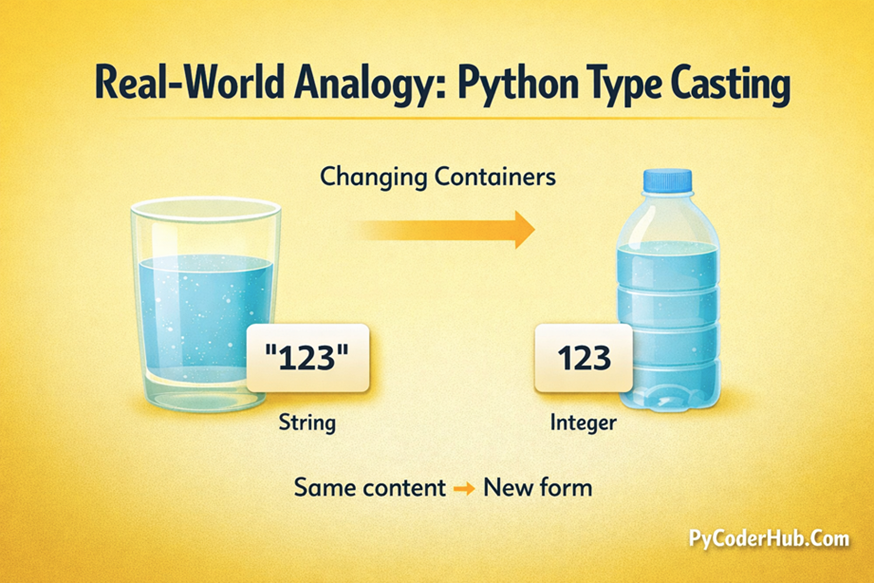
Real-World Analogy (Easy to Understand)
Think of type casting like changing containers.
- Water in a glass → same water in a bottle
- The content is the same, but the form (container) changes
Similarly in Python:
"123"(string) →123(integer)- Same value, but now it behaves differently
Another way to think about it:
Type casting is like changing the format of data so it can be used in a different situation.
Visual Representation of Real-World Analogy (Type Casting)
Before we move forward, let’s quickly visualize the concept we just discussed. This simple illustration will help you clearly understand how type casting works by comparing it to changing containers in real life.
Now that you’ve clearly understood this real-world analogy, it becomes much easier to grasp how Python changes data types.
Why Python Needs Type Conversion
In real programs, data doesn’t always come in the format you need.
1. User Input is Always a String
user_age = input("Enter your age: ")Even if the user enters 25, Python stores it as:
"25" # stringTo perform calculations, you must convert it:
user_age = int(user_age)2. Operations Between Different Data Types
Sometimes you mix data types:
result_value = 10 + 2.5Python automatically converts 10 into 10.0
Result becomes a float: 12.5
This is automatic type casting.
3. Different Data Types Behave Differently
For example:
"10" + "20"   # "1020" (string concatenation)
10 + 20       # 30 (numeric addition)
Same values, different types → different results
So, to get the desired behavior, you need to convert the type correctly.
Key Understanding
Type casting is not just about changing data—it’s about making data usable in the right context.
Once you understand this, everything else in type casting becomes much easier.
Type Casting in Python vs Other Programming Languages
Before we move ahead, it’s important to understand one thing:
Type casting is not something unique to Python—it exists in almost every programming language.
However, the way it is done can be very different.
How Python Handles Type Casting
In Python, type casting is:
- Simple
- Readable
- Beginner-friendly
You usually convert data types using built-in functions like:
int()float()str()bool()
Example:
number_value = int("10")The syntax is clean and easy to understand, even for beginners.
How Other Programming Languages Handle It
In many languages like C, C++, or Java, type casting often uses a different syntax:
Example in C programming:
(int) 3.5Here, the type is written in brackets before the value.
These languages are usually:
- More strict
- Less flexible
- Require more manual control
Automatic Casting Differences
Different programming languages handle automatic conversions differently:
- Some languages are very strict
You must manually convert types almost every time - Some languages are too flexible
They automatically convert types, which can sometimes cause unexpected results
Example in JavaScript:
"10" + 5     // → "105"  (string concatenation)
"10" * 5     // → 50      (automatic conversion)
Final Takeaway
Python makes type casting simple and readable, while still giving you control when needed—making it one of the most beginner-friendly approaches among programming languages.
Now that you understand how Python compares with other languages, let’s move ahead and explore the types of type casting in Python.
Types of Type Casting in Python
Python handles type casting in two fundamentally different ways — sometimes it steps in and handles the conversion for you, and sometimes it expects you to do it yourself. Understanding both is essential because they serve different purposes and behave very differently in practice.
In Python, type casting mainly happens in two ways:
- Implicit Type Casting (Automatic)
- Explicit Type Casting (Manual)
Let’s start with the first one.
Implicit Type Casting — When Python Handles It for You
What is Implicit Type Casting?
Implicit type casting means:
Python automatically converts one data type into another without you writing any conversion code.
It happens quietly in the background while Python evaluates an expression.
Let’s see it in action:
integer_value = 10       # int
float_value = 2.5        # float

result_value = integer_value + float_value

print(result_value)       # 12.5
print(type(result_value)) # <class 'float'>
Notice something important here:
- You did not use
float() - You did not manually convert anything
Still, Python handled everything smoothly.
This is implicit type casting.
Why Does Python Do This?
Python performs implicit casting for one simple reason:
To avoid unnecessary errors when the result is already obvious and safe.
Think about this:
If you write:
10 + 2.5What could you possibly mean other than numeric addition?
There’s no confusion here. So instead of forcing you to write:
float(10) + 2.5Python does the conversion automatically.
Key Idea
Python automates only the obvious and safe conversions, and leaves the rest to you.
Type Promotion — The Rule Behind Implicit Casting
There’s a question that naturally comes to mind when you see the previous example:
When we add an
intand afloat, why does the result become a float?
Why does Python convertint → floatautomatically…
Why not convertfloat → intinstead?
Is there some rule behind this behavior?
Yes—there is.
Implicit casting in Python follows a rule called Type Promotion
Understanding the Logic Behind Type Promotion
In Python, data types are not just different—they also have different levels of capability.
Some types can represent more kinds of values than others.
For example:
int→ can store only whole numbersfloat→ can store decimal numbers (more precise than int)complex→ can store even more advanced numbers (real + imaginary)
So we can say:
Python promotes types based on which type can safely represent the result without losing information.
The Core Rule Python Follows
A lower-capability type is automatically converted into a higher-capability type during operations.
Why?
Because:
- Converting upward → safe (no data loss)
- Converting downward → unsafe (data may be lost)
Example: Why int → float?
integer_value = 10
float_value = 2.5

result_value = integer_value + float_value
Python converts:
10 → 10.0Now both values are floats:
10.0 + 2.5 = 12.5No data is lost
Result is accurate
Why NOT float → int?
If Python did this:
2.5 → 2The decimal part would be lost.
This would silently change the value
This could lead to incorrect results
So Python avoids this completely.
Promotion Order in Python
Now that you understand the logic, the promotion order becomes easy:
bool → int → float → complexThis is not something you need to memorize anymore—you can understand it:
bool→ least capable (True/False → 1/0)int→ whole numbersfloat→ decimal numberscomplex→ most capable (real + imaginary)
Multiple-Step Promotion (How It Actually Works)
Sometimes promotion happens in steps.
Example:
print(True + 2.5)Internally:
True → 1(bool → int)1 → 1.0(int → float)- Final operation:
1.0 + 2.5 = 3.5Result is float
Promotion follows the same chain step-by-step
Important Insight About bool
bool sits at the bottom of the promotion chain
In Python:
True = 1False = 0
And technically:
boolis a subclass ofint
That’s why it participates naturally in numeric operations.
Key Takeaway
Type promotion in Python is based on capability and safety.
- Python always converts upward
- It never converts downward automatically
- It protects your data from loss and confusion
Seeing Type Promotion in Action
Let’s now look at some practical examples to see how implicit type casting works in action.
int + float → float
first_number = 7        # int
second_number = 1.5     # float

result_value = first_number + second_number

print(result_value)         # 8.5
print(type(result_value))   # <class 'float'>
7 becomes 7.0 internally before addition.
int + complex → complex
first_number = 4            # int
second_number = 2 + 3j      # complex

result_value = first_number + second_number

print(result_value)         # (6+3j)
print(type(result_value))   # <class 'complex'>
The integer is promoted all the way to complex.
float + complex → complex
first_number = 1.5          # float
second_number = 2 + 4j      # complex

result_value = first_number + second_number

print(result_value)         # (3.5+4j)
print(type(result_value))   # <class 'complex'>
The promotion chain holds no matter how many steps it needs.
Special Case: bool Behaves Like int
This surprises many beginners.
In Python:
Truebehaves like1Falsebehaves like0
Let’s see:
print(True + 5)       # 6
print(False + 7.5)    # 7.5
print(True + 2.0)     # 3.0
What’s happening?
True → 1False → 0- Then normal promotion rules apply
When Does Python Use Implicit Casting?
Python only performs implicit casting when all of these conditions are satisfied:
1. The Conversion is Safe
- No data loss should occur
- Example:
int → float - Example:
float → int
2. The Intent is Clear
- The operation must be obvious
- Example: number + number
- Example: number + string
3. Types are Numerically Compatible
Implicit casting only works with:
- int
- float
- complex
- bool
It does not work with unrelated types.
What Implicit Casting Does NOT Do
This is just as important.
Python does not try to be overly smart.
Example 1: String + Integer
print("Age: " + 25)Output:
TypeErrorPython does NOT convert 25 into "25" automatically.
Example 2: List + Tuple
print([1, 2] + (3, 4))Output:
TypeErrorNo automatic conversion between collection types.
Why Python Avoids This
Some languages (like JavaScript) allow automatic conversions here.
But Python avoids it because:
Silent conversions between unrelated types can create hard-to-debug errors
Python prefers clarity over cleverness.
Quick Summary of Implicit Casting Rules
| Operation | Result Type | Safe? | Python Handles It? |
|---|---|---|---|
| int + float | float | Yes | Yes |
| int + complex | complex | Yes | Yes |
| float + complex | complex | Yes | Yes |
| bool + int | int | Yes | Yes |
| bool + float | float | Yes | Yes |
| float → int | int | No | Never |
| str + int | — | No | Never |
| list + tuple | — | No | Never |
Final Understanding
Implicit type casting in Python is limited, safe, and predictable.
- It handles only numeric, safe conversions
- It avoids data loss and confusion
- It never guesses when things are unclear
If Python is doing it automatically, you can trust that:
the result is safe and expected
Now that you understand how Python handles automatic conversions, let’s move ahead to Explicit Type Casting, where you control the conversion process.
Explicit Type Casting — When You Control the Conversion
So far, you’ve seen how Python sometimes converts data types automatically (implicit casting).
But what if:
- Python does not convert automatically
- Or you don’t want Python to decide
- Or the conversion is not safe by default
That’s where explicit type casting comes in.
What is Explicit Type Casting?
Explicit type casting means:
You manually convert a value from one data type to another using built-in functions.
In simple terms:
You tell Python exactly what type you want.
Basic Example
number_string = "50"

converted_number = int(number_string)

print(converted_number)       # 50
print(type(converted_number)) # <class 'int'>
What Happened Here?
"50"is a stringint()converts it into an integer- Now Python treats it as a number
This conversion only happens because you explicitly asked for it.
Why Do We Need Explicit Type Casting?
Python does not automatically convert everything, and that’s intentional.
Let’s see an example:
print("10" + 20)Output:
TypeErrorPython refuses to guess your intention.
So you must explicitly convert:
print(int("10") + 20) # 30Key Idea
Explicit casting is required when:
- The conversion is not obvious
- There is a chance of data loss
- Types are not compatible
Common Built-in Casting Functions
Python provides several built-in functions for explicit casting:
| Function | Description |
|---|---|
int() | Converts value to integer |
float() | Converts value to float |
str() | Converts value to string |
bool() | Converts value to boolean |
list() | Converts to list |
tuple() | Converts to tuple |
set() | Converts to set |
Widening vs Narrowing — Understanding Conversion Direction
Every time you perform explicit type casting, you are moving data in one of two directions.
Understanding this is important because it tells you whether your conversion is safe or risky.
Widening Conversion (Safe)
Moving to a type that can hold more information or precision
Example:
integer_value = 10
float_value = float(integer_value)   # 10.0
No data is lost
Value remains accurate
The type becomes more capable, not less
Narrowing Conversion (Risky)
Moving to a type that holds less information
Example:
float_value = 9.87
integer_value = int(float_value) # 9- Decimal part is removed
- Data is permanently lost
Important Insight
Narrowing is not wrong—but it must always be a conscious decision
When you write:
int(9.87)You are explicitly telling Python:
“I am okay losing the decimal part”
Key Understanding
- Widening → Safe and automatic (often implicit)
- Narrowing → Risky and always explicit
This is why Python:
- Allows widening automatically
- Forces you to handle narrowing manually
What Explicit Casting Cannot Do
Explicit casting is powerful—but it has clear limits.
Python can convert values, but it cannot guess meaning.
Invalid Conversions
int("hello")     # ValueError
int("3.14")      # ValueError
int(None)        # TypeError
int([1, 2, 3])   # TypeError
Why These Fail
"hello"→ not a number"3.14"→ not an integer formatNone→ no numeric meaning[1, 2, 3]→ collection, not a single value
Python refuses to guess or assume.
Important Principle
Casting functions convert valid representations, not arbitrary data.
No Silent Fixes (Very Important)
Python does NOT:
- Guess missing values
- Provide default conversions
- Silently fix incorrect data
Instead, it gives a clear error
This is a design choice:
Explicit errors are better than hidden bugs
Final Understanding
Explicit type casting gives you full control over data conversion.
- You decide when to convert
- You decide how to convert
- You take responsibility for accuracy and data safety
Explicit vs Implicit Casting
Now that you understand both types of casting, let’s clearly compare them to remove any remaining confusion.
Key Idea
Implicit casting is done by Python automatically when it is safe.
Explicit casting is done by you when control or clarity is required.
Comparison Table
| Feature | Implicit Casting (Automatic) | Explicit Casting (Manual) |
|---|---|---|
| Who performs it | Python | Developer (you) |
| Syntax required | No | Yes (int(), float()) |
| Safety | Always safe | May cause data loss |
| Control | No control | Full control |
| Use case | Simple numeric operations | Complex or forced conversion |
| Error handling | Rarely errors | May raise errors |
Key Understanding
Implicit casting is about convenience, while explicit casting is about control and responsibility.
Visual Representation
Before we move ahead, let’s quickly visualize the difference between implicit and explicit type casting. This will help you clearly understand how Python handles conversions automatically versus when you need to take control.
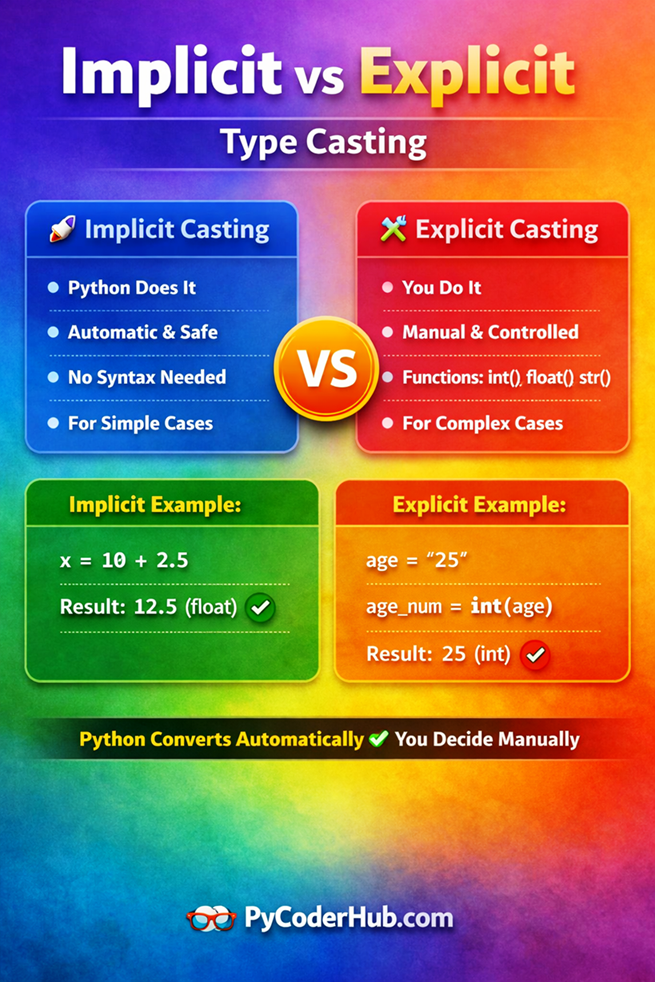
Now that you’ve visually understood the difference, it becomes much easier to decide when Python will handle conversions for you and when you need to step in manually.
Overview of Built-in Type Casting Functions
Python provides several built-in functions to convert data types explicitly. These functions are simple to use but extremely powerful.
Common Type Casting Functions
| Function | Description |
|---|---|
int() | Converts value to integer |
float() | Converts value to float |
str() | Converts value to string |
bool() | Converts value to boolean |
list() | Converts iterable to list |
tuple() | Converts iterable to tuple |
set() | Converts iterable to set |
dict() | Converts key-value pairs into dictionary |
complex() | Converts value to complex number |
Important Note
Each of these functions has its own:
- Rules
- Edge cases
- Limitations
In the upcoming lessons, we will explore each built-in function in great detail, with deep explanations and real-world examples.
Simple Real-Life Examples
Let’s connect type casting with real-world programming scenarios.
1. Taking User Input
user_age = input("Enter your age: ")
user_age = int(user_age)
input() always returns a string, so conversion is required.
2. Performing Calculations
price = "100"
quantity = 2

total_cost = int(price) * quantity
Convert string to number before calculation.
3. Displaying Numbers as Text
score = 95
message = "Your score is " + str(score)
Convert number to string for display.
4. Boolean Decisions
score = 95
message = "Your score is " + str(score)
Useful in conditions and logical checks.
When You Should NOT Use Type Casting
Type casting is powerful—but it should not be used blindly.
1. When Data May Be Invalid
int("hello") # ErrorAlways validate or handle exceptions.
2. When It Causes Data Loss
int(9.99) # 9You may lose important information.
3. When It Reduces Code Clarity
int(float(str(value)))Avoid unnecessary chaining.
4. When Logic Should Be Fixed Instead
Sometimes casting hides poor design:
Instead of converting repeatedly, fix the data flow.
Key Insight
Type casting should solve a problem—not hide one.
Quick Recap
- Type casting means converting one data type into another
- Python supports:
- Implicit casting (automatic and safe)
- Explicit casting (manual and controlled)
- Type promotion ensures safe automatic conversion
- Explicit casting gives full control but may cause data loss
- Built-in functions like
int(),float(),str()are used for conversion - Not all conversions are valid—errors can occur
- Use casting carefully and only when necessary
Conclusion
Type casting is one of those foundational Python skills that quietly shows up everywhere — from reading user input to doing math with mixed data types to working with APIs and databases.
By now, you understand what type casting actually means (and why it goes by so many names), the difference between implicit and explicit conversion, and how Python’s built-in functions like int(), float(), str(), and list() give you direct control over your data. You also know something equally important: when not to use type casting, so you avoid masking bugs or writing code that breaks in subtle ways.
Here’s the one-line takeaway worth remembering: Python is dynamically typed, but that doesn’t mean you should ignore types. Being intentional about your data types leads to cleaner, more predictable, and easier-to-debug code.
As a next step, try spotting type casting opportunities (or mistakes) in code you’re already writing. The more you practice recognizing when a conversion is needed — and choosing the right function for it — the more natural it becomes.
Keep practicing, keep experimenting, and keep building — because understanding data behavior is one of the biggest steps toward becoming confident in Python. 🐍
What’s Next?
Now that you’ve clearly understood what Python type casting is, why it’s needed, and how it works behind the scenes, it’s time to move from theory to real practical usage.
In the next lesson, you’ll explore all the built-in type casting functions like int(), float(), complex(), bool(), and str() in detail—along with real examples, edge cases, and common mistakes that beginners often face.
👉 Continue your learning here: Python Type Casting Functions Explained (int, float, complex, bool, str)
Suggested Posts
- Python Type Casting Functions Explained (int, float, complex, bool, str)
- Advanced Python Type Casting Functions Explained (list, tuple, set, dict & More)
- Python Type Promotion Explained (Implicit Type Conversion & Type Hierarchy)
- Python Type Casting Rules: Complete Guide to Safe and Predictable Conversions
- Python Type Casting in Real-World Applications: Truthiness, Data Conversion & Safe Casting
- Python Type Casting Best Practices: Write Safe, Predictable & Bug-Free Code
- Python Type Casting FAQs: Common Conversion Questions, Errors & Confusions Explained

8 thoughts on “Python Type Casting Explained (Type Conversion for Beginners)”