
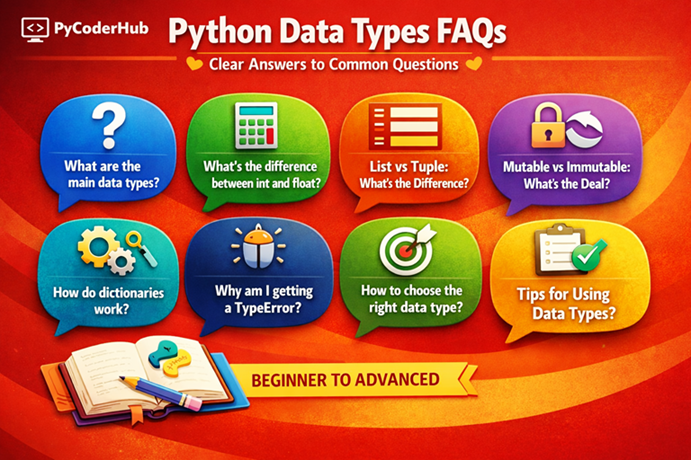
Introduction: Python Data Types FAQs
So far in this chapter, we’ve taken a complete journey through Python Data Types — starting from the basics, understanding each type in detail, learning rules and guidelines, exploring mutable vs immutable behavior, fixing common errors, and finally applying best practices.
But even after covering everything, one thing naturally remains: questions — small doubts, hidden confusion, “what if” scenarios, and practical situations that don’t always fit neatly into theory.
That’s exactly why this final lesson—Python Data Types FAQs— exists.
Think of it like the final polishing step.
What You’ll Learn in This Lesson
In this Python Data Types FAQs guide, you’ll find clear and beginner-friendly answers to the most common questions, including:
- Basic and fundamental questions about Python data types
- Differences between commonly confused data types
- Mutable vs immutable behavior (practical doubts)
- Type conversion and type checking questions
- Real-world usage and best practice clarifications
- Common mistakes and why they happen
- Performance and memory-related questions
- Interview-style conceptual questions
To make things simple and easy to navigate, this Python Data Types FAQs guide is divided into different categories.
Each category focuses on a specific type of question – so you can quickly find what you’re looking for without confusion.
Basic Python Data Types FAQs
This section of the Python Data Types FAQs focuses on the most fundamental questions beginners usually have. These questions build the foundation for understanding how Python handles data and variables.
1. What Are Python Data Types?
Python data types define what kind of value a variable stores and how that value behaves in a program.
In simple terms, a data type tells Python:
- what kind of data is stored
- what operations can be performed on that data
- how the data is represented in memory
For example:
age_value = 25
price_amount = 19.99
user_name = "PyCoder"
Here:
25is an integer19.99is a float"PyCoder"is a string
Each of these values belongs to a different data type, and Python treats them differently when performing operations.
2. Why Are Data Types Important in Python?
Data types are important because they help Python understand how to process data correctly.
They control things like:
- what operations are allowed
- how memory is used
- how values interact with each other
For example:
number_one = 10
number_two = 5
result_value = number_one + number_two
This works because both values are numeric.
But if you try to add a number and a string:
result_value = 10 + "5"Python will raise a TypeError because the data types are incompatible.
Understanding data types helps you avoid such mistakes and write reliable code.
3. How Many Data Types Are There in Python?
Python has many data types, but most of them fall into a few main categories.
Common built-in data types include:
| Category | Examples |
|---|---|
| Numeric | int, float, bool |
| Sequence | str, list, tuple |
| Set | set |
| Mapping | dict |
| Binary | bytes, bytearray, memoryview |
| Special | NoneType |
These data types cover almost all situations you will encounter when writing Python programs.
4. What Are The Main Categories of Python Data Types?
Python data types are usually grouped into the following categories:
A. Numeric Types
intfloatbool
B. Sequence Types
strlisttuple
C. Set Type
set
D. Mapping Type
dict
E. Binary Types
bytesbytearraymemoryview
F. Special Type
NoneType
These categories help organize data types based on how they store and manage data.
5. Is Python Statically Typed or Dynamically Typed?
Python is a dynamically typed language.
This means you do not need to declare the data type of a variable manually. Python automatically determines it based on the value assigned.
For example:
student_score = 95Python automatically understands that this is an integer.
Later, the same variable can store a different data type:
student_score = "Excellent"Now the variable stores a string.
This flexibility is one of the reasons Python is considered easy and beginner-friendly.
6. How Does Python Automatically Detect Data Types?
Python determines the data type based on the value assigned to the variable.
For example:
temperature_value = 36.5Python sees the decimal value and automatically assigns the float data type.
Similarly:
message_text = "Hello Python"Python recognizes the quotation marks and assigns the string data type.
So instead of writing something like:
int age = 25 # required in some languagesPython simply uses:
age_value = 25Python handles the data type internally.
7. What is The Difference Between a Value And a Data Type?
A value is the actual data stored in a variable.
A data type describes what kind of data that value is.
Example:
course_name = "Python Basics"Here:
"Python Basics"→ valuestr→ data type
Another example:
total_items = 1212→ valueint→ data type
Think of it like:
Data type → category
Value → the actual item inside that category
8. Can a Variable Change Its Data Type in Python?
Yes. Because Python is dynamically typed, a variable can change its data type during program execution.
Example:
data_value = 100Initially:
data_value → intLater:
data_value = "Completed"Now:
data_value → stringPython simply updates the variable to reference a new value.
However, while this flexibility is powerful, it should be used carefully to avoid confusion in larger programs.
9. What is The type() Function in Python?
The type() function is used to identify the data type of a value or variable.
Example:
user_age = 30

print(type(user_age))
Output:
<class 'int'>Another example:
city_name = "Delhi"

print(type(city_name))
Output:
<class 'str'>This function is extremely useful for:
- debugging code
- learning Python
- verifying data types during development
10. How Do You Check The Data Type of a Variable?
The simplest way is using the type() function.
Example:
product_price = 499.99

print(type(product_price))
Output:
<class 'float'>Another commonly used method is isinstance(), which checks whether a value belongs to a specific data type.
Example:
student_score = 85

print(isinstance(student_score, int))
Output:
TrueThe isinstance() function is often preferred in real programs because it checks types more safely and clearly.
Numeric Data Types FAQs
This section of the Python Data Types FAQs focuses on numeric data types — the most commonly used types when working with numbers in Python. Here, we’ll clear common confusion around int, float, bool, and None with simple explanations and practical examples.
1. What Is the Difference Between int and float in Python?
The main difference lies in how numbers are represented:
- int (integer) → Whole numbers (no decimal point)
- float (floating-point) → Numbers with decimal values
Example:
total_users = 100        # int
average_score = 85.5     # float
Use int when precision is exact (like counts)
Use float when decimals are needed (like measurements)
2. What Is the bool Data Type in Python?
The bool (Boolean) data type represents only two values:
TrueFalse
It is mainly used for:
- conditions
- decision-making
- comparisons
Example:
is_logged_in = True
is_payment_successful = False
Boolean values control the flow of your program.
3. Why Is True Equal to 1 and False Equal to 0?
In Python, bool is a subclass of int.
That means:
Truebehaves like1Falsebehaves like0
Example:
result_value = True + True
print(result_value)   # Output: 2
This is useful in calculations, but it can also cause confusion if not understood properly.
4. What Is None in Python? Is It a Data Type?
Yes, None is a special value of its own type called NoneType.
It represents:
“no value” or “nothing”
Example:
result_value = NoneIt is commonly used when:
- a function does not return anything
- a variable is intentionally left empty
5. What Is the Difference Between None and 0?
This is a very common confusion.
0→ A number (int)None→ Absence of value
Example:
print(0 == None) # Output: FalseThey are completely different and should not be used interchangeably.
6. Can We Perform Operations with None?
No, most operations with None will result in an error.
Example:
value_data = None
result_value = value_data + 10   # TypeError
Because None does not behave like a number or string.
7. When Should You Use int vs float?
Use:
- int → counting, indexing, exact values
- float → measurements, calculations, averages
Choosing the right type helps avoid confusion and errors in your program.
8. Can You Convert Between int, float, and bool?
Yes, Python allows type conversion.
Example:
print(int(5.9))     # Output: 5
print(float(10))    # Output: 10.0
print(bool(0))      # Output: False
But be careful:
- Conversion may change the value
- Some conversions can fail
Sequence & Collection Data Types FAQs
This section of the Python Data Types FAQs focuses on sequence and collection types — the data structures you’ll use most often to store and manage multiple values. Here, we’ll clear common confusion around list, tuple, set, and str with simple explanations and practical examples.
1. What Are Sequence Data Types in Python?
Sequence data types store multiple values in an ordered manner.
Common sequence types include:
str(string)listtuple
Example:
user_name = "PyCoder"          # string
numbers_list = [1, 2, 3]       # list
coordinates_tuple = (10, 20)   # tuple
These types allow:
- indexing
- slicing
- iteration
2. What Is the Difference Between List and Tuple?
The key difference is mutability:
- list → mutable (can be changed)
- tuple → immutable (cannot be changed)
Example:
numbers_list = [1, 2, 3]
numbers_list.append(4)   # works

numbers_tuple = (1, 2, 3)
# numbers_tuple.append(4)  # Error
Use lists for flexibility, tuples for fixed data.
3. When Should I Use a List Instead of a Tuple?
Use a list when:
- data needs to change
- you need to add/remove items
- order may change
Example:
shopping_items = ["milk", "bread"]
shopping_items.append("eggs")
Lists are ideal for dynamic data.
4. When Should I Use a Tuple Instead of a List?
Use a tuple when:
- data should remain constant
- you want better performance
- you need hashable data (e.g., dictionary keys)
Example:
rgb_color = (255, 0, 0)Tuples are ideal for fixed collections.
5. What Is the Difference Between List and Set?
- list → ordered, allows duplicates
- set → unordered, no duplicates
Example:
numbers_list = [1, 2, 2, 3]
numbers_set = {1, 2, 2, 3}

print(numbers_list)  # [1, 2, 2, 3]
print(numbers_set)   # {1, 2, 3}
Sets automatically remove duplicates.
6. Why Are Sets Unordered in Python?
Sets are designed for:
- fast membership checks
- uniqueness
They do not maintain insertion order (conceptually), so items are stored in a way that optimizes performance.
That’s why indexing like set_data[0] is not allowed.
7. Can Sets Contain Duplicate Values?
No, sets automatically remove duplicates.
Example:
unique_values = {1, 1, 2, 3}
print(unique_values)   # {1, 2, 3}
This makes sets useful for:
- removing duplicates
- storing unique items
8. What Is the Difference Between String and List?
- string (
str) → sequence of characters - list → collection of any data types
Example:
text_value = "hello"
list_value = ["h", "e", "l", "l", "o"]
Key difference:
- Strings are immutable
- Lists are mutable
9. Are Strings Mutable or Immutable?
Strings are immutable.
This means once created, they cannot be changed.
Example:
text_value = "hello"
# text_value[0] = "H"   # Error
Instead, Python creates a new string when you modify it.
10. Can a List Contain Different Data Types?
Yes, lists can store mixed data types.
Example:
mixed_data_list = [10, "Python", 3.14, True]This flexibility makes lists very powerful.
11. Can a Tuple Contain Mutable Objects?
Yes, a tuple itself is immutable, but it can contain mutable elements.
Example:
data_tuple = (1, [2, 3])
data_tuple[1].append(4)

print(data_tuple)   # (1, [2, 3, 4])
The tuple structure doesn’t change, but inner objects can.
Mapping & Binary Data Types FAQs
This section of the Python Data Types FAQs focuses on mapping and binary data types — concepts that often create confusion for beginners. Here, we’ll simplify dict, bytes, bytearray, and memoryview with clear explanations and practical examples.
1. What Is a Dictionary in Python?
A dictionary (dict) is a collection of data stored in key–value pairs.
Example:
student_data = {
    "name": "PyCoder",
    "age": 20,
    "course": "Python"
}
Each key maps to a value, making data easy to organize and access.
2. What Is the Difference Between Dictionary and List?
- list → ordered collection accessed by index
- dictionary → unordered collection accessed by keys
Example:
numbers_list = [10, 20, 30]
print(numbers_list[1])   # 20

student_data = {"name": "PyCoder"}
print(student_data["name"])   # PyCoder
Use dictionaries when data has a label (key).
3. Can Dictionary Keys Be Mutable?
No, dictionary keys must be immutable.
Invalid:
invalid_dict = {[1, 2]: "value"} # list is mutableValid:
valid_dict = {(1, 2): "value"} # tuple is immutableMutable objects can change, which breaks key consistency.
4. Why Must Dictionary Keys Be Immutable?
Because Python uses hashing to store and retrieve dictionary keys.
If a key changes:
- its hash changes
- Python cannot find it anymore
That’s why only immutable types like:
strinttuple
are allowed as keys.
5. What Are bytes in Python?
bytes represent immutable sequences of binary data.
Example:
binary_data = b"hello"Used for:
- file handling
- network communication
- low-level data processing
6. What Is the Difference Between bytes and bytearray?
Example:
binary_data = b"hello"
# binary_data[0] = 72   # Error

mutable_binary = bytearray(b"hello")
mutable_binary[0] = 72   # works
Use bytearray when you need to modify binary data.
7. What Is memoryview in Python?
A memoryview allows you to access binary data without copying it.
Think of it like:
A window that lets you view and modify data efficiently.
Example:
data_bytes = bytearray(b"hello")
view_data = memoryview(data_bytes)

view_data[0] = 72
print(data_bytes)   # b'Hello'
Changes reflect in the original data.
Mutable vs Immutable FAQs
This section of the Python Data Types FAQs focuses on one of the most important (and commonly confusing) concepts in Python — mutability. Understanding this clearly will help you avoid subtle bugs and write more predictable code.
1. What Does Mutable and Immutable Mean in Python?
- Mutable → Objects that can be changed after creation
- Immutable → Objects that cannot be changed after creation
Example:
numbers_list = [1, 2, 3]
numbers_list.append(4)   # Mutable → changes the same object

text_value = "hello"
# text_value[0] = "H"   # Immutable → not allowed
This difference affects how Python stores and updates data.
2. Which Data Types Are Mutable in Python?
Common mutable data types:
listdictsetbytearray
Example:
user_scores = [10, 20]
user_scores.append(30)
The original object is modified directly.
3. Which Data Types Are Immutable in Python?
Common immutable data types:
intfloatboolstrtuplebytes
Example:
number_value = 10
number_value = number_value + 5   # creates a new object
The original value is not changed — a new one is created.
4. What Is Object Identity in Python?
Object identity refers to the unique location of an object in memory.
You can check it using id():
value_data = [1, 2, 3]
print(id(value_data))
If the object changes (immutable case), the id also changes.
5. Can a Tuple Contain Mutable Objects?
Yes, a tuple can contain mutable objects.
Example:
data_tuple = (1, [2, 3])
data_tuple[1].append(4)

print(data_tuple)   # (1, [2, 3, 4])
The tuple itself doesn’t change, but its internal elements can.
6. How Does Mutability Affect Function Arguments?
Mutable objects can be modified inside functions.
Example:
def add_item(data_list):
    data_list.append(100)

numbers = [1, 2]
add_item(numbers)

print(numbers)   # [1, 2, 100]
This can lead to unexpected changes if not handled carefully.
Python Data Types Errors FAQs
This section of the Python Data Types FAQs focuses on the most common errors developers face when working with data types. These mistakes often come from small confusion points — and understanding them will help you write error-free and more reliable code.
1. What Are Common Data Type Errors in Python?
Some of the most common data type-related errors include:
- TypeError → wrong operation between incompatible types
- ValueError → invalid value for a type
- IndexError → accessing invalid index
- KeyError → accessing missing dictionary key
- AttributeError → using wrong method on a data type
These errors usually happen due to incorrect assumptions about data types.
2. What Is a TypeError in Python?
A TypeError occurs when you perform an operation on incompatible data types.
Example:
result_value = 10 + "5" # ErrorPython cannot add an integer and a string.
Fix:
result_value = 10 + int("5")3. What Causes a ValueError?
A ValueError happens when:
The data type is correct, but the value is invalid
Example:
number_value = int("abc") # Error"abc" cannot be converted to an integer.
4. What Happens When You Use Wrong Data Types in Operations?
Python raises an error to prevent incorrect behavior.
Example:
result_value = [1, 2] + 5 # ErrorLists and integers cannot be combined directly.
5. What Is an AttributeError Related to Data Types?
An AttributeError occurs when you use a method that doesn’t exist for that data type.
Example:
number_value = 10
number_value.append(5)   # Error
append() is a list method, not for integers.
6. How to Debug Data Type-Related Errors?
Use these techniques:
- Use type() to check data type
- Use print() for intermediate values
- Read error messages carefully
- Use isinstance() for safe checks
Example:
value_data = "100"

if isinstance(value_data, str):
    value_data = int(value_data)
Real-World Usage & Practical FAQs
This section of the Python Data Types FAQs focuses on how data types are actually used in real projects. Instead of theory, here we answer practical questions that help you choose the right data type in real situations.
1. Which Data Types Are Most Used in Real-World Python Projects?
The most commonly used data types are:
list→ storing collections of datadict→ structured data (APIs, JSON, configs)str→ text processingintandfloat→ calculationsbool→ conditions and logic
These form the backbone of most Python applications.
2. How Do Data Types Impact Real-World Applications?
Data types directly affect:
- performance
- memory usage
- readability
- maintainability
Example:
- Using a
dictfor structured data → faster access - Using a
listfor large lookups → slower performance
Choosing the right type leads to better and scalable code.
3. How Do You Choose the Right Data Type for a Problem?
Ask these questions:
- Do I need order? → use list/tuple
- Do I need uniqueness? → use set
- Do I need key–value mapping? → use dict
- Will data change? → use mutable types
The right choice depends on data behavior, not just syntax.
4. How Do Professionals Decide Which Data Type to Use?
Professionals focus on:
- performance requirements
- data structure needs
- readability and maintainability
- scalability of the code
They don’t just write code — they design data flow carefully.
Quick Rapid-Fire FAQs
This section of the Python Data Types FAQs is designed for quick clarity and instant answers. These are short, commonly asked questions that often create confusion but can be answered in just a few lines.
1. Is String a Data Type in Python?
Yes, string (str) is a built-in data type used to store text.
Example:
message_text = "Hello Python"2. Is bool a Subtype of int in Python?
Yes. In Python:
Truebehaves like1Falsebehaves like0
That’s why:
print(True + 1) # 23. Can a List Contain Different Data Types?
Yes, lists can store mixed data types.
Example:
mixed_data_list = [10, "Python", 3.14, True]4. Can a Set Contain a List?
No, because lists are mutable and unhashable.
Example:
invalid_set = {[1, 2, 3]} # Error5. Is None Equal to False?
No.
print(None == False) # FalseNone means “no value”, while False is a boolean value.
6. Are Dictionaries Ordered in Python?
Yes (Python 3.7+), dictionaries preserve insertion order.
7. Can a Tuple Be Changed?
No, tuples are immutable.
data_tuple = (1, 2, 3)
# data_tuple[0] = 10   # Error
8. What Is the Default Data Type of Numbers in Python?
- Whole numbers →
int - Decimal numbers →
float
9. Can a Dictionary Have Duplicate Keys?
No, keys must be unique.
data_dict = {"a": 1, "a": 2}
print(data_dict)   # {'a': 2}
10. Can You Convert Any Data Type into Another?
No, some conversions are not possible.
Example:
int("hello") # ValueError11. Is Set Faster Than List?
Yes, for membership checks (in).
12. Can a Variable Change Its Data Type?
Yes, Python is dynamically typed.
data_value = 10
data_value = "Python"
Final Conclusion
Python data types may seem simple at first, but as you continue learning, you quickly discover that many small questions, edge cases, and hidden behaviors appear along the way. From understanding mutability and memory behavior to confusion between similar data types, conversions, comparisons, and real-world usage, these FAQs help connect theory with practical understanding.
The goal of this guide was not just to answer isolated questions, but to help you build a deeper mental model of how Python handles data internally and why certain behaviors exist. Once you understand the logic behind Python’s type system, writing clean, predictable, and bug-free code becomes much easier.
And with this lesson, Chapter 9: Python Data Types is now officially complete. 🎉
You have covered the complete foundation of Python’s type system — from basic concepts to advanced understanding — which prepares you for many important topics ahead, including type casting, operators, functions, object behavior, and advanced Python programming concepts.
Keep practicing, keep experimenting, and keep thinking about why Python behaves the way it does — because that deeper understanding is what transforms syntax knowledge into real programming skill.🐍
What’s Next?
Now that you’ve completed the chapter on Python data types, it’s time to move into one of the most important practical concepts in Python: type casting.
In the next lesson, you’ll learn what Python type casting is, why type conversion is necessary, how Python automatically converts some values behind the scenes, and when you need to manually control conversions yourself.
You’ll also understand the difference between implicit and explicit type casting through simple real-world examples.
👉 Continue your learning here: Python Type Casting Explained (Type Conversion for Beginners)
Suggested Posts
- Python Data Types Explained: Beginner-Friendly Introduction
- Python Numeric Data Types Explained (int, float, bool, None)
- Python Collection Data Types Explained (List, Tuple, Set, String)
- Python Mapping and Binary Data Types Explained (dict, bytes, bytearray, memoryview)
- Python Data Types Rules and Guidelines: What You Must Know
- Mutable vs Immutable in Python (Data Types Explained with Examples)
- Python Data Types Errors Explained: Common Mistakes and How to Fix Them
- Python Data Types Best Practices: Write Cleaner, Efficient, and Error-Free Code


6 thoughts on “Python Data Types FAQs: Clear Answers to Common Questions (Beginner to Advanced)”