
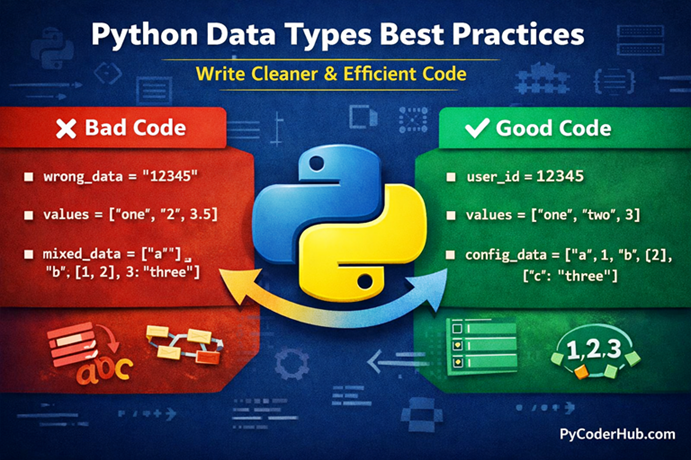
Introduction: Python Data Types Best Practices
In the previous lesson, we explored common Python data types errors and learned how small mistakes—like mixing data types or using the wrong structure—can lead to confusion and bugs in your code.
But knowing mistakes is only half the journey.
The real goal is to write better code from the start, so you don’t run into those errors in the first place.
Think of it like this:
If errors are potholes on a road, then best practices are the smooth lanes that help you drive safely and efficiently.
In this lesson, we’ll focus on Python Data Types Best Practices—the smart habits that experienced developers use to write clean, efficient, and error-free code.
What You’ll Learn
In this guide, you will learn:
- How to choose the right data type for the right situation
- How to avoid unnecessary complexity and confusion
- When to use lists, sets, dictionaries, and other data types effectively
- How to write cleaner and more readable Python code
- Practical examples showing bad vs good code usage
- Simple tips to improve your coding habits and efficiency
Before we start with best practice #1, first understand why best practices are necessary for Python data types.
Why Python Data Types Best Practices Matter
Choosing the right data type in Python is not just about making your code work—it’s about making your code clear, efficient, and easy to maintain.
When beginners write code, they often focus only on getting the correct output. But in real-world programming, how you write the code matters just as much as the result. Poor data type choices can lead to confusion, unexpected bugs, and code that becomes difficult to understand later—even for the person who wrote it.
Think of data types like containers in a kitchen.
If you store sugar in a salt container, things might still “work” visually—but when someone uses it, the result will be completely wrong. Similarly, using the wrong data type can create hidden problems that are hard to detect.
Following Python Data Types Best Practices helps you:
- Write code that is easy to read and understand
- Avoid unnecessary errors and confusion
- Improve performance and efficiency
- Make your code easier to debug and maintain
- Build habits used by professional developers
Another important point is scalability. Code that works fine for small examples can break or become messy in larger applications if best practices are ignored. By using the right data types from the beginning, you ensure your code remains clean and reliable as it grows.
In short, best practices are not strict rules—they are smart decisions that help you write better Python code consistently.
Now that you understand why they matter, let’s start with the first best practice.
Best Practice #1 – Use the Right Data Type for the Right Job
Choosing the correct data type is the foundation of writing clean and efficient Python code. Using the wrong data type might still give you output, but it often leads to confusion, extra work, and hidden bugs later.
Without Best Practice (Wrong Approach)
user_age = "25"
total_price = "100" + "50"

user_data = ["PyCoder", 25, "True"]
With Best Practice (Correct Approach)
user_age = 25
total_price = 100 + 50

user_data = {
    "username": "PyCoder",
    "age": 25,
    "is_active": True
}
Explanation
Using the wrong data type is like using the wrong tool for a job.
Imagine trying to measure weight using a ruler—it might give you some number, but it’s meaningless.
In the wrong example:
- “25” is stored as a string instead of a number
- “100” + “50” results in “10050” (string concatenation, not addition)
- A list is used for structured user data, which creates confusion about what each value represents
In the correct example:
- Numbers are stored as integers for proper calculations
- A dictionary is used to clearly label and organize user data
- Boolean values are used correctly instead of strings
This makes the code more readable, logical, and reliable.
Why This is a Best Practice
This is considered a best practice because it ensures your code behaves correctly and remains easy to understand.
When you use the right data type:
- Python performs operations as expected (no unexpected results like string concatenation instead of addition)
- Your code becomes self-explanatory, reducing confusion for you and others
- It improves performance, since Python handles each data type differently under the hood
- It reduces the chances of bugs and logical errors
On the other hand, using incorrect data types may still work in some cases, but it creates hidden problems that become harder to fix as your code grows.
In simple terms, the right data type helps your code stay correct, clean, and predictable.
When to Use This
Use the correct data type when:
- You are performing mathematical operations → use
intorfloat - You are storing true/false values → use
bool - You need labeled structured data → use
dict - You are working with ordered collections → use
listortuple
Pro Tip
Always ask yourself:
“What kind of data am I working with?”
Choosing the right data type at the beginning saves time and prevents confusion later.
Summary
Using the right data type makes your code clear, efficient, and error-free, while the wrong choice leads to confusion and incorrect results.
Best Practice #2 – Avoid Unnecessary Type Conversions
Type conversion (changing one data type into another) is useful in Python—but doing it unnecessarily can make your code slower, harder to read, and more confusing.
Without Best Practice (Wrong Approach)
user_age = "25"

# Unnecessary repeated conversions
age_next_year = int(user_age) + 1
double_age = int(user_age) * 2

total_score = int("50") + int("30")
With Best Practice (Correct Approach)
user_age = 25

age_next_year = user_age + 1
double_age = user_age * 2

total_score = 50 + 30
Explanation
Unnecessary type conversion is like repeatedly translating the same sentence into another language just to understand it again and again.
In the wrong example:
- The same value is converted multiple times
- It adds extra processing and reduces readability
- Makes the code look cluttered and less efficient
In the correct example:
- Data is stored in the correct type from the beginning
- No repeated conversions are needed
- Code becomes cleaner and faster
Why This is a Best Practice
Avoiding unnecessary type conversions keeps your code efficient, readable, and clean.
When you minimize conversions:
- Your code runs faster by avoiding repeated operations
- It becomes easier to read and understand
- You reduce the chances of conversion-related errors
- Your logic stays simple and straightforward
Unnecessary conversions may not break your code immediately, but they create confusion and inefficiency—especially in larger programs.
In simple terms, fewer conversions mean cleaner logic and better performance.
When to Use This
Use this practice when:
- You are working with values that will be used multiple times
- You can define the correct data type at the beginning
- You want to keep your code clean and efficient
- You are performing repeated calculations on the same data
Pro Tip
If you receive input as a string (like from input()), convert it once and store it in the correct data type—don’t convert it again and again.
Summary
Avoid unnecessary type conversions to keep your code simple, efficient, and easy to read, instead of cluttered with repeated operations.
Best Practice #3 – Choose Mutable vs Immutable Data Types Wisely
Understanding when to use mutable and immutable data types can help you avoid unexpected behavior and write more predictable Python code.
Without Best Practice (Wrong Approach)
user_scores = (10, 20, 30)

# Trying to update a tuple (immutable)
user_scores[0] = 50             # Output: TypeError
default_items = []
def add_item(item, items=default_items):
items.append(item)
return items
print(add_item("apple"))
print(add_item("banana")) # Unexpected resultWith Best Practice (Correct Approach)
user_scores = [10, 20, 30]

# Lists are mutable, so updates work
user_scores[0] = 50
def add_item(item, items=None):
if items is None:
items = []
items.append(item)
return items
print(add_item("apple"))
print(add_item("banana")) # Works as expectedExplanation
Mutable and immutable data types behave differently when changes are involved.
Think of it like this:
- Immutable types (like tuple, string) are like a sealed box — you can’t change what’s inside, you must create a new box
- Mutable types (like list, dict) are like a notebook — you can edit, add, or remove content anytime
In the wrong examples:
- Trying to modify a tuple leads to an error
- Using a mutable default argument (
list) causes unexpected data sharing between function calls
In the correct examples:
- A list is used where modification is needed
- A safe pattern (
None) avoids unwanted shared data
Choosing the right type prevents confusion and unexpected behavior.
Why This is a Best Practice
Choosing between mutable and immutable data types wisely helps you write predictable and bug-free code.
When used correctly:
- You avoid unexpected data changes
- Your code behaves consistently across different parts of the program
- You prevent tricky bugs like shared mutable state
- It improves code reliability and maintainability
Ignoring this can lead to issues that are difficult to debug, especially in functions and larger applications.
In simple terms, the right choice ensures your data behaves exactly as you expect.
When to Use This
Use this practice when:
- You need to modify data frequently → use mutable types like
list,dict - You want fixed, unchangeable data → use immutable types like
tuple,string - You are defining function parameters → avoid mutable default values
- You want to ensure data safety and consistency
Pro Tip
Use immutable data types whenever possible for safety, and switch to mutable types only when you actually need to modify data.
Summary
Choosing between mutable and immutable data types wisely helps you avoid bugs and ensures your code remains predictable and reliable.
Best Practice #4 – Use Built-in Data Types Instead of Custom Logic
Python already provides powerful built-in data types like lists, sets, and dictionaries. Trying to recreate their behavior manually often leads to complex, inefficient, and confusing code.
Without Best Practice (Wrong Approach)
user_items = []

def add_unique_item(item):
    for existing_item in user_items:
        if existing_item == item:
            return
    user_items.append(item)

add_unique_item("apple")
add_unique_item("banana")
add_unique_item("apple")  # Duplicate check manually
With Best Practice (Correct Approach)
user_items = set()

user_items.add("apple")
user_items.add("banana")
user_items.add("apple")  # Automatically handled
Explanation
Rewriting built-in functionality is like reinventing the wheel.
Imagine building your own calculator just to add two numbers, instead of using one that already exists. It’s unnecessary and time-consuming.
In the wrong example:
- Manual logic is used to prevent duplicates
- Code becomes longer and harder to understand
- Performance is slower due to repeated looping
In the correct example:
- A set is used, which automatically handles unique values
- Code is shorter, cleaner, and more efficient
- Python does the heavy lifting internally
Built-in data types are designed to solve common problems efficiently—use them.
Why This is a Best Practice
Using built-in data types ensures your code is efficient, readable, and reliable.
When you rely on built-in structures:
- Your code becomes shorter and cleaner
- You benefit from Python’s optimized internal implementations
- You reduce the chances of logical errors
- Your intent becomes clear to other developers
Custom logic for common tasks often introduces unnecessary complexity and confusion.
In simple terms, built-in data types help you write better code with less effort.
When to Use This
Use this practice when:
- You need unique values → use
set - You need key-value mapping → use
dict - You need ordered collections → use
listortuple - You find yourself writing extra loops or checks for common tasks
Pro Tip
Before writing custom logic, ask yourself:
“Does Python already provide a built-in way to do this?”
Most of the time, the answer is yes.
Summary
Using built-in data types instead of custom logic makes your code simpler, faster, and easier to maintain.
Best Practice #5 – Prefer Lists for Ordered Data, Sets for Unique Data
Choosing between a list and a set is a common decision in Python. Using the wrong one can make your code inefficient or harder to understand.
Without Best Practice (Wrong Approach)
user_ids = [101, 102, 103, 101, 104]

# Manually removing duplicates
unique_user_ids = []
for user_id in user_ids:
    if user_id not in unique_user_ids:
        unique_user_ids.append(user_id)
With Best Practice (Correct Approach)
user_ids = [101, 102, 103, 101, 104]

# Use set for unique values
unique_user_ids = set(user_ids)
Explanation
Lists and sets are designed for different purposes.
Think of it like this:
- A list is like a queue — order matters, and duplicates are allowed
- A set is like a VIP guest list — each name appears only once
In the wrong example:
- A list is used even though duplicates are not needed
- Extra logic is written to remove duplicates
- Code becomes longer and less efficient
In the correct example:
- A set automatically removes duplicates
- No extra logic is required
- Code becomes cleaner and faster
Choosing the right structure makes your intent clear.
Why This is a Best Practice
Using lists and sets correctly helps you write efficient and intention-driven code.
When used properly:
- You avoid unnecessary loops and checks
- Your code becomes simpler and faster
- It clearly communicates whether order or uniqueness matters
- You reduce chances of logical confusion
Using the wrong data type may still work, but it adds complexity and reduces clarity.
In simple terms, the right choice makes your code more meaningful and efficient.
When to Use This
Use this practice when:
- You need to maintain order → use
list - You need only unique values → use
set - You want to remove duplicates quickly → convert list to set
- You don’t care about order but want fast lookup → use
set
Pro Tip
If you need both order and uniqueness, you can:
unique_ordered_items = list(dict.fromkeys(user_ids))This keeps order while removing duplicates.
Summary
Use lists for ordered data and sets for unique data to keep your code clean, efficient, and easy to understand.
Best Practice #6 – Use Dictionary for Fast and Clear Data Access
When you need to store and access data using labels (keys), a dictionary is the best choice. Avoid using lists or other structures for this purpose, as they make your code harder to read and less efficient.
Without Best Practice (Wrong Approach)
user_data = ["PyCoder", 25, "India"]

# Accessing values using index (confusing)
username = user_data[0]
user_age = user_data[1]
user_country = user_data[2]
With Best Practice (Correct Approach)
user_data = {
    "username": "PyCoder",
    "age": 25,
    "country": "India"
}

username = user_data["username"]
user_age = user_data["age"]
user_country = user_data["country"]
Explanation
Using a list for structured data is like storing contacts without names—just numbers.
Imagine your phone contacts showing only numbers without names. You’d have to remember who is who based on position—that’s confusing!
In the wrong example:
- Data is stored in a list without labels
- You must remember what each index represents
- This leads to confusion and errors
In the correct example:
- A dictionary uses keys (labels)
- Data becomes self-explanatory
- Accessing values is clear and meaningful
Dictionaries make your data easier to understand and manage.
Why This is a Best Practice
Using dictionaries improves both performance and readability.
When you use a dictionary:
- Data access becomes faster (key-based lookup)
- Your code becomes self-explanatory
- You reduce confusion caused by index positions
- It becomes easier to maintain and update data
Using lists for labeled data may work initially, but it quickly becomes messy and error-prone.
In simple terms, dictionaries help you write clear and efficient code.
When to Use This
Use this practice when:
- You need to store key-value pairs
- You want fast data lookup
- You are working with structured data (like user info, settings, records)
- You want your code to be readable and maintainable
Pro Tip
Use meaningful and descriptive keys in dictionaries—this makes your code even easier to understand.
Summary
Use dictionaries when working with labeled data to make your code clear, organized, and efficient.
Best Practice #7 – Avoid Mixing Data Types Unnecessarily
Mixing different data types in the same context can make your code confusing and lead to unexpected behavior. It’s better to keep your data consistent and predictable.
Without Best Practice (Wrong Approach)
user_values = [25, "30", 45, "50"]

total = 0
for value in user_values:
    total += int(value)  # Repeated conversion due to mixed types
With Best Practice (Correct Approach)
user_values = [25, 30, 45, 50]

total = sum(user_values)
Explanation
Mixing data types is like mixing different units of measurement without consistency.
Imagine adding distances where some values are in meters and others in kilometers—you’d need to convert everything first, or the result will be confusing.
In the wrong example:
- Numbers are mixed with strings
- Extra conversions are required
- Code becomes harder to read and maintain
In the correct example:
- All values are of the same type (
int) - No conversion is needed
- Built-in functions like
sum()work smoothly
Consistency makes your code simpler and more reliable.
Why This is a Best Practice
Avoiding mixed data types helps keep your code clean, predictable, and efficient.
When your data is consistent:
- You reduce the need for repeated type conversions
- Your code becomes easier to read and debug
- Built-in functions work without issues
- You avoid unexpected errors and confusion
Mixing types may seem harmless at first, but it creates unnecessary complexity as your program grows.
In simple terms, consistent data types lead to simpler and more reliable code.
When to Use This
Use this practice when:
- You are working with collections of data (lists, sets, etc.)
- You are performing calculations or operations
- You want to use built-in functions efficiently
- You aim to keep your code clean and maintainable
Pro Tip
If your data comes from external sources (like user input), clean and convert it once at the beginning to maintain consistency throughout your code.
Summary
Avoid mixing data types unnecessarily to keep your code simple, consistent, and easy to work with.
Best Practice #8 – Use Meaningful Variable Names Based on Data Type
Choosing meaningful variable names based on the type and purpose of data makes your code easier to read and understand.
Without Best Practice (Wrong Approach)
data = ["PyCoder", 25, True]

value1 = data[0]
value2 = data[1]
value3 = data[2]
With Best Practice (Correct Approach)
user_info_list = ["PyCoder", 25, True]

username = user_info_list[0]
user_age = user_info_list[1]
is_user_active = user_info_list[2]
Explanation
Poor variable naming is like labeling all containers in a kitchen as “item1”, “item2”, and “item3”.
You might still find what you need, but it takes extra effort and creates confusion.
In the wrong example:
- Generic names like
data,value1,value2don’t explain anything - It’s unclear what each value represents
- Code becomes hard to read and maintain
In the correct example:
- Variable names clearly describe the data they hold
- It’s easy to understand the purpose of each value
- Code becomes self-explanatory
Good naming reduces confusion and improves readability.
Why This is a Best Practice
Using meaningful variable names improves code clarity and maintainability.
When variables are well-named:
- Your code becomes easy to read and understand
- You reduce confusion about what each value represents
- It becomes easier to debug and update code
- Other developers can quickly understand your logic
Poor naming may not break your code, but it makes it harder to work with.
In simple terms, good names make your code clear and professional.
When to Use This
Use this practice when:
- You are creating variables for any type of data
- You want your code to be readable and maintainable
- You are working on larger programs or projects
- You want to follow clean coding practices
Pro Tip
Include hints about the data type in the name when helpful, like:
_listfor lists_dictfor dictionaries_setfor sets
This makes your code even easier to understand.
Summary
Use meaningful variable names based on data type to make your code clear, readable, and easy to maintain.
Best Practice #9 – Use Type Checking When Necessary (But Don’t Overuse It)
Type checking can help you write safer code, but overusing it can make your code unnecessary complex and less “Pythonic”. The goal is to use it only when it truly adds value.
Without Best Practice (Wrong Approach)
user_input = "100"

# No type checking
total_value = user_input + 50  # This will cause an error
With Best Practice (Correct Approach)
user_input = "100"

if isinstance(user_input, int):
    total_value = user_input + 50
else:
    total_value = int(user_input) + 50
Explanation
Skipping necessary type checking is like assuming every container in your kitchen holds sugar—sometimes it might be salt.
If you don’t check, you might get the wrong result or even break something.
In the wrong example:
- The code assumes
user_inputis a number - This leads to an error when trying to add a string and an integer
In the correct example:
- The type is checked before performing the operation
- Safe conversion is applied when needed
- Code becomes more robust and reliable
However, over-checking every variable is unnecessary and clutters your code.
Why This is a Best Practice
Using type checking wisely helps you write safe and reliable code without unnecessary complexity.
When used correctly:
- You prevent runtime errors
- Your code becomes more robust and fault-tolerant
- You handle unexpected inputs gracefully
- You keep your code clean by avoiding excessive checks
Too much type checking, on the other hand, makes code verbose and harder to read.
In simple terms, use type checking only where it actually matters.
When to Use This
Use this practice when:
- You are handling user input or external data
- You are unsure about the data type of a value
- You want to prevent runtime errors
- You are writing functions that accept flexible input types
Pro Tip
Prefer using isinstance() over direct type comparison (type()) because it is more flexible and works better with inheritance.
Summary
Use type checking only when necessary to make your code safe and reliable, without making it unnecessarily complex.
Best Practice #10 – Use Type Hints for Better Code Clarity
Type hints allow you to specify the expected data type of variables, function parameters, and return values. While Python is dynamically typed, using type hints makes your code easier to understand and maintain.
Without Best Practice (Wrong Approach)
def calculate_total(price, tax):
    return price + tax

total_value = calculate_total("100", 20)  # Confusing usage
With Best Practice (Correct Approach)
def calculate_total(price: int, tax: int) -> int:
    return price + tax

total_value = calculate_total(100, 20)
Explanation
Not using type hints is like giving instructions without specifying units.
Imagine someone tells you “add 10 and 5” — are those numbers, kilograms, or dollars? Without clarity, confusion is likely.
In the wrong example:
- It’s unclear what type of data
priceandtaxshould be - Passing a string leads to unexpected behavior
In the correct example:
- Type hints clearly define expected data types
- It becomes easier to understand how the function should be used
- Helps prevent misuse of the function
Type hints act as a guide for both humans and tools.
Why This is a Best Practice
Using type hints improves code clarity, reliability, and maintainability.
When you use type hints:
- Your code becomes self-documenting
- You reduce confusion about expected data types
- It helps tools (like linters and IDEs) detect errors early
- Makes collaboration easier in larger projects
Even though Python doesn’t enforce types at runtime, type hints provide strong guidance.
In simple terms, type hints make your code clear and professional.
When to Use This
Use this practice when:
- You are writing functions and reusable code
- You want to improve readability and documentation
- You are working on larger projects or teams
- You want better support from IDEs and tools
Pro Tip
Start by adding type hints to function parameters and return values—it gives the most benefit with minimal effort.
Summary
Use type hints to make your code clear, understandable, and easier to maintain, especially in larger or collaborative projects.
Best Practice #11 – Avoid Modifying a Collection While Iterating Over It
Modifying a collection (like a list or set) while looping through it can lead to unexpected behavior, skipped elements, or logical errors. It’s a common mistake that can be hard to debug.
Without Best Practice (Wrong Approach)
user_numbers = [1, 2, 3, 4, 5]

for number in user_numbers:
    if number % 2 == 0:
        user_numbers.remove(number)

print(user_numbers)
With Best Practice (Correct Approach)
user_numbers = [1, 2, 3, 4, 5]

filtered_numbers = []

for number in user_numbers:
    if number % 2 != 0:
        filtered_numbers.append(number)

print(filtered_numbers)
Explanation
Modifying a collection while iterating over it is like removing books from a shelf while counting them.
As you remove items, the positions shift, and you may skip some books or count incorrectly.
In the wrong example:
- Elements are removed during iteration
- The loop skips some values due to index shifting
- Results become unpredictable
In the correct example:
- A new list is created for filtered data
- The original list remains unchanged during iteration
- The logic becomes clear and reliable
This ensures consistent and expected behavior.
Why This is a Best Practice
Avoiding modification during iteration keeps your code predictable and error-free.
When you follow this practice:
- You avoid skipped elements and logical bugs
- Your loop behavior stays consistent
- Your code becomes easier to debug and understand
- It prevents unexpected side effects
Modifying collections during iteration may work in some cases, but it often leads to subtle and confusing bugs.
In simple terms, it keeps your loops safe and reliable.
When to Use This
Use this practice when:
- You are filtering or removing elements from a collection
- You are iterating over lists, sets, or dictionaries
- You want to avoid unexpected behavior in loops
- You need clean and predictable results
Pro Tip
You can also use list comprehension for a cleaner approach:
user_numbers = [1, 2, 3, 4, 5]

filtered_numbers = [number for number in user_numbers if number % 2 != 0]
Summary
Avoid modifying a collection while iterating to keep your code safe, predictable, and free from hidden bugs.
Best Practice #12 – Use None Correctly to Represent Absence of Value
In Python, None is used to represent the absence of a value. Misusing values like 0, "", or False instead of None can create confusion and logical errors in your code.
Without Best Practice (Wrong Approach)
user_score = 0  # Does this mean no score or actual score?

if user_score:
    print("Score is available")
else:
    print("No score available")
With Best Practice (Correct Approach)
user_score = None  # Clearly represents no value

if user_score is not None:
    print("Score is available")
else:
    print("No score available")
Explanation
Using 0 or an empty value instead of None is like leaving a form blank but writing “0” instead of “Not filled”.
👉 It creates confusion—does “0” mean no data, or is it an actual value?
In the wrong example:
0is used to represent “no score”- But
0is also a valid score - This creates confusion in logic
In the correct example:
Noneclearly indicates absence of value- The condition explicitly checks for it
- Code becomes more meaningful and accurate
👉 This removes confusion and improves clarity.
Why This is a Best Practice
Using None correctly makes your code clear, predictable, and logically accurate.
When you use None:
- You clearly distinguish between “no value” and actual values
- Your conditions become more explicit and readable
- You avoid logical confusion and bugs
- Your code becomes easier to maintain and understand
Using other values as placeholders can lead to incorrect assumptions and errors.
In simple terms, None makes your intent clear and unambiguous.
When to Use This
Use this practice when:
- A variable may not have a value yet
- You need to represent missing or optional data
- You want to clearly differentiate between valid values and no value
- You are working with function return values that may be absent
Pro Tip
Always use is None or is not None for checking, instead of == None, for more reliable comparisons.
Summary
Use None to represent the absence of a value to keep your code clear, accurate, and free from confusion.
Best Practice #13 – Follow Consistency in Data Type Usage Across Your Codebase
Using consistent data types throughout your code helps maintain clarity and prevents unnecessary confusion. Switching between different data types for the same kind of data can make your code harder to understand and debug.
Without Best Practice (Wrong Approach)
# Inconsistent data types for user IDs
user_ids = [101, "102", 103, "104"]

# Later in code
for user_id in user_ids:
    print(int(user_id) + 1)
With Best Practice (Correct Approach)
# Consistent data types for user IDs
user_ids = [101, 102, 103, 104]

for user_id in user_ids:
    print(user_id + 1)
Explanation
Inconsistent data types are like using different units of measurement in the same calculation.
Imagine measuring some distances in meters and others in centimeters without converting them—you’ll constantly need adjustments, leading to confusion.
In the wrong example:
- Some values are integers, others are strings
- Repeated conversions are needed
- Code becomes harder to read and maintain
In the correct example:
- All values follow the same data type
- No extra conversions are required
- Code becomes clean and predictable
Consistency simplifies everything.
Why This is a Best Practice
Maintaining consistency in data types helps your code stay clean, predictable, and easy to manage.
When your data types are consistent:
- You avoid unnecessary type conversions
- Your code becomes easier to read and debug
- It reduces chances of logical errors
- Your program behaves more predictably
Inconsistent data types may not break your code immediately, but they create confusion and complexity over time.
In simple terms, consistency leads to simpler and more reliable code.
When to Use This
Use this practice when:
- You are working with collections of data
- You are handling user input or external data
- You are designing data structures for your program
- You want to maintain clean and scalable code
Pro Tip
Define the expected data type early and stick to it throughout your code to avoid confusion later.
Summary
Follow consistency in data type usage to keep your code simple, predictable, and easy to maintain.
Quick Recap: Python Data Types Best Practices
Now that we’ve covered all the important Python Data Types Best Practices, let’s quickly summarize them for better understanding and revision.
- Use the right data type for the right job to avoid confusion and incorrect results
- Avoid unnecessary type conversions to keep your code clean and efficient
- Choose mutable vs immutable data types wisely based on your needs
- Use built-in data types instead of writing custom logic
- Prefer lists for ordered data and sets for unique data
- Use dictionaries for structured and labeled data
- Avoid mixing data types unnecessarily in collections
- Use meaningful variable names based on data type and purpose
- Use type checking only when necessary to keep code safe and simple
- Use type hints for better readability and maintainability
- Avoid modifying collections while iterating to prevent unexpected behavior
- Use None correctly to represent absence of value
- Maintain consistency in data type usage across your code
Visual Representation
Here is a visual overview of all the Python Data Types Best Practices we covered, to help you quickly revise and understand them at a glance.

👉 By following these best practices, you’ll write Python code that is not just correct, but also clean, efficient, and easy to maintain.
Conclusion
Understanding Python data types is one of the most important foundations of writing clean and reliable Python code. But knowing what list, tuple, set, dict, str, or int are is only the first step. The real improvement comes from learning how to use them wisely in real-world code.
Throughout this guide, we explored how proper data type usage improves readability, performance, maintainability, and error prevention. Small decisions — such as choosing the right collection type, avoiding unnecessary conversions, using mutable objects carefully, and keeping data usage consistent — can make a huge difference as projects grow larger.
Many common beginner mistakes in Python are actually related to poor data type handling:
- mixing incompatible values,
- modifying collections incorrectly,
- using the wrong container type,
- or creating confusing variable structures.
By following these best practices, your code becomes cleaner, easier to debug, and more predictable. You also saw how features like type hints and consistent data modeling help modern Python code become easier to understand and maintain.
Good Python programming is not just about making code run successfully. It is about writing code that remains clean, readable, efficient, and reliable over time. Mastering data type best practices is an important step toward becoming a stronger Python developer. 🐍
Suggested Posts
- Python Data Types Explained: Beginner-Friendly Introduction
- Python Numeric Data Types Explained (int, float, bool, None)
- Python Collection Data Types Explained (List, Tuple, Set, String)
- Python Mapping and Binary Data Types Explained (dict, bytes, bytearray, memoryview)
- Python Data Types Rules and Guidelines: What You Must Know
- Mutable vs Immutable in Python (Data Types Explained with Examples)
- Python Data Types Errors Explained: Common Mistakes and How to Fix Them
- Python Data Types FAQs: Clear Answers to Common Questions (Beginner to Advanced)

5 thoughts on “Python Data Types Best Practices: Write Cleaner, Efficient, and Error-Free Code”