

Introduction: Python Escape Sequences Best Practices
In the previous lessons, we learned about Python escape sequence rules and the common errors that can happen when they are used incorrectly. We understood how escape characters work, how Python interprets them, and how certain mistakes can lead to warnings or unexpected behavior.
Now in this lesson, we’ll focus on Python Escape Sequences Best Practices — the recommended techniques that help you write cleaner, safer, and more readable strings. This is where you move from simply avoiding errors to writing code the right way.
What You’ll Learn
In this lesson, you will learn:
- How to use escape sequences clearly and intentionally
- When to use raw strings instead of regular strings
- How to avoid hidden confusion caused by backslashes
- Best practices for writing readable string literals
- Professional techniques for handling special characters safely
- How to keep your Python strings clean and production-ready
Following best practices is necessary because correct code is not always clean code — and clean code reduces confusion, prevents subtle bugs, and improves long-term maintainability.
Let’s start with Best Practice #1.
Best Practice #1: Use Raw Strings When Working With Backslashes
One of the most important Python Escape Sequences Best Practices is knowing when not to use escape sequences at all.
Backslashes (\) are the root cause of most confusion in Python strings. Since the backslash starts an escape sequence, writing file paths, regular expressions, or Windows directory strings using normal string literals can quickly become messy and error-prone.
The Problem With Regular Strings
Consider this example:
windows_file_path = "C:\new_folder\test.txt"
print(windows_file_path)
At first glance, this looks correct.
But Python interprets:
So the output will not be what you expect.
This is exactly the type of hidden confusion that causes subtle bugs.
The Recommended Approach: Use Raw Strings
Instead, use a raw string by adding r before the quotes:
windows_file_path = r"C:\new_folder\test.txt"
print(windows_file_path)
Now:
\nis treated as two characters (\andn)\tis treated as two characters (\andt)- No escape sequence interpretation happens
The output remains exactly as written.
Why This Is a Best Practice
Using raw strings:
- Improves readability
- Prevents accidental escape interpretation
- Reduces confusion
- Makes file paths and regex patterns safer
- Eliminates the need to double every backslash (
\\)
Compare this:
escaped_file_path = "C:\\new_folder\\test.txt"With this:
raw_file_path = r"C:\new_folder\test.txt"The second version is cleaner and easier to maintain.
Important Limitation
Raw strings cannot end with a single backslash.
This will cause an error:
invalid_raw_string = r"C:\new_folder\"Because the final backslash escapes the closing quote.
So remember:
Use raw strings when working with backslashes — but never end them with a single trailing backslash.
When Should You Always Use Raw Strings?
Use raw strings especially when working with:
- Windows file paths
- Regular expressions
- Strings containing many backslashes
- Patterns where escape sequences are not intended
Summary of Best Practice #1
If your string contains multiple backslashes and you do not want escape sequence interpretation, use a raw string.
It keeps your code cleaner, prevents hidden bugs, and reduces unnecessary confusion.
Best Practice #2: Don’t Use Escape Sequences When You Don’t Need Them
Just because escape sequences exist doesn’t mean you should use them everywhere.
One of the most overlooked Python Escape Sequences Best Practices is this:
If you can avoid escaping entirely by choosing better string formatting, do it.
Cleaner code always wins.
The Common Mistake
Many beginners write strings like this:
quote_message = "She said, \"Python is powerful!\""
print(quote_message)
This works.
But the backslashes reduce readability, especially in longer strings.
The Better Approach: Switch Quote Types
Instead of escaping double quotes, simply use single quotes to wrap the string:
quote_message = 'She said, "Python is powerful!"'
print(quote_message)
Now:
- No escape characters
- No unnecessary backslashes
- Much easier to read
This small change makes your code cleaner and more professional.
Another Example
Instead of writing:
file_location_message = "The file is located at \"C:\\new_folder\\data.txt\""You could improve readability:
file_location_message = 'The file is located at "C:\\new_folder\\data.txt"'Even better (combining Best Practice #1 and #2):
file_location_message = r'The file is located at "C:\new_folder\data.txt"'Cleaner. Safer. More readable.
Why This Is a Best Practice
Avoiding unnecessary escapes:
- Improves string readability
- Reduces visual clutter
- Prevents confusion in longer strings
- Makes maintenance easier
- Reflects professional coding standards
Remember:
Escape sequences are a tool — not a decoration.
Use them only when required.
When Should You Apply This?
- When including quotes inside strings
- When formatting user-facing messages
- When writing documentation strings
- When writing long string literals
Always ask:
Can I structure this string better instead of escaping it?
If yes — restructure it.
Summary of Best Practice #2
Choose smarter string formatting over unnecessary escape sequences.
Fewer backslashes mean cleaner, more readable Python code.
Best Practice #3: Make Escape Sequences Explicit and Intentional
Escape sequences should never appear in your code accidentally.
One of the most important Python Escape Sequences Best Practices is this:
Every escape sequence in your string should be there on purpose — not by mistake.
If you don’t clearly intend \n, \t, or \r to create formatting, they should not be present.
The Hidden Problem
Consider this example:
user_input_message = "Hello\nWorld"
print(user_input_message)
This produces:
Hello
World
But what if the developer didn’t intend to create a new line?
Sometimes escape sequences appear because:
- A path was copied incorrectly
- A string was pasted from documentation
- A backslash was added without thinking
This creates silent formatting behavior that may go unnoticed.
The Professional Approach
If you intentionally want formatting, make it obvious in the code.
Instead of hiding formatting inside the string:
formatted_output = "Hello\nWorld"You could make it clearer:
line_break_character = "\n"
formatted_output = "Hello" + line_break_character + "World"
Now the newline is explicit and self-documenting.
Even better in structured output:
print("Hello")
print("World")
Cleaner. More readable. No hidden behavior.
Why This Is a Best Practice
Making escape sequences intentional:
- Prevents accidental formatting bugs
- Reduces confusion during debugging
- Improves readability for other developers
- Makes your code self-explanatory
- Avoids hidden string behavior
Remember:
If someone else reads your code, they should immediately understand why the escape sequence exists.
When This Matters Most
- When generating logs
- When formatting multi-line output
- When handling user-visible messages
- When working with dynamically constructed strings
If formatting is important, make it obvious.
Summary of Best Practice #3
Never let escape sequences appear by accident.
Use them deliberately, clearly, and only when they serve a specific purpose.
Best Practice #4: Prefer f-Strings and Structured Formatting Over Manual Escaping
One of the most practical Python Escape Sequences Best Practices is avoiding complicated string construction that requires excessive escaping.
When you manually build strings with quotes, backslashes, and formatting characters, the result often becomes hard to read and easy to break.
The Messy Approach
Consider this example:
user_name_value = "PyCoder"
welcome_message = "User \"" + user_name_value + "\" logged in successfully.\n"
print(welcome_message)
This works — but:
- Quotes are escaped
- Concatenation makes it longer
- The newline is hidden at the end
- Readability suffers
As strings grow longer, this becomes worse.
The Cleaner Approach: Use f-Strings
Python provides f-strings for a reason.
user_name_value = "PyCoder"
welcome_message = f'User "{user_name_value}" logged in successfully.\n'
print(welcome_message)
Now:
- No unnecessary concatenation
- Quotes are handled cleanly
- The variable is embedded directly
- The structure is easier to understand
Cleaner code = less confusion.
Even Better: Separate Formatting From Content
If formatting is important, make it visually clear:
user_name_value = "PyCoder"
line_break_character = "\n"
welcome_message = f'User "{user_name_value}" logged in successfully.' + line_break_character
print(welcome_message)
Now the newline is intentional and visible.
Why This Is a Best Practice
Using structured formatting:
- Reduces escape-heavy strings
- Improves readability
- Prevents quote confusion
- Avoids complex concatenation
- Makes maintenance easier
Remember:
The more backslashes you see in a string, the more carefully you should review it.
Modern Python gives you better tools — use them.
When to Apply This
- Logging messages
- User-facing output
- Dynamic string construction
- Multi-line formatted strings
- Any place where variables are embedded inside text
Summary of Best Practice #4
Avoid manually constructing escape-heavy strings.
Use f-strings and clean formatting techniques to keep your code readable and professional.
Best Practice #5: Use repr() When Debugging Escape Sequences
One of the most overlooked Python Escape Sequences Best Practices is knowing how to see the real contents of a string.
Sometimes a string looks correct when printed — but internally it contains escape characters like \n, \t, or \r.
If you rely only on print(), you might miss hidden formatting.
The Hidden Behavior Problem
Consider this:
formatted_text_message = "Line1\nLine2"
print(formatted_text_message)
Output:
Line1
Line2
At first glance, everything seems fine.
But what if you need to verify whether the string actually contains \n or a literal backslash followed by n?
print() won’t help you here — because it interprets escape sequences.
The Professional Debugging Method: Use repr()
Use repr() to see the raw representation of the string:
formatted_text_message = "Line1\nLine2"
print(repr(formatted_text_message))
Output:
'Line1\nLine2'Now you can clearly see the escape sequence.
No guessing. No confusion.
Why This Matters
Imagine debugging a Windows path:
windows_path_value = "C:\new_folder\data.txt"
print(windows_path_value)
The output might look broken because \n becomes a newline.
But if you use:
print(repr(windows_path_value))You immediately see what Python actually stored.
This helps you:
- Detect accidental escape sequences
- Identify hidden formatting
- Debug string-related bugs faster
- Understand how Python interpreted your string
When Should You Use repr()?
- While debugging string issues
- When working with file paths
- When handling user input
- When escape behavior seems incorrect
- When testing raw vs normal strings
Remember:
If a string behaves strangely, inspect it with
repr().
Summary of Best Practice #5
Don’t trust print() alone when debugging escape sequences.
Use repr() to see the true internal representation of your string and eliminate hidden confusion.
Best Practice #6: Use Triple-Quoted Strings (""" """) for Multi-Line Text Instead of Excessive \n
One of the most practical Python Escape Sequences Best Practices is avoiding excessive use of \n when writing multi-line text.
If your string spans multiple lines, manually inserting \n over and over again makes the code harder to read and maintain.
The Problem With Too Many \n
Consider this example:
multi_line_message = "Welcome to PyCoderHub.\nThis lesson explains escape sequences.\nFollow the best practices carefully.\nHappy coding!"
print(multi_line_message)
This works.
But:
- The structure is not visually clear
- You must count
\ncarefully - Editing or rearranging lines becomes annoying
- Readability suffers
As the text grows longer, confusion increases.
The Cleaner Approach: Triple-Quoted Strings
Instead, use triple quotes:
multi_line_message = """Welcome to PyCoderHub.
This lesson explains escape sequences.
Follow the best practices carefully.
Happy coding!"""

print(multi_line_message)
Now:
- The string layout matches the actual output
- No need for repeated
\n - Easier to edit
- Much more readable
Cleaner code with zero escape clutter.
Even Better: Combine With f-Strings
If variables are involved:
platform_name = "PyCoderHub"

multi_line_message = f"""Welcome to {platform_name}.
This lesson explains escape sequences.
Follow the best practices carefully.
Happy coding!"""

print(multi_line_message)
This keeps formatting natural and professional.
Why This Is a Best Practice
Using triple-quoted strings:
- Eliminates excessive
\nusage - Improves readability
- Reduces formatting confusion
- Makes multi-line output easier to maintain
- Aligns your code visually with actual output
Remember:
If your string spans multiple lines, your code should visually span multiple lines too.
Summary of Best Practice #6
For multi-line text, use triple-quoted strings instead of chaining multiple \n.
It keeps your code clean, readable, and easier to maintain.
Best Practice #7: Use len() to Verify How Escape Sequences Affect String Length When Debugging
One important Python Escape Sequences Best Practices technique is verifying how escape sequences affect the actual length of a string.
Many beginners assume that characters like \n or \t count as two characters because they see two symbols (\ and n). But that’s not how Python interprets them.
When debugging string-related issues, always confirm using len().
The Common Misunderstanding
Consider this example:
text_message = "Hi\nPyCoder"
print(text_message)
print(len(text_message))
At first glance, you might think:
"Hi"→ 2 characters\n→ 2 characters"PyCoder"→ 7 characters
Total = 11 characters?
Wrong.
Python interprets \n as a single newline character.
So the length will actually be:
2 (Hi) + 1 (newline) + 7 (PyCoder) = 10
This is where confusion often happens.
Compare With a Raw String
Now look at this:
raw_text_message = r"Hi\nPyCoder"
print(raw_text_message) # Output: Hi\nPyCoder
print(len(raw_text_message)) # Output: 11
Here, \n is not interpreted as a newline.
It remains two characters:
\n
So the length increases accordingly.
This clearly shows how raw strings and normal strings behave differently.
Why This Is a Best Practice
Using len() while debugging helps you:
- Confirm how Python stored the string
- Detect unintended escape interpretation
- Catch formatting issues early
- Understand hidden character behavior
- Eliminate silent confusion
Sometimes a bug is not visible in printed output — but string length reveals it immediately.
When Should You Use This?
- When string formatting behaves unexpectedly
- When validating user input
- When comparing two strings
- When working with file paths
- When testing raw vs normal strings
Remember:
If a string behaves differently than expected, check its length.
Summary of Best Practice #7
Escape sequences can change how many characters a string actually contains.
Use len() during debugging to verify how Python interprets your string and prevent hidden confusion.
Best Practice #8: Prefer Unicode Escape Notation for Clarity
When working with Unicode characters, it is often better to use \uXXXX or \N{name} instead of copying and pasting symbols directly into your code.
While copying symbols may look easier, it can introduce invisible confusion — especially when dealing with special characters, currency symbols, arrows, or uncommon punctuation.
The Problem With Copying Symbols
Consider this:
currency_symbol = "₹"This works.
But:
- Not all editors display Unicode consistently
- Some characters look identical but are technically different
- Hidden encoding issues can appear
- Other developers may not immediately understand what character it is
In large codebases, invisible characters can become difficult to track.
The Clearer Approach: Use Unicode Escape Codes
Using Unicode escape notation makes your intent explicit.
Using \uXXXX
currency_symbol = "\u20B9"
print(currency_symbol) # Ouput: ₹
Now it’s clear that this is a specific Unicode code point.
Using \N{name} (Even More Readable)
currency_symbol = "\N{INDIAN RUPEE SIGN}"
print(currency_symbol) # Output: ₹
This version is even more self-explanatory.
Anyone reading the code immediately understands the symbol — no guessing required.
Why This Is a Best Practice
Using Unicode escape notation:
- Makes special characters explicit
- Avoids hidden encoding confusion
- Improves cross-platform consistency
- Helps other developers understand intent
- Prevents invisible character mistakes
Remember:
If a character is not obvious from the keyboard, make it obvious in the code.
When Should You Apply This?
- Currency symbols
- Mathematical symbols
- Arrows and special punctuation
- Invisible characters (zero-width space, non-breaking space)
- Internationalization work
Summary of Best Practice #8
Instead of copying invisible or special Unicode characters directly into your code, use \uXXXX or \N{name} for clarity and precision. It makes your code more readable, predictable, and professional.
Best Practice #9: Be Careful With Byte Strings (b"")
When working with byte strings in Python, escape sequences do not always behave the same way as they do in normal (Unicode) strings.
So one important Python Escape Sequences Best Practices rule is:
Always understand how escape sequences behave inside byte strings before using them.
The Key Difference
A normal string is Unicode:
text_message = "Hello\nWorld"A byte string is defined with b:
byte_message = b"Hello\nWorld"In this case, \n still works because it represents a valid byte value (newline = ASCII 10).
But not all escape sequences are allowed in byte strings.
Unicode Escapes Do NOT Work in Byte Strings
For example:
invalid_byte_string = b"\u20B9"This will raise an error.
Why?
Because byte strings only support ASCII-based escape sequences.
They do not support:
\uXXXX\UXXXXXXXX\N{name}
Those are Unicode-specific.
What Byte Strings Actually Support
Byte strings support:
\n(newline)\t(tab)\\(backslash)\'and\"\xHH(hexadecimal byte values)
Example:
hex_byte_value = b"\x48\x69"
print(hex_byte_value) # Output: b'Hi'
This represents raw byte data.
Why This Is a Best Practice
If you mix Unicode escape thinking with byte strings:
- You may get syntax errors
- You may misunderstand how data is stored
- You may introduce subtle bugs in file handling or network code
Remember:
Byte strings represent raw binary data — not text characters.
So escape behavior is limited and more strict.
Summary of Best Practice #9
Byte strings are not the same as normal strings.
Some escape sequences behave differently or are not allowed at all. Always verify escape support before using them inside b"" strings.
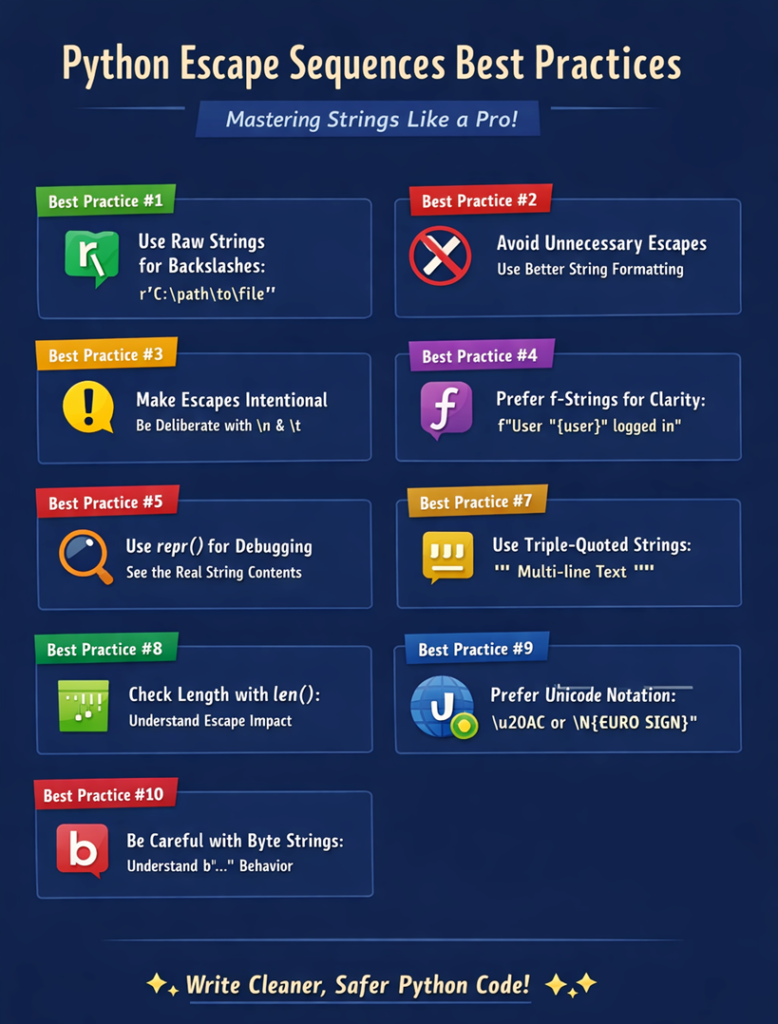
Python Escape Sequences Best Practices – Visual Summary
Below is a quick infographic summary of the key Python Escape Sequences Best Practices covered in this lesson. It highlights the most important techniques to write cleaner strings, avoid confusion, and handle escape sequences correctly in real-world Python code.
Final Conclusion
Python Escape Sequences Best Practices are not just about avoiding errors — they’re about writing cleaner, clearer, and more professional code. By using raw strings wisely, avoiding unnecessary escapes, verifying behavior with repr() and len(), and handling Unicode and byte strings carefully, you reduce confusion and hidden bugs.
Master these practices, and escape sequences will no longer feel tricky — they will feel completely under your control.
Suggested Posts:
1. Python Escape Sequences Explained: Meaning, Purpose, and How They Work
2. How Common Python Escape Sequences Work: \n, \t, \, and Quotes Explained
3. Less Common Python Escape Sequences: \r, \b, \f, Unicode and More
4. Python Escape Sequence Rules: Syntax Requirements and Usage Guidelines
5. Python Escape Sequence Errors: Common Mistakes, Error Messages & How to Fix Them
6. Python Escape Sequences FAQ – Common Questions, Confusion & Clear Answers



5 thoughts on “Python Escape Sequences Best Practices – Complete Guide”