
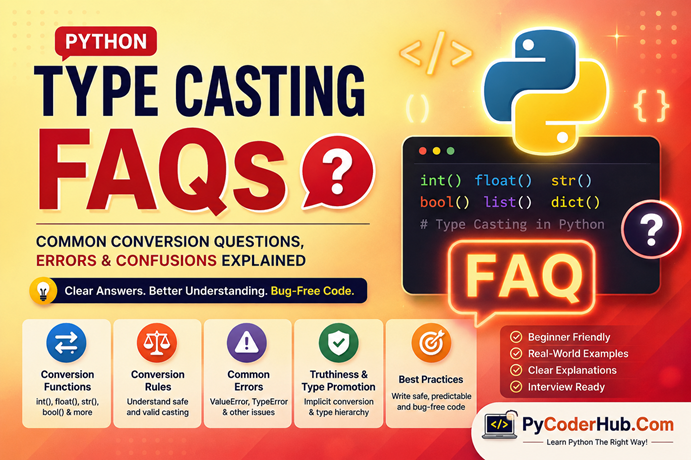
Introduction: Python Type Casting FAQs
After learning how Python type casting works, understanding conversion functions like int(), float(), bool(), and str(), exploring advanced conversions, studying type promotion, learning safe conversion rules, and practicing real-world casting techniques, you may still have many practical questions and confusion points.
That’s completely normal.
Type casting is one of those Python topics that looks simple at first—but becomes more confusing when you start working with real programs, user input, truthy and falsy values, implicit conversion, mixed data types, and unexpected conversion errors.
For example:
- Why does
bool("False")returnTrue? - Why does
int(3.9)remove the decimal part instead of rounding? - Why can Python convert
"25"into an integer but not"25abc"? - What is the difference between implicit and explicit conversion?
- Why do some conversions work automatically while others raise errors?
These are the kinds of practical questions beginners frequently face while learning Python type casting.
So in this final lesson of Chapter 10, we’ll answer the most common Python type casting FAQs in a beginner-friendly and practical way. This lesson acts as both a chapter recap and a confusion-clearing guide that connects everything you learned throughout the chapter.
What You’ll Learn in This FAQ Guide
In this lesson, you’ll learn:
- Common beginner questions about Python type casting
- Why certain type conversions fail
- The difference between implicit and explicit conversion
- How Python internally handles truthy and falsy values
- Why some conversions lose data or precision
- Safe casting techniques to avoid runtime errors
- Common misconceptions related to
bool(),int(),float(), andstr() - Real-world conversion confusion points developers face
- Best practices for predictable and bug-free type conversion
- Important casting rules every Python learner should remember
How This FAQ Guide Is Structured
To make learning easier, this FAQ guide is divided into multiple categories based on different type casting topics.
Instead of placing all questions randomly in one long list, the FAQs are grouped logically so you can quickly find answers related to a specific concept.
This structure helps you revise the entire chapter more effectively while also clearing common confusion points that many beginners struggle with during real programming.
Basic Python Type Casting FAQs
1. What Is Type Casting in Python?
Type casting in Python means converting one data type into another.
For example, converting a string into an integer or converting an integer into a float.
Python provides built-in conversion functions for this purpose, such as:
int()float()str()bool()list()tuple()set()
Example
user_age_text = "25"

user_age_number = int(user_age_text)

print(user_age_number)
print(type(user_age_number))
Output
25
<class 'int'>
Here, the string "25" is converted into the integer 25.
Type casting is commonly used when:
- Taking user input
- Reading files
- Working with APIs
- Performing calculations
- Cleaning data
- Converting values between compatible types
2. Why Is Type Casting Important in Python?
Type casting is important because different data types behave differently in Python.
For example:
print("10" + "5")Output:
105Python treats both values as strings and joins them together.
But if you convert them into integers:
print(int("10") + int("5"))Output:
15Now Python performs mathematical addition instead of string concatenation.
Without proper type conversion:
- Calculations may fail
- Programs may crash
- Logic errors can occur
- User input may behave unexpectedly
Type casting helps ensure your data is in the correct format before processing it.
3. What Is the Difference Between Type Casting and Type Conversion?
In Python, both terms are often used interchangeably.
However, technically:
| Term | Meaning |
|---|---|
| Type Conversion | General process of changing one type into another |
| Type Casting | Usually refers to manually forcing conversion |
Example of Explicit Type Casting
price_text = "199"

price_number = int(price_text)
Here, the programmer explicitly converts the value.
Example of Implicit Conversion
final_result = 10 + 2.5Python automatically converts 10 into 10.0.
So:
- Manual conversion → explicit casting
- Automatic conversion → implicit conversion
In real-world Python learning, both terms are commonly used to mean the same thing.
4. What Is the Difference Between Implicit and Explicit Type Conversion?
The main difference is who performs the conversion.
| Conversion Type | Who Performs It |
|---|---|
| Implicit Conversion | Python automatically |
| Explicit Conversion | Programmer manually |
Implicit Conversion Example
calculation_result = 5 + 2.5

print(calculation_result)
print(type(calculation_result))
Output:
7.5
<class 'float'>
Python automatically converts the integer into a float.
Explicit Conversion Example
user_marks_text = "85"

user_marks_number = int(user_marks_text)
The programmer manually converts the string into an integer.
Explicit conversion gives you more control and predictability.
5. Does Type Casting Change the Original Variable?
No — type casting usually creates a new converted value.
The original variable remains unchanged unless you reassign it.
Example
temperature_text = "32"

temperature_number = int(temperature_text)

print(temperature_text)
print(type(temperature_text))

print(temperature_number)
print(type(temperature_number))
Output
32
<class 'str'>

32
<class 'int'>
The original string variable still exists.
If you want to permanently update the variable, you must reassign it.
Reassignment Example
temperature_text = int(temperature_text)Now the variable stores an integer instead of a string.
6. Can Python Convert Every Data Type Automatically?
No.
Python only performs automatic conversion when the conversion is considered safe and predictable.
Example of Automatic Conversion
result_value = 10 + 2.5Python safely converts the integer into a float.
Example Where Python Refuses
print("10" + 5)Output:
TypeErrorPython avoids automatic conversion here because:
"10"could represent text- Automatic guessing may create bugs
Python prefers explicit conversion in risky situations.
This design helps reduce unexpected behavior in large programs.
7. Is Type Casting Safe in Python?
Type casting is safe when:
- The value format is valid
- The conversion is predictable
- Proper validation is used
Unsafe casting can:
- Crash programs
- Lose data
- Create hidden bugs
Safe Example
user_score_text = "95"

user_score_number = int(user_score_text)
Unsafe Example
user_score_text = "95 marks"

user_score_number = int(user_score_text)
Output:
ValueErrorIn real applications, developers often validate data before conversion.
This is why safe casting and error handling are considered important Python best practices.
Conversion Function FAQs (int(), float(), bool(), str())
1. What Does the int() Function Do in Python?
The int() function converts a compatible value into an integer.
It is commonly used to:
- Convert numeric strings into integers
- Remove decimal parts from floats
- Process user input before calculations
Example
product_quantity_text = "15"

product_quantity = int(product_quantity_text)

print(product_quantity)
print(type(product_quantity))
Output
15
<class 'int'>
The string "15" becomes the integer 15.
2. Why does int(3.9) Return 3 Instead of 4?
This confuses many beginners.
The int() function does not round numbers.
It simply removes the decimal portion.
Example
print(int(3.9))
print(int(7.99))
Output
3
7
Python truncates the decimal part toward zero.
If you want rounding behavior, use round() instead.
Example
print(round(3.9))Output
4This difference is important in financial calculations and data processing.
3. Why Does int("25") Work but int("25abc") Fail?
Python can only convert strings that contain a valid integer format.
Valid Example
print(int("25"))Output:
25Invalid Example
print(int("25abc"))Output:
ValueErrorPython stops conversion because "25abc" contains non-numeric characters.
Python avoids guessing what the value should mean because guessing can create hidden bugs.
4. What Does the float() Function Do?
The float() function converts a value into a floating-point number (decimal number).
Example
price_text = "99.95"

price_number = float(price_text)

print(price_number)
print(type(price_number))
Output
99.95
<class 'float'>
The float() function is commonly used when:
- Working with percentages
- Processing measurements
- Handling prices
- Performing decimal calculations
5. Can float() Convert Integers?
Yes.
Python can safely convert integers into floating-point numbers.
Example
student_marks = 95

student_marks_decimal = float(student_marks)

print(student_marks_decimal)
print(type(student_marks_decimal))
Output
95.0
<class 'float'>
Python adds a decimal representation because floats store decimal-capable values.
6. What Does the str() Function Do?
The str() function converts values into strings.
This is useful when:
- Displaying output
- Building messages
- Creating reports
- Combining text with numbers
Example
total_price = 499

final_message = "Total price is " + str(total_price)

print(final_message)
Output
Total price is 499Without str(), Python would raise a TypeError.
7. What Does the bool() Function Do?
The bool() function converts values into True or False.
Example
print(bool(1))
print(bool(0))
Output
True
False
Python uses truthiness rules internally to decide whether a value behaves as true or false.
This concept is important in:
- Conditions
- Loops
- Validation systems
- Authentication logic
8. Why Does bool("False") Return True?
This is one of the most common beginner confusion points.
Python does not analyze the meaning of the text.
It only checks whether the string is empty or non-empty.
Example
print(bool("False"))
print(bool("Hello"))
print(bool(""))
Output
True
True
False
Any non-empty string becomes True.
Only an empty string becomes False.
This behavior surprises many beginners because the word "False" looks logically false to humans—but Python only checks whether the string contains characters.
Advanced Conversion FAQs (list(), tuple(), set(), dict() & More)
1. What Does the list() Function Do in Python?
The list() function converts an iterable object into a list.
An iterable is something Python can loop through, such as:
- Strings
- Tuples
- Sets
- Dictionaries
- Ranges
Example
programming_language = "Python"

character_list = list(programming_language)

print(character_list)
Output
['P', 'y', 't', 'h', 'o', 'n']Python converts each character into a separate list item.
2. Why Does list("Python") Create Individual Characters?
Strings are iterable in Python.
Python reads the string one character at a time.
Example
print(list("Code"))Output
['C', 'o', 'd', 'e']Many beginners expect:
["Code"]But Python treats the string as a sequence of characters.
If you want the entire string as one item:
print(["Code"])Output
['Code']This confusion is very common when working with user input and text processing.
3. What Does the tuple() Function Do?
The tuple() function converts an iterable into a tuple.
Tuples are similar to lists but are immutable, meaning their values cannot be changed after creation.
Example
number_collection = [10, 20, 30]

number_tuple = tuple(number_collection)

print(number_tuple)
print(type(number_tuple))
Output
(10, 20, 30)
<class 'tuple'>
Tuples are often used when data should remain fixed and protected from accidental modification.
4. What Does the set() Function Do?
The set() function converts an iterable into a set.
Sets:
- Remove duplicate values
- Store unordered unique items
Example
student_subjects = ["Python", "Java", "Python", "C++"]

unique_subjects = set(student_subjects)

print(unique_subjects)
Output
{'Python', 'Java', 'C++'}Python automatically removes duplicate values.
This is commonly used in:
- Data cleaning
- Duplicate removal
- Membership checking
5. What Does the dict() Function Do?
The dict() function creates dictionaries or converts compatible data into dictionary format.
A dictionary stores data as key-value pairs.
Example
student_record = dict(name="PyCoder", score=95)

print(student_record)
Output
{'name': 'PyCoder', 'score': 95}Dictionaries are widely used in:
- APIs
- JSON data
- Databases
- Configuration systems
6. Why Does dict() Sometimes Raise Errors?
The dict() function expects data in a key-value structure.
Valid Example
student_data = [("name", "PyCoder"), ("score", 90)]

print(dict(student_data))
Output
{'name': 'PyCoder', 'score': 90}Invalid Example
student_data = ["name", "score"]

print(dict(student_data))
Output
ValueErrorPython cannot build key-value pairs from plain strings alone.
This is a common beginner mistake when converting lists into dictionaries.
7. Can You Convert Any Object into a List or Tuple?
No.
The object must be iterable.
Valid Example
print(list((1, 2, 3)))Output
[1, 2, 3]Invalid Example
print(list(100))Output
TypeErrorAn integer is not iterable.
Python cannot loop through a single integer value to build a list.
This is why understanding iterables is important when working with advanced type conversion.
Type Promotion & Implicit Conversion FAQs
1. What Is Type Promotion in Python?
Type promotion happens when Python automatically converts one data type into another during an operation.
This usually occurs when different numeric types are combined together.
Python promotes the “smaller” or less precise type into a more flexible type to avoid losing information.
calculation_result = 10 + 2.5

print(calculation_result)
print(type(calculation_result))
Output
12.5
<class 'float'>
Python automatically converts 10 into 10.0 before performing the calculation.
This process is called implicit conversion or type promotion.
2. Why Does Python Convert int into float Automatically?
Python tries to preserve precision during calculations.
A float can store decimal values, while an integer cannot.
So when Python sees:
10 + 2.5It promotes the integer into a float.
This prevents data loss.
If Python converted 2.5 into 2 instead, the decimal information would disappear.
Python usually promotes values toward the more flexible numeric type.
3. What Is the Python Numeric Type Hierarchy?
Python numeric types generally follow this promotion order:
int → float → complexThis means:
- Integers can become floats
- Floats can become complex numbers
Example
final_result = 5 + 3j

print(final_result)
print(type(final_result))
Output
(5+3j)
<class 'complex'>
Python promotes the integer into a complex number automatically.
This hierarchy helps Python perform mixed-type calculations safely.
4. Why Doesn’t Python Automatically Convert Strings into Numbers?
Because strings may contain non-numeric content.
For example:
"25"looks numeric, but:
"25 apples"does not represent a valid number.
Python avoids guessing the programmer’s intention.
Example
print("10" + "5")Output
105Python treats both values as text.
If automatic conversion happened silently, programs could behave unpredictably.
Python prefers explicit conversion for safer programming.
5. Why Does 5 + True Work in Python?
Because True behaves as 1.
Example
print(5 + True)Output
6Internally, Python interprets the expression like this:
This behavior comes from Python’s boolean implementation.
Although valid, relying heavily on boolean arithmetic can reduce code readability if overused.
Truthiness & Boolean Conversion FAQs
1. What Is Truthiness in Python?
Truthiness refers to how Python decides whether a value behaves as True or False in conditions.
Python does not always require explicit True or False values.
Many objects are automatically evaluated as truthy or falsy.
Example
username = "PyCoder"

if username:
    print("Username exists")
Output
Username existsThe string is non-empty, so Python treats it as True.
Truthiness is heavily used in:
ifstatements- Loops
- Validation
- Authentication systems
- Real-world application logic
2. What Is the Difference Between True and Truthy?
This is a very important beginner confusion point.
| Term | Meaning |
|---|---|
True | Actual boolean value |
| Truthy | Any value Python treats as true |
Example
print(True == 1)Output
TrueBut:
print(type(True))Output
<class 'bool'>True is a boolean value.
3. Which Values Are Considered Falsy in Python?
Python treats certain values as False automatically.
Common falsy values include:
False
None
0
0.0
0j
""
[]
()
{}
set()
range(0)
Understanding falsy values helps write cleaner conditional logic.
4. Why Does an Empty List Become False?
Empty collections are considered falsy because they contain no data.
Example
shopping_cart = []

print(bool(shopping_cart))
Output
FalsePython uses this behavior frequently in real-world programming.
5. Why Does None Become False?
None represents the absence of a value.
Python treats missing or empty states as falsy.
Safe Casting & Error Handling FAQs
1. What Is Safe Type Casting in Python?
Safe type casting means converting values carefully without crashing the program or creating unexpected behavior.
Instead of assuming conversion will always work, developers validate or handle possible errors.
Unsafe Example
user_age = int("abc")Output
ValueErrorThe program crashes because "abc" is not a valid integer.
Safer Approach
user_input = "25"

if user_input.isdigit():
    user_age = int(user_input)
    print(user_age)
else:
    print("Invalid number")
Safe casting is extremely important in:
- User input
- APIs
- File handling
- Forms
- Real-world applications
2. How Can I Prevent Conversion Errors?
The best approaches include:
- Input validation
- Type checking
- Using
try-except - Cleaning data before conversion
Example Using Validation
user_marks = "95"

if user_marks.isdigit():
    print(int(user_marks))
else:
    print("Invalid input")
Example Using Error Handling
try:
    print(int("abc"))
except ValueError:
    print("Conversion failed")
Error handling makes programs more reliable and user-friendly.
3. What Is try-except in Type Casting?
try-except allows programs to continue running even if conversion fails.
Example
user_input = "hello"

try:
    converted_number = int(user_input)
    print(converted_number)

except ValueError:
    print("Please enter a valid number")
Output
Please enter a valid numberInstead of crashing, the program handles the error gracefully.
This is considered a professional Python practice.
4. Is Explicit Conversion Safer Than Implicit Conversion?
Usually yes.
Explicit conversion makes the programmer’s intention clear.
Example
user_salary_text = "50000"

user_salary = int(user_salary_text)
This is easier to understand and debug than relying heavily on automatic conversion.
Explicit conversion:
- Improves readability
- Makes behavior predictable
- Reduces confusion
- Helps debugging
This is why explicit conversion is heavily recommended in production code.
5. What Are the Best Practices for Safe Type Casting?
Some important best practices include:
- Validate input before conversion
- Use
try-exceptfor risky conversions - Avoid blind casting
- Understand truthiness rules
- Use explicit conversion when clarity matters
- Check data types when needed
- Understand possible data loss
- Test edge cases and invalid input
Real-World Type Casting FAQs
1. Why Is Type Casting Commonly Used with input()?
The input() function always returns a string.
So if you want numeric calculations, you must convert the value manually.
Example
user_age = int(input("Enter age: "))Without conversion, Python treats the input as text.
2. Why Is Type Casting Important in File Handling?
Data from text files and CSV files is usually read as strings.
Developers often convert the data into:
- Integers
- Floats
- Booleans
- Lists
Example
price_text = "99.99"

price_number = float(price_text)
Without conversion, calculations may behave incorrectly.
3. Why Do APIs Often Require Type Conversion?
API data commonly arrives in string or JSON format.
Before using the data in calculations or conditions, developers usually convert it into proper Python types.
Example
api_response = {
    "age": "25"
}

user_age = int(api_response["age"])
This makes the data usable for calculations and validation.
4. Why Is Boolean Conversion Important in Real Applications?
Truthiness is heavily used in:
- Login systems
- Form validation
- Search filters
- Authentication logic
Example
if user_email:
    print("Email provided")
Python checks whether the value exists or is empty.
This creates cleaner condition logic.
5. Why Should Developers Be Careful with User Input Conversion?
Real users can enter:
- Invalid text
- Empty values
- Symbols
- Unexpected formats
Risky Example
user_marks = int(input("Enter marks: "))If the user enters "abc", the program crashes.
This is why validation and safe casting are important in real-world Python applications.
Python Type Casting Best Practices FAQs
1. Should I Always Use Explicit Type Conversion?
In most cases, yes.
Explicit conversion makes your code easier to understand and reduces confusion.
Example
user_age_text = "25"

user_age = int(user_age_text)
This clearly shows that the value is intentionally being converted.
2. Why Is Validation Important Before Casting?
Not all data is clean or predictable.
Without validation, invalid input may crash the program.
Example
user_score = "abc"

if user_score.isdigit():
    print(int(user_score))
else:
    print("Invalid input")
Validation helps create safer and more reliable programs.
3. Should I Use try-except for Risky Conversions?
Yes, especially when working with:
- User input
- APIs
- Files
- External data
Example
try:
    print(int("hello"))

except ValueError:
    print("Conversion failed")
This prevents unexpected program crashes.
4. Why Should Developers Avoid Blind Type Casting?
Blind casting assumes the data will always be valid.
In real-world applications, this assumption is dangerous.
Risky Example
database_value = "N/A"

print(int(database_value))
This raises a ValueError.
Professional developers always expect bad or unexpected input.
5. What Is the Most Important Rule for Safe Type Casting?
Always understand:
- What data you are converting
- What the target type expects
- Whether information may be lost
- Whether the conversion can fail
Safe type casting is not just about changing types.
It is about writing predictable, readable, and bug-free Python code.
Conclusion
Congratulations — you’ve now completed Chapter 10: Python Type Casting.
Throughout this chapter, you learned far more than just how to use functions like int() or float().
You explored:
- Basic and advanced type conversion functions
- Implicit and explicit conversion
- Python’s type promotion system
- Truthiness and boolean conversion
- Safe casting techniques
- Real-world conversion scenarios
- Best practices for predictable and bug-free code
And in this FAQ guide, we focused on clearing the practical confusion points that beginners commonly face while working with type casting in real Python programs.
By now, you should understand that type casting is not just about changing one data type into another.
It’s about:
- Understanding how Python interprets data
- Writing safe and readable code
- Preventing unexpected bugs
- Handling real-world input correctly
- Making your programs more predictable and reliable
Many beginner programming errors come from misunderstanding data types and conversions. That’s why mastering type casting early is an important step toward becoming a confident Python developer.
Keep practicing with different data types, test edge cases, and always think carefully about how your data is being converted inside your programs.
That mindset will help you write cleaner, safer, and more professional Python code. 🐍
What’s Next?
Now that you’ve explored the most common Python type casting questions, errors, and confusion points, you’ve completed the entire Python type casting chapter—from basic conversions to advanced real-world usage and best practices.
In the next lesson, you’ll begin a completely new chapter: Python type hinting. You’ll learn how Python uses type hints to improve code readability, reduce confusion, help detect mistakes earlier, and make large programs easier to understand and maintain.
👉 Continue your learning here with the first lesson of the new chapter: Python Type Hinting Explained (Beginner’s Guide)
Suggested Posts
- Python Type Casting Explained (Type Conversion for Beginners)
- Python Type Casting Functions Explained (int, float, complex, bool, str)
- Advanced Python Type Casting Functions Explained (list, tuple, set, dict & More)
- Python Type Casting Rules: Complete Guide to Safe and Predictable Conversions
- Python Type Promotion Explained (Implicit Type Conversion & Type Hierarchy)
- Python Type Casting in Real-World Applications: Truthiness, Data Conversion & Safe Casting
- Python Type Casting Best Practices: Write Safe, Predictable & Bug-Free Code

3 thoughts on “Python Type Casting FAQs: Common Conversion Questions, Errors & Confusions Explained”