
Introduction: Python Control Flow Keywords With Function and Class Keywords
In the previous lesson, Python Keywords Explained, we learned what Python keywords are and why they are important in the language. We discussed that keywords are reserved words in Python that have special meanings and cannot be used as identifiers such as variable names, function names, or class names. We also briefly looked at how Python keywords can be grouped into different categories based on their purpose.
Now in this lesson, we will explore some of the most commonly used Python keywords that control how a program runs and how code is structured. These include keywords that help Python make decisions, repeat actions using loops, control loop behavior, and define functions and classes.
What You’ll Learn
In this lesson, we will cover the following topics:
- What Python Control Flow Keywords are and how they affect program execution
- Decision-making keywords:
if,elif, andelse - Loop keywords used to repeat actions:
forandwhile - Loop control keywords:
break,continue, andpass - Function-related keywords:
def,return, andlambda - Class-related keywords:
classand the generator keywordyield - The difference between control flow, function, and class keywords
- Practical examples combining control flow with functions
- Practical examples combining control flow with classes
- A summary table to quickly review all keywords covered in this lesson
Note:
Before we start learning the first category, it is important to understand that these keyword categories are not official categories defined by Python itself. Python documentation simply lists all keywords without grouping them in this way.The categories used in this lesson—such as control flow keywords, function keywords, and class-related keywords—are commonly used by programmers, educators, and programming tutorial communities to make learning easier. They help beginners understand how different keywords are used in real Python programs.
What Are Python Control Flow Keywords?
Python Control Flow Keywords are special keywords that control how a Python program executes its code. They determine the order in which statements run, whether certain blocks of code should execute, and how many times a piece of code should repeat.
In simple terms, control flow keywords help Python decide what to do, when to do it, and how many times to do it.
For example, a program might need to:
- Make a decision based on a condition
- Repeat an action multiple times
- Stop or skip parts of a loop when certain conditions are met
Python uses specific keywords to handle these situations.
Here is a simple example:
user_age = 18

if user_age >= 18:
    print("You are eligible to vote.")
else:
    print("You are not eligible to vote.")
In this example, the if and else keywords control the flow of the program. Python checks the condition and decides which block of code should run.
Without control flow keywords, a program would simply execute statements from top to bottom without making decisions or repeating tasks, which would make programming very limited.
Main Types of Control Flow Keywords
In this lesson, we will focus on three main groups of Python control flow keywords:
| Category | Keywords | Purpose |
|---|---|---|
| Decision Keywords | if, elif, else | Execute code based on conditions |
| Loop Keywords | for, while | Repeat actions multiple times |
| Loop Control Keywords | break, continue, pass | Control how loops behave |
These keywords allow Python programs to make decisions, perform repetitive tasks, and control program execution more effectively.
In the next sections, we will explore each group of Python Control Flow Keywords in detail with clear explanations and examples.
Decision-Making Keywords in Python
In many programs, we need the computer to make decisions based on certain conditions. For example, a program may need to check whether a user is logged in, whether a number is positive or negative, or whether a student passed an exam.
Python uses decision-making keywords to handle these situations. These keywords allow the program to choose which block of code should run depending on whether a condition is true or false.
The main decision-making keywords in Python are:
ifelifelse
These keywords are often used together to create conditional logic in a program.
1. if — Execute Code Based on a Condition
The if keyword is used to check a condition. If the condition evaluates to True, Python executes the block of code inside the if statement.
If the condition is False, Python simply skips that block.
Here is a simple example:
passing_score = 100

if passing_score > 80:
    print("Yes. You are qualified.")
Output
Yes. You are qualified.In this example:
- Python checks whether passing_score > 80
- Since the condition is True, the print statement runs
If the condition were false, the program would move to the next line without executing the block.
2. elif — Check Additional Conditions
The elif keyword stands for “else if”. It allows the program to check another condition if the previous if condition is false.
This is useful when a program needs to evaluate multiple possible conditions.
Example:
student_score = 75

if student_score >= 80:
    print("Grade: A")
elif student_score >= 70:
    print("Grade: B")
elif student_score >= 60:
    print("Grade: C")
Output
Grade: BIn this program:
- Python first checks the if condition
- If it is false, it checks the elif condition
- The first condition that becomes True will execute its block of code
This structure helps programs handle multiple decision paths.
3. else — Default Execution
The else keyword defines a block of code that runs when none of the previous conditions are true.
It acts as the default case in a decision structure.
Example:
student_score = 45

if student_score >= 50:
    print("Result: Pass")
else:
    print("Result: Fail")
Output
Result: FailHere:
- If the score is 50 or higher, the program prints Pass
- Otherwise, the else block executes, printing Fail
The else statement does not require a condition, because it automatically runs when all previous conditions are false.
Example: Combining if, elif, and else
In real programs, these three keywords are often used together.
number_value = -5

if number_value > 0:
    print("The number is positive.")
elif number_value == 0:
    print("The number is zero.")
else:
    print("The number is negative.")
Output
The number is negative.This structure allows Python to evaluate multiple conditions and execute the correct block of code based on the result.
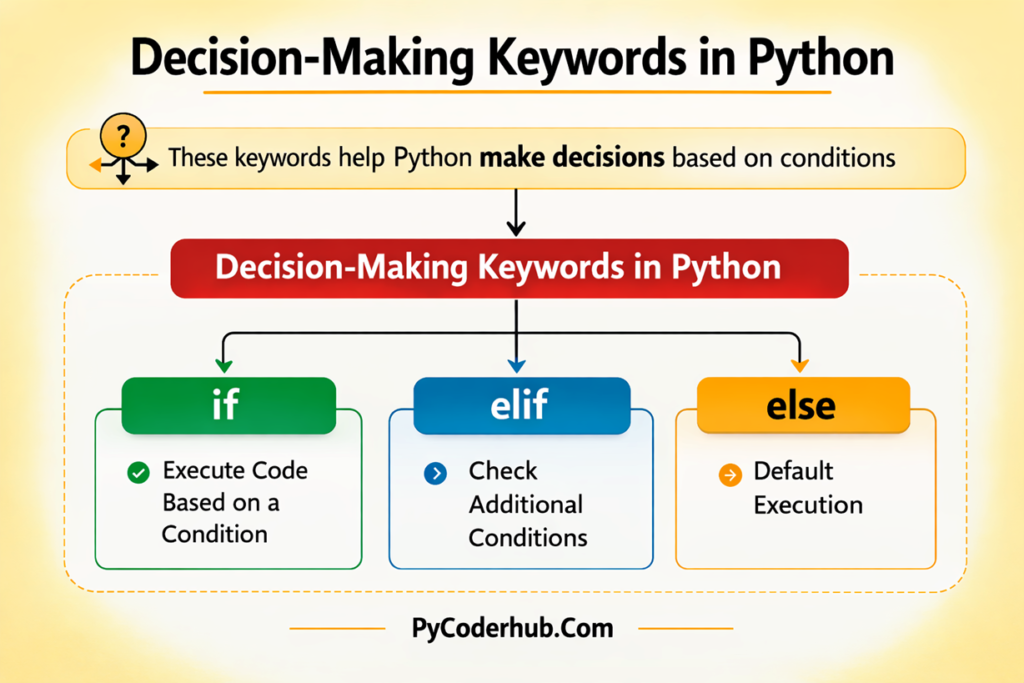
Visual Chart of Decision-Making Keywords in Python
The image below shows a visual representation of decision-making keywords in Python.
It highlights the three main keywords—if, elif, and else—which are used to control program decisions based on conditions.
In the next section, we will explore loop keywords in Python, which allow programs to repeat actions automatically using for and while loops.
Loop Keywords in Python
Sometimes a program needs to repeat the same task multiple times. For example, printing numbers from 1 to 10, processing items in a list, or repeatedly asking a user for input until a valid value is entered.
Instead of writing the same code again and again, Python provides loop keywords that allow a block of code to run repeatedly.
Loops make programs:
- Shorter
- More efficient
- Easier to maintain
The two main loop keywords in Python are:
forwhile
Both are used to repeat code, but they work in slightly different ways.
1. for — Iterate Over a Sequence
The for keyword is used to iterate over a sequence of values such as a list, string, tuple, or a range of numbers.
In each iteration, Python takes one value from the sequence and executes the block of code.
Example:
number_sequence = range(1, 6)

for current_number in number_sequence:
    print(current_number)
Output
1
2
3
4
5
In this example:
range(1, 6)creates numbers from 1 to 5- The loop runs once for each number
- Each value is stored in the variable current_number
The for loop is commonly used when you know how many times the loop should run or when you want to process items from a collection.
Another example using a list:
fruit_list = ["apple", "banana", "mango"]

for fruit_name in fruit_list:
    print(fruit_name)
This loop prints each fruit name from the list.
2. while — Run Code While a Condition Is True
The while keyword runs a block of code as long as a specified condition remains true.
This type of loop is useful when you do not know exactly how many times the loop should run.
Example:
counter_value = 1

while counter_value <= 5:
    print(counter_value)
    counter_value += 1
Output:
1
2
3
4
5
In this example:
- The loop runs while counter_value <= 5
- After each iteration, the value of counter_value increases
- When the condition becomes False, the loop stops
The while loop is often used when a program needs to keep running until a condition changes, such as waiting for valid user input.
Both for and while loops help Python programs repeat tasks automatically, which makes code more powerful and efficient.
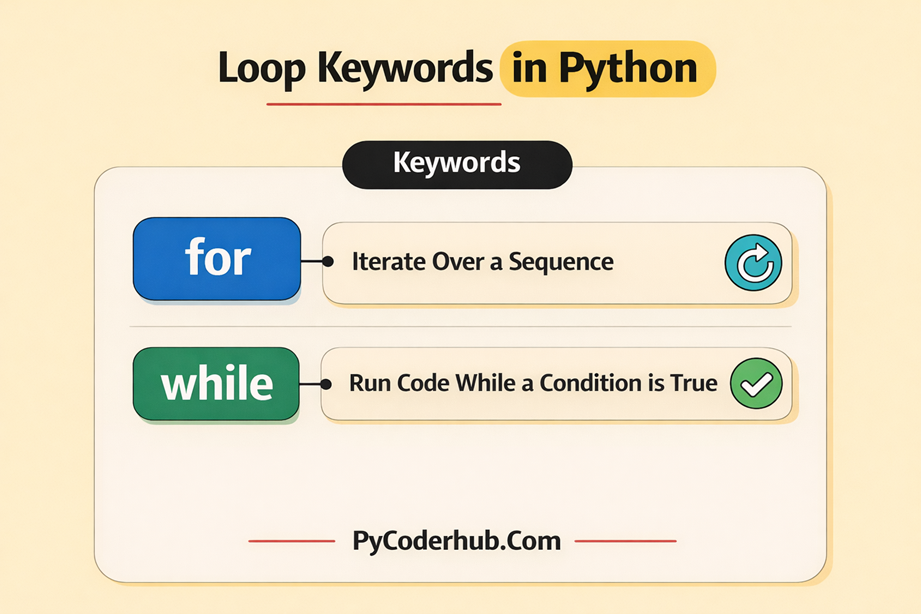
Visual Chart of Loop Keywords in Python
The image below shows a visual representation of loop keywords in Python.
It highlights the two main loop keywords—for and while—which are used to repeat code execution based on sequences or conditions.
In the next section, we will look at loop control keywords—break, continue, and pass—which allow you to control how loops behave during execution.
Loop Control Keywords in Python
While loops allow programs to repeat tasks automatically, there are situations where we need more control over how a loop behaves during execution. For example, a program might need to stop a loop early, skip a specific iteration, or leave a placeholder for future code.
Python provides loop control keywords for this purpose. These keywords modify the normal behavior of loops and give programmers greater control over program flow.
The three main loop control keywords in Python are:
breakcontinuepass
1. break — Exit the Loop Immediately
The break keyword is used to terminate a loop immediately, even if the loop condition is still true.
When Python encounters a break statement inside a loop, it stops the loop and moves execution to the next statement after the loop.
Example:
search_numbers_list = [3, 7, 12, 18, 25]

for current_number in search_numbers_list:
    if current_number == 12:
        print("Number found. Stopping the loop.")
        break
    print("Checking:", current_number)
Output:
Checking: 3
Checking: 7
Number found. Stopping the loop.
In this example:
- The loop checks numbers one by one
- When the value 12 is found, the
breakstatement stops the loop immediately
This is useful when the program no longer needs to continue the loop after a condition is met.
2. continue — Skip the Current Iteration
The continue keyword is used to skip the rest of the current loop iteration and move to the next iteration.
Instead of stopping the loop completely, it simply skips the remaining code for the current cycle.
Example:
number_sequence = range(1, 6)

for current_number in number_sequence:
    if current_number == 3:
        continue
    print(current_number)
Output
1
2
4
5
In this example:
- When current_number equals 3, the
continuestatement is executed - Python skips the print statement for that iteration
- The loop continues with the next value
This is useful when certain values should be ignored while processing a loop.
3. pass — Placeholder Statement
The pass keyword is a placeholder statement that does nothing. It is often used when a statement is required syntactically, but you do not want the program to perform any action yet.
Example:
number_sequence = range(1, 4)

for current_number in number_sequence:
    if current_number == 2:
        pass
    print(current_number)
Output:
1
2
3
In this example:
- When the number is 2, the program executes
pass - The
passstatement does nothing, and the loop continues normally
Programmers often use pass when planning to add code later, but they want the program structure to remain valid.
Example placeholder:
if user_role == "admin":
    pass  # Admin functionality will be implemented later
Loop control keywords make loops more flexible and powerful. They allow programs to stop loops early, skip specific iterations, or temporarily leave code blocks empty.
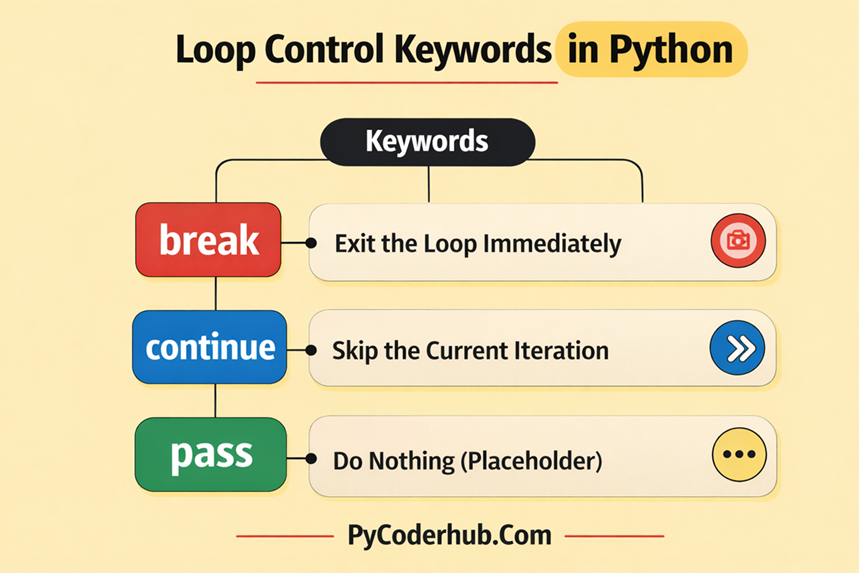
Visual Chart of Loop Control Keywords in Python
The image below shows a visual representation of loop control keywords in Python.
It highlights the three keywords—break, continue, and pass—which are used to control how loops behave during program execution.
In the next section, we will explore function-related keywords in Python, including def, return, and lambda, which are used to define and work with functions.
Function-Related Keywords in Python
Functions are one of the most important building blocks in Python. They allow you to organize code into reusable blocks, making programs easier to read, maintain, and reuse.
Instead of writing the same code multiple times, you can place the logic inside a function and call it whenever needed.
Python provides several keywords that help you define, return values from, and create functions. The most commonly used function-related keywords are:
defreturnlambda
Let’s understand how each of these keywords works.
A. def — Define a Function
The def keyword is used to create a function in Python. It tells Python that you are defining a new block of reusable code.
When you write a function using def, you give the function a name, define its parameters (optional), and then write the code that should execute when the function is called.
Functions help in:
- Reusing code
- Making programs modular
- Improving readability
Example:
def greet():
    print("Hello, welcome to PyCoderHub!")
In this example:
defstarts the function definitiongreetis the function name- The code inside the function runs when the function is called
B. return — Send a Value Back From a Function
The return keyword is used to send a result back from a function to the place where the function was called.
Without return, a function simply performs an action.
With return, the function can produce a value that can be stored or used elsewhere in the program.
Example:
def add(a, b):
    return a + b
Here:
- The function calculates the sum of two numbers
returnsends the result back to the caller
You can then store or print the returned value:
result = add(5, 3)
print(result)
Output:
8C. lambda — Create Anonymous Functions
The lambda keyword is used to create anonymous (nameless) functions.
Unlike functions created with def, a lambda function:
- Does not require a name
- Is usually written in a single line
- Is commonly used for small, quick operations
Example:
add = lambda a, b: a + b
print(add(4, 6))
Output:
10Lambda functions are often used with functions like:
map()filter()sorted()
They are useful when you need a simple function for a short operation without formally defining it using def.
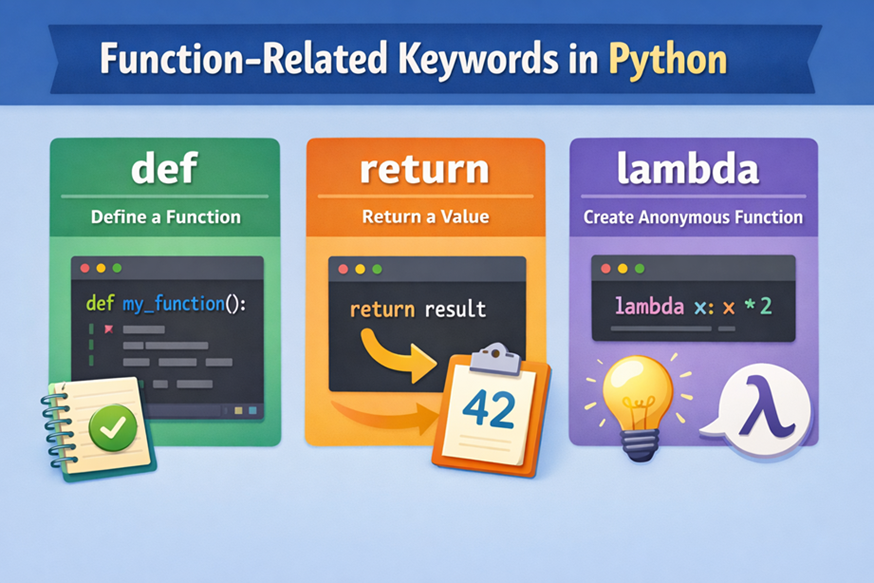
Visual Chart of Function-Related Keywords in Python
The image below shows a visual representation of function-related keywords in Python.
It highlights three important keywords—def, return, and lambda—which are used to define functions, return values, and create anonymous functions.
Class-Related Keywords in Python
Python also includes keywords that support Object-Oriented Programming (OOP) and advanced function behavior. These keywords help you create classes and generators, which are powerful tools for building scalable and efficient programs.
Two important keywords in this category are:
classyield
Let’s understand how they work.
D. class — Create a Class
The class keyword is used to define a class in Python. A class acts as a blueprint for creating objects, allowing you to group data (attributes) and behavior (methods) together.
Classes are a core concept in Object-Oriented Programming, which helps structure large programs into logical and reusable components.
Example:
class Person:
    def greet(self):
        print("Hello from PyCoderHub!")
In this example:
classstarts the class definitionPersonis the class namegreet()is a method inside the class
Once the class is defined, you can create objects (instances) from it.
p = Person()
p.greet()
Output:
Hello from PyCoderHub!Using classes helps you build organized, reusable, and scalable programs.
E. yield — Create Generators
The yield keyword is used inside a function to turn it into a generator.
A generator is a special type of function that produces values one at a time instead of returning them all at once. This makes generators very useful when working with large datasets or sequences, because they save memory.
Example:
def count_up_to(n):
    i = 1
    while i <= n:
        yield i
        i += 1
When this function runs, it does not return all values immediately. Instead, it generates them one by one.
Using the generator:
for num in count_up_to(5):
    print(num)
Output:
1
2
3
4
5
Each time the loop runs, the generator pauses at yield and resumes from that point, producing the next value.
Generators are commonly used for:
- Iterating through large data streams
- Memory-efficient loops
- Lazy evaluation (producing values only when needed)
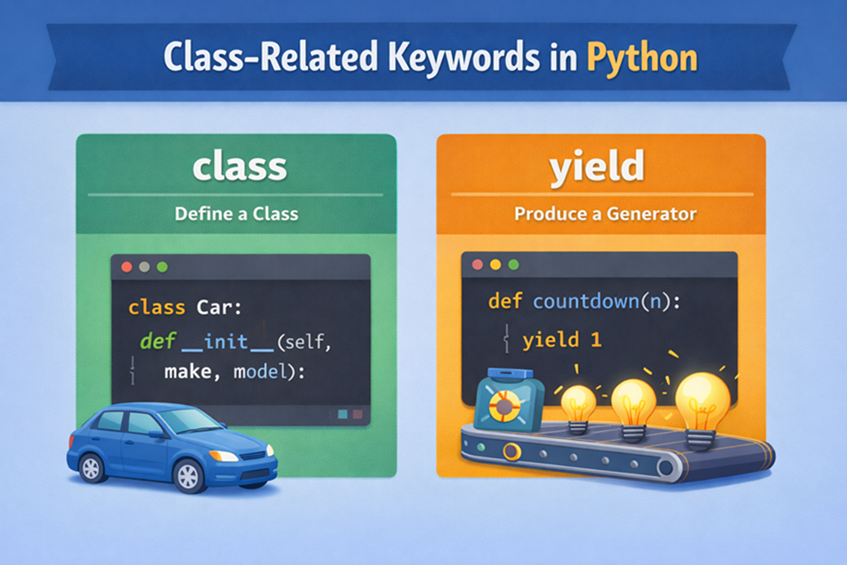
Visual Chart of Class-Related Keywords in Python
The image below shows a visual representation of class-related keywords in Python.
It highlights two important keywords—class and yield—which are used to define classes in object-oriented programming and create generators that produce values one at a time.
Control Flow vs Function vs Class Keywords (Key Differences)
So far in this lesson, we explored three groups of Python keywords:
- Control Flow Keywords
- Function-Related Keywords
- Class-Related Keywords
Each group serves a different purpose in a Python program. Understanding the difference helps you know when and why to use these keywords while writing code.
Let’s briefly understand how these categories differ.
1. Control Flow Keywords — Control Program Execution
Control flow keywords are used to control the order in which code runs. They help Python decide:
- Which code should execute
- When a loop should repeat
- When execution should stop or skip steps
These keywords are mainly used with conditions and loops.
Examples include:
if,elif,else→ decision-makingfor,while→ loops and repetitionbreak,continue,pass→ controlling loop behavior
In simple terms, control flow keywords guide the direction of program execution.
2. Function Keywords — Define and Manage Functions
Function-related keywords are used to create and manage functions in Python.
Functions allow you to organize code into reusable blocks, which helps reduce repetition and improve code readability.
Examples include:
def→ defines a functionreturn→ sends a value back from a functionlambda→ creates a small anonymous function
Instead of controlling execution flow, these keywords help you structure and reuse logic inside your program.
3. Class Keywords — Build Object-Oriented Programs
Class-related keywords support Object-Oriented Programming (OOP) in Python.
They allow you to build programs using classes and objects, which helps manage complex applications more effectively.
Examples include:
class→ defines a class blueprintyield→ creates generators that produce values one at a time
These keywords are typically used when building larger or more structured programs.
Quick Comparison
| Category | Purpose | Common Keywords |
|---|---|---|
| Control Flow Keywords | Control program execution and decision-making | if, elif, else, for, while, break, continue, pass |
| Function Keywords | Define and manage functions | def, return, lambda |
| Class Keywords | Support object-oriented programming and generators | class, yield |
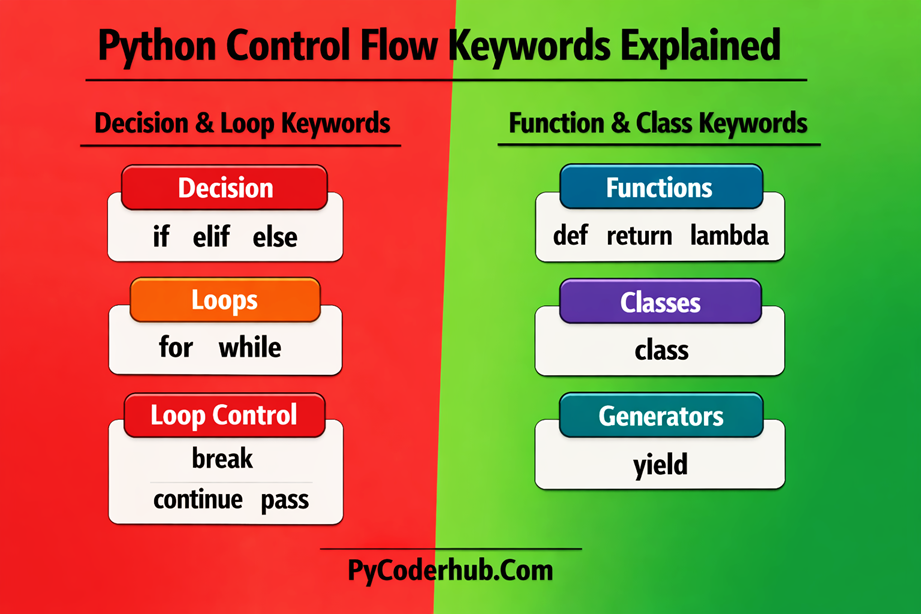
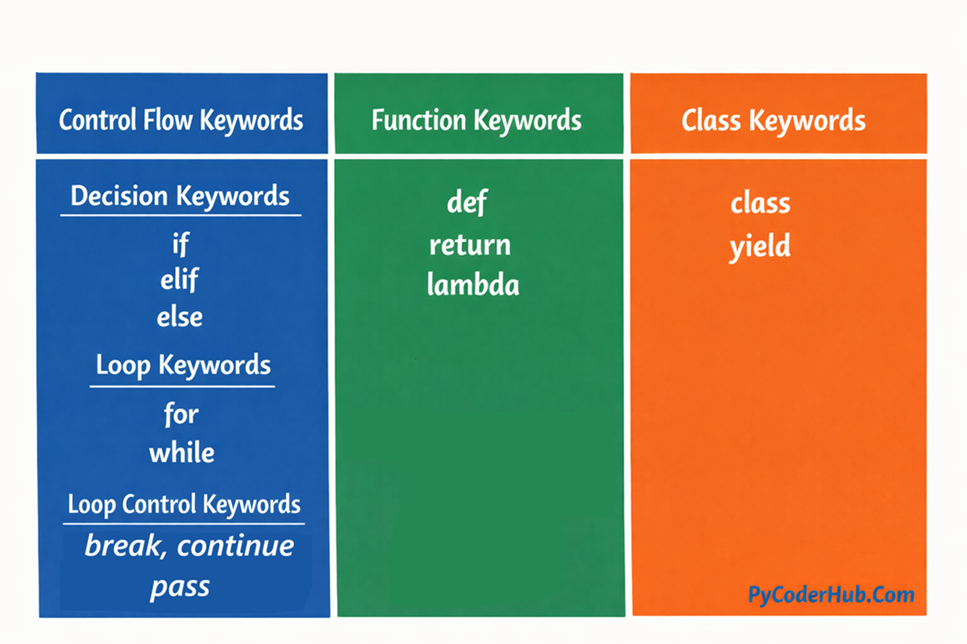
Combined Visual Chart of Python Control Flow, Function, and Class Keywords
The image below shows a combined visual representation of several important Python keyword categories.
It brings together Control Flow Keywords, Function Keywords, and Class Keywords in one place to help you quickly understand how these keywords organize Python program logic and structure.
Combining Control Flow With Functions (Example)
In real Python programs, control flow keywords and functions are often used together. Functions organize code into reusable blocks, while control flow keywords help the program make decisions and repeat actions inside those functions.
By combining them, you can build programs that are structured, reusable, and capable of handling different conditions.
Example:
def check_number_type(number_value):
    if number_value > 0:
        return "Positive number"
    elif number_value == 0:
        return "Zero"
    else:
        return "Negative number"


test_number = -5
result_message = check_number_type(test_number)
print(result_message)
Output
Negative numberIn this example:
defis used to define the functionif,elif, andelsecontrol the decision-making inside the functionreturnsends the result back to the main program
This combination allows the function to evaluate a condition and return different results based on the input value.
Functions with control flow logic are commonly used in programs that need to process data, validate inputs, or perform calculations based on conditions.
Combining Control Flow With Classes (Example)
Control flow keywords are also commonly used inside classes and their methods. This allows objects to perform actions based on conditions or repeat tasks when needed.
Example:
class NumberAnalyzer:

    def analyze_number(self, number_value):
        if number_value > 0:
            print("The number is positive.")
        elif number_value == 0:
            print("The number is zero.")
        else:
            print("The number is negative.")


analyzer_object = NumberAnalyzer()
analyzer_object.analyze_number(-8)
Output:
The number is negative.In this example:
classdefines the class blueprintdefcreates a method inside the classif,elif, andelseperform decision-making within the method
When the object calls the method, Python executes the control flow logic to determine the correct output.
Using control flow inside classes helps developers create more powerful and organized programs, especially when working with large applications or object-oriented designs.
Important Note About Python Keyword Categories
Before we conclude, it’s important to clarify one thing about the keyword categories used in this lesson. The groups such as Control Flow Keywords and Function & Class Keywords are not official classifications defined by Python. Python simply provides a list of reserved keywords without dividing them into categories.
These group names are commonly used in tutorials, courses, and programming communities because they make it easier to understand how different keywords are used in real Python programs. While they are not formal Python categories, they are widely accepted for teaching and explaining programming concepts.
Alternate Names Used in the Python Community
You may encounter different terms for these keyword groups depending on the learning resource.
Common Names for Control Flow Keywords
These keywords manage program execution and decision-making.
Keywords:if, elif, else, for, while, break, continue, pass
Common alternate names include:
- Conditional Statements (
if,elif,else) - Decision-Making Keywords
- Branching Keywords
- Looping Keywords (
for,while) - Iteration Keywords
- Loop Control Keywords (
break,continue) - Placeholder Statement (
pass) - Flow Control Constructs
- Program Flow Keywords
Common Names for Function & Class Keywords
These keywords help define functions, classes, and generators.
Keywords:def, return, lambda, class, yield
Common alternate names include:
- Function Definition Keywords
- Function-Related Keywords
- Callable Construction Keywords
- OOP / Class Definition Keywords (
class) - Object-Oriented Keywords
- Generator Keywords (
yield) - Functional Programming Keywords (
lambda) - Code Structure Keywords
- Definition Keywords
Conclusion
In this lesson, we explored Python Control Flow Keywords and how they help control program execution through decisions, loops, and loop control statements. We also learned about important function-related keywords (def, return, lambda) and class-related keywords (class, yield) used to structure Python programs. Understanding these keywords helps you write more organized and efficient Python code. In the next lesson, we will continue exploring more Python keywords and their practical uses.
Suggested Posts
- Python Keywords Explained – What Are Reserved Keywords in Python?
- Python Exception Handling Keywords Explained (With Boolean and Import Examples)
- Python Scope Keywords Explained (del, global, nonlocal) With Operator and Async Keywords Examples
- Python Soft Keywords Explained: Meaning, History, List, Examples, and Differences from Reserved Keywords
- Python Keyword Rules and Guidelines: Using Reserved and Soft Keywords Correctly
- Python Keyword Module Explained: kwlist, iskeyword(), softkwlist with Examples
- Python Keyword Errors Explained: Common Mistakes and How to Fix Them
- Python Keywords Evolution: From Python 1 to Python 3.12+ (Complete Guide)
- Python Keywords Best Practices: Write Cleaner, Error-Free Code
- Python Keywords FAQ – Common Questions, Confusion & Clear Answers

8 thoughts on “Python Control Flow Keywords Explained (With Function and Class Examples)”