Introduction: Python Data Types Rules
So far in this chapter, you’ve explored what Python data types are, how they are categorized, and how different types like numeric, sequence, set, and text behave in real code.
Think of it like learning about different materials while building a house—wood, steel, glass—each has its own properties and use cases. But just knowing the materials isn’t enough. You also need to understand the rules for using them and the right way to handle them to build something strong and reliable.
That’s exactly what this lesson is about.
In this part, we’ll go beyond just understanding data types and focus on the rules that Python strictly follows and the guidelines that help you avoid confusion and write cleaner code.
What You’ll Learn
In this lesson, you will learn:
- The most important python data types rules you must follow
- How Python handles data types internally (dynamic typing behavior)
- The difference between mutable and immutable data types in real scenarios
- Why type compatibility matters during operations
- When and why type conversion is required
- Practical guidelines to avoid confusion when working with data types
- Common situations where beginners make mistakes with data types
Before we start with Rule #1, let’s first understand an important concept:
Since this lesson covers both rules and guidelines, it’s important to clearly understand the difference between them.
Rules vs Guidelines
Before diving into the actual python data types rules, it’s important to clearly understand the difference between a rule and a guideline. This will help you know what you must follow and what you should follow.
What is a Rule?
A rule is something that Python strictly enforces.
- If you break a rule, your code may throw an error or behave unexpectedly
- Rules define how Python actually works internally
- They are non-negotiable
👉 Think of rules like traffic signals.
If you ignore a red light, it leads to problems immediately.
Example:
number_value = 10
text_value = "5"

result_value = number_value + text_value   # This will raise an error
Here, Python does not allow adding an integer and a string directly. This is a rule related to type compatibility.
What is a Guideline?
A guideline is a recommended way of writing code.
- It does not usually cause errors if ignored
- But following it makes your code cleaner, safer, and easier to understand
- Helps reduce confusion and bugs in the long run
👉 Think of guidelines like driving smoothly and maintaining lane discipline.
Not always mandatory, but it makes everything better and safer.
Example (Clear vs Unclear Code):
# Not clear (poor naming) ❌
value = "John"
print(value)# Clear and readable (good guideline) ✔
user_name = "John"
print(user_name)Why This is a Good Guideline
valueis too generic and doesn’t explain what the data representsuser_nameclearly tells us what the variable is storing- Makes code easier to read, understand, and debug
👉 This doesn’t break any Python rule, but following this guideline helps you avoid confusion—especially in larger programs.
Key Difference at a Glance
| Aspect | Rule | Guideline |
|---|---|---|
| Nature | Mandatory | Recommended |
| Enforcement | Enforced by Python | Not enforced |
| Result | Errors if broken | Confusion or poor code quality |
| Purpose | Defines behavior | Improves code quality |
Now that you understand the difference between rules and guidelines, let’s start with Rule #1.
Rule 1: Every Value in Python Has a Data Type
One of the most fundamental python data types rules is:
👉 Every value in Python is associated with a specific data type.
Whether you are working with numbers, text, or collections, Python always knows what kind of data it is dealing with.
Understanding the Rule
In Python, you never work with a “raw value” without a type.
Each value automatically belongs to a data type such as:
- Integer (
int) → whole numbers - Float (
float) → decimal numbers - String (
str) → text data - Boolean (
bool) → True or False - List (
list), Tuple (tuple), Set (set), Dictionary (dict)
👉 This happens internally, even if you don’t explicitly mention the type.
Real Code Example
integer_number = 25
decimal_number = 3.14
text_message = "Hello, PyCoder!"
boolean_status = True
Here’s what Python understands behind the scenes:
integer_number→intdecimal_number→floattext_message→strboolean_status→bool
Even though you didn’t specify the types manually, Python automatically assigns them.
Checking Data Types Using type()
You can always verify the data type of any value using the built-in type() function:
print(type(integer_number))
print(type(decimal_number))
print(type(text_message))
print(type(boolean_status))
Output:
<class 'int'>
<class 'float'>
<class 'str'>
<class 'bool'>
👉 This confirms that every value has a clearly defined data type.
Why This Rule Matters
Understanding this rule is important because:
- Python performs operations based on data types
- Incorrect type usage can lead to errors
- Helps you debug issues quickly
- Forms the foundation for all other data type rules
For example:
result_value = 10 + "5" # Error due to different data types ❌ Python cannot process this because it treats 10 as an integer and "5" as a string.
Beginner Confusion to Avoid
Many beginners assume:
“If a value looks like a number, Python will treat it as a number.”
But that’s not true.
number_value = "100"
print(type(number_value))
Output:
<class 'str'>👉 Even though it looks like a number, it is still a string, because it is inside quotes.
Key Takeaway
- Every value in Python always has a data type
- Python automatically assigns the type
- The type determines how the value behaves in operations
Now that you understand that every value has a data type, let’s move to Rule #2, where you’ll learn how Python assigns these types dynamically.
Rule 2: Python Uses Dynamic Typing
Another important python data types rules to understand is:
👉 Python determines the data type of a variable automatically at runtime.
This concept is known as dynamic typing.
Understanding the Rule
In many programming languages, you must explicitly declare the data type of a variable.
But in Python, you don’t need to do that.
👉 Python decides the data type based on the value you assign.
Think of it like labeling a container after you put something inside it.
Real Code Example
user_data = 25
print(type(user_data))
Output:
<class 'int'>Now, let’s change the value:
user_data = "PyCoder"
print(type(user_data))
Output:
<class 'str'>👉 The same variable user_data now holds a completely different data type.
What’s Happening Behind the Scenes?
- First,
user_datais assigned an integer → Python treats it asint - Then, it is reassigned a string → Python updates its type to
str
👉 You didn’t declare the type—Python handled it automatically.
Why This Rule Matters
Understanding dynamic typing is important because:
- You don’t need to define data types manually
- Variables can store different types at different times
- Makes Python flexible and beginner-friendly
But it also means:
- You need to be careful when reusing variables
- Unexpected type changes can lead to confusion or bugs
Beginner Confusion to Avoid
Some beginners think a variable has a fixed type once assigned.
But in Python:
data_value = 100
data_value = "One Hundred"
This is completely valid. Python allows it. ✔
However, this can sometimes make code harder to understand if overused.
Key Takeaway
- Python uses dynamic typing, meaning types are assigned automatically
- A variable can hold different data types at different times
- Flexibility is powerful—but requires careful usage
Now that you understand how Python assigns data types dynamically, let’s move to Rule #3, where you’ll learn about mutable and immutable data types.
Rule 3: Some Data Types Are Immutable
Another essential python data types rules is:
👉 Some data types in Python cannot be changed after they are created.
These are called immutable data types.
Understanding the Rule
When a data type is immutable, it means:
- You cannot modify its value after creation
- Any “change” actually creates a new object in memory
👉 Think of it like writing with a pen on paper.
Once written, you can’t change it—you need a new paper to rewrite it.
Common Immutable Data Types
Some of the most commonly used immutable types in Python are:
- Integer (
int) - Float (
float) - String (
str) - Tuple (
tuple) - Boolean (
bool)
Real Code Example (String)
text_message = "Hello"
text_message[0] = "h"   # This will raise an error ❌
Strings are immutable, so you cannot change individual characters.
Correct Way to Modify
text_message = "Hello"
updated_message = "h" + text_message[1:]
print(updated_message)
Output:
hello👉 Instead of modifying the original string, Python creates a new string.
Another Example (Integer)
number_value = 10
number_value = number_value + 5
print(number_value)    # Output: 15
👉 This may look like modification, but actually:
- A new integer object (
15) is created - The variable
number_valuenow refers to this new value
Why This Rule Matters
Understanding immutability helps you:
- Avoid errors when trying to modify values directly
- Write safer and more predictable code
- Understand how Python manages memory
Beginner Confusion to Avoid
Many beginners think:
“If I modify a value, I am changing the same object.”
But in immutable data types, that’s not what happens.
Let’s prove this using the id() function, which shows the unique identity (memory reference) of an object:
original_value = "Python"
modified_value = original_value.upper()

print(id(original_value))
print(id(modified_value))
Output:
2106737164816
2106737564656
Notice that both values have different IDs.
What This Means
original_value→ remains"Python"modified_value→ becomes"PYTHON"- Python creates a new object in memory instead of modifying the original one
👉 This clearly proves that strings are immutable.
Key Takeaway
- Immutable data types cannot be changed after creation
- Any modification results in a new object
- Common immutable types include
int,float,str, andtuple
Now that you understand immutable data types, let’s move to Rule #4, where you’ll learn about mutable data types that can be modified after creation.
Rule 4: Mutable Data Types Can Be Modified After Creation
Continuing with important python data types rules, the opposite of immutability is:
👉 Some data types in Python can be changed after they are created.
These are called mutable data types.
Understanding the Rule
When a data type is mutable, it means:
- You can modify, update, or delete its content
- The changes happen in the same object, without creating a new one
👉 Think of it like a whiteboard.
You can erase and rewrite on the same surface without needing a new board.
Common Mutable Data Types
Some widely used mutable data types in Python include:
- List (
list) - Dictionary (
dict) - Set (
set)
Real Code Example (List)
student_names = ["Aman", "Riya", "Kunal"]

student_names[0] = "Rahul"
print(student_names)
Output:
['Rahul', 'Riya', 'Kunal']👉 The original list is modified directly, not replaced.
Adding and Removing Elements
student_names.append("Sneha")
student_names.remove("Riya")

print(student_names)
Output:
['Rahul', 'Kunal', 'Sneha']👉 You can continuously update the same list object.
Why This Rule Matters
Understanding mutability is important because:
- Changes affect the original data directly
- Multiple variables can refer to the same object
- Helps you write efficient code without creating unnecessary copies
Beginner Confusion to Avoid
Many beginners think:
“If I assign one list to another, I am creating a new copy.”
But in mutable data types, that’s not true.
Let’s prove this using the id() function:
original_list = [1, 2, 3]
copied_list = original_list

print(id(original_list))
print(id(copied_list))
Output:
2832023080896
2832023080896
Both variables have the same ID.
Key Takeaway
- Mutable data types can be modified after creation
- Changes happen in the same object
- Common mutable types include
list,dict, andset - Be careful when multiple variables reference the same object
Now that you understand mutable data types, let’s move to Rule #5, where you’ll learn how data type compatibility affects operations in Python.
Rule 5: Data Type Compatibility Matters in Operations
Another important python data types rules to understand is:
👉 Operations in Python depend on the compatibility of data types.
This means you cannot freely perform operations between all types—Python only allows operations that make logical sense.
Understanding the Rule
Every operation in Python (like addition, subtraction, concatenation) is defined for specific data types.
- Compatible types → ✅ Operation works
- Incompatible types → ❌ Error occurs
👉 Think of it like connecting devices:
A USB cable fits into a USB port—but not into a headphone jack.
Real Code Example (Incompatible Types)
number_value = 10
text_value = "5"

result_value = number_value + text_value   # Error
Output:
TypeError: unsupported operand type(s) for +: 'int' and 'str'👉 Python does not allow adding an integer and a string directly.
Compatible Operation Example
first_number = 10
second_number = 5

result_value = first_number + second_number
print(result_value)
Output:
15👉 Both values are integers, so the operation works correctly.
Special Case: Strings
first_text = "Hello "
second_text = "World"

result_text = first_text + second_text
print(result_text)
Output:
Hello World👉 With strings, the + operator performs concatenation, not addition.
Why This Rule Matters
Understanding type compatibility helps you:
- Avoid runtime errors
- Write correct and predictable code
- Understand how operators behave with different types
Beginner Confusion to Avoid
Some beginners think Python will automatically adjust types.
total_value = "10" + 5 # Error👉 Python does not automatically convert types in such cases.
Correct Way: Explicit Conversion
total_value = int("10") + 5
print(total_value)
Output:
15👉 You must explicitly convert data types when needed.
Key Takeaway
- Operations depend on data type compatibility
- Mixing incompatible types leads to errors
- Python does not automatically convert types in most cases
- Use explicit type conversion to fix compatibility issues
Now that you understand how type compatibility affects operations, let’s move to Rule #6, where you’ll learn why type conversion is sometimes necessary in Python.
Rule 6: Type Conversion Must Be Explicit in Many Cases
Another important python data types rules is:
👉 Python does not automatically convert between incompatible data types in most cases—you must do it explicitly.
This is known as explicit type conversion.
Understanding the Rule
In some programming languages, values are automatically converted when needed.
But in Python, this is limited.
If two data types are not compatible, Python expects you to manually convert them.
Think of it like translating between two languages—Python won’t assume the meaning, you must provide it clearly.
Real Code Example (Without Conversion)
user_input_value = "20"
total_value = user_input_value + 5
print(total_value)
Output:
TypeError: can only concatenate str (not "int") to strPython refuses to guess how to combine a string and an integer.
Correct Way: Explicit Conversion
user_input_value = "20"
total_value = int(user_input_value) + 5

print(total_value)
Output:
25By converting the string into an integer using int(), the operation becomes valid.
Common Type Conversion Functions
Python provides built-in functions for conversion:
int()→ converts to integerfloat()→ converts to decimal numberstr()→ converts to stringbool()→ converts to boolean
Example with Multiple Conversions
number_value = 10
text_value = str(number_value)

print(text_value)
print(type(text_value))
Output:
10
<class 'str'>
Here, an integer is explicitly converted into a string.
Why This Rule Matters
Understanding explicit conversion helps you:
- Avoid type-related errors
- Handle user input correctly (which is usually text)
- Write predictable and controlled code
Beginner Confusion to Avoid
Some beginners expect Python to behave like this:
"10" + 5 → 15 (Not how Python works)But Python does not perform automatic conversion in such cases.
Key Takeaway
- Python requires explicit type conversion in many situations
- It does not automatically convert incompatible types
- Use built-in functions like
int(),float(), andstr()to handle conversions
Now that you understand explicit type conversion, let’s move to Rule #7, where you’ll learn why same values don’t always mean the same data type in Python.
Rule 7: Same Value Does Not Always Mean Same Data Type
The final important python data types rules to understand is:
👉 Two values may look the same, but they can belong to completely different data types.
This difference affects how Python treats them in operations.
Understanding the Rule
In Python, the appearance of a value does not determine its type.
👉 What matters is how the value is defined.
Think of it like this:
- The number 10 and the text “10” may look identical
- But one is a number, and the other is just text
Real Code Example
numeric_value = 10
text_value = "10"

print(type(numeric_value))
print(type(text_value))
Output:
<class 'int'>
<class 'str'>
Even though both look similar, Python treats them as different types.
How This Affects Behavior
numeric_value = 10
text_value = "10"

print(numeric_value + numeric_value)   # ✔ Works (addition)
print(text_value + text_value)         # ✔ Works (concatenation)
Output:
20
1010
Same “value”, completely different results.
Why This Rule Matters
Understanding this rule helps you:
- Avoid logical errors in your code
- Understand why operations behave differently
- Handle user input correctly (which is usually text)
Beginner Confusion to Avoid
A common confusion is assuming Python will treat similar-looking values the same way.
user_input_value = "50"
total_value = user_input_value + 10   # Error
Even though "50" looks like a number, it is still a string.
Correct Way
user_input_value = "50"
total_value = int(user_input_value) + 10

print(total_value)
Output:
60Converting the value ensures correct behavior.
Key Takeaway
- Same-looking values can belong to different data types
- Data type determines how Python processes the value
- Always verify and convert types when needed
Now that you’ve learned all the essential python data types rules, let’s move to the next section where you’ll explore practical guidelines to avoid confusion and write better code when working with data types.
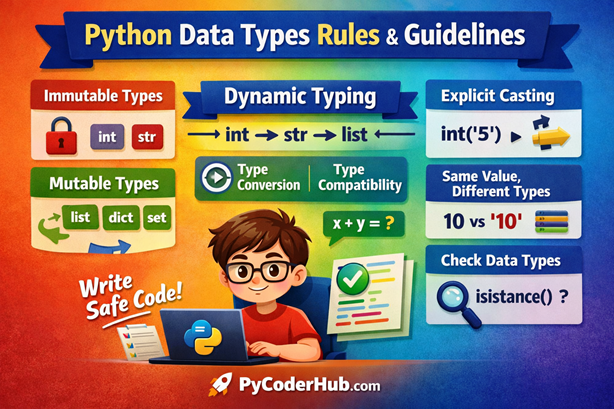
Quick Summary of Python Data Types Rules
So far, we’ve covered all the essential python data types rules that define how data behaves in Python.
Before moving to the guidelines, let’s do a quick recap to reinforce what you’ve learned:
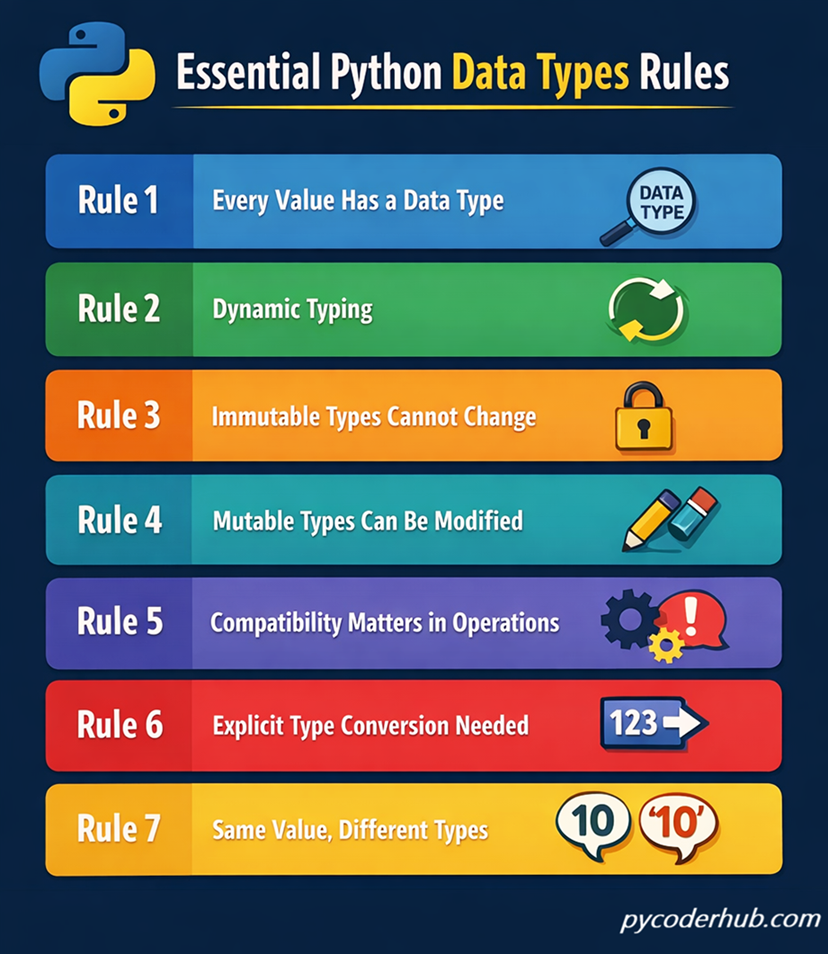
Rules at a Glance
- Rule 1: Every value in Python has a data type
- Rule 2: Python uses dynamic typing (types are assigned automatically)
- Rule 3: Some data types are immutable (cannot be changed after creation)
- Rule 4: Mutable data types can be modified after creation
- Rule 5: Data type compatibility matters in operations
- Rule 6: Type conversion must be explicit in many cases
- Rule 7: Same value does not always mean the same data type
👉 These rules form the foundation of how Python handles data internally.
Summary Visualization
Here is a simple infographic to help you better understand the summary of python data types rules in a visual and easy-to-follow format.
Guidelines for Using Python Data Types
Now that you understand the core python data types rules, let’s look at some practical guidelines.
👉 These are not strict rules enforced by Python, but following them will help you avoid confusion, write cleaner code, and improve overall readability.
Guideline 1: Choose the Right Data Type for the Task
Always select a data type that best represents your data.
Using the wrong data type can make your code confusing and harder to manage.
# Not ideal
user_age = "25"   # Age stored as string

# Better
user_age = 25 # Age stored as integer- Numbers should be stored as
intorfloat - Text should be stored as
str
👉 This makes operations easier and avoids unnecessary conversions.
Guideline 2: Avoid Mixing Incompatible Data Types
Try not to mix different data types in operations unless necessary.
This helps you avoid errors and keeps your code predictable.
# Can cause error
total_value = "10" + 5

# Better
total_value = int("10") + 5
👉 Always ensure data types are compatible before performing operations.
Guideline 3: Use Clear and Meaningful Variable Names
Choose variable names that clearly describe the type and purpose of the data.
# Not clear
data = "John"

# Clear and readable
user_name = "John"
👉 Clear naming reduces confusion, especially when working with multiple data types.
Guideline 4: Be Careful When Working with Mutable Data Types
Mutable types like lists and dictionaries can change unexpectedly if shared between variables.
original_list = [1, 2, 3]
reference_list = original_list

reference_list.append(4)

print(original_list)   # Output: [1, 2, 3, 4]
Changes affect all references to the same object.
- Create copies if needed
- Be mindful when passing mutable data
Guideline 5: Check Data Types When Debugging
When your code behaves unexpectedly, always verify the data type.
user_input_value = "100"

print(type(user_input_value))
👉 This simple check can quickly reveal issues related to type confusion.
Guideline 6: Avoid Unnecessary Type Conversions
Only convert data types when it is actually required.
Too many conversions can make your code harder to read and slightly inefficient.
# Unnecessary conversion
user_score = int(50)

# Better
user_score = 50
👉 Keep your code simple and avoid extra steps when they are not needed.
Guideline 7: Be Consistent with Data Types in Your Code
Try to use consistent data types for similar kinds of data throughout your program.
# Inconsistent usage
product_price = 100
discount_price = "20"

# Consistent usage
product_price = 100
discount_price = 20
👉 Consistency makes your code easier to understand and reduces chances of errors.
Quick Summary of Python Data Types Guidelines
Now that we’ve covered all the practical python data types guidelines, let’s quickly recap them for better clarity.
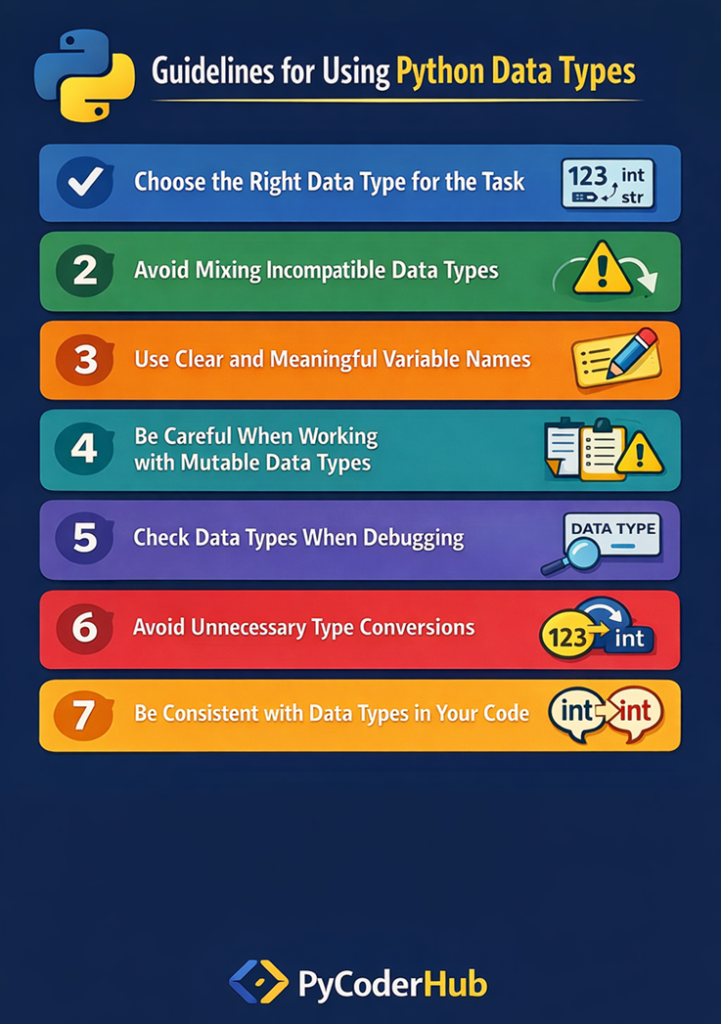
Guidelines at a Glance
- Guideline 1: Choose the right data type for the task
- Guideline 2: Avoid mixing incompatible data types
- Guideline 3: Use clear and meaningful variable names
- Guideline 4: Be careful when working with mutable data types
- Guideline 5: Check data types when debugging
- Guideline 6: Avoid unnecessary type conversions
- Guideline 7: Be consistent with data types in your code
These guidelines help you avoid confusion, improve code readability, and write more reliable Python programs.
Summary Visualization
Here is a simple infographic to help you better understand the summary of python data types guidelines in a visual and easy-to-follow format.
Conclusion
Understanding python data types rules and guidelines is essential for writing correct and predictable code. The rules help you understand how Python works internally, while the guidelines help you avoid confusion and improve code clarity. Together, they build a strong foundation for working with data in Python. As you continue learning, applying these concepts will make your programs more reliable and easier to maintain.