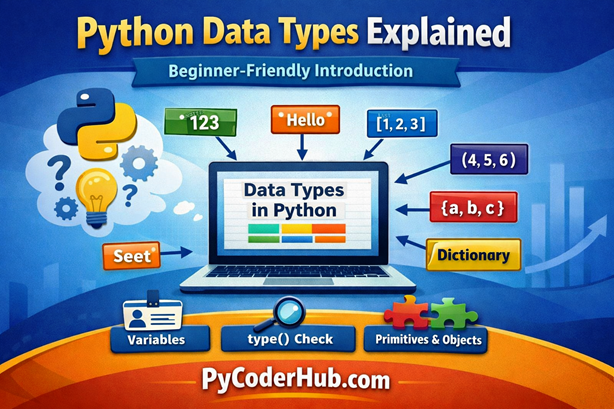
Introduction: Python Data Types Explained
Welcome to the first lesson of the Python Data Types chapter! If you’re beginning your Python journey, this lesson will set the foundation for everything that follows.
Think of building a house. You work with different materials like bricks, wood, glass, and wiring—each designed for a specific purpose. You wouldn’t use glass to support a wall or wires to build a structure. Every material behaves differently and must be used correctly.
In Python, data types play a similar role. They are the core building blocks of any program. Every program works with data—whether it’s a user’s name, a number, a list of items, or more complex information. How Python stores, processes, and interacts with that data depends entirely on its data type.
In this lesson, we’ll take a high-level overview of Python data types. You’ll understand what they are, why they matter, and explore the main categories you’ll work with. We’ll keep things simple for now—detailed explanations of each data type will be covered in upcoming lessons. Think of this as getting a clear roadmap before diving deeper into each concept.
What You’ll Learn
In this lesson, you’ll explore:
- What a data type is in Python
- Why data types are important in programming
- How Python handles data types automatically (dynamic typing)
- The difference between variables and data types
- How to check the data type of a value using type()
- A quick overview of common built-in data types
- Simple examples of different data types in action
- The basic idea of primitive and non-primitive data types
- Common beginner confusion related to data types
Now that you have a clear idea of what this lesson covers, let’s start with what is a data type in Python.
What Is a Data Type in Python?
In simple terms, a data type is a classification that tells the Python interpreter how the programmer intends to use the data.
Think of it like containers in your kitchen:
- You store water in a bottle.
- You store cereal in a box.
- You store eggs in a carton.
If you try to pour water into a cardboard cereal box, it will leak. Similarly, in programming, if you try to perform math operations on text without telling Python how to handle it, your program will crash.
In Python, every value has a type. When you write 10, Python knows it is a number. When you write "Hello", Python knows it is text.
Simple Definition
A data type tells Python what type of data it is working with.
Without data types, Python would not know whether it should add values, join them, compare them, or treat them as something else—which would quickly lead to confusion and errors.
Why Python Needs Data Types
Python uses data types to:
- Perform correct operations on values
- Allocate memory efficiently
- Prevent invalid operations (like adding a number to text)
- Ensure predictable behavior in your code
Basic Examples of Data Types
Let’s look at a few simple examples:
student_age = 21          # Integer (int)
student_name = "PyCoder"  # String (str)
course_fee = 499.99      # Float (float)
is_enrolled = True       # Boolean (bool)
Each variable above stores a different type of value:
- 21 is a whole number → Integer
- “PyCoder” is text → String
- 499.99 is a decimal number → Float
- True represents a logical value → Boolean
Key Point to Remember
The type of data you use directly affects how Python will handle it. For example:
print(10 + 5)        # Output: 15 (numeric addition)
print("10" + "5")    # Output: 105 (string concatenation)
Even though the values look similar, their data types change the result completely.
Understanding what a data type is gives you the foundation to write correct and efficient Python code.
Now that you know what data types are, let’s understand why they matter in Python.
Why Do Data Types Matter in Python?
Now that you understand what data types are, the next question is—why do they matter so much?
Think of it like cooking in a kitchen. You have ingredients like salt, sugar, oil, and flour. Even though they might look similar at first glance, each one behaves differently. If you accidentally use salt instead of sugar in a dessert, the result won’t be what you expected.
In Python, data types work the same way. Even if two values look similar, their type determines how Python will treat them.
Data Types Control How Operations Work
The type of data directly affects what you can do with it.
first_number = 10
second_number = 5

print(first_number + second_number)   # Output: 15
Now compare it with strings:
first_text = "10"
second_text = "5"

print(first_text + second_text) # Output: 105- In the first example, Python performs addition.
- In the second, it performs concatenation (joining text).
Even though the values look similar, the data type completely changes the result.
Prevents Errors and Unexpected Behavior
Using the wrong data type can lead to errors or confusing results:
user_age = "25"
print(user_age + 5)   # This will cause an error
Python doesn’t allow adding a string and an integer directly. Understanding data types helps you avoid such issues.
Helps Python Use Memory Efficiently
Different data types are stored differently in memory. For example:
- Integers use a different storage method than strings
- Lists store multiple values, while a single number stores only one
This allows Python to manage resources efficiently behind the scenes.
Makes Your Code Clear and Predictable
When you understand data types, your code becomes:
- Easier to read
- Easier to debug
- More reliable
You’ll know exactly how your data behaves and what results to expect.
Key Takeaway
Data types are not just labels—they control how your program behaves. Choosing the correct data type ensures your code works as intended and avoids unnecessary confusion.
Now that you understand why data types are important, let’s explore them using simple real-life examples to make the concept even clearer.
Understanding Data Types with Real-Life Examples
To truly understand data types, it helps to connect them with things you already use in real life.
Think about a school or college system. Different kinds of information are stored for each student—like their name, age, marks, and subjects. Each type of information is different and needs to be handled in its own way.
In Python, data types work exactly like that. Different types of data are stored and processed differently depending on what they represent.
Numbers (Integer & Float)
Numbers are used when you want to store numeric values.
- Student age →
21(Integer) - Course fee →
499.99(Float)
student_age = 21
course_fee = 499.99
Integers represent whole numbers, while floats represent decimal values.
Text (String)
Text data is used to store names, messages, or any sequence of characters.
- Student name →
"PyCoder" - Course name →
"Python Basics"
student_name = "PyCoder"
course_name = "Python Basics"
Strings are always written inside quotes.
Collection of Items (List)
A list is used when you want to store multiple values in a single variable.
- Marks of a student →
[85, 90, 78] - List of subjects →
["Math", "Science", "English"]
student_marks = [85, 90, 78]
subjects_list = ["Math", "Science", "English"]
Lists are useful when you have a group of related data.
Labeled Data (Dictionary)
A dictionary stores data in key-value pairs, just like a form or record.
- Student details → name, age, course
student_details = {
    "name": "PyCoder",
    "age": 21,
    "course": "Python"
}
Each value is connected to a label (key), making it easy to access specific data.
True/False Values (Boolean)
Booleans represent logical values—either True or False.
- Is the student enrolled? →
True - Has the fee been paid? →
False
is_enrolled = True
fee_paid_status = False
These are often used in conditions and decision-making.
Key Takeaway
Just like real-world information comes in different forms, Python uses different data types to handle different kinds of data. Choosing the right data type makes your program more organized and easier to work with.
Now that you’ve seen how data types relate to real-life scenarios, let’s understand how Python handles them automatically using dynamic typing.
Python Is a Dynamically Typed Language
Now that you’ve seen how different types of data are used, let’s understand how Python handles them behind the scenes.
Think of labeling containers in your kitchen. In some systems, you must label every container before storing anything—like “rice,” “sugar,” or “salt.” But imagine a smarter system where you simply put the item in the container, and it automatically knows what’s inside.
Python works in a similar way.
What Does “Dynamically Typed” Mean?
In Python, you don’t need to declare the data type of a variable before using it. Python automatically detects and assigns the data type based on the value you provide.
user_age = 25          # Python treats this as an integer
user_name = "PyCoder"  # Python treats this as a string
You simply assign a value, and Python figures out the type for you.
Changing Data Types at Runtime
One of the most powerful features of dynamic typing is that a variable can change its type during execution.
user_data = 100
print(type(user_data))   # <class 'int'>

user_data = "Python"
print(type(user_data))   # <class 'str'>
The same variable now holds a completely different type of data.
Why This Matters
Dynamic typing makes Python:
- Easier to write (less code, no type declarations)
- Faster for beginners to learn
- More flexible when handling different kinds of data
However, it also means you need to be careful, as changing types unintentionally can lead to confusion or errors.
Key Takeaway
Python automatically determines the data type of a variable at runtime, allowing you to write flexible and clean code without explicitly declaring types.
If you want a deeper understanding of how Python handles types at runtime, including advantages, limitations, and best practices, check out the detailed lesson:
👉 Dynamic Typing in Python Explained: How Python Handles Types at Runtime
Now that you understand dynamic typing, let’s clear up a common beginner confusion—what’s the difference between variables and data types?
Data Types vs Variables (Beginner Clarification)
At this point, many beginners get confused between variables and data types. They are closely related—but they are not the same thing.
Let’s understand this with a simple real-world example.
Think of a container and its content.
- The container is used to store something
- The content inside defines what kind of thing it is
In Python:
- A variable is like the container
- A data type is the type of content stored inside
What Is a Variable?
A variable is a name used to store a value.
student_name = "PyCoder"Here:
- student_name → Variable (container)
- “PyCoder” → Value (data stored inside)
What Is a Data Type?
The data type tells Python what kind of value is stored.
student_age = 21Here:
- student_age → Variable
- 21 → Value
- int → Data type of the value
Putting It Together
Let’s combine both concepts:
course_name = "Python Basics"
course_price = 499- course_name stores a string (
str) - course_price stores an integer (
int)
Variables store the data, while data types define what kind of data is stored.
Why This Difference Matters
Understanding this helps you:
- Avoid confusion while coding
- Debug errors more easily
- Write cleaner and more predictable programs
Want to Learn More About Variables?
If you want a deeper understanding of variables—how they work, naming rules, and best practices—you can explore the full chapter:
👉 Chapter: Python Variables – Complete Guide
Key Takeaway
A variable is a container, and a data type describes the content inside it. Both work together to help Python manage and process data effectively.
Variables vs Data Types (Visual Comparison)
Understanding the difference between variables and data types becomes much easier when you see them side by side. The following visual breaks down their roles in a simple and clear way.
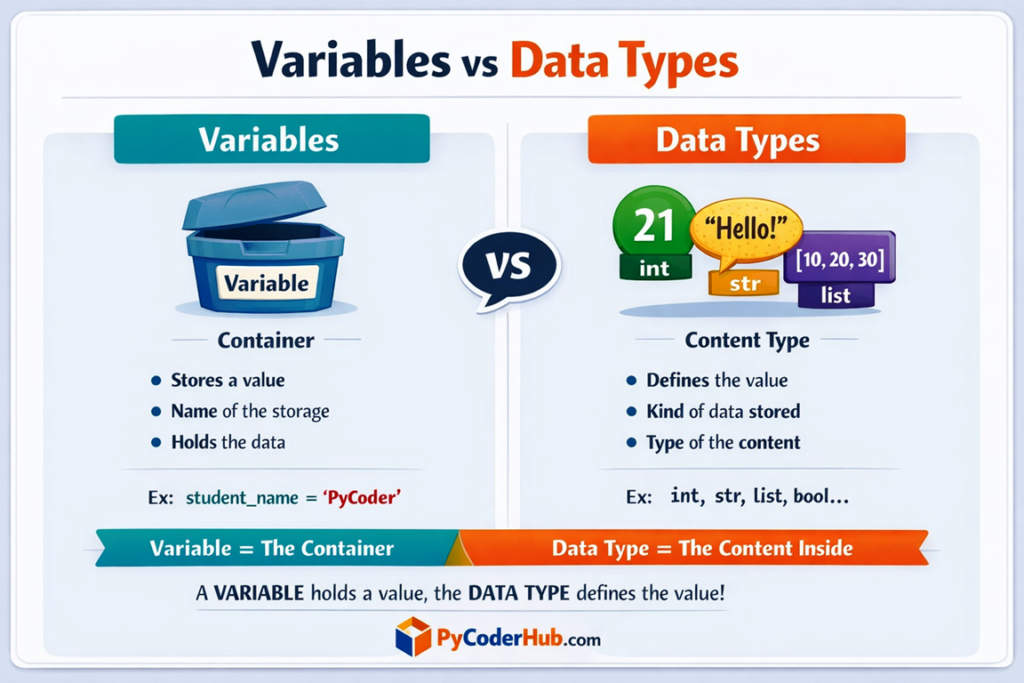
This comparison helps you quickly remember: variables store values, while data types define what kind of values they are.
Now that the confusion between variables and data types is clear, let’s move forward and understand an important concept—everything in Python is an object.
Everything in Python Is an Object
Now let’s understand one of the most powerful ideas in Python—everything is an object.
Think of it like items in a smart warehouse. Every item—whether it’s a box, a bottle, or a machine—has:
- A specific identity
- Certain properties
- Actions that can be performed on it
Python works in a very similar way.
What Does “Everything Is an Object” Mean?
In Python, every value is treated as an object, whether it’s:
- A number
- A string
- A list
- Or even a function
This means each value comes with:
- A type (what kind of object it is)
- A unique identity (where it exists in memory)
- Associated methods and behaviors
Simple Examples
student_age = 21
student_name = "PyCoder"
Here:
- 21 is an object of type
int - “PyCoder” is an object of type
str
Even though they look like simple values, Python internally treats them as objects with built-in capabilities.
Objects Have Built-in Behavior
Because everything is an object, you can perform operations using built-in methods.
course_name = "python basics"

print(course_name.upper())   # Output: PYTHON BASICS
The string "python basics" is an object, and .upper() is a method available to it.
Why This Concept Is Important
Understanding this helps you:
- Write more powerful and flexible code
- Use built-in methods effectively
- Understand how Python handles data internally
It also explains why Python feels so consistent—because everything follows the same object-based structure.
Key Takeaway
In Python, every piece of data is an object, and each object has its own type, identity, and behavior. This makes Python both powerful and easy to work with.
Now that you understand this core concept, let’s move forward and learn how to check the data type of any value in Python.
How to Check Data Types in Python
So far, you’ve learned that every value in Python has a data type. But how do you actually check the data type of a value while writing code?
Think of it like checking a label on a product. Before using something, you might want to confirm whether it’s sugar or salt, especially if they look similar. In Python, the type() function does exactly that—it tells you what kind of data you’re working with.
Introduction to type() Function
Python provides a built-in function called type() that returns the data type of any value or variable.
It helps you:
- Identify the type of data stored
- Debug errors
- Understand how Python is interpreting your values
Syntax and Usage
The syntax of the type() function is simple:
type(value)or
type(variable_name)It returns the data type in the form of a class, such as:
<class 'int'><class 'str'><class 'list'>
Important Note: Understanding type() Output
When you use the type() function, the output may look a little different from what you expect as a beginner.
For example, you might expect something like "string" or "integer"—but Python does not use these words directly.
Instead, it returns the official class names used internally by Python.
Example:
print(type("PyCoder"))
print(type(25))
Output:
<class 'str'>
<class 'int'>
What Does This Mean?
"PyCoder"→ returnsstr(not “string”)25→ returnsint(not “integer”)[1, 2, 3]→ returnslist
These are the actual class names defined in Python.
Why Python Uses These Names
Python is an object-oriented language, so every value belongs to a class.
The type() function shows the class that the object belongs to.
That’s why the output format is:
<class 'datatype_name'>So instead of “string” or “integer,” Python uses str, int, list, and so on—these are the official terms you’ll see throughout Python.
H3: Example: Checking Different Data Types
Let’s look at some more practical examples to understand how this works.
Integer Example
user_age = 25
print(type(user_age))
Output:
<class 'int'>Python identifies 25 as an integer.
String Example
user_name = "PyCoder"
print(type(user_name))
Output:
<class 'str'>The value is recognized as a string.
List Example
marks_list = [85, 90, 78]
print(type(marks_list))
Output:
<class 'list'>Python detects this as a list because it contains multiple values.
Key Takeaway
The type() function is a simple but powerful tool to check and confirm data types in Python. It helps you understand your data better and avoid confusion while coding.
Now that you know how to check data types, let’s explore the common built-in data types available in Python.