
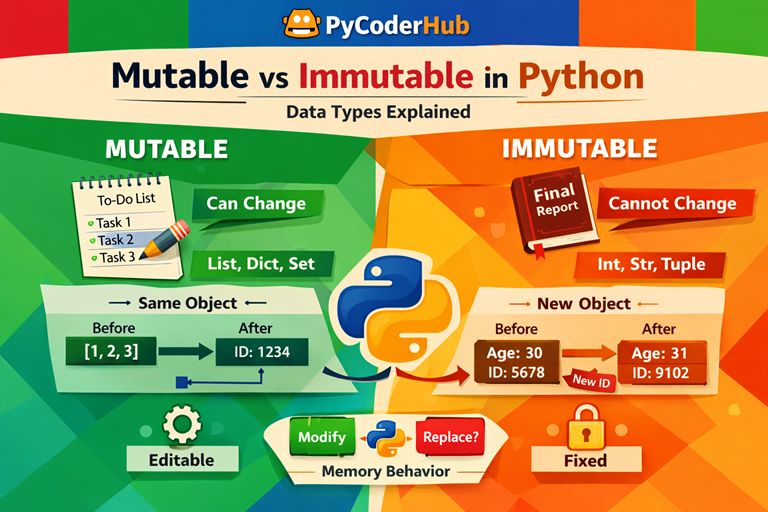
Introduction: Mutable vs Immutable in Python
In the previous lessons, we explored different categories of Python data types—from numeric and collection types to mapping and binary data types, along with important rules and guidelines. Now, it’s time to take a deeper step forward and understand how these data types behave internally.
To make this concept easy, let’s start with a simple real-world analogy:
👉 Think of a whiteboard. You can write on it, erase it, and update it anytime. This is like a mutable object in Python.
👉 Now think of a printed paper. Once it’s printed, you cannot change the content—you have to create a new copy if you want to modify anything. This is like an immutable object.
In Python, every data type follows one of these two behaviors. Understanding this difference is extremely important because it affects how your code works, how memory is used, and how data changes during execution.
What You’ll Learn
In this lesson, you’ll learn:
- What mutable and immutable mean in Python
- The list of mutable and immutable data types
- How memory behavior works using
id() - Real examples of mutable vs immutable objects
- Key differences between mutable and immutable data types
- How they behave inside functions
- Common mistakes beginners make (and how to avoid them)
- Important concepts like copy vs reference and hashability
Now before we understand the different types of mutable and immutable data types, first understand what exactly mutable and immutable means.
What Does Mutable and Immutable Mean in Python?
Before diving into different data types, it’s important to clearly understand what mutable and immutable actually mean in Python.
Mutable Objects
A mutable object is an object whose value can be changed after it is created.
This means:
- You can modify its content
- The object remains the same in memory
- Changes happen in-place
👉 Example idea:
A list where you can add, remove, or update items without creating a new object.
Immutable Objects
An immutable object is an object whose value cannot be changed after it is created.
This means:
- You cannot modify its existing content
- Any “change” actually creates a new object
- The original object remains unchanged
👉 Example idea:
A string where modifying it results in a completely new string object.
Important Clarification
One of the most common beginner confusions in Python is this:
“Variables change when we modify data.”
But in reality, this is not how Python works.
Variables don’t change — objects either change or get replaced
Let’s understand this clearly:
- A variable is just a reference (or label) pointing to an object in memory
- When working with mutable objects, the object itself is modified
- When working with immutable objects, a new object is created, and the variable now points to that new object
👉 This is why sometimes your data changes unexpectedly—and sometimes it doesn’t.
Understanding this concept is the foundation for everything that follows in this lesson.
Why Does This Concept Matter in Python?
At first, mutable vs immutable in python might feel like just another theory—but in real coding, this concept has a direct impact on how your programs behave.
Before understanding why it matters, let’s start with a common misconception:
“Changing a variable only affects that variable.”
This sounds logical—but in Python, it’s not always true.
👉 When mutable objects are involved, changes can affect multiple references pointing to the same object.
👉 With immutable objects, changes create a new object, so the original data remains safe.
This difference is exactly why understanding mutability is so important.
Preventing Unexpected Bugs
One of the biggest issues beginners face is data changing unexpectedly.
For example:
- You pass a list to a function
- The function modifies it
- Suddenly your original data is also changed
👉 This happens because lists are mutable.
If you don’t understand this behavior, debugging becomes very difficult.
Understanding Memory Behavior
Python manages everything using objects in memory.
- Mutable objects → same object, modified in-place
- Immutable objects → new object created on change
👉 This directly affects:
- Memory usage
- Object identity (
id()) - Program behavior
Understanding this helps you write more efficient and predictable code.
Function Argument Side Effects
Another major real-world impact is how data behaves inside functions.
Common confusion:
“Functions work on copies of data.”
This is not always true.
- Mutable objects → changes inside function affect original data
- Immutable objects → behave like safe copies
👉 This is one of the most important concepts for avoiding logical errors.
Writing Predictable and Maintainable Code
When you understand mutability:
- Your code becomes more predictable
- You avoid hidden side effects
- Your logic becomes easier to debug
- Other developers can understand your code more easily
👉 This is a key step toward writing clean, professional Python code.
Why Does Python Have Both Mutable and Immutable Types?
Now an important question:
“If immutable objects are safer, why not make everything immutable?”
Because both types solve different problems.
Mutable Types → For Flexibility
Mutable objects are useful when you need to:
- Frequently update data
- Add/remove elements
- Work with dynamic structures
👉 Example:
- Lists, dictionaries, sets
Without mutability, even small updates would require creating new objects every time, which would be inefficient.
Immutable Types → For Safety and Stability
Immutable objects are useful when you need:
- Data that should not change
- Reliable values (no accidental modification)
- Hashable objects (used as dictionary keys)
👉 Example:
- Strings, integers, tuples
They help ensure data integrity and consistency.
Final Insight
Python provides both because:
Mutable types give flexibility, while immutable types provide safety
And real-world programming needs both.
List of Mutable and Immutable Data Types in Python
Now that you understand what mutable vs immutable in python means, let’s clearly identify which data types fall into each category.
Mutable Data Types
These are data types whose values can be modified after creation.
Common Mutable Types:
- list → can add, remove, and modify elements
- dict → can update key-value pairs
- set → can add or remove items
- bytearray → mutable sequence of bytes
Optional (Advanced Note):
- Custom objects (class instances) are also mutable by default unless designed otherwise
👉 In all these types, changes happen in-place, meaning the original object is modified.
Immutable Data Types
These are data types whose values cannot be modified after creation.
Common Immutable Types:
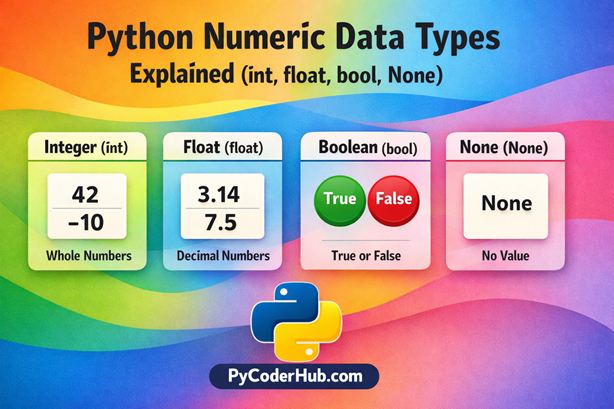
- int → numbers cannot be changed
- float → decimal numbers are fixed
- bool → True/False values are constant
- str → strings cannot be changed in-place
- tuple → fixed collection of elements
- bytes → immutable binary data
- NoneType → represents absence of value
- frozenset → immutable version of a set
👉 Any “modification” in these types creates a new object instead of changing the existing one.
Quick Comparison Table
This table gives you a fast overview (great for revision and interviews):
| Feature | Mutable Data Types | Immutable Data Types |
|---|---|---|
| Can modify value | Yes | No |
| Memory behavior | Same object (in-place change) | New object created |
| Flexibility | High | Limited |
| Safety | Lower (can change unexpectedly) | Higher (safe from modification) |
| Examples | list, dict, set | int, str, tuple |
Visual Comparison
Here is a visual comparison to help you quickly understand the difference between mutable and immutable data types in Python.
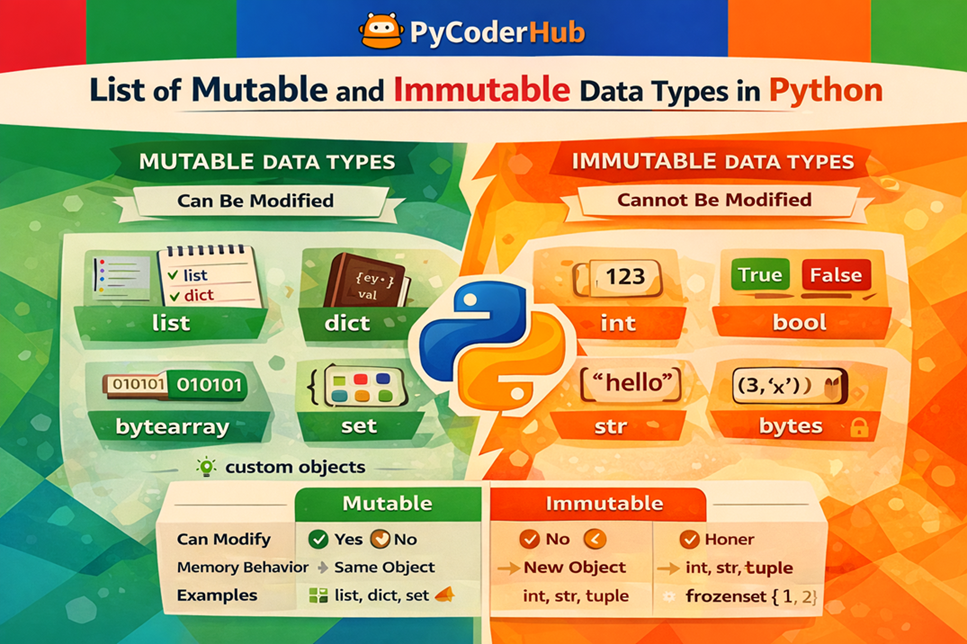
Keep this classification in mind, because in the next sections, we’ll see how each of these behaves in real code with memory examples.
Understanding Mutability with Memory Behavior (Using id())
To truly understand mutable vs immutable in python, you need to look beyond definitions and see what actually happens in memory.
Before we jump into code, let’s clear a very common confusion:
“If a value changes, it must be the same object updated.”
This is not always true in Python.
👉 Sometimes the same object is updated (mutable)
👉 Sometimes a completely new object is created (immutable)
So how do we verify this?
What is Object Identity (id())?
In Python, every object has a unique identity in memory.
You can check this using the built-in id() function.
👉 It returns a unique number representing the object’s location in memory.
Modification vs Reassignment
This is the key difference:
- Modification → Changes the existing object (same
id()) - Reassignment → Creates a new object (different
id())
👉 Mutable types use modification
👉 Immutable types use reassignment
Code Examples
Example 1: Mutable Object (List → Same Object)
sample_list = [1, 2, 3]
print("Before:", id(sample_list))

sample_list.append(4)  # Modifying the same object

print("After:", id(sample_list))
Output:
Before: 2813629616064
After: 2813629616064
Explanation
- The list is modified in-place
- The memory location (id) remains the same
- This confirms that lists are mutable
Example 2: Immutable Object (String → New Object)
sample_text = "hello"
print("Before:", id(sample_text))

sample_text = sample_text + " world"  # Creates a new object

print("After:", id(sample_text))
Output:
Before: 3140251291104
After: 3140251362544
Explanation
- A new string object is created
- The memory location (id) changes
- This confirms that strings are immutable
Key Takeaway
Mutable objects → Same object, same
id()(modified in-place)
Immutable objects → New object, newid()(reassigned)
Understanding this behavior is the foundation for everything else in this topic—especially when working with functions, debugging, and optimizing memory usage.
Mutable Data Types Explained with Examples
Now that you know what mutable vs immutable in python means, let’s understand how mutable data types actually behave in real code.
List (Most Important)
Lists are the most commonly used mutable data type in Python.
You can:
- Add elements
- Modify existing elements
- Remove elements
Example: Using append()
list_of_items = ["apple", "banana"]
list_of_items.append("cherry")

print(list_of_items)
Output:
['apple', 'banana', 'cherry']Example: Modifying an Index
list_of_numbers = [10, 20, 30]
list_of_numbers[1] = 99

print(list_of_numbers)
Output:
[10, 99, 30]Example: Removing an Element
list_of_values = [1, 2, 3, 4]
list_of_values.remove(3)

print(list_of_values)
Output:
[1, 2, 4]Key Insight
In all the above cases:
The list object is modified directly — no new object is created
Dictionary
Dictionaries are mutable collections of key-value pairs.
You can:
- Add new keys
- Update existing values
Example: Adding a Key-Value Pair
student_data = {"name": "PyCoder", "age": 20}
student_data["grade"] = "A"

print(student_data)
Output:
{'name': 'PyCoder', 'age': 20, 'grade': 'A'}Example: Updating a Value
student_data = {"name": "PyCoder", "age": 20}
student_data["age"] = 21

print(student_data)
Output:
{'name': 'PyCoder', 'age': 21}Key Insight
Dictionary updates modify the same object in memory
Set
Sets are unordered collections of unique elements and are also mutable.
You can:
- Add elements
- Remove elements
Example: Using add()
unique_numbers = {1, 2, 3}
unique_numbers.add(4)

print(unique_numbers)
Output:
{1, 2, 3, 4}Example: Using remove()
unique_numbers = {1, 2, 3}
unique_numbers.remove(2)

print(unique_numbers)
Output:
{1, 3}Key Insight
Set operations change the existing object instead of creating a new one
Final Takeaway
All mutable data types share one important behavior:
They allow changes without creating a new object
This is what makes them powerful—but also something you need to handle carefully to avoid unexpected side effects.
Immutable Data Types Explained with Examples
Now let’s understand how immutable vs mutable in python behaves from the immutable side.
👉 In immutable objects:
- You cannot modify the existing object
- Any “change” actually creates a new object
- The original object remains unchanged
Let’s see this behavior in action.
String
Strings are one of the most commonly used immutable data types.
Common Confusion
“String methods or operations modify the original string.”
Not true.
Example: String Concatenation
user_message = "Hello"
print("Before:", id(user_message))

user_message = user_message + " World"
print("After:", id(user_message))

print(user_message)
Output:
Before: 2744543415488
After: 2744543489136
Hello World
Explanation
- A new string object is created after concatenation
- The memory location (
id) changes - The original string
"Hello"is not modified
Tuple
Tuples are immutable collections.
Example: Attempting Modification
coordinates = (10, 20, 30)
coordinates[1] = 99  # Error
Output:
TypeError: 'tuple' object does not support item assignmentExplanation
- You cannot change elements inside a tuple
- Any attempt to modify it results in an error
Integer / Float / Boolean
All numeric types in Python are immutable.
Example: Reassignment Creates New Object
total_count = 10
print("Before:", id(total_count))

total_count = total_count + 5
print("After:", id(total_count))

print(total_count)
Output:
15Explanation
- A new integer object is created
- The variable now points to a new memory location
- The original value
10is unchanged
Final Takeaway
All immutable data types follow one core rule:
They cannot be changed after creation—any modification results in a new object
Hashability and Why It Matters
Before we connect hashability with mutable vs immutable in python, let’s first understand what hashability actually means.
What is Hashability?
A very common misconception is:
“Hashing means encrypting or hiding data.”
❌ Not true.
Simple Explanation
Hashability means an object can be converted into a fixed integer value using
hash()
In Python:
- The
hash()function takes an object - Returns a unique (or consistent) integer value
👉 This integer is called the hash value
Why Does Python Use Hashing?
Python uses hash values to make operations fast and efficient, especially in:
- Dictionaries
- Sets
👉 Instead of searching one-by-one, Python uses the hash value to quickly locate data.
Where Hashability Matters
Dictionary Keys
student_data = {
    "name": "PyCoder",
    "age": 20
}
👉 Here:
"name"and"age"are keys- Keys must be hashable
Set Elements
unique_numbers = {1, 2, 3}👉 Each element must be hashable so Python can:
- Ensure uniqueness
- Perform fast lookups
The Key Rule (Very Important)
Only hashable objects can be used as dictionary keys or set elements
Relationship with Mutability
Now let’s connect this with mutability.
❌ Mutable Objects → Not Hashable
Example:
hash([1, 2, 3]) # TypeError👉 Why?
- Lists can change
- If value changes → hash would change
- This would break dictionary/set behavior
✅ Immutable Objects → Usually Hashable
Example:
hash((1, 2, 3))  # Works
hash("hello")    # Works
👉 Why?
- Their value cannot change
- So their hash remains stable
Final Takeaway
- Hashability = ability to generate a stable hash value
- Mutable objects not hashable
- Immutable objects usually hashable
- Hashable objects are required for:
- Dictionary keys
- Set elements
Deep Dive: Are Tuples Always Immutable?
Tuples are often introduced as immutable data types—and that’s correct.
But there’s a subtle detail that can confuse many beginners.
Let’s start with a common misconception:
“If a tuple is immutable, nothing inside it can ever change.”
❌ This is not completely true.
The Real Behavior
A tuple is immutable — but it can still contain mutable objects
What does this mean?
- The tuple structure itself cannot change
- But the objects inside the tuple might still change
Think of It Like a fixed container with slots:
- The slots (positions) are locked
- But what each slot points to can still be a mutable object
Concept Diagram (Explanation)
Here is a visual diagram to understand how a tuple can remain immutable while still containing a mutable object.
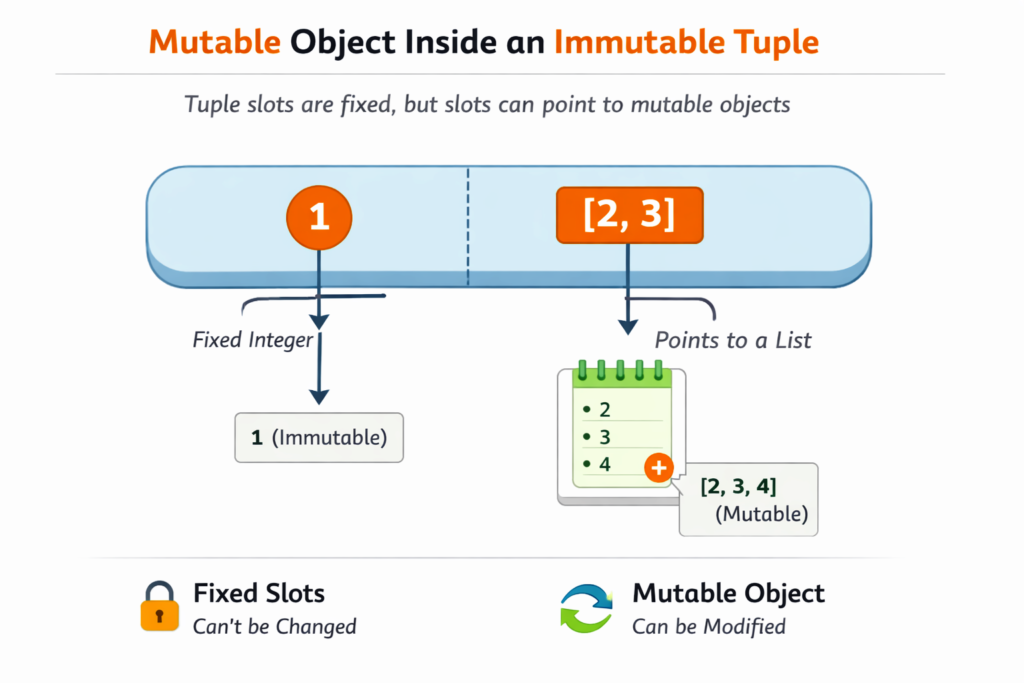
👉 You cannot change:
- Number of slots
- Position of elements
👉 But you can change:
- The content of the mutable object inside
Gotcha Example (Very Important)
t = (1, [2, 3])
t[1].append(4)

print(t)
Output:
(1, [2, 3, 4])What Just Happened?
Let’s analyze:
- The tuple
(1, [2, 3])is not modified structurally - The list
[2, 3]inside it is modified
👉 So:
The tuple didn’t change — but its content (the list) did
❌ Why This Tuple Is Not Hashable
Now comes a very important point.
You might think:
“Tuple is immutable → so it should be hashable”
But:
hash((1, [2, 3])) # ❌ Error👉 This raises an error.
Why?
Because:
- Hashability requires all elements to be immutable
- The tuple contains a list (mutable)
👉 So Python cannot guarantee a stable hash value
Key Rule
A tuple is hashable only if all its elements are immutable
Practical Rule (Very Important)
Do not put mutable objects inside tuples if you plan to use them as dictionary keys or set elements
Bad Practice
invalid_key = (1, [2, 3]) # Not safe for dict keyGood Practice
valid_key = (1, (2, 3)) # Fully immutableFinal Takeaway
- Tuple structure is always immutable
- But it can contain mutable objects
- Such tuples are not hashable
- Hashability depends on the contents
“A tuple guarantees that its structure won’t change—but not that the objects inside it are immutable.”
The Most Confusing Scenarios
Just like tuples can create confusing situations, there are several other scenarios in Python where mutability can lead to unexpected behavior.
Let’s break down the most important ones.
#1: Default Arguments in Functions
Common Misconception
“Default values in functions are created fresh every time the function runs.”
❌ Not true.
Example
def add_item(item_list=[]):
    item_list.append("new_item")
    return item_list

print(add_item())
print(add_item())
Output:
['new_item']
['new_item', 'new_item']
Explanation
- The default list is created only once
- The same list is reused in every function call
- Since lists are mutable → changes accumulate
Correct Approach
def add_item(item_list=None):
    if item_list is None:
        item_list = []
    item_list.append("new_item")
    return item_list
Output:
['new_item']
['new_item']
#2: Aliasing vs Copying
Common Misconception
“Assigning one variable to another creates a copy.”
❌ Not true.
Example
original_list = [1, 2, 3]
alias_list = original_list

alias_list.append(4)

print(original_list)
print(alias_list)
Output:
[1, 2, 3, 4]
[1, 2, 3, 4]
Explanation
- Both variables point to the same object
- This is called aliasing
- Modifying one affects the other
#3: Copying vs Referencing (Shallow vs Deep Copy)
This is where things get even more interesting.
Common Misconception
“Using
.copy()creates a completely independent copy.”
❌ Not always.
Shallow Copy Example
import copy

nested_list = [[1, 2], [3, 4]]
shallow_copy_list = nested_list.copy()

shallow_copy_list[0].append(99)

print(nested_list)
print(shallow_copy_list)
Output:
[[1, 2, 99], [3, 4]]
[[1, 2, 99], [3, 4]]
Explanation
- Outer list is copied
- Inner lists are still shared references
Deep Copy Example
import copy

nested_list = [[1, 2], [3, 4]]
deep_copy_list = copy.deepcopy(nested_list)

deep_copy_list[0].append(99)

print(nested_list)
print(deep_copy_list)
Output:
[[1, 2], [3, 4]]
[[1, 2, 99], [3, 4]]
Key Insight
Shallow copy → copies outer structure only
Deep copy → copies everything recursively
#4: Dictionary Keys Must Be Immutable
Common Misconception
“Any data type can be used as a dictionary key.”
❌ Not true.
❌ Example (Invalid)
invalid_dict = {
    [1, 2, 3]: "value"
}
Error:
TypeError: unhashable type: 'list'Why This Happens
- Dictionary keys must be hashable
- Mutable objects (like lists) are not hashable
- Because their values can change → hash becomes unreliable
Valid Example
valid_dict = {
    (1, 2, 3): "value"
}
Key Rule
Dictionary keys must be immutable (and hashable)
Final Takeaway
All these confusing scenarios come from one core idea:
Mutable objects can change in-place, while immutable objects cannot
Key Differences Between Mutable and Immutable Data Types
By now, you’ve seen how mutable vs immutable in python behaves in different situations.
But to make things crystal clear, let’s compare them side-by-side.
Comparison Table
| Feature | Mutable Data Types | Immutable Data Types |
|---|---|---|
| Can change value | Yes (in-place modification) | No (creates new object) |
| Memory behavior | Same object is modified | New object is created |
Object identity (id) | Remains the same after changes | Changes after reassignment |
| Performance | Flexible but slightly slower in some cases | Faster and optimized in many cases |
| Hashability | Not hashable | Usually hashable |
| Used as dict keys | Not allowed | Allowed (if hashable) |
| Used in sets | Not allowed | Allowed |
| Risk of side effects | High (can change unexpectedly) | Low (safe and predictable) |
| Examples | list, dict, set, bytearray | int, float, str, tuple, bytes |
When to Use What?
- Use mutable types when:
- You need to frequently update data
- Working with dynamic collections
- Use immutable types when:
- Data should remain constant
- You need reliable dictionary keys
- You want safer, predictable behavior
Quick Recap
Let’s quickly summarize the key concepts of mutable vs immutable in python:
- Mutable objects can be changed in-place (same memory, same
id) - Immutable objects cannot be changed (new object created on modification)
- Variables don’t change — objects either change or get replaced
- Lists, dictionaries, and sets are mutable
- Strings, tuples, and numbers are immutable
- Mutable objects can cause side effects, especially in functions
- Immutable objects are safer and usually hashable
- Hashability is required for dictionary keys and set elements
- Understanding memory behavior helps avoid unexpected bugs
Conclusion
Understanding mutable vs immutable in python is not just a theory—it’s a core concept that directly affects how your code behaves. From memory management to function behavior, this concept explains many “unexpected” results beginners often face.
Once you master this, writing predictable, efficient, and bug-free Python code becomes much easier. It also builds a strong foundation for advanced topics like data structures, performance optimization, and Python internals.


One thought on “Mutable vs Immutable in Python (Data Types Explained with Examples)”