Python Scope Keywords With Operator and Async
In the previous lesson, we explored Python Exception Handling Keywords and learned how keywords like try, except, finally, and assert help programs detect and manage runtime errors without crashing.
In this lesson, we’ll continue exploring Python keywords by focusing on three additional groups that play an important role in everyday programming: scope management keywords, operator keywords, and asynchronous programming keywords. These keywords help control how variables behave across different scopes, perform logical operations in conditions, and manage asynchronous tasks in modern Python applications.
What You’ll Learn
In this lesson, you’ll learn about the following Python keyword groups:
- Python Scope Keywords:
del,global, andnonlocal - Python Operator Keywords:
and,or,not,in, andis - Python Async Keywords:
asyncandawait - How these keywords control variable scope, logical conditions, and asynchronous execution
- Practical examples showing how these keywords are used in real Python programs
Now that you know what this lesson will cover, let’s start with the first group: Python scope management keywords.
Python Scope Keywords
In Python, variable scope determines where a variable can be accessed or modified within a program. By default, variables created inside a function belong to the local scope, while variables defined outside functions belong to the global scope.
Sometimes, however, programs need more control over how variables behave across different scopes. Python provides a few special keywords that help manage this behavior. These keywords allow developers to delete variables, access global variables inside functions, or modify variables from an outer function scope.
The main Python scope keywords are:
- del
- global
- nonlocal
Each of these keywords serves a specific purpose when managing variables and objects in Python.
The del Keyword
The del keyword is used to delete objects or remove references to variables. When a variable is deleted using del, the name is removed from the current namespace.
In simple terms, del tells Python that a particular variable or object should no longer exist in the program.
The del keyword can be used to:
- Delete a variable
- Remove items from lists or dictionaries
- Delete entire objects
Example: Deleting a variable
message_text = "Learning Python keywords"

del message_text

print(message_text)
In this example, the variable message_text is deleted using del. If the program later tries to access it, Python will raise a NameError because the variable no longer exists.
del can also be used with collections such as lists.
programming_languages = ["Python", "JavaScript", "Java", "C++"]

del programming_languages[2]

print(programming_languages)
Output
["Python", "JavaScript","C++"]Here, the third element ("Java") is removed from the list.
The global Keyword
The global keyword allows a function to modify a variable defined in the global scope.
Normally, if a variable is assigned inside a function, Python treats it as a local variable. This means it exists only within that function. If you try to modify a global variable without declaring it as global, Python may create a new local variable instead.
The global keyword tells Python that the function should use the variable from the global namespace.
Example: Using the global keyword
visitor_count = 0

def update_visitor_count():
    global visitor_count
    visitor_count = visitor_count + 1

update_visitor_count()

print(visitor_count)
Output
1In this example:
visitor_countis defined outside the function.- Inside the function,
global visitor_countallows the function to modify the global variable. - The updated value is reflected outside the function as well.
Without the global keyword, Python would treat visitor_count inside the function as a separate local variable.
The nonlocal Keyword
The nonlocal keyword is used in nested functions to modify variables from the nearest enclosing function scope.
When a variable exists in an outer function and an inner function needs to modify it, Python normally creates a new local variable inside the inner function. The nonlocal keyword prevents this behavior and tells Python to use the variable from the enclosing scope.
Example: Using the nonlocal keyword
def outer_function():
    message_text = "Initial message"

    def inner_function():
        nonlocal message_text
        message_text = "Updated by inner function"

    inner_function()
    print(message_text)

outer_function()
Output
Updated by inner functionIn this example:
message_textbelongs to the outer function scope.- The inner function uses
nonlocal message_textto modify it. - After the inner function runs, the updated value is printed.
Without the nonlocal keyword, Python would create a new local variable inside inner_function() instead of modifying the outer variable.
Simple Example of Python Scope Keywords
The following program demonstrates how del, global, and nonlocal affect variable behavior in different scopes.
total_users = 10

def update_user_count():
    global total_users
    total_users = total_users + 5

def outer_function():
    session_message = "User session started"

    def modify_message():
        nonlocal session_message
        session_message = "User session updated"

    modify_message()
    print(session_message)

update_user_count()
outer_function()

temporary_data = "This data will be deleted"
del temporary_data
In this example:
globalallows the function to update the global variabletotal_users.nonlocalallows the inner function to modifysession_messagefrom the outer function.delremoves the variabletemporary_datafrom the program.
Together, these keywords help Python programs manage variables across different scopes and control object lifetime effectively.
Visual Representation of Python Scope Keywords
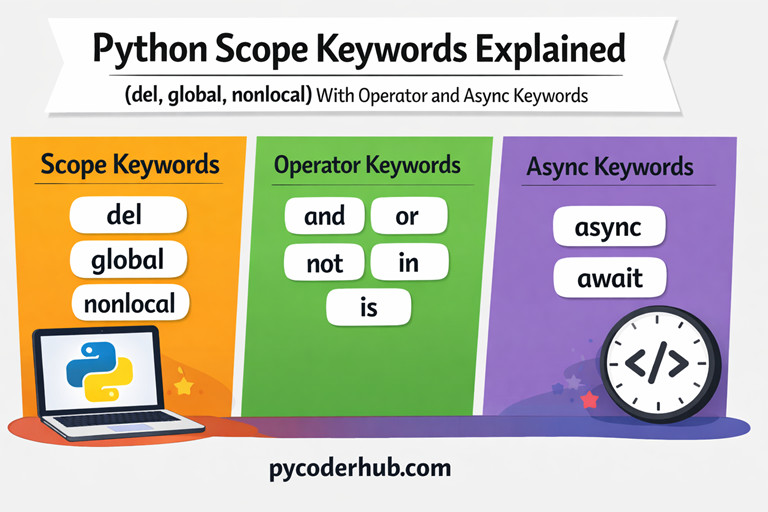
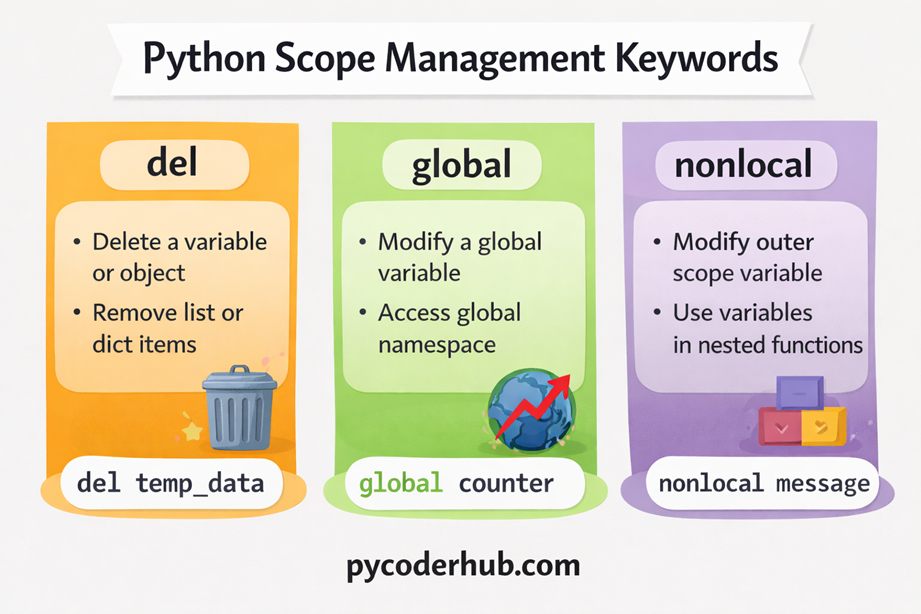
The following chart provides a quick visual overview of the Python scope keywords used to manage variables across different parts of a program. It highlights how del, global, and nonlocal control variable deletion, global access, and outer scope modification.
Python Operator Keywords
In Python, some keywords are used as logical and comparison operators. These keywords allow programs to evaluate conditions, combine multiple expressions, and check relationships between values or objects.
Unlike symbolic operators such as +, -, or ==, these operators are written as words. Because of this, they are categorized as operator keywords in Python.
The main Python operator keywords include:
- and
- or
- not
- in
- is
These keywords are commonly used in conditional statements, loops, and logical expressions to control how decisions are made in a program.
The and Keyword
The and keyword is a logical operator that returns True only when both conditions are True. If either condition is False, the result becomes False.
Basic Example
print(True and True)    # Output: True
print(True and False)   # Output: False
print(False and True)   # Output: False
print(False and False)  # Output: False
This example shows the truth behavior of the and operator. Both values must be True for the result to be True.
Practical Example
user_age = 20
has_valid_id = True

if user_age >= 18 and has_valid_id:
    print("Access granted")
Here, the program checks two conditions at the same time.
The or Keyword
The or keyword returns True if at least one condition is True. It only returns False when both conditions are False.
Basic Example
print(True or True)    # Output: True
print(True or False)   # Output: True
print(False or True)   # Output: True
print(False or False)  # Output: False
This shows that the result becomes True if any one condition is True.
Practical Example
user_role = "editor"

if user_role == "admin" or user_role == "editor":
    print("Permission granted")
The program allows access if the user is either admin or editor.
The not Keyword
The not keyword reverses the logical value of an expression. It converts True to False and False to True.
Basic Example
print(not True)   # Output: False
print(not False)  # Output: True
This demonstrates how the not operator negates a condition.
Practical Example
is_logged_in = False

if not is_logged_in:
    print("Please log in to continue")
Here, the message appears because the condition becomes True after applying not.
The in Keyword
The in keyword is used to check membership. It determines whether a value exists inside a sequence or collection such as a list, tuple, string, set, or dictionary.
Example
available_languages = ["Python", "JavaScript", "Java"]

if "Python" in available_languages:
    print("Python is available")
In this example, the condition becomes True because "Python" exists in the list.
The in keyword is also commonly used in loops and membership checks.
The is Keyword
The is keyword is used to compare object identity. It checks whether two variables refer to the same object in memory, not just whether their values are equal.
This is different from the == operator, which compares values.
Example
first_list = [1, 2, 3]
second_list = first_list

if first_list is second_list:
    print("Both variables refer to the same object")
In this example, the condition is True because both variables point to the same list object.
Simple Example of Python Operator Keywords
The following example demonstrates how several Python operator keywords work together in a program.
user_age = 22
registered_courses = ["Python", "Data Science"]

if user_age >= 18 and "Python" in registered_courses:
    print("User can access the Python course")

account_status = "active"

if account_status == "active" or account_status == "premium":
    print("Account is valid")

is_admin = False

if not is_admin:
    print("Admin privileges are not enabled")

first_object = registered_courses
second_object = registered_courses

if first_object is second_object:
    print("Both variables refer to the same list object")
In this program:
andcombines multiple conditions.orallows alternative conditions.notreverses a condition.inchecks membership in a list.iscompares object identity.
These operator keywords play an important role in building logical conditions and controlling program behavior in Python.
Visual Representation of Python Operator Keywords
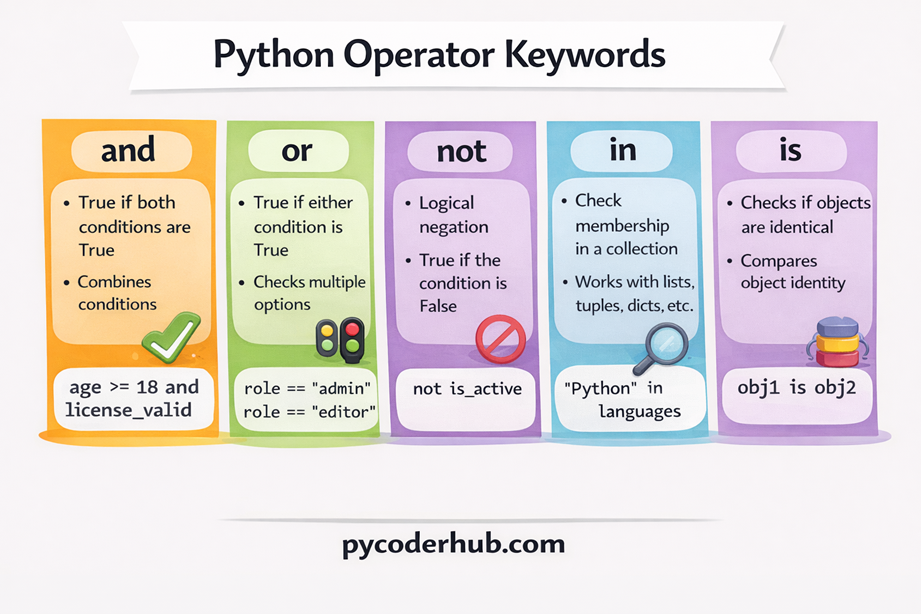
The chart below provides a quick visual overview of the Python operator keywords used in logical conditions and comparisons. It highlights how and, or, not, in, and is help evaluate expressions and control program decisions.
Python Async Programming Keywords
Modern Python supports asynchronous programming, which allows programs to perform multiple tasks efficiently without blocking execution. This approach is especially useful when working with operations that may take time, such as network requests, file operations, or database queries.
Instead of waiting for one task to finish before starting another, asynchronous programming allows a program to pause certain tasks and continue running other tasks in the meantime.
Python provides two important keywords for this purpose:
- async
- await
These keywords are commonly used when writing asynchronous functions, also known as coroutines. Together, they help Python manage tasks that involve waiting for external operations.
The async Keyword
The async keyword is used to define an asynchronous function. When a function is declared with async, it becomes a coroutine, meaning it can pause and resume execution while other tasks run.
An asynchronous function is created using the async def syntax.
Example
async def fetch_user_data():
    print("Fetching user data...")
In this example:
- The function is defined using
async def. - This tells Python that the function will work in an asynchronous context.
However, defining an async function alone does not execute it immediately. It must be awaited or scheduled by an event loop.
The await Keyword
The await keyword is used inside an asynchronous function to pause execution until another asynchronous task completes.
While the program waits, Python can continue executing other tasks, making the program more efficient.
The await keyword can only be used inside functions defined with async def.
Example
import asyncio

async def simulate_network_request():
    print("Request started")
    await asyncio.sleep(2)
    print("Request finished")
In this example:
await asyncio.sleep(2)pauses the coroutine for two seconds.- During this time, other tasks could run instead of blocking the program.
Simple Example of Python Async Keywords
The following example demonstrates how async and await work together in a simple asynchronous program.
import asyncio

async def download_file():
    print("Downloading file...")
    await asyncio.sleep(2)
    print("Download complete")

async def main_program():
    await download_file()

asyncio.run(main_program())
In this program:
async defdefines asynchronous functions.awaitpauses execution until the download simulation completes.asyncio.run()starts the asynchronous event loop and runs the program.
Together, the async and await keywords allow Python programs to handle tasks efficiently without blocking execution, which is especially useful in applications like web servers, APIs, and network-based programs.
Visual Representation of Python Async Programming Keywords
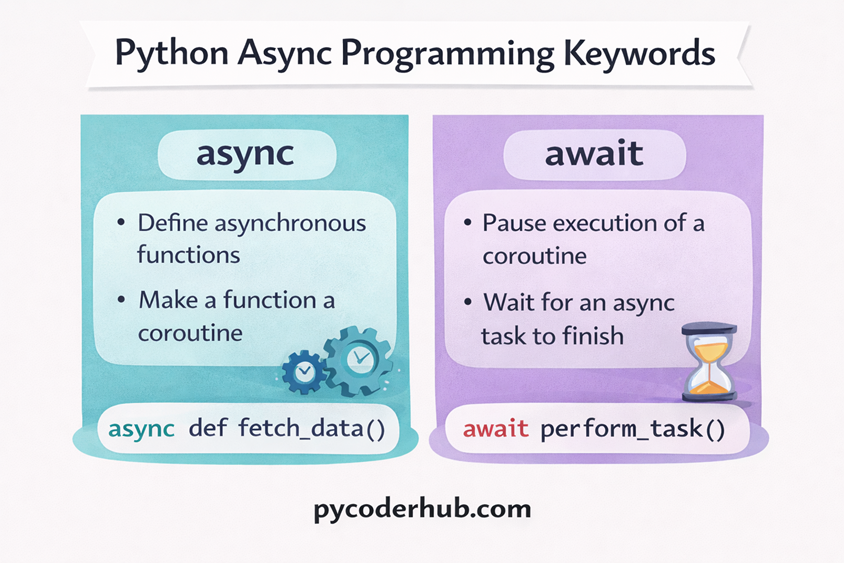
The chart below illustrates the two Python async programming keywords used for asynchronous execution. It shows how async defines asynchronous functions and how await pauses execution until an asynchronous task completes.
Differences Between Scope, Operator, and Async Keywords
Python keywords can serve very different purposes depending on how they are used in a program. In this lesson, we explored three important keyword groups: scope keywords, operator keywords, and async programming keywords. Each group plays a distinct role in how Python programs manage variables, evaluate conditions, and execute tasks.
- Scope keywords control how variables behave across different scopes in a program.
- Operator keywords help evaluate logical expressions and relationships between values.
- Async keywords enable asynchronous execution so programs can handle tasks efficiently without blocking.
The following table summarizes the key differences between these keyword categories.
| Keyword Category | Purpose | Keywords | Typical Use |
|---|---|---|---|
| Scope Keywords | Manage variable scope and object lifetime | del, global, nonlocal | Deleting variables, modifying global variables, updating outer-scope variables |
| Operator Keywords | Perform logical operations and comparisons | and, or, not, in, is | Evaluating conditions, membership testing, identity comparison |
| Async Keywords | Support asynchronous programming | async, await | Defining async functions and waiting for asynchronous tasks |
Understanding these categories helps clarify how different Python keywords influence program behavior, whether it involves managing variables, building logical conditions, or handling asynchronous operations.
Practical Example Combining Multiple Keyword Types
In real Python programs, different types of keywords often work together. A program may use scope keywords to manage variables, operator keywords to evaluate conditions, and async keywords to handle tasks efficiently.
The following example demonstrates how multiple keyword types can be used in the same program.
import asyncio

total_users = 0

async def process_user_registration(user_name, selected_courses):
    global total_users
    total_users = total_users + 1

    if "Python" in selected_courses and not user_name == "":
        print("Processing registration for:", user_name)

        await asyncio.sleep(1)

        print("Registration completed")

async def main_program():
    course_list = ["Python", "Data Science"]

    await process_user_registration("Alex", course_list)

asyncio.run(main_program())
Explanation
This program combines scope, operator, and async keywords in one workflow:
Scope keyword
globalallows the function to modify the global variabletotal_users.
Operator keywords
andcombines multiple conditions.notreverses the logical condition.inchecks whether"Python"exists in the course list.
Async keywords
asyncdefines asynchronous functions.awaitpauses execution until the asynchronous task completes.
This example shows how different keyword categories work together in real programs, helping Python manage variables, evaluate conditions, and perform tasks efficiently.
Complete List of Keywords Covered in This Lesson
In this lesson, we explored several Python keywords related to variable scope management, logical operations, and asynchronous programming. Each group of keywords serves a different purpose and helps control how Python programs behave.
Below is the complete list of keywords covered in this lesson:
Scope Management Keywords
delglobalnonlocal
These keywords help manage variable scope, object deletion, and access to variables across different levels of a program.
Operator Keywords
andornotinis
These keywords are used to perform logical operations, membership testing, and identity comparisons in Python expressions.
Async Programming Keywords
asyncawait
These keywords enable asynchronous programming, allowing Python programs to handle tasks efficiently without blocking execution.
Together, these keywords play an important role in controlling variable behavior, evaluating conditions, and managing asynchronous tasks in Python programs.
Clarification About Python Keyword Category Naming
Before moving ahead, it’s helpful to clarify that the categories used in this lesson—Scope Keywords, Operator Keywords, and Async Programming Keywords—are not official Python classifications. Python’s official documentation simply provides a single list of keywords and does not divide them into conceptual groups.
These category names are commonly used by educators, programming books, and tutorials because they make the behavior and purpose of different keywords easier to understand. While they are not formal language terms, they are practical and widely accepted in learning materials.
Scope Keyword Naming
Keywords such as del, global, and nonlocal are often grouped as scope-related keywords because they influence how variables behave across different parts of a program. However, Python itself does not formally label them as “scope” or “object handling” keywords.
In different tutorials or learning resources, you may see them described using names like:
- Scope Management Keywords
- Namespace Keywords
- Variable Binding Keywords
- Object Lifetime Keywords
These names help explain how Python manages variable visibility and object references.
Operator Keyword Naming
Keywords like and, or, and not behave like logical operators in expressions. Similarly, in and is are often discussed alongside them because they perform membership and identity checks.
Although many tutorials call them operator keywords, Python documentation does not officially classify them this way.
In learning materials, they may also be referred to as:
- Logical Operators
- Boolean Operators
- Comparison Operators
- Expression Operators
These terms highlight how the keywords are used when evaluating conditions and expressions.
Async Keyword Naming
The keywords async and await are strongly associated with Python’s asynchronous programming model. However, Python does not formally categorize them as “asynchronous keywords” in its official keyword list.
Because these keywords always appear together in async/await syntax, tutorials and courses often group them under names such as:
- Async/Await Keywords
- Coroutine Keywords
- Concurrency Keywords
- Async Syntax Keywords
These labels are not official classifications, but they are widely used because they clearly describe how asynchronous tasks are written and managed in Python.
Conclusion
In this lesson, we explored Python scope keywords, operator keywords, and async programming keywords, each serving a unique role in Python programs. Scope keywords manage variable behavior across different scopes, operator keywords help evaluate logical conditions and expressions, and async keywords enable efficient asynchronous execution. Understanding how these keywords work helps you write clearer, more structured, and more efficient Python code.