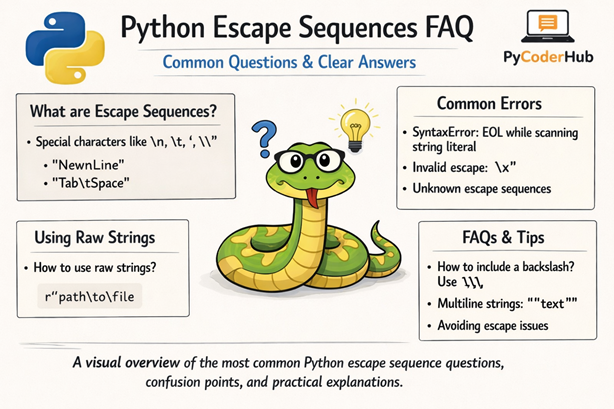
Introduction: Python Escape Sequences FAQ
This Python Escape Sequences FAQ is the final lesson of Chapter 7: Python Escape Sequences. In the previous lessons, we explored escape sequences, syntax rules, best practices, common errors, raw strings, Unicode usage, and how Python interprets backslashes inside strings.
But even after learning all that, you might still feel a little confusion — or have practical questions like:
Why is \n not working? When should I use raw strings? Why am I getting an invalid escape sequence warning?
That’s exactly what this lesson is here to clear up.
What You’ll Learn
In this FAQ guide, you’ll learn:
- Why some escape sequences don’t behave as expected
- When to use raw strings (
r"...") instead of normal strings - How to fix invalid escape sequence warnings
- The difference between escape sequences in strings vs bytes
- How Unicode escape sequences work in Python
- Common beginner mistakes with backslashes
- Best practices to avoid confusion in real-world code
- Practical explanations for frequently asked questions
This FAQ is divided into questions grouped by categories to make everything clearer and easier to navigate.
Let’s start with the first category.
Category 1: Basic Understanding & Core Concepts
Q – What are escape sequences in Python?
Ans – Escape sequences are special character combinations that start with a backslash (\) and represent characters that cannot be typed directly inside a string.
For example:
print("Hello\nWorld")Output:
Hello
World
Here, \n represents a new line.
Q – Why does Python use the backslash (\) for escape sequences?
Ans – The backslash acts as a signal to Python:
“The next character should not be treated normally.”
Without the backslash, Python would treat characters literally.
Q – What happens if I use a backslash without a valid escape sequence?
Ans – Python may raise a warning or treat it as a literal backslash (depending on the context).
Example:
file_path = "C:\newfolder"
print(file_path)
This may produce unexpected output because \n becomes a newline.
Correct way:
file_path = "C:\\newfolder"Or better:
file_path = r"C:\newfolder"Q – Are escape sequences case-sensitive?
Ans – Yes.
For example:
\n→ newline\N→ Unicode character by name (completely different meaning)
Case matters.
Category 2: Common Escape Sequences Confusion
Q – Why is \n not working in my string?
Ans – Most common reasons:
- You’re using a raw string (
r"...") - You’re printing the representation instead of the value
- You accidentally escaped the backslash
Example:
print(r"Hello\nWorld")Output:
Hello\nWorldRaw strings do not process escape sequences.
Q – How do I print a literal backslash in Python?
Ans – You must escape it:
print("This is a backslash: \\")Or use raw strings:
print(r"This is a backslash: \ ")Warning: It works only because there’s a space after the backslash. Remember, never end a raw string with a single backslash — it will cause a SyntaxError.
Q – How do I print quotes inside a string?
Ans – Use escape sequences:
print("She said, \"Hello\"")Or use alternating quotes:
print('She said, "Hello"')Q – What’s the difference between \t and spaces?
Ans – \t inserts a tab character. It is not the same as multiple spaces.
print("Name\tAge")Tabs align text based on tab width settings, not fixed spaces.
Category 3: Raw Strings & Real-World Usage
Q – What is a raw string in Python?
Ans – A raw string ignores escape sequences.
It is written using the r prefix:
raw_path = r"C:\newfolder\documents"Python does not interpret \n, \t, etc., inside raw strings.
Q – When should I use raw strings?
Ans – Use raw strings when working with:
- File paths (Windows)
- Regular expressions
- Strings with many backslashes
Q – Can a raw string end with a single backslash?
Ans – No.
This will cause an error:
invalid_raw = r"C:\folder\"Raw strings cannot end with an odd number of backslashes.
Q – Do raw strings completely ignore backslashes?
Ans – Not entirely.
They still cannot:
- End with a single backslash
- Break Python’s string syntax rules