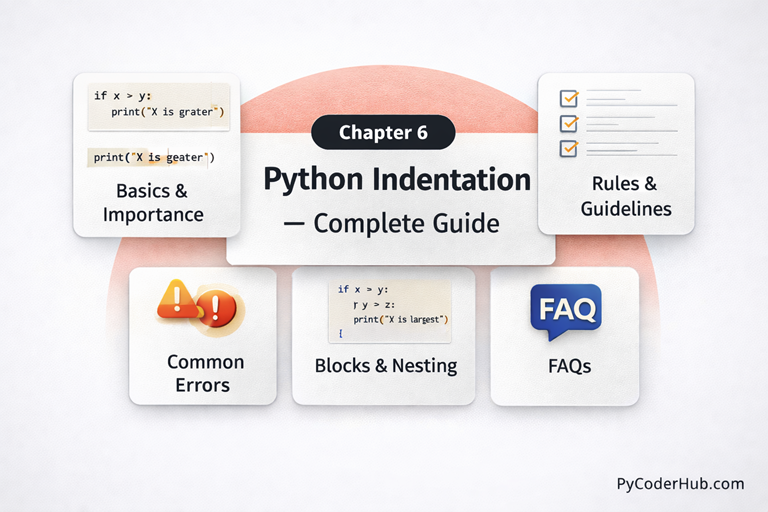
Chapter Overview: Python Indentation – Complete Guide
In this chapter, you’ll learn everything about Python indentation and how it is used to define code structure clearly and correctly in Python programs. You’ll understand what Python indentation is, why it is important, and how Python uses indentation to create blocks of code instead of curly braces.
This chapter covers Python indentation rules, block structure and nested indentation, best practices for writing clean and consistent code, common errors like IndentationError and unexpected indent issues, and how indentation affects program flow.
By the end of this chapter, you’ll be able to use Python indentation confidently and consistently, avoiding mistakes and writing code that is clear, readable, and professionally structured.
What You Will Learn in This Chapter
In this chapter, you will learn:
- What Python indentation is and why it is important
- How Python uses indentation to define code blocks
- Python indentation rules and standard formatting guidelines
- How nested indentation works in conditional statements and loops
- Common Python indentation errors and how to fix them
- The difference between logical errors and syntax errors caused by indentation
- Best practices for writing clean and consistent indented code
- PEP 8 indentation recommendations for professional Python programs
Lessons in This Chapter
Below is a list of all the lessons included in this chapter. Click on any topic to dive into the full tutorial.
Lesson 1: Python Indentation Explained: What It Is and Why It Matters
This lesson explains Python indentation, covering what it is, how it works, and why it plays a crucial role in defining the structure of Python programs. You’ll learn how Python uses indentation to create blocks of code instead of curly braces, how it controls program flow in conditions and loops, and why proper indentation improves readability, clarity, and code consistency.
What You’ll Learn:
- What Is Indentation in Python?
- The Fundamental Principle of Indentation
- Does Python Need Exactly 4 Spaces?
- Hanging Indents vs Vertical Alignment
- Structural Indentation vs Readability Indentation
- How Indentation Shapes Program Flow
Lesson 2: Python Indentation Rules and Guidelines – Complete Usage Handbook
This lesson covers the essential Python indentation rules and formatting guidelines. You’ll learn the standard 4-space rule, how to indent code blocks correctly, avoid mixing tabs and spaces, and follow consistent practices for clean and professional Python code.
What You’ll Learn:
- Python Indentation Rules and Guidelines
- Rule #1: Indentation Defines Code Blocks
- Rule #2: Use Consistent Indentation Within a Block
- Rule #3: A Colon (:) Must Be Followed by an Indented Block
- Rule #4: Use 4 Spaces for Each Indentation Level
- Rule #5: Do Not Mix Tabs and Spaces
Lesson 3: Block of Code and Nested Indentation in Python Complete In-Depth Guide
This lesson explains how blocks of code are created using Python indentation and how nested indentation works inside conditions, loops, and functions. You’ll learn how multiple indentation levels control program flow and how to structure nested blocks clearly to avoid confusion and logical errors.
What You’ll Learn:
- What Is a Block of Code in Python?
- How Python Identifies a Block
- Block Scope and Lifetime
- Understanding Nested Indentation in Python
- Why Nested Indentation Exists
- How Execution Flows in Nested Blocks
Lesson 4: Python Indentation Common Errors – Causes, Examples, and How to Fix Them
This lesson explains the most common Python indentation errors, including IndentationError, unexpected indent issues, and logical mistakes caused by wrong indentation. You’ll see clear examples, understand why these errors happen, and learn practical steps to fix them quickly and correctly.
What You’ll Learn:
- Python Indentation Common Errors
- Error #1: IndentationError in Python
- Error #2: Unexpected Indent Error in Python
- Error #3: Inconsistent Use of Tabs and Spaces
- Error #4: Unindent Does Not Match Any Outer Indentation Level
- Error #5: Missing Indentation After a Block Statement
- Error #6: Incorrect Indentation Inside Nested Blocks
Lesson 5: Python Indentation Best Practices for Clean and Readable Code
This lesson covers the best practices for using Python indentation to write clean, readable, and consistent code. You’ll learn how to structure blocks clearly, manage nested indentation properly, follow PEP 8 recommendations, and maintain professional formatting standards across your Python programs.
What You’ll Learn:
- Why Python Indentation Best Practices Matter
- Best Practice #1: Use 4 Spaces per Indent Level
- Best Practice #2: Never Mix Tabs and Spaces
- Best Practice #3: Keep Indentation Consistent Throughout the File
- Best Practice #4: Indent Code Only Inside Code Blocks
- Best Practice #5: Avoid Deep Nesting
- Best Practice #6: Indent Multi-Line Statements Properly
Lesson 6: Python Indentation FAQ – Most Common Questions & Clear Answers
This lesson answers the most common questions about Python indentation in a clear and beginner-friendly way. You’ll find simple explanations about indentation rules, the 4-space standard, tabs vs spaces, nested blocks, and common IndentationError issues. By the end, you’ll have quick, practical answers that remove confusion and help you write properly structured and error-free Python code with confidence.
What’s Next After This Chapter
By completing this chapter, you now understand how Python indentation works and how it defines the structure of Python programs. You’ve learned the standard indentation rules, how blocks and nested indentation control program flow, followed best practices, and identified common errors that can affect code readability and correctness.
With this foundation in place, you’re ready to move on to Chapter 7: Python Escape Sequences – Complete Guide. In the next chapter, the focus shifts to how Python handles special characters inside strings using escape sequences. You’ll learn how escape characters work, when to use them, common mistakes to avoid, and how they affect string formatting and output. This will strengthen your understanding of Python strings and help you write cleaner, more precise, and more professional code as you continue progressing.