
Introduction: Common Python Escape Sequences
In the previous lesson, we understood what Python escape sequences are and why they are needed inside strings. We learned that escape sequences allow us to include special characters in a string that would otherwise cause confusion or errors.
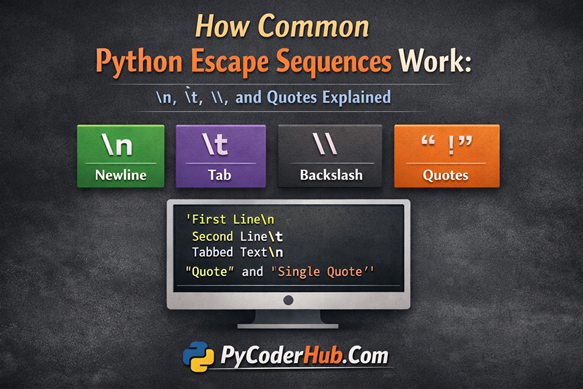
Now in this lesson, we’ll explore the most common Python escape sequences and understand how they actually work behind the scenes. Instead of just memorizing them, you’ll see how Python interprets \n, \t, \\, and quote escapes inside strings — and why they behave differently from normal characters.
What You’ll Learn
In this lesson, you will learn:
- What makes an escape sequence “special” in Python
- How the newline escape sequence
\nworks - How the tab escape sequence
\tworks - How to use the backslash escape
\\correctly - How to escape single (
\') and double (\") quotes inside strings - How Python interprets these escape sequences internally
- Common beginner mistakes and how to avoid them
Before we start with the first common escape sequence, let’s take a quick overview of what escape sequences are and how Python processes them inside a string.
What Are Escape Sequences in Python?
In Python, an escape sequence is a special character combination that begins with a backslash \.
When Python sees a backslash inside a string, it does not treat it as a normal character. Instead, it understands that something special is coming next.
Example
print("Hello\nWorld")Here, \n is not printed as \ and n.
Python interprets it as a newline character, so the output becomes:
Hello
World
That’s the power of escape sequences — they change how a string behaves.
In this guide, you’ll learn the most commonly used Python escape sequences like:
\n(new line)\t(tab)\\(literal backslash)\'(single quote)\"(double quote)
These combinations help Python handle line breaks, spacing, quotes, and even backslashes inside strings without confusion.
Commonly Used Python Escape Sequences
| Escape Sequence | Name | Purpose / Meaning | Example Result |
|---|---|---|---|
\n | New Line | Moves the cursor to the next line | Line break |
\t | Horizontal Tab | Adds tab spacing | Spaced text |
\\ | Backslash | Prints a literal backslash | \ |
\' | Single Quote | Inserts ' inside single-quoted strings | ' |
\" | Double Quote | Inserts " inside double-quoted strings | " |
Before diving into individual escape characters, you must understand the role of a single backslash (\) in Python. First, we need to understand the single backslash (\), which acts as the main escape character in Python.
The Backslash (\) in Python – The Real Escape Character
Before you master \n, \t, or \\, you must understand one thing clearly:
👉🏼 The backslash (\) is not just a character in Python.
It is an instruction starter.
Whenever Python sees a backslash inside a string, it immediately assumes:
“The next character has a special meaning.”
That’s why the backslash is called the escape character.
What Happens If You Use a Single Backslash?
Let’s see a simple example:
sample_text = 'Hello I am \ learning Python'
print(sample_text)
Output
SyntaxWarning: "\ " is an invalid escape sequenceWhy does this happen?
Because Python sees:
\ That means “backslash followed by space.”
But \ (backslash + space) is NOT a valid escape sequence in Python.
The moment Python detects a backslash, it expects a valid escape character immediately after it.
If it doesn’t find one, it raises a warning (or sometimes an error).
How Python Interprets a Backslash
When Python encounters a backslash inside a string:
- It combines the backslash with the next character.
- Treats both as a single special instruction.
- Produces a special result instead of literal text.
For example:
\n→ Moves to a new line\t→ Adds a horizontal tab\"→ Inserts a double quote inside a string\\→ Prints a literal backslash
So this:
print("Hello\nWorld")Does NOT print \n.
It prints:
Hello
World
That’s because \n is interpreted internally as a newline character.
Backslash as Line Continuation
Now here’s something beginners often don’t know:
The backslash has another important role in Python.
It can act as a line continuation character.
If you place a backslash at the end of a line, Python ignores the line break and continues reading the next line as part of the same statement.
Example 1 – Normal Multiline String
multi_line_text = '''Line1
Line2
Line3'''
print(multi_line_text)
Output
Line1
Line2
Line3
Here, each line break is preserved.
Example 2 – Using Backslash for Line Continuation
multi_line_text = '''Line1\
Line2\
Line3'''
print(multi_line_text)
Output
Line1Line2Line3Why did this happen?
Because the backslash at the end of each line tells Python:
“Ignore this line break.”
So the interpreter joins everything into one continuous line.
Important Rules About Line Continuation
If you use a backslash for line continuation:
- ❌ No characters are allowed after
\ - ❌ Not even a space
- ✅ It must be the very last character on that line
- ✅ Mostly used for long expressions or long statements
Example of a long expression:
total_price = 100 + 200 + 300 + \
              400 + 500
print(total_price)
This improves readability without breaking the statement.
Final Understanding
The backslash (\) in Python has two major roles:
- It creates escape sequences inside strings.
- It joins lines when used at the end of a statement.
If you truly understand how the backslash works internally, escape sequences will no longer feel confusing — they will feel predictable and logical.
Now that the foundation is clear, we can confidently move to the most commonly used escape sequences one by one.
Escape Sequence #1: \\ (Literal Backslash)
In the previous section, we clearly understood one important rule:
A single backslash \ inside a string does not behave like a normal character.
It acts as an escape character.
So the big question is:
👉 If \ is special… How do we print an actual backslash in the output?
The answer is simple:
Use a double backslash —
\\
How \\ Works Internally
When Python sees this inside a string:
"\\"Here’s what happens step-by-step:
- The first
\tells Python an escape sequence is starting. - The second
\escapes the first one. - Python understands: “Oh, you want a literal backslash.”
- It prints a single
\in the output.
In short:
\\ → \Two typed.
One printed.
Example: Printing One Backslash
backslash_message = "This is a backslash: \\"
print(backslash_message)
Output
This is a backslash: \Even though we typed two backslashes, Python prints one.
That’s because \\ is treated as one escaped backslash.
Why Is \\ Required?
Because the backslash already has a special meaning in Python strings.
If Python allowed a single \ to print directly, it would create confusion:
- Are you trying to print
\? - Or are you starting an escape sequence like
\nor\t?
Using \\ removes that confusion completely.
This design keeps string handling predictable and clean.
Printing Multiple Backslashes
Now here’s something important:
If:
\\ → \Then what about two backslashes in the output?
To print:
\\You must type:
"\\\\"Example
double_backslash_text = "This prints two backslashes: \\\\"
print(double_backslash_text)
Output
This prints two backslashes: \\The Simple Rule
Python processes backslashes in pairs:
\\→ prints\\\\\→ prints\\
So to print n backslashes, you must write:
2 × n backslashesThis rule applies to all normal Python strings.
Common Real-World Use Cases of \\
Windows File Paths
Backslashes are heavily used in Windows paths.
windows_file_path = "C:\\Users\\Admin\\Documents"
print(windows_file_path)
Output
C:\Users\Admin\DocumentsIf you wrote:
"C:\Users\Admin\Documents"Python might misinterpret:
\U\D
as escape sequences.
That would either cause errors or warnings.
Regular Expressions
Backslashes are extremely common in regex patterns.
digit_pattern = "\\d+"
print(digit_pattern)
Output
\d+Since \d is a regex token, we must escape the backslash properly inside a normal Python string.
Important Rules to Remember
- ✔ A single backslash
\cannot appear alone in a normal string - ✔ To print one backslash, you must use
\\ - ✔ Python reads
\\as one literal backslash - ✔ This rule applies to all regular string literals
Escape Sequence #2: \' (Single Quote)
In Python, strings can be created using:
- Single quotes
'...' - Double quotes
"..."
Both work perfectly fine.
But here’s where beginners face confusion:
👉 What happens if your string itself contains a single quote — like in I’m, don’t, or that’s — and you’re using single quotes to define the string?
This is exactly where the escape sequence \' becomes important.
Why Do We Need \'?
When a string starts with a single quote ', Python keeps reading characters until it finds the next single quote.
It assumes that next ' marks the end of the string.
So if your text contains another single quote, Python gets confused about where the string actually ends.
To prevent this confusion, we use:
\'In simple words:
\'tells Python:
“This single quote is part of the string — not the end of it.”
Example Without Using \'
learning_message = 'I'm learning Python'
print(learning_message)
This will raise a SyntaxError.
Why?
Python reads it like this:
- The string starts at
' - It sees the
'in I’m - It assumes the string ends at I
- The remaining text
m learning Python'becomes invalid syntax
That’s why the interpreter throws an error.
This is a classic string boundary confusion.
Example Using \'
Now let’s fix it properly.
learning_message = 'I\'m learning Python'
print(learning_message)
Output
I'm learning PythonWhat Changed?
The backslash:
- Tells Python the
'is part of the text - Prevents the string from ending early
- Keeps the string valid and readable
Problem solved.
When Is \' Required?
You need \' only when:
- The string is enclosed in single quotes
- And the text contains a single quote
Example:
idea_message = 'That\'s a great idea'
print(idea_message)
Output:
That's a great ideaAlternative Solution: Use Double Quotes
Here’s a cleaner trick many developers use.
Instead of escaping the single quote, just define the string using double quotes:
learning_message = "I'm learning Python"
print(learning_message)
This works because:
- A single quote
'has no special meaning inside a double-quoted string. - Python does not get confused.
Often, this method improves readability.
Rules to Remember
\'represents a literal single quote- Required only inside single-quoted strings
- Prevents syntax errors
- Avoids confusion in string boundaries
'→ Ends a single-quoted string\'→ Inserts a single quote inside the string
Once you understand this rule, handling quotes inside strings becomes completely predictable.
Escape Sequence #3: \" (Double Quote)
Just like single quotes, Python also allows you to define strings using double quotes:
"Hello World"But here’s the important question:
👉 What if your string itself contains double quotes?
If you’re already using double quotes to define the string, Python may get confused about where the string actually ends.
That’s where the escape sequence \" becomes necessary.
Example: Without Using \"
language_description = "Python is a "powerful" language"
print(language_description)
This code raises a SyntaxError.
Why?
Python reads it like this:
- The string starts at the first
". - It sees the next
"before powerful. - It assumes the string ends at
"Python is a ". - The remaining text
powerful" language"becomes invalid syntax.
Again, this is a classic string boundary confusion.
Example: Using \"
To fix the issue, we escape the internal double quotes.
language_description = "Python is a \"powerful\" language"
print(language_description)
Output
Python is a "powerful" languageWhat Changed?
The backslash:
- Tells Python the
"is part of the text - Prevents it from ending the string early
- Keeps the string valid and readable
When Should You Use \"?
You need \" only when:
The string is enclosed in double quotes
And the text contains double quotes
Example:
motivational_quote = "She said, \"Learning Python is fun!\""
print(motivational_quote)
Output
She said, "Learning Python is fun!"Alternative: Use Single Quotes Instead
Just like we saw in the previous section, there’s a cleaner alternative.
Instead of escaping the double quotes, define the string using single quotes:
language_description = 'Python is a "powerful" language'
print(language_description)
This works because:
- A double quote
"has no special meaning inside a single-quoted string. - Python does not treat it as a string terminator.
Often, switching quote styles improves readability and avoids unnecessary escaping.
Rules to Remember
\"inserts a literal double quote- Required only inside double-quoted strings
- Prevents syntax errors
- Avoids string boundary confusion
"→ Ends a double-quoted string\"→ Inserts a double quote inside the string
Once you understand both \' and \", you gain full control over handling quotes inside Python strings — without confusion and without errors.
Escape Sequence #4: \n (New Line)
By default, Python prints everything on one continuous line.
Many beginners think:
“If I break the line in my code, the output will also break.”
But that’s not how Python works.
Let’s prove it.
Breaking the Code Line Does NOT Create a New Line
welcome_message = ("Hello World "
                   "Welcome to Python")
print(welcome_message)
Output
Hello World Welcome to PythonWhat Just Happened?
Even though:
- The string is written on two lines in the code,
- Python prints everything on a single line.
Why?
Because:
- Python automatically joins adjacent string literals.
- The line break in your code is only for readability.
- It does NOT affect the output formatting.
So clearly:
👉 Breaking your code line does NOT create a new line in output.
Now the real question:
How do we actually move to a new line?
Using \n to Create a New Line
To tell Python to move to the next line, we use:
\nThe \n escape sequence tells Python:
“End this line and continue printing from the next line.”
Example:
welcome_message = "Hello World\nWelcome to Python"
print(welcome_message)
Output
Hello World
Welcome to Python
Now the output is clearly split into two lines.
What Does \n Actually Do?
Technically:
\nrepresents a newline character (line feed).- It does NOT print visible characters.
- It moves the cursor to the beginning of the next line.
- It is treated as one single character internally, not two.
So this:
\nis not a backslash and n separately.
It’s a single special instruction.
Using Multiple \n
You can add multiple line breaks easily.
multi_line_text = "Line1\nLine2\nLine3"
print(multi_line_text)
Output
Line1
Line2
Line3
Each \n creates one new line.
Important Rules to Remember
\nworks inside both single and double-quoted strings- It does NOT print
\andn - It is one escape sequence (one character internally)
- It is used to format output cleanly
\n→ Moves output to a new line- Breaking code lines ≠ breaking output lines
Escape Sequence #5: \t — Tab (Horizontal Tab Space)
By default, Python prints text starting from the left margin.
If you want to add horizontal spacing between words, columns, or values, you can use:
\tThe \t escape sequence represents a horizontal tab.
What Does \t Actually Do?
Technically:
\tdoes NOT insert multiple normal spaces.- It inserts one tab character.
- It moves the cursor to the next tab stop.
That’s why it’s called a horizontal tab.
The exact spacing may vary depending on the editor or console, but commonly it equals about 4 or 8 spaces visually.
Example: Without Using \t
header_text = "NameAgeCountry"
print(header_text)
Output
NameAgeCountryWhy Is This a Problem?
- There is no proper spacing.
- The words are merged together.
- Structured data becomes hard to read.
Now let’s fix it properly.
Example: Using \t
header_text = "Name\tAge\tCountry"
print(header_text)
Output
Name Age CountryWhat Happened?
Each \t:
- Inserts a tab character.
- Moves the cursor forward to the next tab stop.
- Creates clear horizontal spacing.
The output immediately becomes more readable.
Combining \n and \t (Real Power)
The real power appears when you combine:
\n→ new line\t→ horizontal spacing
Example:
table_text = "Name\tAge\tCountry\nAnkur\t25\tIndia\nJohn\t30\tUSA"
print(table_text)
Output
Name    Age    Country
Ankur   25     India
John    30     USA
What’s Happening Internally?
\nmoves to the next line.\tcreates spacing between columns.- Together, they format text like a simple table.
This is extremely useful for console-based formatting.
Important Rules to Remember
\tworks in both single and double-quoted strings- It represents one tab character
- It does NOT equal a fixed number of spaces
- Display spacing may vary depending on environment
\t→ Inserts a horizontal tab- Often combined with
\nfor structured multi-line output
Now you’ve mastered:
\\→ Literal backslash\'→ Single quote\"→ Double quote\n→ New line\t→ Tab
At this point, escape sequences should no longer feel confusing — they should feel completely logical and under your control.
Note: In this lesson, we covered the most commonly used escape sequences in Python. However, a few more still exist. Some are outdated, some are rarely used, and others are designed for specific situations. If you’re curious to explore them all in detail, we’ve covered the remaining escape sequences in the next chapter.
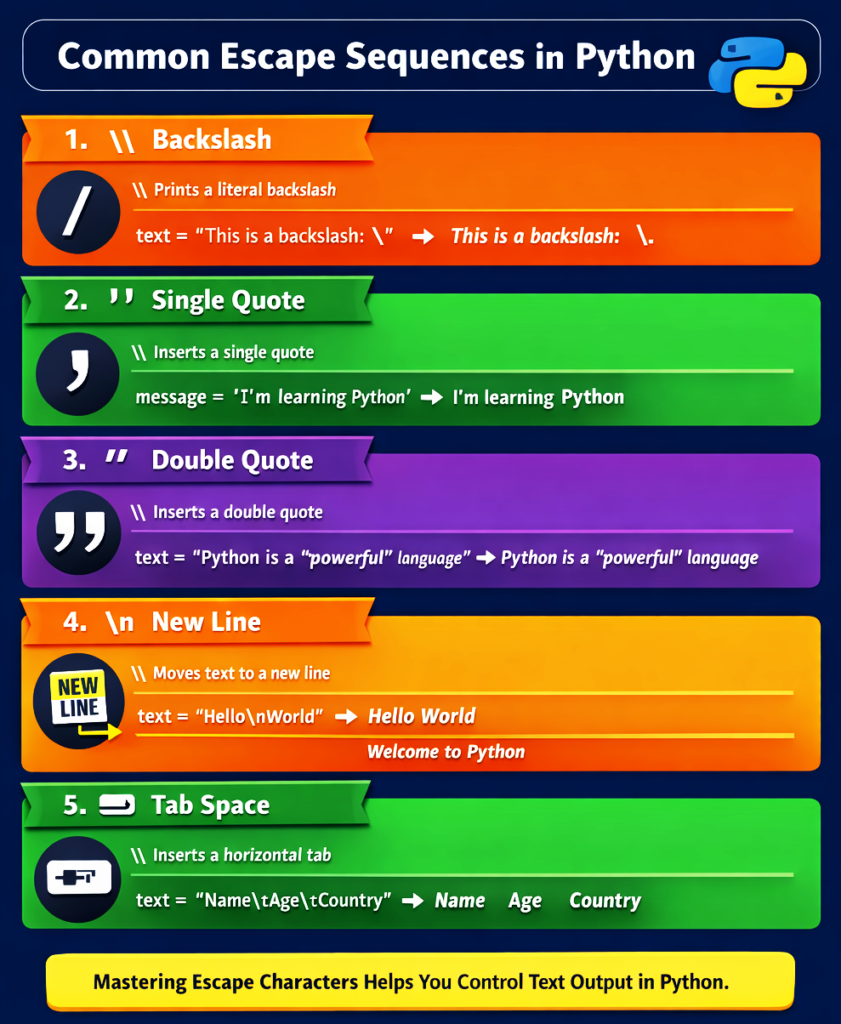
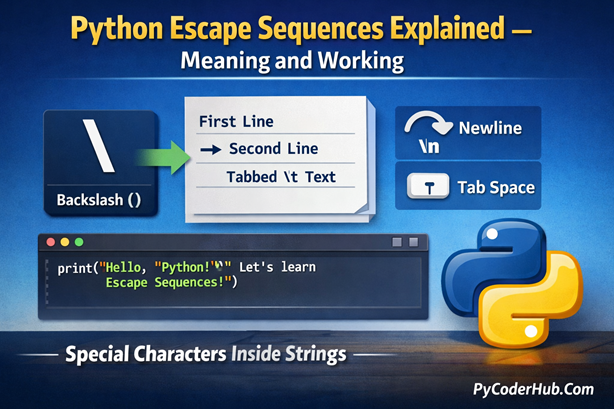
Visual Summary: Common Python Escape Sequences at a Glance
Let’s quickly recap all the commonly used Python escape sequences in one simple visual comparison. This infographic will help you connect each escape character with its purpose and real output effect.
Final Conclusion
Escape sequences are small symbols with big power in Python. They help you control how text appears — whether it’s adding quotes, inserting line breaks, creating tab spaces, or printing special characters like backslashes. Once you understand how the backslash works internally, these sequences stop feeling confusing and start feeling logical. Mastering them gives you full control over string formatting and clean, readable output.

4 thoughts on “How Common Python Escape Sequences Work: \n, \t, \, and Quotes Explained”