
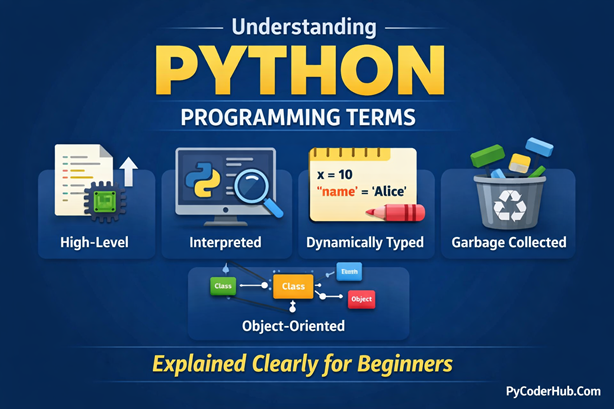
Introduction: Understanding the Terms Behind Python’s Definition
Whenever you search about Python, you almost always see the same definition:
“Python is a high-level, interpreted, dynamically typed programming language…”
Most beginners read this line, nod their head, and move on. Not because they truly understand it — but because those programming terms sound too technical to question.
Words like high-level, interpreted, dynamically typed, garbage-collected, object-oriented, and cross-platform appear everywhere in Python tutorials, documentation, and blogs. Yet, in reality, many learners skip understanding these terms and focus only on writing code.
This often creates confusion later, when concepts suddenly feel difficult or disconnected.
Each word in Python’s definition explains how Python works, why it behaves the way it does, and why it is beginner-friendly compared to many other languages.
Ignoring these terms may not stop you from writing code—but it slows your growth as a Python developer.
In this post, we will break down every important term used in Python’s definition, one by one, in a clear, beginner-friendly, and practical way.
By the end of this guide, when you read:
“Python is a high-level, interpreted, dynamically typed programming language”
You won’t just read it — you’ll actually understand it.
Let’s start by understanding the first and most important term in Python’s definition.
Python Is a High-Level Programming Language
Python Is a High-Level Programming Language
When Python is defined, one of the first terms you’ll see is high-level programming language. This term is extremely important for beginners because it explains why Python is easy to learn, read, and use compared to many other languages.
Let’s break this down step by step, without confusion, and in a beginner-friendly way.
What Is a High-Level Programming Language?
A high-level programming language is a language that is designed to be close to human language, not close to machine hardware.
In simple words:
- You write code using English-like words
- You don’t need to manage memory manually
- You don’t need to understand CPU registers or hardware details
- The language itself takes care of many complex tasks for you
High-level languages focus on:
- Readability
- Ease of learning
- Faster development
- Better productivity
Python is a classic example of this approach.
What Is a Low-Level Programming Language?
A low-level programming language is a language that is close to the hardware of a computer.
Low-level languages:
- Interact directly with memory and CPU
- Require deep knowledge of computer architecture
- Are harder to read and write
- Give more control, but at the cost of complexity
Because of this, beginners often feel confusion when starting directly with low-level languages.
Examples of High-Level Programming Languages
Some popular high-level languages include:
- Python
- Java
- JavaScript
- C#
- Ruby
- PHP
These languages are commonly used for:
- Web development
- Data science
- Machine learning
- Automation
- Desktop and mobile applications
Examples of Low-Level Programming Languages
Low-level languages include:
- Assembly Language
- Machine Language
- C (often considered middle-level, but closer to low-level)
These languages are mainly used in:
- Operating systems
- Embedded systems
- Device drivers
- Performance-critical software
Why Python Is Considered a High-Level Language
Python clearly fits into the high-level category because:
- You write very little code to perform complex tasks
- Memory management is handled automatically
- Syntax is clean and readable
- No direct hardware interaction is required
- Code looks almost like plain English
For example, printing a message in Python is extremely simple:
print("Welcome to PyCoderHub")There is no need to worry about memory allocation, data types, or hardware details.
High-Level vs Low-Level Languages (Comparison Table)
| Feature | High-Level Language (Python) | Low-Level Language (C / Assembly) |
|---|---|---|
| Readability | Very easy to read | Hard to read |
| Syntax | English-like | Hardware-oriented |
| Memory management | Automatic | Manual |
| Development speed | Fast | Slow |
| Learning curve | Beginner-friendly | Difficult |
| Hardware control | Limited | Full control |
| Use cases | Web, AI, automation | OS, drivers, embedded |
Simple Code Example: Python vs Low-Level Concept
Python Example (High-Level)
You don’t care about memory or hardware details:
number_one_value = 10
number_two_value = 20
total_sum_result = number_one_value + number_two_value

print(total_sum_result)
Here, Python automatically:
- Allocates memory
- Manages data types
- Handles execution safely
C Example (Closer to Low-Level)
You must define data types explicitly:
#include <stdio.h>

int main() {
    int number_one_value = 10;
    int number_two_value = 20;
    int total_sum_result = number_one_value + number_two_value;

    printf("%d", total_sum_result);
    return 0;
}
Even this simple task requires more structure and understanding of how the program runs.
Python being high-level means you focus on logic, not hardware. You learn programming concepts faster. This is one of the biggest reasons Python is recommended as the first programming language for beginners.
Python Is an Interpreted Programming Language
Another important term you’ll often see in Python’s definition is interpreted.
This single word explains how Python runs your code, why it feels interactive, and why beginners can start coding without complex setup.
Let’s understand this term step by step, without confusion.
What Does “Interpreted” Mean in Programming?
An interpreted programming language is a language where the code is executed line by line at runtime by an interpreter.
In simple words:
- You write code
- The interpreter reads one line
- Executes it immediately
- Then moves to the next line
There is no separate compilation step before running the program.
Python uses an interpreter to run your code directly.
Examples of interpreted languages: Python, JavaScript, PHP, Ruby, R, etc.
What Is a Compiled Programming Language?
A compiled programming language works differently.
In compiled languages:
- The entire source code is translated into machine code first
- This translation is done by a compiler
- The result is a separate executable file
- That file is then run by the operating system
If there is an error, the program usually fails before running at all, which can increase confusion for beginners.
Examples of compiled languages: C, C++, Go, Rust, Swift, etc.
Why Python Is Considered an Interpreted Language
Python is considered interpreted because:
- Python code is executed line by line
- No manual compilation step is required
- Errors are shown immediately during execution
- You can run Python code interactively (REPL, notebooks)
For example, this Python code runs directly:
print("Welcome to PyCoderHub")You don’t need to compile anything before running it.
How Python Code Is Actually Executed (Important)
Internally, Python does something interesting:
- Python source code (
.pyfile) is first converted into bytecode - This bytecode is then executed by the Python Virtual Machine (PVM)
Even with this internal step, Python is still called interpreted, because:
- The execution happens at runtime
- You never deal with compilation manually
This detail is useful for understanding Python better, but you don’t need to worry about it as a beginner.
Interpreted vs Compiled Languages (Comparison Table)
| Feature | Interpreted (Python) | Compiled (C / C++) |
|---|---|---|
| Execution | Line by line | Whole program at once |
| Compilation step | Not required manually | Required |
| Error detection | At runtime | Before execution |
| Development speed | Fast | Slower |
| Beginner-friendly | Yes | No |
| Performance | Slower | Faster |
Simple Code Example: Python vs C/C++ (Execution Difference)
Let’s understand the difference between interpreted and compiled execution using a very simple example.
Python Example (Interpreted Execution)
print("Hello")
number_value = 100
print(new_variable_value)Output:
Hello
NameError: name 'new_variable_value' is not defined
What happens here:
- Python starts executing the code line by line
- The first line runs successfully, so
Hellois printed - The second line also runs without any issue
- When Python reaches the third line, it finds that the variable is not defined
- Python raises a
NameErrorand stops execution at that point
This clearly shows that Python executes each line as it reads it, not the entire file at once.
C / C++ Example (Compiled Execution)
#include <stdio.h>

int main() {
    printf("Hello\n");
    int number_value = 100;
    printf("%d", new_variable_value);
    return 0;
}
Output:
Compilation Error: new_variable_value undeclaredWhat happens here:
- The compiler first checks the entire program
- It finds that
new_variable_valueis not declared - Compilation fails immediately
- The program never reaches execution
- Since execution never starts, nothing is printed
Key Difference You Should Remember
- Python executes code line by line, so valid lines may run before an error occurs
- C/C++ must compile the entire program successfully before any line is executed
This difference is one of the main reasons Python feels more interactive and beginner-friendly, while C/C++ feels stricter and more performance-focused.
Python Is a Dynamically Typed Programming Language
Another important term in Python’s definition is dynamically typed.
This term explains how Python handles data types, why you don’t declare them explicitly, and why Python code feels flexible and beginner-friendly.
What Does “Dynamically Typed” Mean?
A programming language is called dynamically typed when data types are determined at runtime, not in advance.
In simple words:
- You do not declare data types explicitly
- The language decides the data type while the program is running
- A variable’s type can change during execution
In Python, the variable is just a label — the value decides the type.
Examples of dynamically typed languages: Python, JavaScript, Ruby, PHP, Perl, etc.
What Is a Statically Typed Language?
In a statically typed language:
- You must declare the data type before using a variable
- The data type is fixed at compile time
- The variable cannot change its type later
This makes the language stricter but often faster.
Examples of statically typed languages: C, C++, Java, Go, Rust, etc.
Why Python Is Considered Dynamically Typed
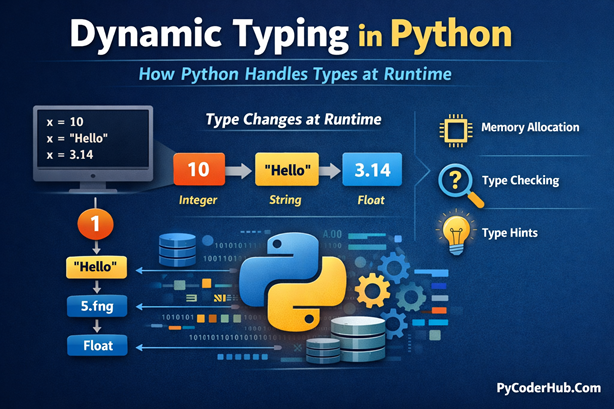
In Python, you can write:
data_value = 100
data_value = "PyCoderHub"
data_value = 3.14
Here:
- Python automatically assigns the type
- The same variable name holds different types
- No type declaration is required
This behavior is the core reason Python is called dynamically typed.
Dynamic Typing vs Static Typing (Comparison Table)
| Feature | Dynamically Typed (Python) | Statically Typed (C / C++) |
|---|---|---|
| Type declaration | Not required | Required |
| Type checking | Runtime | Compile time |
| Flexibility | High | Low |
| Code length | Shorter | Longer |
| Error detection | During execution | Before execution |
| Performance | Slower | Faster |
Simple Code Example: Python vs C/C++ (Typing Difference)
Python (Dynamically Typed)
result_value = 10
result_value = "Ten"
print(result_value)
Python allows this because the type is determined at runtime.
C (Statically Typed)
#include <stdio.h>

int main() {
    int result_value = 10;
    result_value = "Ten";   // Type error
    printf("%d", result_value);
    return 0;
}
The compiler raises an error because a variable declared as int cannot store a string.
Python Is a Garbage-Collected Programming Language
Another important term often included in Python’s definition is garbage collected.
This term explains how Python manages memory automatically, why you don’t usually worry about freeing memory, and how Python helps prevent common memory-related bugs.
Let’s understand this concept clearly and without confusion.
What Does “Garbage Collected” Mean?
A programming language is called garbage collected when it automatically frees memory that is no longer in use.
In simple words:
- Memory is allocated when objects are created
- When objects are no longer needed, the language automatically removes them
- Developers do not manually release memory
This automatic cleanup process is called garbage collection.
Languages that use garbage collection include: Python, Java, JavaScript, Go, etc.
These languages prioritize:
- Safety
- Developer productivity
- Fewer memory-related errors
What Is Manual Memory Management?
In languages without garbage collection:
- Developers must explicitly allocate and free memory
- Forgetting to free memory can cause memory leaks
- Freeing memory incorrectly can cause crashes
This requires deep understanding and often leads to confusion for beginners.
Languages that rely on manual memory management include: C, C++ (mostly manual, with smart pointers as helpers), Rust (uses ownership instead of GC), etc.
These languages offer:
- High performance
- Fine-grained memory control
Why Python Is Considered Garbage Collected
In Python:
- Everything is an object
- Objects consume memory
- When an object is no longer referenced, Python automatically reclaims its memory
You don’t write code to free memory explicitly — Python handles it for you.
How Python’s Garbage Collection Works
Python uses two main techniques:
1. Reference Counting
- Every object keeps a count of how many references point to it
- When the count becomes zero, the object is removed immediately
2. Cyclic Garbage Collection
- Handles objects that reference each other in a cycle
- Python periodically detects and cleans these cycles
You don’t need to manage or trigger this manually in normal programs.
Garbage Collected vs Manual Memory Management (Comparison Table)
| Feature | Python (Garbage Collected) | C / C++ (Manual) |
|---|---|---|
| Memory allocation | Automatic | Manual |
| Memory deallocation | Automatic | Manual |
| Risk of memory leaks | Low | High |
| Risk of crashes | Low | High |
| Developer effort | Minimal | High |
| Performance | Slightly slower | Faster |
Simple Code Concept: Python vs C/C++
Python (Garbage Collected)
data_list = [1, 2, 3]
data_list = None
When data_list no longer references the list, Python automatically frees the memory.
C (Manual Memory Management)
#include <stdlib.h>

int main() {
    int* data_array = (int*)malloc(3 * sizeof(int));
    free(data_array);
    return 0;
}
Here, the programmer must explicitly free memory to avoid leaks.
Python Is a Cross-Platform Programming Language
Another important term commonly used in Python’s definition is cross-platform.
This term explains where Python programs can run, why the same code works on different operating systems, and how Python helps developers avoid platform-specific confusion.
Let’s break it down in a clear, beginner-friendly way.
What Does “Cross-Platform” Mean?
A programming language is called cross-platform when the same code can run on multiple operating systems with little or no modification.
In simple words:
- Write code once
- Run it on different platforms
- No need to rewrite the program for each operating system
Python follows this principle very well.
Languages that support cross-platform development include: Python, Java, JavaScript, C# (with .NET Core), Go, etc.
These languages are widely used for:
- Desktop applications
- Web applications
- Cloud services
- Automation tools
What Are Platforms in Programming?
In programming, a platform usually means an operating system, such as:
- Windows
- Linux
- macOS
Each platform has:
- Different system calls
- Different file systems
- Different ways of interacting with hardware
Cross-platform languages hide these differences from the developer.
Examples of Platform-Dependent Languages
Languages or programs that are platform-dependent often include:
- Low-level C/C++ programs using OS-specific APIs
- Assembly language
- Native system utilities
These programs usually need:
- Different code for different operating systems
- Separate builds for each platform
Why Python Is Considered Cross-Platform
Python is cross-platform because:
- Python interpreters exist for all major operating systems
- The same Python source code runs on different platforms
- Platform-specific differences are handled by Python internally
For example, a simple Python program:
print("Welcome to PyCoderHub")This works the same on:
- Windows
- Linux
- macOS
No code changes required.
Cross-Platform vs Platform-Dependent (Comparison Table)
| Feature | Cross-Platform (Python) | Platform-Dependent |
|---|---|---|
| Code reuse | High | Low |
| OS-specific changes | Minimal | Required |
| Development effort | Lower | Higher |
| Portability | Excellent | Limited |
| Maintenance | Easier | Harder |
Python Is a Strongly Typed Programming Language
Another term that often creates confusion in Python’s definition is strongly typed.
Many beginners assume that because Python is dynamically typed, it must be weakly typed — but that is not true.
Let’s clear this up properly.
What Does “Strongly Typed” Mean?
A programming language is called strongly typed when it does not allow implicit or unsafe type conversions.
In simple words:
- Each value has a well-defined type
- You cannot mix incompatible data types freely
- The language raises an error instead of guessing your intention
Python strictly enforces this behavior.
Languages known for strong typing include: Python, Java, C#, Rust, Go, etc.
These languages prioritize:
- Predictability
- Safety
- Clear program behavior
What Is a Weakly Typed Language?
In a weakly typed language:
- The language performs implicit type conversions
- Different data types may be mixed automatically
- This can lead to unexpected behavior
Some languages allow operations that “just work” even when types don’t truly match.
Languages often considered weakly typed include: JavaScript (in many cases), PHP (depending on configuration), Perl, etc. These languages may allow automatic type coercion.
Strong Typing vs Dynamic Typing (Important Clarification)
These two terms describe different aspects of a language:
- Dynamic typing → When types are checked (runtime)
- Strong typing → How strictly types are enforced
Python is:
- Dynamically typed
- Strongly typed
These two properties do not contradict each other.
Why Python Is Considered Strongly Typed
Python does not allow operations between incompatible types.
For example:
result_value = 10 + "20"This raises a TypeError because Python refuses to guess how to combine an integer and a string.
Python forces you to be explicit.
Python Strong Typing in Action
number_value = 10
text_value = "20"

total_value = number_value + int(text_value)
print(total_value)
Here, you explicitly convert the string to an integer.
Python allows the operation only after the types are correct.
Strongly Typed vs Weakly Typed (Comparison Table)
| Feature | Strongly Typed (Python) | Weakly Typed |
|---|---|---|
| Implicit type conversion | Not allowed | Allowed |
| Type safety | High | Low |
| Error detection | Immediate | Delayed or hidden |
| Predictability | High | Lower |
| Beginner confusion | Lower | Higher |
Python Is an Object-Oriented Programming Language
One of the most important terms in Python’s definition is object-oriented.
This term explains how Python organizes code, how real-world problems are modeled, and why Python scales so well from small scripts to large applications.
Let’s understand this clearly, without confusion.
What Does “Object-Oriented” Mean?
Object-oriented programming (OOP) is a programming approach where software is built using objects instead of only functions or logic blocks.
In simple words:
- An object represents a real-world entity
- An object contains data (attributes) and behavior (methods)
- Programs are structured around interacting objects
Python strongly supports this programming paradigm.
What Is an Object?
An object is a combination of:
- Data → variables (attributes)
- Behavior → functions (methods)
For example, a Car object might have:
- Data: color, speed, brand
- Behavior: start(), stop(), accelerate()
Why Python Is Considered Object-Oriented
Python is object-oriented because:
- Everything in Python is an object
- Python supports classes and objects natively
- OOP concepts are deeply integrated into the language
- Python allows both simple and advanced OOP designs
Even basic data types are objects in Python.
Simple Object-Oriented Example in Python
class Person:
    def __init__(self, person_name, person_age):
        self.person_name = person_name
        self.person_age = person_age

    def greet(self):
        return f"Hello, my name is {self.person_name}"

user_person = Person("PyCoder", 25)
print(user_person.greet())
Here:
Personis a classuser_personis an object- Data and behavior are combined in one structure
Object-Oriented vs Procedural Programming (Comparison Table)
| Feature | Object-Oriented (Python) | Procedural |
|---|---|---|
| Code organization | Objects and classes | Functions |
| Reusability | High | Low |
| Scalability | Excellent | Limited |
| Real-world modeling | Easy | Hard |
| Maintenance | Easier | Harder |
Does Python Force Object-Oriented Programming?
No. This is an important point.
Python is:
- Object-oriented
- But not only object-oriented
Python also supports:
- Procedural programming
- Functional programming
This flexibility makes Python suitable for many types of projects.
Python Supports Procedural and Functional Programming
Python is often described as an object-oriented language, but that is not the whole story.
One of Python’s biggest strengths is its ability to support multiple programming paradigms, including procedural programming and functional programming.
This flexibility allows developers to choose the best style for the problem, without forcing a single approach.
What Is Procedural Programming?
Procedural programming is a programming style where:
- Code is written as a sequence of instructions
- Programs are organized around functions
- Data and logic are usually kept separate
In simple words, you write steps and execute them one by one.
Procedural Programming in Python
Python fully supports procedural programming.
Example:
def calculate_total_sum(first_number_value, second_number_value):
    return first_number_value + second_number_value

result_value = calculate_total_sum(10, 20)
print(result_value)
Here:
- The program is built using functions
- There are no classes or objects
- Execution flows step by step
This style is:
- Easy to read
- Easy to debug
- Ideal for small scripts and automation
What Is Functional Programming?
Functional programming is a programming paradigm where:
- Computation is treated as the evaluation of functions
- Functions are treated as first-class citizens
- State and mutable data are minimized
This approach focuses on what to do, not how to do it step by step.
Functional Programming in Python
Python supports many functional programming features, such as:
- Lambda functions
map(),filter(), andreduce()- Higher-order functions
- Immutable data patterns
Example:
number_list = [1, 2, 3, 4, 5]

squared_numbers = list(map(lambda number_value: number_value ** 2, number_list))
print(squared_numbers)
Here:
- Functions are passed as arguments
- No explicit loops are written
- Logic is expressed declaratively
Python Follows the “Batteries-Included” Philosophy
Another powerful term often associated with Python is “batteries included.”
This phrase explains why Python feels so productive out of the box, why beginners can build real applications quickly, and why Python requires fewer external libraries for common tasks.
Let’s understand what this really means.
What Does “Batteries-Included” Mean?
The batteries-included philosophy means that a programming language ships with a rich standard library that already contains tools for most common programming tasks.
In simple words:
- You don’t need to install extra libraries for basic work
- Many features are available immediately after installation
- Common problems already have built-in solutions
Python strongly follows this philosophy.
What Is the Python Standard Library?
The Python Standard Library is a large collection of pre-written modules that come bundled with Python.
These modules help you:
- Work with files and folders
- Handle dates and time
- Perform math and statistics
- Process text and regular expressions
- Access the operating system
- Work with networking and internet protocols
All of this comes without installing anything extra.
Simple Example: Using Built-In Batteries
from datetime import datetime

current_time_value = datetime.now()
print(current_time_value)
No external library. No installation. Just works.
Batteries-Included vs Minimal Standard Library (Comparison Table)
| Feature | Python (Batteries Included) | Minimal Standard Library |
|---|---|---|
| Built-in modules | Many | Few |
| External dependencies | Less required | Often required |
| Learning curve | Lower | Higher |
| Productivity | High | Lower |
| Setup effort | Minimal | Higher |
Python Is an Open-Source Programming Language
Another important term often used in Python’s definition is open-source.
This term explains why Python is free, how it evolves so rapidly, and why it has one of the largest and most active developer communities in the world.
Let’s understand this clearly and without confusion.
What Does “Open-Source” Mean?
A software or programming language is called open-source when:
- Its source code is publicly available
- Anyone can view, study, modify, and improve the code
- The software can be used without paying license fees
Python fully follows this open-source model.
Popular open-source programming languages include: Python, JavaScript, PHP, Ruby, Go, Rust, etc.
What Is Source Code?
Source code is the human-readable code written by developers that defines how a program works.
In open-source software:
- Source code is visible to everyone
- Changes and improvements are transparent
- Bugs can be identified and fixed faster
This openness builds trust and quality.
Open-Source vs Closed-Source (Comparison Table)
| Feature | Open-Source (Python) | Closed-Source |
|---|---|---|
| Source code access | Public | Restricted |
| Cost | Free | Usually paid |
| Community contributions | Allowed | Not allowed |
| Transparency | High | Low |
| Innovation speed | Fast | Slower |
Python Is a General-Purpose, Beginner-Friendly Language with Readable and Expressive Syntax
To fully understand why Python is so widely used, the final group of terms in Python’s definition often includes general-purpose, beginner-friendly, and readable & expressive syntax.
These terms may sound simple, but together they explain Python’s massive popularity across industries and skill levels.
Let’s understand them clearly.
Python Is a General-Purpose Programming Language
A general-purpose programming language is a language that can be used to build many different types of applications, instead of being limited to a single domain.
Python is general-purpose because it is used for:
- Web development
- Data science and machine learning
- Automation and scripting
- Desktop applications
- Game development
- Networking and cloud computing
- Scientific and research applications
You don’t need to learn a new language for each task — Python adapts.
Python Is Beginner-Friendly
Python is widely recommended as the first programming language for beginners.
This is because Python:
- Has simple and clean syntax
- Avoids unnecessary symbols
- Provides clear error messages
- Allows beginners to focus on logic
Beginners spend less time fighting syntax and more time learning programming concepts.
Python Has Readable and Expressive Syntax
Python’s syntax is designed to be:
- Easy to read
- Easy to write
- Close to plain English
Code written in Python often reads like natural language, which reduces confusion and improves maintainability.
Final Thought
All the terms we explored — high-level, interpreted, dynamically typed, garbage collected, cross-platform, open-source, object-oriented, and more — come together to explain why Python is simple yet powerful.
Python is not popular by accident.
It is popular by design.
Conclusion
Python’s definition is more than just a sentence — it’s a summary of why the language works so well in practice.
By understanding terms like high-level, interpreted, dynamically typed, garbage-collected, and cross-platform, you gain clarity on Python’s simplicity, flexibility, and power.
These features make Python beginner-friendly while still being strong enough for real-world applications.
When you understand the terminology, you don’t just use Python — you understand it.
Suggested Posts:
1. What is Python? The Ultimate Guide for Beginners (2026)
2. The Evolution and History of Python: From Hobby Project to Global Dominance (1989–2026)
3. How to Install Python and Set Up PyCharm (Beginner’s Guide)
4. Python IDLE Explained: Comparison with PyCharm, CMD, and Notepad
5. Python Introduction FAQs: Common Beginner Questions Answered

6 thoughts on “Understanding Python Programming Terms: High-Level, Interpreted, Garbage-Collected Explained”