
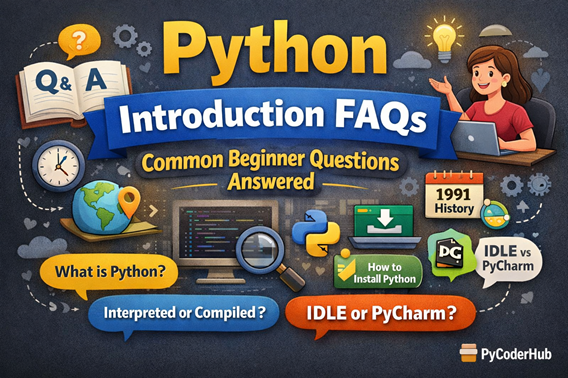
Introduction: Python Introduction FAQs
This Python Introduction FAQ guide is designed as the final companion lesson for Chapter 1 – Python Introduction & Getting Started on PyCoderHub.
If you’ve gone through the chapter lessons but still have questions, confusion, or mixed thoughts about Python, this guide is for you. The questions below are carefully selected from real beginner doubts and are grouped into clear categories. Each answer is written in a medium-length, beginner-friendly style, with examples included only where they add clarity.
General Questions About Python
Que – What exactly is Python, in simple words?
Ans – Python is a high-level programming language that allows you to write instructions for computers using readable, human-like syntax. Unlike many older languages, Python focuses on simplicity and clarity, which makes it easier to learn and use. You can build websites, automate tasks, analyze data, create AI models, and much more using Python.
Que – Why is Python considered beginner-friendly?
Ans – Python is beginner-friendly because it avoids unnecessary complexity. You don’t need to manage memory manually or write long boilerplate code just to get started. Python code looks closer to plain English, which reduces confusion and helps beginners focus on learning programming concepts rather than fighting syntax rules.
Que – What is Python mainly used for today?
Ans – Python is used across many domains, such as web development, data science, machine learning, automation, scripting, game development, and cybersecurity. Its massive ecosystem of libraries makes Python suitable for both small scripts and large-scale applications. This versatility is one reason for Python’s global dominance.
Que – Is Python free and open-source?
Ans – Yes, Python is completely free and open-source. Anyone can download it, use it, modify it, and distribute Python-based software without paying licensing fees. This openness has played a major role in Python’s widespread adoption.
Que – Why should I learn Python instead of Java or C++?
Ans – Python has a much flatter learning curve compared to Java or C++.
For example, to print Hello, World! in Java, you need several lines of boilerplate code. In Python, it’s just one line:
print("Hello, World!")
Additionally, Python’s rich ecosystem of libraries for machine learning and AI—such as TensorFlow and PyTorch—makes it the industry standard language for the modern AI era.
Questions About Python’s History and Evolution
Que – Who created Python and why?
Ans – Python was created by Guido van Rossum in the late 1980s as a hobby project. His goal was to design a language that emphasized simplicity, readability, and productivity. Python officially appeared in 1991 and gradually evolved into one of the most popular programming languages in the world.
Que – Why is Python named “Python”? Is it related to the snake?
Ans – Python is not named after the snake. Guido van Rossum named it after the British comedy show “Monty Python’s Flying Circus.” This influence is why Python documentation often includes humorous examples and references.
Que – How did Python grow from a hobby project to a global language?
Ans – Python’s growth came from consistent community involvement, open-source contributions, and its ability to adapt. Over the years, Python gained powerful libraries, corporate backing, and strong educational adoption, which pushed it from a niche language into a global standard.
Que – Why did Python become so popular after 2010?
Ans – Python’s popularity surged due to the rise of data science, AI, and machine learning, where Python became the preferred language. At the same time, companies began valuing rapid development and maintainable code, both of which Python excels at.
Que – How has Python changed between 1991 and 2026?
Ans – Python has evolved significantly while preserving its core philosophy of simplicity and readability.
- Python 1.0 (1994): Introduced functional tools like
lambda,map, andfilter - Python 2.0 (2000): Added list comprehensions and a full garbage collection system
- Python 3.0 (2008): Introduced major breaking changes to clean up design flaws
- Python 3.13+ (2024–2026): Focuses heavily on performance improvements through the Faster CPython initiative
Python was once criticized for being slow, but modern versions deliver noticeable speed gains while maintaining developer productivity.
Que – What is the difference between Python 2 and Python 3?
Ans – Python 2 reached its official end-of-life on January 1, 2020 and should no longer be used. Python 3, released in 2008, introduced breaking changes to modernize the language.
Key differences include:
- Print: Python 3 uses
print() - Division:
/performs float division by default - Unicode: All strings are Unicode by default
- Syntax: Cleaner exception handling and iterator-based ranges
As of 2026, you should exclusively use Python 3 (currently Python 3.14).
Understanding Python Programming Terminology
Que – What does it mean that Python is a high-level language?
Ans – A high-level language hides low-level system details like memory management and hardware operations. In Python, you focus on what you want to do, not how the computer executes it internally. This abstraction makes Python easier to learn and faster to develop with.
Que – Is Python an interpreted language?
Ans – Yes, Python is commonly described as an interpreted language, meaning Python code is executed line by line at runtime. Internally, Python first converts code into bytecode, which is then executed by the Python interpreter. For beginners, this simply means you can run Python code without manual compilation.
Que – What does garbage-collected mean in Python?
Ans – Garbage collection means Python automatically manages memory for you. When objects are no longer needed, Python frees that memory without requiring manual cleanup. This reduces errors like memory leaks and allows beginners to focus on logic rather than system-level concerns.
Que – Is Python dynamically typed?
Ans – Yes, Python is dynamically typed, which means you don’t need to declare variable types explicitly. The type is determined at runtime based on the value assigned. This flexibility speeds up development but also requires careful coding to avoid type-related confusion.
Que – Is Python strongly typed or weakly typed?
Ans – Python is strongly typed, meaning it does not automatically convert incompatible data types. For example, you cannot directly add a number and a string without explicit conversion. This design helps prevent unexpected behavior and logical errors.
Python Installation and Setup Questions
Que – Do I need to install Python before learning it?
Ans – Yes, installing Python locally allows you to practice, experiment, and run programs on your system. While online editors exist, a local setup provides a real-world development experience and helps you understand how Python works outside the browser.
Que – How can I check if Python is already installed on my system?
Ans – You can check Python installation by opening the command line and typing python --version or python3 --version. If Python is installed, the version number will be displayed. If not, the system will prompt you to install it.
Que – Which Python version should beginners install?
Ans – Beginners should always install the latest stable version of Python 3. Python 2 is no longer supported, and Python 3 includes modern features, better performance, and long-term support.
Que – Can I run Python on a Mac or Linux?
Ans – Yes. Python is a cross-platform language, meaning it runs on Windows, macOS, and Linux without modification. Most macOS and Linux systems already include Python, but it’s still recommended to install the latest Python 3 version manually.
This ensures access to the newest features, performance improvements, and important security patches.
Que – Should I install 32-bit or 64-bit Python?
Ans – You should install 64-bit Python unless you have a very specific reason not to. It supports more memory, performs better on modern systems, and is required for many data science and ML libraries.
The 32-bit version is mainly for legacy compatibility and is limited to 4GB of RAM.
Que – Should I install Python from the Microsoft Store (Windows)?
Ans – No. It’s recommended to avoid installing Python from the Microsoft Store because it comes with several limitations:
- Limited or inconsistent
pipfunctionality - PATH configuration issues
- Compatibility problems with some development tools
- Slower updates compared to python.org releases
For a smooth development experience, always install Python directly from the official website.
Que – Why is PyCharm recommended for beginners?
Ans – PyCharm provides a complete development environment with features like code suggestions, error highlighting, debugging tools, and project management. These features reduce beginner confusion and help you write better code faster.
Que – Is PyCharm mandatory to learn Python?
Ans – No, PyCharm is not mandatory. Python can be learned using IDLE, command line, or any text editor. PyCharm simply makes the learning process smoother by offering helpful tools and visual feedback.
Python IDLE and Execution Environment Questions
Que – What is Python IDLE?
Ans – Python IDLE is the default development environment that comes bundled with Python. It includes a simple editor and an interactive shell where you can run Python commands instantly. It’s lightweight and ideal for quick testing and learning basics.
Que – How is Python IDLE different from PyCharm?
Ans – Python IDLE is minimal and simple, while PyCharm is a full-featured professional IDE. IDLE is good for learning syntax and small scripts, whereas PyCharm is better for large projects, debugging, and structured development.
Que – When should I use the Python Shell vs. the File Editor?
Ans – Use the Python Shell (in IDLE or PyCharm) when you want to experiment quickly. For example, checking the result of 123 * 456 or testing a small expression. It works like a calculator and is great for exploration.
Use the File Editor when you’re writing a program you want to save, reuse, or run multiple times. Code typed into the shell is temporary and disappears once you close it.
Que – Can I run Python programs using the command line?
Ans – Yes, Python programs can be executed directly from the command line by navigating to the file location and running the script. This method helps you understand how Python interacts with the operating system and is commonly used in real-world workflows.
Que – Why not use Notepad to write Python code?
Ans – While you can write Python code in Notepad, it lacks syntax highlighting, error detection, and execution support. This increases confusion for beginners. Editors like IDLE or PyCharm are far more suitable for learning and productivity.
Common Beginner Confusion About Python
Que – Is Python slow compared to other languages?
Ans – Python is generally slower than compiled languages like C or C++, but speed is rarely a limitation for beginners or most applications. Python compensates with faster development time, readability, and optimized libraries written in faster languages.
Que – What are Python’s main limitations?
Ans – While Python is powerful and versatile, it does have some limitations:
- Speed: Slower execution than compiled languages like C++ or Java
- Mobile development: Limited native mobile app support
- Memory usage: Higher memory consumption
- Runtime errors: Type errors appear during execution
- GIL: Limits true CPU-bound multi-threading in CPython
Despite these trade-offs, Python remains a top choice due to development speed and ecosystem strength.
Que – What is the Python Software Foundation?
Ans – The Python Software Foundation (PSF) is a non-profit organization founded in 2001. It manages Python’s intellectual property and supports the global Python ecosystem.
The PSF organizes PyCon conferences, funds Python development, and provides grants to community projects worldwide.
Que – Who maintains Python today?
Ans – Python is maintained by a global core development team made up of volunteers and paid contributors. After Guido van Rossum stepped down as Benevolent Dictator For Life (BDFL) in 2018, Python adopted a steering council model.
Five council members are elected annually to guide Python’s development. Guido returned to active contribution in 2021.
Que – What are Python Enhancement Proposals (PEPs)?
Ans – Python Enhancement Proposals (PEPs) are design documents that propose new features or changes. They go through community discussion before final approval by the steering council.
The most well-known is PEP 8, which defines Python’s official coding style guidelines.
Que – Can Python be used for real-world applications?
Ans – Absolutely. Python is used by companies like Google, Netflix, Instagram, and Spotify. It powers web applications, automation systems, AI models, and backend services across industries.
Que – Is Python only for data science and AI?
Ans – No, Python is not limited to data science. While it excels in AI and data analysis, Python is also widely used in web development, automation, scripting, and backend systems.
Que – How long does it take to learn Python?
Ans – The time required to learn Python depends largely on your goals and how consistently you practice.
- Basic proficiency (simple scripts): 1–3 months with daily practice (1–2 hours)
- Job-ready skills (entry-level roles): 6–12 months, including projects and specialization
- Expert level (senior developer): 2–5 years of real-world experience
Several factors influence learning speed:
- Prior programming experience can significantly accelerate progress
- Daily practice is more effective than occasional long sessions
- Building real projects reinforces concepts better than tutorials alone
- Choosing a specialization (web, data science, automation) adds learning time
Remember, you don’t need to know everything to be productive—Python developers keep learning throughout their careers.
Final Thoughts
This Python Introduction FAQ guide is meant to clear confusion, reinforce understanding, and help you move forward confidently. If you’ve completed Chapter 1, you now have a strong conceptual foundation to continue learning Python.
Next, you’re ready to dive deeper into Python Variables and Data Handling, where theory turns into hands-on coding practice.
Happy coding with PyCoderHub.
Suggested Posts:
1. What is Python? The Ultimate Guide for Beginners (2026)
2. The Evolution and History of Python: From Hobby Project to Global Dominance (1989–2026)
3. Understanding Python Programming Terms: High-Level, Interpreted, Garbage-Collected Explained
4. How to Install Python and Set Up PyCharm (Beginner’s Guide)
5. Python IDLE Explained: Comparison with PyCharm, CMD, and Notepad

6 thoughts on “Python Introduction FAQs: Common Beginner Questions Answered”