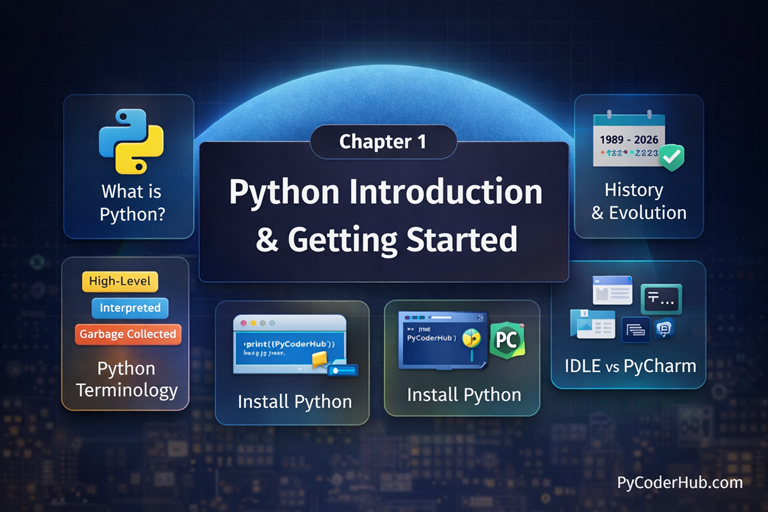
Chapter Overview
Welcome to the first step of your programming journey. This chapter is designed to take you from zero to writing your very first line of Python code. You’ll explore what makes Python one of the most popular and beginner-friendly programming languages, learn how to set up your development environment, and write a simple “Hello, World!” program. By the end of this chapter, you’ll have a solid foundation in Python and a working setup, ready to move on to more advanced topics.
What You Will Learn in This Chapter
In this chapter, you will learn:
- What Python is and why it’s a great choice for beginners
- The key features that make Python easy to read and write
- Where Python is used in real-world applications
- A brief history of Python and how it evolved over time
- The main advantages and limitations of Python
- How Python compares to other programming languages
- How to install Python and run your first program
Lessons in This Chapter
Below is a list of all the lessons included in this introductory series. Click on any topic to dive into the full tutorial.
Lesson 1: What is Python? The Ultimate Guide for Beginners (2026)
This lesson introduces Python as a programming language and explains why it’s beginner-friendly and widely used.
What you’ll learn:
- An introduction to Python programming and how Python works at a high level
- The key features that make Python simple, readable, and beginner-friendly
- Common applications of Python across web development, data science, automation, and more
- A brief history of Python and how it evolved into a popular programming language
- The main advantages and disadvantages of Python, explained clearly for beginners
- Practical examples of Python programming to understand real-world usage
- A comparison of Python vs other programming languages to help you see where Python stands
Lesson 2: The Evolution and History of Python: From Hobby Project to Global Dominance (1989–2026)
This lesson explores the evolution and history of Python, tracing its journey from a small hobby project in 1989 to one of the most powerful and globally dominant programming languages by 2026, highlighting key milestones, versions, and the reasons behind its widespread adoption.
What you’ll learn:
- The Birth of Python
- The Zen of Python: Guiding Principles
- The 1.x Era (1994–2000): Foundation and Growth
- The 2.x Era (2000–2010): The Transitional Decade
- The 3.x Era (2008–Present): The Modern Python
- Python Today and Beyond: Python 3.14 and the Road Ahead (2026+)
- Features Added and Removed Over Time
- Python 2 vs Python 3: What Changed and Why It Matters
Lesson 3: Understanding Python Programming Terms: High-Level, Interpreted, Garbage-Collected Explained
This lesson explains essential Python programming terms such as high-level, interpreted, and garbage-collected, helping beginners clearly understand what these concepts mean and how they affect the way Python programs are written and executed.
What you’ll learn:
- Python Is a High-Level Programming Language
- Python Is an Interpreted Programming Language
- Python Is a Dynamically Typed Programming Language
- Python Is a Garbage-Collected Programming Language
- Python Is a Strongly Typed Programming Language
- Python Is an Object-Oriented Programming Language
- Python Follows the “Batteries-Included” Philosophy
- Python Supports Procedural and Functional Programming
Lesson 4: How to Install Python and Set Up PyCharm (Beginner’s Guide)
This lesson provides a step-by-step beginner-friendly guide to installing Python and setting up PyCharm, ensuring you have a complete and ready-to-use development environment to start writing and running Python programs confidently.
What you’ll learn:
- Why You Need to Install Python Before Learning It
- How to Install Python on Your System
- What Is a Python Interpreter?
- What Is PyCharm?
- Installing PyCharm (Step-by-Step)
- Write Your First Python Program
Lesson 5: Python IDLE Explained: Comparison with PyCharm, CMD, and Notepad
This lesson explains Python IDLE in detail and compares it with PyCharm, Command Prompt (CMD), and Notepad, helping beginners understand when to use each tool and choose the right environment for learning and writing Python code.
What you’ll learn:
- What Is Python IDLE?
- Key Features of Python IDLE
- How to Open Python IDLE
- Writing Python Code Using IDLE
- Running Python Code Using Command Prompt (CMD)
- Writing Python Code in Notepad
- Different Ways to Write Python Code
- Why PyCharm Is a Better IDE for Beginners
Lesson 6: Python Introduction FAQs: Common Beginner Questions Answered
This lesson is the final FAQ wrap-up for Chapter 1, answering common questions about what Python is, how it works, and how to get started.
It clears early confusion around Python’s philosophy, use cases, execution model, and beginner concepts.
Complete this lesson to strengthen your foundation before moving into Python variables and hands-on coding.
What’s Next After This Chapter
Great job on completing Chapter 1: Python Introduction & Getting Started
You’ve built a strong foundation by understanding what Python is, its history, and how to set up your development environment.
Now it’s time to move forward to Chapter 2: Python Variables, where you’ll start writing real Python code. In the next chapter, you’ll learn how Python stores data, how variables work, the rules for naming them, and how to use variables effectively in your programs. This chapter marks the beginning of hands-on Python programming—so let’s continue the journey!