
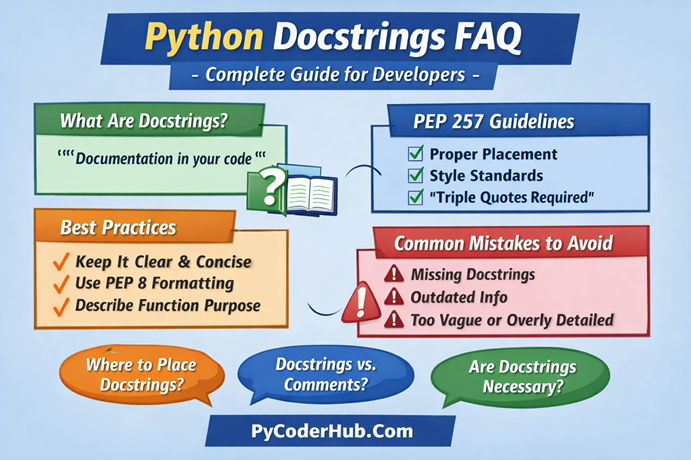
Introduction: Python Docstrings FAQ
This Python Docstrings FAQ serves as the concluding lesson for Chapter 4 – Python Docstrings: Complete Guide on PyCoderHub.
Even after working through all the docstring lessons, many learners still experience confusion around practical usage—such as where docstrings should be written, how they differ from comments in real code, which style formats to follow, what PEP 257 actually enforces, and which mistakes can quietly undermine documentation quality. This FAQ addresses those exact concerns, based on recurring questions from learners and common scenarios encountered in everyday Python development.
Each response is intentionally concise yet practical, written with beginners in mind while staying accurate to how Python processes docstrings at runtime. Examples are used only when they meaningfully clarify behavior, ensuring the focus remains on understanding, correctness, and real-world application.
Category 1: Python Docstrings Basics & Fundamentals
Q – What is a docstring in Python?
A – A docstring is a string literal used to document modules, classes, functions, and methods. It is placed immediately after the definition header and provides descriptions for humans and documentation tools. Docstrings become part of the object’s __doc__ attribute and can be retrieved using tools like help().
Q – How is a docstring different from a comment?
A – A docstring is stored at runtime and accessible programmatically, while comments (#) are ignored entirely by Python. Docstrings describe what the code does, whereas comments often explain how or why the code works the way it does
Q – Where should I place a docstring?
A – It must appear immediately after a module, class, or function header:
def add(a, b):
    """Return the sum of two numbers."""
    return a + b
If it’s placed anywhere else, Python will treat it as a normal string, not a docstring.
Q – What is the recommended syntax for docstrings?
A – Use triple double quotes (""").
PEP 257 recommends this as the standard even for single-line docstrings.
Q – Do all functions need docstrings?
A – Not necessarily. Small, obvious functions may not require them, but public APIs, modules, and classes should always include docstrings. PEP 257 encourages documenting anything that users need to understand.
Category 2: Types of Docstrings
Q – What are single-line docstrings?
A – A short description placed on one line:
def is_even(n):
    """Return True if n is even."""
    return n % 2 == 0
Used for simple functions or methods.
Q – What are multi-line docstrings?
A – Used when detailed explanation, parameters, examples, or notes are required:
def factorial(n):
    """
    Compute the factorial of n.

    Parameters:
        n (int): A non-negative integer.

    Returns:
        int: The factorial value.
    """
Multi-line docstrings allow structured documentation.
Q – What is a module docstring?
A – It’s placed at the top of the file, before imports:
"""
Utility functions for string formatting and conversions.
"""
import re
It should describe what the entire module provides.
Q – What is a class docstring?
A – Placed inside the class, explaining its purpose, attributes, and usage.
class Car:
    """
    A class representing a car.

    Attributes:
        model (str)
        year (int)
    """
Category 3: Formatting Standards (PEP 257)
Q – What does PEP 257 recommend for docstrings?
A – Key guidelines include:
- Use triple double quotes (
"""). - First line should be a short summary.
- Leave a blank line after the summary for multi-line docstrings.
- Describe what the object does, not how.
- For class docstrings: document public methods separately.
- End multi-line docstrings with a blank line.
Q – Should the summary line end with a period?
A – Yes. PEP 257 recommends ending the first sentence with a period to clarify it’s a complete thought.
Q – Should docstrings use imperative mood?
A – Yes.
Good: “Return the sum of two numbers.”
Not recommended: “Returns the sum.”
Category 4: Accessing Docstrings
Q – How do I access a docstring in Python?
A – Two built-in ways:
1) Using help()
help(sum)2) Using the __doc__ attribute
print(sum.__doc__)Q – Can I view docstrings from the Python REPL?
A – Yes, through:
>>> print(my_function.__doc__)
>>> help(my_function)
Tools like IPython and Jupyter also display docstrings.
Q – Are docstrings available at runtime?
A – Yes, Python normally keeps all docstrings available at runtime.
This means you can access a function’s, class’s, or module’s docstring using:
help(object)object.__doc__
This is one of the reasons docstrings are so useful: they become part of the object’s metadata and can be inspected by tools, IDEs, debuggers, documentation generators, and even your own code.
Category 5: Docstring Styles
Q – What are the most commonly used docstring formats?
A – Popular styles include the following:
Google Style
Args:
    x (int): Input number.
Returns:
    int: Square of x.
NumPy/SciPy Style
Parameters
----------
x : int
    Input number
reST / Sphinx Style
:param x: Input number
:type x: int
:return: Square of x
Choice depends on project or team guidelines.
Q – Which style is recommended by Python?
A – Python officially prefers reST because Sphinx uses it, but PEP 257 does not mandate any specific format.
Category 6: Best Practices
Q – What should a good docstring include?
A – A well-written docstring contains:
- Usage examples
- Short summary
- Detailed explanation (if needed)
- Parameters and their types
- Return value(s)
- Raises (exceptions)
Q – Should I document private methods?
A – Optional. Private methods (_method) usually don’t need docstrings unless they are complex or important internally.
Q – Should docstrings describe implementation details?
A – No. Docstrings should describe what and why, not how. Implementation insights belong in comments.
Q – Should examples be included in docstrings?
A – Yes, especially for public APIs. Examples help users quickly understand usage, and doctest can validate them.
Category 7: Tools & Automation
Q – Which tools generate documentation from docstrings?
A – The following tools can generate documentation from docstrings:
- Sphinx
- pdoc
- Doxygen (Python mode)
- pydoc
- MkDocs + plugins
These tools extract docstrings and create HTML/PDF documentation.
Q – Can I auto-format or lint docstrings?
A – Yes, using:
- flake8-docstrings
- pydocstyle
- black + docformatter
- ruff
These enforce consistency and PEP 257 rules.
Q – Can IDEs generate docstring templates automatically?
A – Yes. PyCharm, VS Code, and other IDEs can auto-insert docstring stubs based on the chosen format.
Category 8: Common Mistakes
Q – Is it wrong to use single quotes for docstrings?
A – Not an error, but discouraged. Triple double quotes (""") are the standard.
Q – What happens if the docstring is not placed immediately after the header?
A – Python will ignore it as a docstring, treating it as a regular string literal.
Q – Should I write docstrings for one-line lambda functions?
A – No. Lambdas cannot contain docstrings. Instead, use comments or convert them into named functions.
Q – Are docstrings required for dunder (__init__) methods?
Ans – Not mandatory, but recommended—especially if parameters or initialization behavior need explanation.
Category 9: Advanced Topics
Q – Can I add docstrings dynamically?
A – Yes, but not recommended. You can modify:
my_function.__doc__ = "New documentation"Useful for metaprogramming or decorators.
Q – Do decorators affect docstrings?
A – Yes. Without using functools.wraps, the decorated function loses its original docstring.
Use:
@functools.wraps(func)
def wrapper(...):
    ...
Q – Can docstrings contain Unicode, emojis, or markdown?
A – Yes. Docstrings are just strings. But ensure your documentation tool supports them (Markdown often not supported by Sphinx).
Q – Can docstrings be empty?
A – Yes, but pointless. Better to omit them entirely unless the placeholder indicates TODO documentation.
Category 10: Examples & Demonstrations
Q – Example of a well-written function docstring.
def divide(a, b):
    """
    Divide two numbers.

    Parameters:
        a (float): Numerator.
        b (float): Denominator.

    Returns:
        float: The result of the division.

    Raises:
        ZeroDivisionError: If b is zero.

    Examples:
        >>> divide(10, 2)
        5.0
    """
    return a / b
Q – Example of class + method docstrings.
class BankAccount:
    """
    A simple bank account class.
    """

    def deposit(self, amount):
        """Add money to the account."""
        self.balance += amount
Q – Example of a module docstring.
"""
math_utils.py - Mathematical helper functions for data processing.
"""
Conclusion
This Python Docstrings FAQ brings the chapter together by resolving common points of confusion, reinforcing correct practices, and helping you understand the real purpose of docstrings beyond basic syntax. By completing Chapter 4, you now see docstrings as structured, user-facing documentation that Python itself understands—not just descriptive text placed above code.
With this understanding, you’re better equipped to write Python programs that are easier to explore, maintain, and reuse. As your projects grow in size and complexity, well-written docstrings will quietly improve readability, collaboration, and overall code quality, long after the code is written.
Suggested Posts:
1. Python Docstrings Explained: Definition, Syntax, Structure, and Style Types
2. Python Docstring Structure and Style Guide: Single-Line, Multi-Line, and Format Comparison
3. PEP 257 Guidelines for Python Docstrings: How to Write Clear Documentation and Avoid Common Mistakes

4 thoughts on “Python Docstrings FAQ: Common Questions Answered (Complete Guide)”