
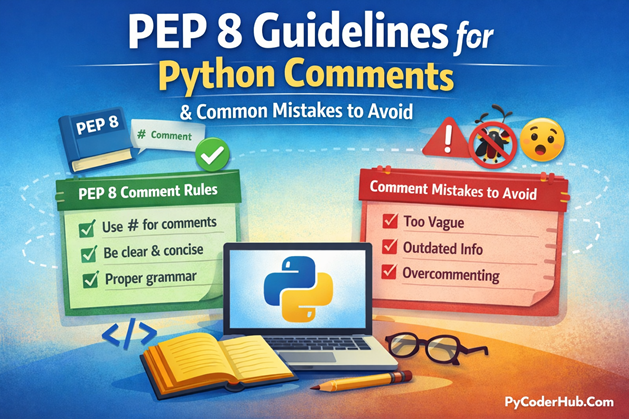
Introduction: PEP 8 Guidelines for Python Comments
In the previous lessons, we explored what Python comments are, why they matter, and how to use single-line and multi-line comments effectively. Now, it’s time to go deeper and focus on writing Python comments that follow official standards and avoid common pitfalls that can make code messy or confusing.
In this lesson, we’ll break down the PEP 8 guidelines for Python comments, showing you exactly how to write clean, readable, and professional comments. We’ll also highlight common mistakes developers often make—so you can steer clear of them and ensure your code is consistent, maintainable, and easy to understand.
What you’ll learn in this post:
- Official PEP 8 rules for writing Python comments
- How to format single-line, inline, and block comments correctly
- Common mistakes and bad commenting practices to avoid
- How following PEP 8 improves readability and maintainability
- Practical tips for writing professional, clean, and helpful comments
By the end of this guide, you’ll have a clear understanding of Python commenting standards and common errors, giving you the confidence to write code that’s not only functional but also clean, readable, and professional.
Before we dive into the PEP 8 guidelines, let’s take a quick look at what PEP 8 actually is and why it’s so important for writing clean, maintainable Python code.
What is PEP 8 and Why It’s Important
When writing Python code, consistency matters as much as correctness. This is where PEP 8 comes in.
PEP 8 stands for Python Enhancement Proposal 8, and it is the official style guide for Python code. Created to promote readable, consistent, and professional code, PEP 8 covers everything from variable naming and indentation to line length and, most importantly for this lesson, commenting standards.
Following PEP 8 isn’t just about making your code look “pretty.” It ensures that anyone reading your code—whether it’s your teammate, open-source contributors, or even your future self—can understand the logic quickly and maintain it efficiently. By adhering to these guidelines:
- Your code becomes easier to read and follow, reducing confusion.
- Maintaining and updating code over time is faster and less error-prone.
- Collaboration with other developers becomes smoother, since everyone follows the same style conventions.
- You demonstrate professionalism and coding discipline, which is especially important in team projects or open-source contributions.
In short, PEP 8 acts as a universal Python “language for code style”, helping you write code that is not just functional but also clean, readable, and maintainable.
Optional Tip for Readers: Think of PEP 8 as the “grammar and punctuation” of Python. Just like a well-written essay is easier to read when grammar rules are followed, well-styled Python code is easier to read and maintain when PEP 8 rules are followed.
PEP 8 Guidelines for Python Comments
Writing comments in Python is more than just adding notes; it’s about clarity, readability, and consistency. Following PEP 8 guidelines for Python comments ensures your comments communicate the right information without cluttering your code. Below, we’ll cover all the key rules and best practices recommended by PEP 8, with examples to help you implement them effectively.
1. Use Complete Sentences in Comments
Using complete sentences improves readability, clarity, and long-term maintainability of your code. When someone (including future-you) reads the code weeks or months later, a full sentence immediately explains what the code is doing and why it exists—without confusion.
Incomplete or vague comments often create confusion instead of clarity, defeating the purpose of adding comments in the first place.
Good Example (Recommended)
# Calculate the total price including tax.
total_price = subtotal * 1.07
This comment:
- Starts with a capital letter
- Clearly explains the purpose of the calculation
- Ends with proper punctuation
- Adds meaningful context beyond the code itself
Bad Examples (Avoid These)
# total
total_price = subtotal * 1.07# price calc
total_price = subtotal * 1.07These comments are problematic because:
- They are incomplete thoughts
- They repeat what the variable name already implies
- They fail to explain why the calculation exists
Key Point to Remember: If a comment cannot stand alone as a sentence, it probably isn’t clear enough.
2. Start Comments with a Capital Letter
Starting comments with a capital letter improves professional readability and visual consistency across your codebase. When every comment follows the same capitalization style, the code looks cleaner and more intentional—especially in large projects or collaborative environments.
Lowercase comments may look informal or rushed, which can reduce the perceived quality of the code and create unnecessary confusion when scanning through files.
Good Example (Recommended)
# Convert temperature from Celsius to Fahrenheit.
fahrenheit = celsius * 9 / 5 + 32
This comment:
- Starts with a capital letter
- Is written as a complete sentence
- Clearly explains the purpose of the calculation
- Follows PEP 8 formatting conventions
Inline Comment Example
Capitalization also applies to inline comments:
fahrenheit = celsius * 9 / 5 + 32 # Convert Celsius to Fahrenheit.Even inline comments should:
- Begin with a capital letter
- Be meaningful and easy to read
- Maintain consistent style with full-line comments
Bad Examples (Avoid These)
# convert temperature from celsius to fahrenheit
fahrenheit = celsius * 9 / 5 + 32fahrenheit = celsius * 9 / 5 + 32 # convertThese comments should be avoided because:
- They start with lowercase letters
- They look informal and inconsistent
- They reduce readability in professional codebases
Key Point to Remember: If a comment starts with a lowercase letter, it likely does not follow PEP 8 guidelines.
3. Use Inline Comments Sparingly
Inline comments are comments written on the same line as a statement. According to PEP 8, they should be used only when absolutely necessary—typically to clarify non-obvious or complex logic.
Inline comments should exist only to explain why something is done—not what is already obvious.
How to Write Inline Comments Correctly
PEP 8 recommends placing inline comments:
- After at least two spaces from the code statement
- Starting with a capital letter
- Written as a complete, meaningful sentence
Good Example (When Inline Comments Are Justified)
loop_counter = loop_counter + 1 # Increment the counter to meet the loop exit condition.This inline comment works because:
- The logic may not be immediately obvious in a larger loop
- It explains why the increment is necessary
- It follows proper spacing and capitalization rules
Avoid Obvious or Redundant Inline Comments
loop_counter = loop_counter + 1 # Add oneThis comment should be avoided because:
- It merely repeats what the code already states
- It adds no new information
- The variable name already explains the intent
Key Point to Remember: Inline comments should explain why the code exists, not what the code does.
4. Block Comments Should Explain Code Sections
Block comments are comments that appear on the lines directly above a block of code. They are used to describe what an entire section of code is responsible for, rather than explaining individual statements.
Block comments provide high-level context. Poor or missing block comments can lead to confusion, especially in long functions, complex loops, or data-processing workflows.
Proper Block Comment Format
According to PEP 8, block comments should follow these rules:
- Each line starts with
#followed by a single space - Written in complete sentences where possible
- Capitalized properly
- Placed immediately above the code they describe
Good Example (Recommended)
# Process all user input.
# 1. Validate the data.
# 2. Convert data types.
# 3. Store the result in the database.
for user in user_list:
    process_user(user)
This block comment works because:
- It explains the purpose of the entire code section
- Each step is clearly listed and easy to follow
- The formatting is consistent and readable
- The comment provides context without repeating the code
Poor Block Comment Example (Avoid This)
# users
# loop
# process
for user in user_list:
    process_user(user)
This should be avoided because:
- The comments are vague and incomplete
- They do not explain the intent or flow
- They add noise instead of clarity
Key Point to Remember: Block comments should explain the purpose of a code section, not narrate each line inside it.
5. Avoid Redundant Comments
Comments should add meaningful context to your code. If a comment simply restates what the code already makes obvious, it is considered redundant and should be avoided.
Good comments explain why a decision was made, not what the code literally does.
Example of Bad Practice
count = 10 # Set count to 10This comment adds no value because:
- The assignment is already obvious
- The variable name clearly describes the action
- The comment repeats the code instead of explaining intent
Better Example (Recommended)
count = 10 # Default number of retries for API calls.This comment works because:
- It explains why the value
10is used - It provides business or logic context
- The intent is clear even if the value changes later
Key Point to Remember: If a comment only repeats what the code already says, it should be removed.
6. Use Docstrings for Functions, Classes, and Modules
While inline and block comments explain specific lines or sections of code, docstrings are used to describe the overall purpose and behavior of modules, classes, and functions.
Docstrings are written using triple quotes (""" """) and are placed immediately after the definition of the module, class, or function.
When to Use Docstrings
You should use docstrings for:
- Modules (at the top of the file)
- Classes
- Public functions and methods
Inline or block comments should not replace docstrings when documenting these structures.
Good Function Docstring Example
def calculate_area(radius):
    """
    Calculate the area of a circle given its radius.

    Args:
        radius (float): The radius of the circle.

    Returns:
        float: Area of the circle.
    """
    import math
    return math.pi * radius ** 2
This docstring follows best practices because:
- It starts with a concise one-line summary
- It clearly explains parameters and return values
- It is readable by documentation tools
- It follows a consistent structure
Class Docstring Example
class Circle:
    """
    Represent a circle and provide area-related calculations.
    """

    def __init__(self, radius):
        self.radius = radius
Module Docstring Example
"""
Utility functions for performing basic geometry calculations.
"""
Key Point to Remember: Use comments to explain how the code works, and docstrings to explain what the code is for.
7. Keep Comments Up-to-Date
Comments must always reflect the current behavior of the code. An outdated comment is often more harmful than no comment at all, because it actively misleads anyone reading or maintaining the code.
When comments and code fall out of sync, readers tend to trust the comment first. This can lead to incorrect assumptions, bugs, and wasted debugging time. Outdated comments are a common source of confusion, especially in fast-changing or collaborative codebases.
Common Causes of Outdated Comments
Comments often become outdated when:
- Logic is changed but comments are not reviewed
- Code is copied and modified without updating documentation
- Temporary comments are left behind after refactoring
Example of Bad Practice (Outdated Comment)
# Calculate area of a square
area = length * width
This is misleading because:
- A square uses only one side length
- The code now calculates the area of a rectangle
- The comment no longer matches the implementation
Corrected Example (Updated Comment)
# Calculate area of a square
area = length * width
Now the comment accurately describes the code’s behavior.
Key Point to Remember: If you change the code, you must review and update the comments—or remove them if they are no longer necessary.
8. Use Proper Spacing Around Comments
Proper spacing around comments is a small detail, but it plays a big role in readability and consistency. PEP 8 provides clear guidance on how comments should be spaced so they are easy to scan and visually separated from code.
Following spacing rules also ensures your code looks professional and adheres to Python’s official style guide.
Inline Comments: Use At Least Two Spaces
Inline comments should be separated from the code by at least two spaces before the # symbol.
Correct Example
total = subtotal * 1.07 # Add tax to subtotal.This follows PEP 8 because:
- There are two spaces before
# - The comment is visually distinct from the code
- The comment is easy to read and scan
Incorrect Examples
total = subtotal * 1.07# Add tax to subtotaltotal = subtotal * 1.07 #Add tax to subtotalThese should be avoided because:
- The comment is too close to the code
- Missing spacing reduces readability
- The style is inconsistent with PEP 8
Block Comments: Use # Followed by a Single Space
Block comments should always start with:
# <single space><comment text>Correct Example
# Add tax to the subtotal before finalizing the total.
total = subtotal * 1.07
Incorrect Examples
#Add tax to the subtotal## Add tax to the subtotalThese break PEP 8 conventions and make comments harder to read.
Key Point to Remember: Proper spacing makes comments readable at a glance—poor spacing makes code feel messy.
9. Don’t Use Comments to Comment Out Code for Long Periods
Using # to temporarily disable code can be helpful during short-term debugging or testing. However, keeping commented-out code in the codebase for long periods is strongly discouraged.
Over time, commented-out code often becomes outdated, incorrect, or incompatible with the surrounding logic—yet it still sits there, creating uncertainty about whether it is safe to remove.
Example of Poor Practice
# Old implementation, now removed
# total = subtotal * 1.05
This should be avoided because:
- The code is no longer used
- It provides no functional value
- It clutters the file and distracts from active logic
Acceptable Short-Term Use Case
Commenting out code can be acceptable when:
- Debugging a specific issue
- Testing alternative logic temporarily
- Working locally before committing changes
In these cases, the commented code should be removed before final commits.
Key Point to Remember: If code is no longer used, delete it—don’t comment it out and leave it behind.
10. Use TODO, FIXME, or NOTE Sparingly
PEP 8 allows the use of special-purpose comment tags such as TODO, FIXME, and NOTE to draw attention to parts of the code that need further work, review, or special consideration.
These tags are useful—but only when used intentionally and sparingly. However, overusing these tags can clutter the code and create confusion, especially if they are never revisited or resolved.
Common Special-Purpose Tags
TODO
Used to indicate planned improvements or missing functionality.
# TODO: Optimize this function for large datasets.FIXME
Used to highlight known bugs or incorrect behavior that must be fixed.
# FIXME: Handle the case where the input is None.NOTE
Used to document important assumptions, constraints, or side effects.
# NOTE: This function assumes input is already sanitized.These comments work because:
- They clearly state the issue or assumption
- They are easy to search for in a codebase
- They communicate intent to other developers
Key Point to Remember: Special-purpose tags should guide future action—not become permanent decorations in your code.
Note on PEP 8 Comment Guidelines
So far, we’ve covered the official PEP 8 guidelines for writing Python comments. These rules define how comments should be written, formatted, and maintained to ensure your code remains clear, readable, and professional.
While these guidelines show you how comments should be written, knowing what to avoid is just as important.
In the next section, we’ll focus on the common mistakes to avoid when writing Python comments. This will help you identify bad commenting habits, understand why they are harmful, and learn how to replace them with cleaner, more effective documentation practices.
Common Mistakes to Avoid When Writing Python Comments
Comments are meant to clarify your code and help others (and future-you) understand its logic. Poorly written or excessive comments, however, can clutter your code, confuse readers, and reduce maintainability.
Below, we explore the most common commenting mistakes and how to avoid them.
1. Avoid W.E.T. Comments (Write Everything Twice)
Example:
total = subtotal * 1.07 # Multiply subtotal by 1.07 to calculate total with tax- This comment simply repeats what the code already does.
- Redundant comments add noise and make it harder to scan your code.
Better Approach: Use clear code and variable names:
total_with_tax = subtotal * 1.07The variable name itself explains the purpose, eliminating the need for a comment.
2. Avoid Smelly Comments
Smelly comments signal poor code design, hacks, or temporary fixes. If you feel compelled to write a comment like “this is ugly” or “hacky workaround,” consider refactoring instead.
Example:
# Hack: Temporary fix for API timeout issue
retry_api_call()
Better Approach: Fix the underlying design or provide a clear, structured solution.
3. Avoid Rude or Unprofessional Comments
Codebases are shared spaces. Rude, sarcastic, or unprofessional comments can create a hostile environment and damage collaboration.
Example:
# Whoever wrote this must be kidding
process_data()
Better Approach: Keep comments neutral, professional, and constructive.
4. Avoid Outdated or Misleading Comments
Incorrect comments are worse than no comments, because they actively mislead readers.
Example:
# Calculate area of a square
area = length * width
Better Approach: Update comments whenever code changes:
# Calculate area of a rectangle
area = length * width
5. Avoid Over-Commenting
Too many comments can distract from the code itself and make it harder to read.
Example:
# Add one to x
x = x + 1
# Loop until x reaches 10
while x < 10:
    # Print x
    print(x)
Better Approach: Write clean, self-explanatory code and only comment non-obvious logic:
while x < 10:
    print(x)
    x += 1
6. Avoid Commenting Instead of Fixing the Code
Comments should clarify code, not justify bad or unclear logic.
Example:
# This is ugly but it works
result = complicated_function(x)
Better Approach: Refactor unclear code so it doesn’t need excuses:
result = simplified_function(x)7. Avoid Comments for Poorly Named Variables or Functions
If a variable or function is self-explanatory, you don’t need extra comments to explain it.
Example:
# Temporary counter for loop iterations
temp = 0
Better Approach: Use descriptive names:
loop_iteration_count = 0Clear naming often eliminates the need for comments altogether.
8. Avoid Using Comments for Version Control or TODO Dumps
Comments should not replace version control or structured task tracking.
Example:
# TODO: Fix bug 123
# TODO: Optimize this later
Better Approach: Use Git, issue trackers, or project management tools to track tasks.
9. Avoid Language and Grammar Mistakes
Poorly written comments reduce clarity and professionalism. Typos, unclear wording, or incorrect grammar can confuse readers.
Example:
# Calcualte the avrage of numbers in list
average = sum(numbers) / len(numbers)
Better Approach: Write clear, grammatically correct comments:
# Calculate the average of numbers in the list
average = sum(numbers) / len(numbers)
Summary
- Comments should clarify, not clutter.
- Avoid redundancy, unprofessional tone, outdated information, and excessive commentary.
- Focus on clean, readable code and only comment when it adds real value.
- Combine clear variable names, good code structure, and occasional comments to maximize maintainability.
Conclusion
In this post, we explored the PEP 8 guidelines for writing Python comments, covering best practices for clarity, formatting, and maintainability. By using complete sentences, proper spacing, docstrings, and meaningful inline or block comments, you can make your code more readable and professional.
We also discussed common mistakes to avoid, such as redundant, outdated, or unprofessional comments. Following these guidelines ensures your comments enhance understanding rather than creating confusion, helping you and others write clean, maintainable, and high-quality Python code.
Suggested Posts:
1. Python Single-Line and Multi-Line Comments Explained (With Examples & Best Practices)
2. Python Comments Explained — Best Practices & Guidelines for Clean Code
3. Python Comments FAQ: Everything You Need to Know (Beginner to Advanced)

5 thoughts on “PEP 8 Guidelines for Python Comments: How to Write Clean Code and Avoid Common Mistakes”