
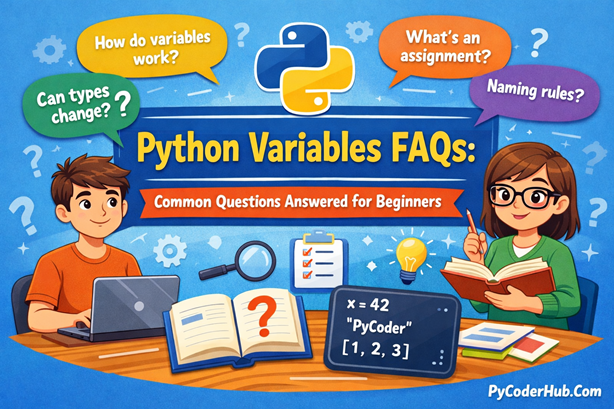
Introduction: Python Variables FAQs
This Python Variables FAQ guide is designed as the final companion lesson for
Chapter 2 – Python Variables and Data Handling Basics on PyCoderHub.
If you’ve completed the chapter lessons but still feel confusion around how Python variables actually work—how assignment behaves, why types seem to change, or what “dynamic” and “strong” typing really mean—this guide is built for you. The questions below are drawn from common learner doubts and real-world misunderstandings, carefully grouped into clear categories.
Each answer is written in a medium-length, practical, and beginner-friendly style, focusing on how Python behaves in real code, with examples included only when they genuinely improve understanding.
Category 1: Python Variables – Core Concepts
Que – What is a variable in Python?
Ans – A variable in Python is a named reference to an object stored in memory. Unlike some languages, a Python variable does not hold the value itself—it points to an object that contains the value.
This design allows Python to be flexible, expressive, and efficient when handling data.
Que – Do Python variables have types?
Ans – No—variables themselves do not have types.
Instead, objects have types, and variables simply reference those objects.
That’s why the same variable name can later point to a completely different type of object.
Que – How are variables created in Python?
Ans – Variables are created automatically at assignment time. You do not need to declare them explicitly.
user_age = 25Here, Python creates an integer object and binds the name user_age to it.
Que – Is there a difference between variable declaration and assignment in Python?
Ans – Yes. Python does not support declaration without assignment.
A variable comes into existence only when a value is assigned.
Trying to use a variable before assignment results in a NameError.
Que – How does Python handle variables internally?
Ans – Python manages memory using a private heap. When you assign a value to a variable, Python creates an object in memory and binds the variable name to that object.
If another variable is assigned the same value, both names reference the same object, not a copied value.
first_number = 10
second_number = first_number
Here, both variables point to the same integer object until one of them is reassigned.
Que – What’s the difference between variables and objects in Python?
Ans – In Python, variables are labels, not storage containers. The actual data lives inside objects, and variables simply reference them.
Multiple variables can point to the same object, and changes to mutable objects are reflected everywhere that object is referenced.
number_list = [1, 2, 3]
alias_list = number_list
alias_list.append(4)

print(number_list)  # [1, 2, 3, 4]
Que – What are mutable and immutable objects?
Ans – Variables themselves don’t change — the objects they reference do.
- Immutable objects (int, float, str, tuple) cannot be changed after creation.
- Mutable objects (list, dict, set) can be modified in place.
Reassigning an immutable value always creates a new object in memory.
Category 2: Assigning Multiple Values to Python Variables
Que – What is multiple assignment in Python?
Ans – Multiple assignment allows you to assign values to multiple variables in a single line, making code cleaner and more readable.
user_name, user_age, user_profile = "PyCoder", 28, "Programmer"Each variable receives its value based on position.
Que – How does Python assign values internally during multiple assignment?
Ans – Python first evaluates the entire right-hand side, packs it into a tuple, and then unpacks it into the variables on the left.
This ensures safe and predictable assignment behavior.
Que – Can I assign the same value to multiple variables?
Ans – Yes. Python allows chain assignment, where multiple variables reference the same object.
default_status = backup_status = "inactive"Be cautious with mutable objects like lists, as changes may affect all references.
Que – How can I swap variables in Python?
Ans – Python supports swapping values in a single statement using simultaneous assignment.
left_value = 5
right_value = 10

left_value, right_value = right_value, left_value
print(left_value, right_value)
No temporary variable is required.
Que – Is multiple assignment faster, or is it mainly for code clarity?
Ans – Multiple assignment in Python is primarily designed to improve code readability and reduce repetition, rather than to deliver noticeable performance benefits. It allows related values to be assigned in a single, clear statement, which makes code easier to read, review, and maintain.
While any performance difference is usually negligible, using multiple assignment reduces the risk of mismatched or forgotten assignments, especially when working with several related variables at once.
Category 3: Variable Unpacking (Including Nested Unpacking)
Que – What is variable unpacking in Python?
Ans – Variable unpacking allows you to extract values from iterable objects (like tuples or lists) into individual variables.
screen_width, screen_height = (1920, 1080)Que – What happens if the number of variables doesn’t match values?
Ans – Python raises a ValueError.
The number of variables on the left must match the number of values being unpacked—unless you use extended unpacking.
Que – What is extended unpacking using *?
Ans – Extended unpacking lets you capture remaining values into a list.
primary_score, *other_scores = [95, 88, 76, 69]Here, other_scores becomes a list of remaining values.
Que – Can Python unpack nested data structures?
Ans – Yes. Python supports nested unpacking, which is powerful but must be used carefully.
user_profile = ("PyCoder", (28, "India"))
user_name, (user_age, user_country) = user_profile
This is commonly used when working with structured data.
Que – How deep can nested unpacking go?
Ans – There’s no strict depth limit. You can unpack as deeply as your data structure allows, as long as the pattern matches exactly.
matrix = [[1, 2], [[3, 4], 5]]
[first, second], [[third, fourth], fifth] = matrix

print(first, second, third, fourth, fifth)
That said, excessive nesting can hurt readability and should be used carefully.
Category 4: Python Variable Naming Rules & PEP8 Conventions
Que – What are the basic rules for naming variables in Python?
Ans – Python variable names:
- Must start with a letter or underscore
- Cannot start with a number
- Can contain letters, numbers, and underscores
- Are case-sensitive
Que – Why does PEP8 recommend snake_case?
Ans – PEP8 promotes snake_case because it:
- Improves readability
- Matches Python’s standard library style
- Scales better for long, descriptive names
total_order_amount = 1500Que – Are single-letter variable names bad practice?
Ans – In most cases, yes.
Single-letter names reduce readability and SEO clarity, especially in educational or production code.
Exceptions include:
- Mathematical contexts
- Loop indices (
index)
Que – Should variables describe what or how?
Ans – Variables should describe what the data represents, not how it’s used.
Bad Example:
temp = 500Good Example:
invoice_total_amount = 500Que – When should I use underscores in variable names?
Ans – Underscores follow specific conventions in Python:
_internal_value = 42      # Internal use indicator
__private_value = "hidden"  # Name mangling in classes
class_ = "Example"        # Avoid keyword conflict
Names with double underscores on both sides are reserved for Python’s internal use and should not be created manually.
Que – Are there any naming patterns I should know?
Ans – Yes, some patterns have special meaning:
_value→ internal use_→ throwaway variable__attribute→ class name manglingattribute__→ avoid naming conflicts
Understanding these patterns helps you read and write Pythonic code.
Que – Can I use non-English characters in variable names?
Ans – Python 3 supports Unicode identifiers, so non-English names are technically valid.
名前 = "Alice"
température = 25.5
However, for shared or open-source code, English names are generally preferred for clarity and collaboration.
Que – Does Python have constants?
Ans – Python doesn’t enforce true constants. Instead, it relies on naming conventions defined in PEP 8.
PI = 3.14159
MAX_CONNECTIONS = 100
These values can technically be changed, but doing so is considered bad practice.
Category 5: Dynamic Typing in Python
Que – What does dynamic typing mean in Python?
Ans – Dynamic typing means type checking happens at runtime, not during compilation.
A variable can reference different data types at different points in execution.
Que – Can a Python variable change its type?
Ans – Yes—and this is a defining feature of Python.
account_balance = 1500
account_balance = "Unavailable"
The variable name stays the same, but the object it references changes.
Que – Does dynamic typing make Python unsafe?
Ans – No. Python still enforces type correctness at runtime.
Invalid operations raise errors immediately.
Dynamic typing improves flexibility without removing safety.
Que – How can I check the type of a variable at runtime?
Ans – You can inspect types using type() or check compatibility using isinstance().
value = 10

print(type(value))
print(isinstance(value, int))
isinstance() is usually preferred when writing conditional logic.
Que – Does dynamic typing mean Python ignores types?
Ans – No. Python is strongly typed. Dynamic typing only means that type checks happen at runtime rather than before execution.
result = "hello" + 5 # TypeErrorPython will not silently convert incompatible types — explicit conversion is required.
Que – What role do type hints play in dynamic typing?
Ans – Type hints do not enforce types at runtime, but they improve:
- Static analysis
- Code readability
- Tooling support
def calculate_discount(price: float) -> float:
    return price * 0.1
Category 6: Strong Typing in Python
Que – Is Python strongly typed or weakly typed?
Ans – Python is strongly typed.
It does not perform implicit type coercion between incompatible types.
Que – What is an example of strong typing in Python?
Ans – Python will not automatically convert strings to numbers.
order_total = 100
tax_amount = "18"

# Raises TypeError
# order_total + tax_amount
This prevents silent logic bugs.
Que – How is strong typing different from static typing?
Ans – Strong typing: prevents unsafe type operations
Static typing: checks types before execution
Python is strongly typed but dynamically typed—a combination many beginners misunderstand.
Que – Why is strong typing important in Python?
Ans – Strong typing:
- Prevents accidental data corruption
- Makes bugs easier to detect
- Improves long-term code reliability
This is especially valuable in large or financial applications.
Category 7: Scope, Lifetime & Special Keywords
Que – What is variable scope in Python?
Ans – Scope defines where a variable can be accessed. Python follows the LEGB rule:
Local → Enclosing → Global → Built-in.
global_value = "global"

def outer_function():
    enclosing_value = "enclosing"

    def inner_function():
        local_value = "local"
        print(local_value)

    inner_function()
Que – Can variables be deleted in Python?
Ans – Yes. The del statement removes a variable’s reference.
counter = 42
del counter
The underlying object is removed only when no references remain.
Que – What do the global and nonlocal keywords do?
Ans – global allows modification of a global variable
nonlocal allows modification of an enclosing function’s variable
count = 0

def increment():
    global count
count += 1def outer():
value = 10
def inner():
nonlocal value
value = 20Que – What are Python’s special (dunder) variables?
Ans – Double-underscore variables have predefined meanings in Python:
__name__→ module execution context__file__→ file path__doc__→ documentation string__dict__→ object attributes
These are provided by Python and should not be redefined.
Final Thoughts
This Python Variables FAQ guide is meant to remove confusion, solidify core concepts, and help you develop the right mental model for how Python handles data. By completing Chapter 2, you now understand variables not just as names, but as references, bindings, and runtime behaviors.
With this foundation, you’re ready to move beyond basics and explore how Python variables interact with data structures, control flow, and functions—where variable behavior starts to matter even more in real programs.
Happy coding with PyCoderHub.
Suggested Posts:
1. Python Variables Explained in Depth: A Detailed Guide
2. Assigning Multiple Values to Python Variables: A Complete Guide with Examples
3. Variable Unpacking in Python: A Complete Guide with Nested Unpacking Examples
4. Python Variable Naming Rules and Conventions (PEP 8 Explained with Real-World Examples)
5. Dynamic Typing in Python Explained: How Python Handles Types at Runtime
6. Strong Typing in Python Explained: Understanding Python’s Type Safety Philosophy

8 thoughts on “Python Variables FAQs: Common Questions Answered for Beginners”