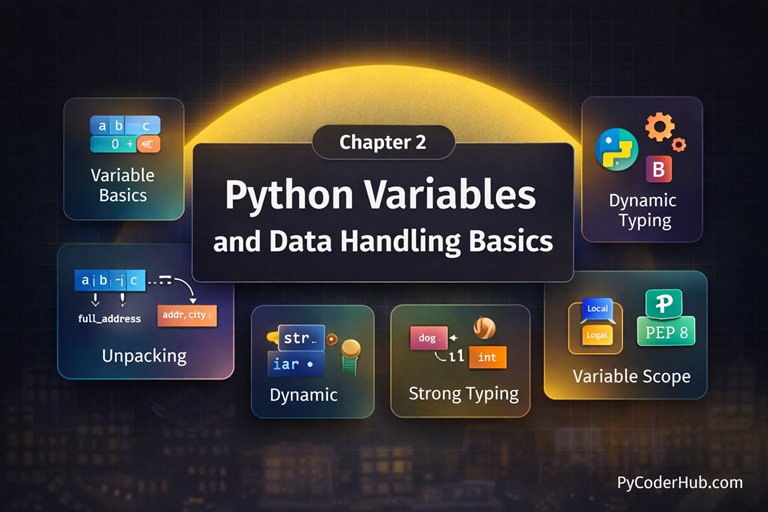
Chapter Overview
In this chapter, you’ll dive into one of the most fundamental concepts in Python—variables. You’ll learn how Python stores data in memory, how variables are created and assigned, and how they act as labels that reference values. This chapter also covers naming rules, best practices, multiple assignment techniques, and common mistakes beginners make when working with variables. By the end of this chapter, you’ll be able to confidently use variables to store, update, and manage data, forming the backbone of every Python program you write.
What You Will Learn in This Chapter
In this chapter, you will learn:
- What variables are in Python and how they work behind the scenes
- How to create and assign values to variables
- Python variable naming rules and best practices
- How Python handles data types through variables
- Assigning multiple values to multiple variables
- Assigning one value to multiple variables
- Reassigning and updating variable values
- Common beginner mistakes with variables and how to avoid them
This chapter will give you a strong, practical understanding of Python variables—the building blocks of every Python program.
Lessons in This Chapter
Below is a list of all the lessons included in this chapter. Click on any topic to dive into the full tutorial.
Lesson 1: Python Variables Explained in Depth: A Detailed Guide
This lesson provides an in-depth explanation of Python variables, covering how they are created, how they store and reference data in memory, and how Python handles variable assignment, helping you build a strong and clear foundation for writing reliable Python programs.
What you’ll learn:
- What is a variable in Python?
- Creating and Assigning Variables in Python
- Assigning Multiple Variables at Once in Python
- How Python Variables Work Behind the Scenes
- Variables Refer to Memory Locations in Python
- Variables Can Hold Different Types of Values in Python
- Deleting Variables in Python
Lesson 2: Assigning Multiple Values to Python Variables – A Complete Guide with Examples
This lesson explains how to assign multiple values to Python variables in a single statement, covering different assignment patterns with clear rules, practical examples, and common errors to help you write clean and efficient Python code.
What you’ll learn:
- Multiple Assignment Fundamentals
- Assigning Multiple Values to Multiple Variables
- Assigning One Value to Multiple Variables (Chained Assignment)
- Assigning Multiple Values to One Variable
- Variable Swap (Swapping Values Between Variables)
- Quick Comparison of Multiple Assignment Patterns
Lesson 3: Variable Unpacking in Python – A Complete Guide with Nested Unpacking Examples
This lesson explores variable unpacking in Python, explaining how values are unpacked into variables, including nested unpacking patterns, rules, and common mistakes, with clear examples to help you use unpacking correctly and confidently.
What you’ll learn:
- What Is Variable Unpacking in Python?
- Mandatory Rule for Unpacking
- Unpacking Errors (Causes & Examples)
- Star (*) Expressions: Extended Unpacking
- Nested Unpacking in Python
- Variable Unpacking vs. Collection Unpacking
Lesson 4: Python Variable Naming Rules and Conventions (PEP 8 Explained with Real-World Examples)
This lesson explains Python variable naming rules and PEP 8 conventions in detail, showing how to write clear, readable, and professional variable names using real-world examples and best practices followed by experienced Python developers.
What you’ll learn:
- Why Variable Naming Matters in Python
- Mandatory Python Variable Naming Rules
- Python Naming Conventions (PEP 8 Recommended Best Practices)
- Naming Suggestions in Different Coding Contexts
- Python Naming Style Variations (With Best-Use Cases)
- Common Naming Anti-Patterns: What Not to Do in Python
- Tools and Automation for Naming Enforcement
Lesson 5: Dynamic Typing in Python Explained: How Python Handles Types at Runtime
This lesson explains Python’s dynamic typing system, showing how variable types are determined at runtime, how type changes occur during execution, and how dynamic typing affects flexibility, readability, and potential errors in Python programs.
What you’ll learn:
- Understanding Typing in Programming Languages
- What Does “Dynamically Typed” Mean?
- Static Typing vs. Dynamic Typing
- How Dynamic Typing Works in Python
- Advantages of Dynamic Typing
- Disadvantages of Dynamic Typing
- Type Hinting in Python
- Common Misunderstandings About Dynamic Typing
Lesson 6: Strong Typing in Python Explained: Understanding Python’s Type Safety Philosophy
This lesson explains Python’s strong typing philosophy, focusing on how Python enforces type safety at runtime, prevents implicit type conversions, and helps developers write more reliable and predictable code.
What you’ll learn:
- Understanding Type Systems in Programming Languages
- What Is Strong Typing in Programming?
- What Is Weak Typing?
- Python’s Typing Philosophy: Strong and Dynamic
- Additional Insights on Strong Typing in Python
- Strong Typing vs. Dynamic Typing — Not the Same Concept
- Comparing Strong and Weak Typing
- Common Misconceptions About Strong Typing in Python
Lesson 7: Python Variables FAQs: Common Questions Answered for Beginners
This lesson is the final FAQ wrap-up for Chapter 2, answering common questions that arise while learning Python variables and data handling.
It helps clear confusion around variable behavior, assignment, naming, and scope using simple, beginner-friendly explanations.
Complete this lesson to reinforce what you’ve learned before moving on to more advanced Python concepts.
What’s Next After This Chapter
You’ve taken an important step forward by learning how Python stores and handles data using variables. By understanding variable assignment, naming rules, and data handling basics, you now have the core building blocks needed to write meaningful and functional Python programs.
Now it’s time to move ahead to Chapter 3: Python Comments and Code Documentation Basics, where you’ll learn how to explain your code clearly and professionally. In the next chapter, you’ll discover how to write effective Python comments, follow best practices, avoid common commenting mistakes, and apply PEP 8 guidelines—helping you make your code easier to read, understand, and maintain. This chapter will strengthen your coding habits and prepare you for writing clean, real-world Python code—let’s keep moving forward!