
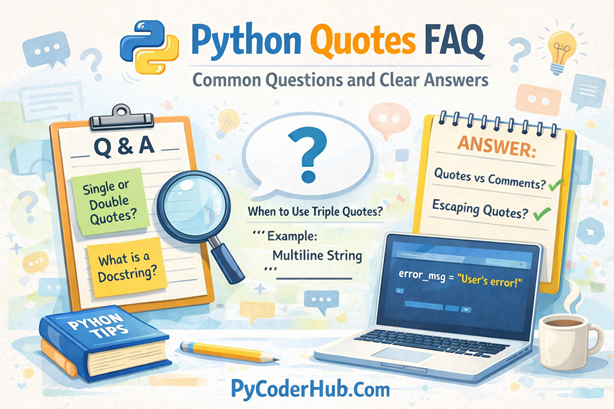
Introduction: Python Quotes FAQ
This Python Quotes FAQ marks the final lesson of Chapter 5 – Python Quotes on PyCoderHub.
After completing the earlier lessons, it’s common for learners to still feel confusion about how quotes behave in real Python code. Questions often arise around why Python supports multiple quote styles, how quotes differ from comments and docstrings during execution, where developers unintentionally misuse triple quotes, and what actually happens behind the scenes at runtime. This FAQ is designed to resolve those uncertainties by addressing the most frequently asked questions that surface while writing, reading, and maintaining Python code.
Each answer is written to be clear, practical, and grounded in how Python truly interprets quoted strings. The explanations aim to support beginners without oversimplifying important details, and examples are included only when they genuinely help explain behavior—keeping the focus on clarity, accuracy, and real-world understanding.
Category 1: Basics of Python Quotes
Q – What types of quotes does Python support for strings?
Ans – Python supports single quotes (' '), double quotes (" "), and triple quotes (''' ''' or """ """) for creating strings. All of them create the same str type—the difference lies in readability, escaping needs, and multiline usage.
user_name = 'PyCoder'
project_title = "PyCoderHub Guide"
multi_line_message = """This is a
multi-line string example."""
Q – Are single and double quotes interchangeable in Python?
Ans – Yes. Single and double quotes behave identically at runtime. Developers usually choose one based on style consistency or readability, especially when the string itself contains quotes.
city_name = "Delhi"
state_name = 'Haryana'
Q – When should I prefer single quotes over double quotes?
Ans – Single quotes are commonly used for short, simple strings that don’t contain apostrophes. Many Python style guides prefer single quotes for cleaner code, but consistency matters more than the choice itself.
Q – When are double quotes a better choice?
Ans – Double quotes are useful when the string contains apostrophes or contractions, as they reduce the need for escaping.
error_message = "User's session has expired"Q – Do different quotes affect performance or memory?
Ans – No. Python treats all quoted strings the same internally. There is no performance or memory advantage between single, double, or triple quotes—clarity is the only deciding factor.
Category 2: Triple Quotes and Multiline Strings
Q – What are triple quotes used for in Python?
Ans – Triple quotes are used for multiline strings and docstrings. They allow line breaks, indentation, and special characters without escaping.
welcome_message = """Welcome to PyCoderHub
Learn Python the right way."""
Q – Are triple quotes comments in Python?
Ans – No. Triple-quoted text is still a string, not a comment. If it’s not assigned to a variable or used as a docstring, it may still exist in memory and cause confusion.
Q – Can triple quotes create unexpected blank lines?
Ans – Yes. Leading or trailing newlines inside triple quotes are preserved, which can result in unexpected output formatting.
output_text = """
Hello World
"""
print(output_text)
This prints a blank line before Hello World.
Q – Should I use triple quotes for large blocks of text?
Ans – Yes, when dealing with long messages, SQL queries, templates, or documentation, triple quotes significantly improve readability.
Q – Can I mix single and double quotes inside triple quotes?
Ans – Yes. Triple quotes allow you to freely use single and double quotes inside without escaping.
html_snippet = """<div class="content">It's valid</div>"""Category 3: Escaping Characters and Special Cases
Q – What does escaping mean in Python strings?
Ans – Escaping allows you to include special characters (like quotes or newlines) using a backslash (\).
quote_text = "She said \"Python is awesome\""Q – When is escaping necessary?
Ans – Escaping is required when the string delimiter appears inside the string and you are not switching quote types.
Q – Can switching quote styles avoid escaping?
Ans – Yes. This is often the cleanest solution.
message_text = "It's a clean solution"Q – How do newline and tab characters work?
Ans – Special escape sequences like \n and \t insert newlines and tabs into strings.
formatted_text = "Name:\tPyCoder\nRole:\tDeveloper"Q – What are raw strings and when should I use them?
Ans – Raw strings (r"...") treat backslashes literally. They’re ideal for file paths and regex patterns.
file_path = r"C:\Python\Scripts"Category 4: Quotes vs Comments
Q – What is the difference between quotes and comments?
Ans – Comments (#) are removed before execution, while quoted text is parsed as a string and may exist during runtime.
Q – Can I use triple quotes as comments?
Ans – You technically can, but you should not. They create strings, not comments, and may lead to hidden bugs or wasted memory.
Q – Why should comments use # instead of quotes?
Ans – Because # comments have zero runtime impact and clearly communicate intent to both Python and other developers.
Q – Are comments stored in memory?
Ans – No. Comments are completely ignored by Python during execution.
Q – Can strings accidentally replace comments?
Ans – Yes. This is a common beginner mistake—especially with triple quotes—leading to confusion and unexpected behavior.
Category 5: Quotes vs Docstrings
Q – What is a docstring in Python?
Ans – A docstring is a triple-quoted string placed immediately after a module, class, or function definition to document its behavior.
Q – How are docstrings different from normal strings?
Ans – Docstrings are stored in the __doc__ attribute and are used by IDEs, help(), and documentation tools.
Q – Can single or double quotes be used for docstrings?
Ans – Technically yes, but PEP 257 recommends triple double quotes for consistency and readability.
Q – Are docstrings executed?
Ans – They are stored in memory, but not executed like normal code.
Q – Should every function have a docstring?
Ans – Public functions and modules should. Small internal helpers may skip docstrings if their purpose is obvious.
Category 6: Best Practices for Using Quotes
Q – Is it important to stay consistent with quote style?
Ans – Yes. Consistency improves readability, maintenance, and team collaboration.
Q – Should I mix quote styles in the same file?
Ans – Avoid random mixing. Use a consistent default and switch styles only when it improves clarity.
Q – Are quotes affected by Python versions?
Ans – No. Quote behavior is stable across Python 3 versions.
Q – Should I format strings manually or use f-strings?
Ans – Prefer f-strings for clarity and performance.
user_name = "PyCoder"
greeting_message = f"Welcome, {user_name}"
Q – Can quotes impact code readability?
Ans – Absolutely. Poor quote choices can increase confusion, especially in nested or formatted strings.
Category 7: Common Mistakes and Pitfalls
Q – Is using triple quotes as comments a bad practice?
Ans – Yes. It creates hidden strings and misleads readers.
Q – Why does my output include unexpected spaces or lines?
Ans – Triple-quoted strings preserve all whitespace, including indentation and blank lines.
Q – Can invisible whitespace cause bugs?
Ans – Yes—especially in multiline strings used for comparisons or output formatting.
Q – Is forgetting escaping a syntax error?
Ans – Often yes. Unescaped quotes can break string definitions.
Q – Are quote-related bugs hard to debug?
Ans – They can be, especially when whitespace or unintended strings are involved.
Category 8: Quotes in Real-World Scenarios
Q – Which quotes are best for SQL queries?
Ans – Triple quotes improve readability for multiline queries.
Q – What about HTML or JSON strings?
Ans – Triple quotes work well for large templates, but JSON often benefits from double quotes for consistency.
Q – How should I write error messages?
Ans – Use clear, readable quotes—usually double quotes for natural language.
Q – Are quotes important in logging?
Ans – Yes. Clean string formatting improves log readability and debugging.
Q – Should I use quotes in configuration files?
Ans – Follow the format required by the file type, not Python preferences.
Category 9: Style Guides and Standards
Q – What does PEP 8 say about quotes?
Ans – PEP 8 allows both single and double quotes but emphasizes consistency.
Q – What does PEP 257 recommend for docstrings?
Ans – Triple double quotes for all docstrings
Q – Do linters enforce quote styles?
Ans – Some linters can enforce a preferred style, depending on configuration.
Q – Should beginners follow strict quote rules?
Ans – Beginners should focus on clarity first, then consistency.
Q – Can teams define their own quote conventions?
Ans – Yes. Many teams define internal standards for uniformity.
Category 10: Final Clarifications and Confusion Killers
Q – Do quotes change how Python executes code?
Ans – No. They only define string boundaries.
Q – Are quotes part of Python syntax or semantics?
Ans – They are part of syntax, defining string literals.
Q – Can improper quote usage break programs?
Ans – Yes—especially in complex or nested strings.
Q – What’s the safest rule to remember?
Ans – Use simple quotes for simple strings, triple quotes for documentation, and comments for explanations.
Q – What should I do if I’m unsure which quote to use?
Ans – Choose the one that reduces escaping and improves readability. Python won’t punish you—humans might.
Conclusion
This FAQ completes Chapter 5: Python Quotes. If you understand these questions and answers, you’re no longer guessing—you’re choosing quotes intentionally, like a professional Python developer.
Suggested Posts:
1. Python Quotes Explained – Single, Double, and Triple Quotes with Best Practices
2. Python Quotes Rules and Guidelines – A Complete Usage Handbook
3. Python Quotes – Best Practices, Common Pitfalls, and Tricky Scenarios Explained
4. Quotes vs Comments vs Docstrings in Python: What’s the Difference and When to Use Each

3 thoughts on “Python Quotes FAQ: Common Questions and Clear Answers”