
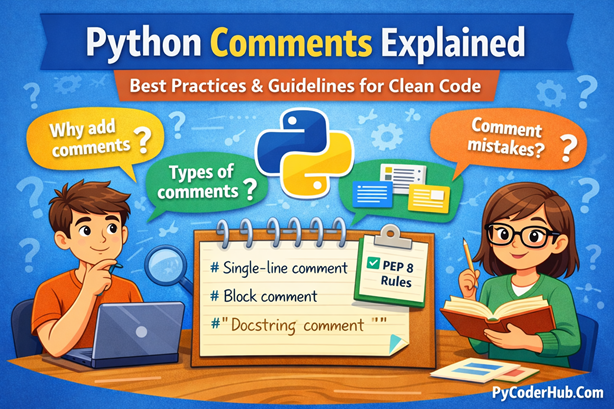
Introduction: Python Comments Explained
Have you ever revisited a Python script you wrote months ago and wondered, “Why did I write it this way?” Even when the code runs flawlessly, understanding the reasoning behind certain decisions can feel like deciphering a secret code. This is where comments become invaluable—they are signposts that guide both you and others through your logic with clarity.
In this post, we’ll explore everything you need to write effective comments that make your code readable, maintainable, and professional. From the basics of creating comments to mastering best practices and avoiding common pitfalls, this guide covers it all.
What you’ll learn in this post:
- The purpose and importance of comments in Python
- How Python processes different types of comments
- Step-by-step instructions for creating single-line, inline, block, pseudo multi-line, and docstring comments
- PEP 8 guidelines for writing clean, standardized comments
- Common mistakes to avoid and expert tips for writing meaningful comments
By the end, you’ll not only understand how to comment your code but also why doing it well is a hallmark of clean, professional Python programming.
What Are Python Comments? (Explained for Beginners)
When we write Python code, it’s not enough for it to just work—it should also be easy to read, understand, and maintain. This is exactly where Python comments come into play. Comments allow us to explain what our code is doing and, more importantly, why it’s doing it.
In simple terms, comments are lines of text inside your Python source code that are completely ignored by the Python interpreter. They do not affect how the program runs, they don’t change the output, and they are never executed. Their sole purpose is to help humans understand the code better.
Think of comments as notes you leave behind for yourself and other developers. Today, you might clearly remember why you wrote a specific condition or calculation. But a few weeks or months later, that same logic can feel confusing. Well-written comments act as reminders, saving time and preventing confusion.
At a technical level, a comment is just a descriptive text placed alongside Python statements. When Python reads your program, it skips these lines entirely and focuses only on executable code. This makes comments a safe and powerful way to add explanations without worrying about breaking functionality.
Simple Example of a Python Comment
# Calculate the total price including tax
total_price_with_tax = base_price + tax_amount
In this example:
- The line starting with
#is a comment - Python completely ignores that line during execution
- The comment explains the intent of the calculation, not just the syntax
Without the comment, the code still works perfectly. But with the comment, any reader instantly understands why this calculation exists.
Important note: Good comments explain intent, not the obvious. Writing meaningful comments is a skill—and we’ll cover how to do that correctly in the upcoming sections.
Why Are Comments Important in Python?
Comments are more than just optional notes—they are a critical part of writing clean, readable, and maintainable Python code. While Python’s syntax is known for its simplicity, real-world programs often involve complex logic, business rules, and long-term maintenance. Comments help bridge the gap between what the code does and what the developer intended.
Below are the key reasons why comments play such an important role in Python programming.
1. Clarifying Complex or Non-Obvious Logic
Not all logic is self-explanatory. Optimized calculations, edge-case handling, or performance-driven decisions can quickly become confusing. Comments explain the reasoning behind such logic, saving readers from reverse-engineering the code.
Instead of forcing someone to decode how the logic works, comments clarify why it exists in the first place.
2. Explaining the “Why,” Not Just the “What”
Well-written code usually makes the what clear. But the why often remains hidden.
Comments help answer questions like:
- Why was this approach chosen?
- Why is this condition necessary?
- Why does this workaround exist?
By documenting intent, comments reduce confusion and prevent accidental changes that could break important behavior.
3. Providing Useful Metadata
Comments at the top of a file can act as lightweight documentation. They may include:
- Author or contributor notes
- Version or change history
- Licensing or copyright information
This context is especially valuable in shared or open-source projects where files may be reused or modified over time.
4. Temporarily Disabling Code During Debugging
While debugging or testing new logic, developers often need to stop certain lines from executing without deleting them. Commenting out code provides a safe and reversible way to experiment without losing work.
This approach keeps your code intact while allowing controlled testing.
5. Marking TODOs and Future Improvements
Comments are commonly used to highlight unfinished tasks or planned enhancements. Using clear markers like TODO or FIXME helps developers quickly identify areas that need attention later.
This practice keeps development organized and ensures that important improvements aren’t forgotten.
6. Quick Documentation for Functions and Code Blocks
Before full documentation is written, comments can provide immediate explanations of what a function, class, or block of code is responsible for.
These short explanations act as instant guidance, making it easier to understand the purpose of the code without reading every line.
7. Highlighting Warnings, Assumptions, and Limitations
Some code relies on specific assumptions, has performance trade-offs, or includes known limitations. Comments help surface these warnings so they aren’t overlooked.
This is especially important in critical systems where incorrect assumptions can lead to serious bugs.
8. Improving Team Collaboration
In team environments, comments act like small conversations inside the codebase. They explain thought processes, design decisions, and logic choices without requiring long external explanations.
Good comments reduce back-and-forth communication and make collaboration smoother.
9. Explaining Domain-Specific Knowledge
When code involves specialized domains—such as finance, healthcare, data science, or machine learning—comments help explain rules or concepts that may not be obvious to every developer.
This shared understanding prevents confusion and misuse of the logic.
Final Thought
Comments are not about repeating obvious code—they are about communicating intent, reducing confusion, and making your Python code future-proof. When used correctly, comments transform working code into professional, maintainable software.
How to Create Comments in Python
Creating comments in Python is simple and intuitive. Python uses the hash symbol (#) to define comments. As soon as the Python interpreter encounters a #, it ignores everything that follows on that same line. This means comments never affect how your program runs—they exist purely for explanation and clarity.
This design keeps Python comments lightweight and easy to use, which aligns perfectly with Python’s philosophy of readability.
Basic Syntax of Python Comments
The most basic form of a comment starts with the # symbol:
# This is a simple Python commentHere’s what happens internally:
- Python reads the file from left to right
- Once it sees
#, it stops interpreting that line as executable code - The text after
#is skipped entirely during execution
Comments on Their Own Line
Comments are often placed on a separate line to explain what the next block of code is doing. This is especially useful for describing logic, calculations, or decision-making steps.
# Store the maximum allowed login attempts
maximum_login_attempts = 5
This style improves readability and keeps explanations clean and easy to scan—especially in longer scripts.
Hash Symbol Placement Rules
The # symbol can appear anywhere on a line, but its behavior remains the same: everything after it becomes a comment.
final_score = calculate_final_score() # Python ignores this part completelyEven though the comment appears after a function call, Python only processes the code before the #.
Important Points
- Python comments start with
# - Everything after
#on the same line is ignored by the interpreter - Comments can be placed on their own line or inline with code
- Comments improve clarity without affecting execution
Understanding How Python Processes Comments
To write better comments, it helps to understand how Python actually treats them internally. While comments are extremely useful for humans, they are completely irrelevant to Python’s execution process. Python reads them—but only briefly—before discarding them entirely.
When you run a Python script, the interpreter goes through several well-defined stages. Here’s what happens step by step when comments are present.
Step-by-Step: What Python Does with Comments
1. Reads the source code
- Python first loads your
.pyfile as plain text, line by line.
2. Tokenizes the source code
- The interpreter breaks the text into meaningful pieces called tokens (keywords, identifiers, operators, literals, etc.).
3. Identifies comment tokens
- During tokenization, Python detects any line that contains the
#symbol. Once#is encountered, everything after it on that line is classified as a comment.
4. Ignores comment content
- These comment tokens are immediately discarded. They are not passed to the parser and never become part of the program logic.
5. Parses executable code only
- Python builds a syntax structure using only valid code tokens—comments are already gone at this stage.
6. Compiles code into bytecode
- The remaining executable code is converted into Python bytecode.
7. Executes the bytecode
- The Python Virtual Machine (PVM) runs the compiled bytecode. Comments play no role here whatsoever.
Example: How Python Sees Your Code
# This comment is read during tokenization
# but completely ignored during compilation and execution

x = 5  # Python only processes: x = 5
# Python does not process: anything after the hash symbol
What’s happening here:
- Python recognizes the comment lines while reading the file
- The interpreter immediately discards them
- Only
x = 5makes it into the bytecode - The comments have zero impact on performance or behavior
A Common Misconception
Some beginners think Python “executes” comments in some form or keeps them in memory. This is not true. Once tokenization is complete, comments are gone forever.
Key point: Python comments exist only during the reading phase of your code—not during execution.
Types of Comments in Python (With Clear Examples)
Python offers several ways to add explanations to your code. While single-line comments are the only official comment type, Python developers commonly use a few well-established patterns to document logic, behavior, and intent. Understanding these types—and when to use each—helps you write cleaner, more professional code.
Let’s explore each type in detail.
1. Single-Line Comments (Official Comment Type)
Single-line comments are the most common and the only officially supported comment type in Python.
They start with the hash symbol (#) and continue until the end of the line. Anything written after # is completely ignored by the Python interpreter.
Example
first_name = "John"
last_name = "Malkovich"

# John Malkovich is a well-known actor
print(first_name)  # Output: John
Explanation
first_nameis assigned the value"John"last_nameis assigned the value"Malkovich"- The line starting with
#is a comment and is ignored by Python print(first_name)outputs the value stored infirst_name
Even though the comment adds context for humans, Python never executes or stores it.
2. Inline Comments (A Subtype of Single-Line Comments)
Inline comments are comments written on the same line as executable code.
They use the same # symbol and behavior as single-line comments, which makes them a subcategory rather than a separate comment type.
Example
initial_value = 10      # starting value
doubled_value = initial_value * 2  # double the original number
PEP 8 Guidelines for Inline Comments
According to PEP 8:
- Leave at least two spaces before the
# - Use inline comments sparingly
- Avoid stating the obvious
Good Inline Comment
discount_amount = price * 0.10 # 10% seasonal discountBad Inline Comment
discount_amount = price * 0.10 #10 percentThe bad example lacks spacing and doesn’t follow formatting conventions.
3. Block Comments (Commenting a Section of Code)
Python does not have a dedicated block-comment syntax.
Instead, block comments are created by stacking multiple single-line comments, each starting with #.
Block comments are used to explain a group of related lines, not just one statement.
Example
# Calculate the total cost of the order
# This includes the base price, tax, and discount
total_cost = base_price + tax_amount - discount_amount
Block comments should:
- Appear above the code they describe
- Be written as complete, clear sentences
4. Pseudo Multi-Line Comments (Important Clarification)
Python does not support true multi-line comments.
However, developers often refer to two conventions as “multi-line comments.”
Let’s clarify both.
Method 1: Multiple Single-Line Comments (✅ Recommended)
This is the Pythonic and PEP 8–compliant approach.
Each line starts with #.
# This block explains a complex process
# Step 1: Validate the input data
# Step 2: Raise an error if validation fails
# Step 3: Proceed with the main calculation
def process_data(input_data):
    if not is_valid(input_data):
        raise ValueError("Invalid input data")
Method 2: Using Unassigned Multi-Line String Literals (Discouraged)
Some developers use triple-quoted strings (""" ... """) as comment-like blocks without assigning them to a variable.
"""
This looks like a comment,
but it is actually a string literal.
Python creates it, then discards it.
"""
def my_function():
    pass
Why This Is Discouraged
- Not its intended purpose (meant for docstrings)
- Creates a string object (minor but unnecessary overhead)
- Confusing—can be mistaken for a misplaced docstring
Important Point: These are not comments. They are string literals.
Always prefer stacked#comments for multi-line explanations.
5. Docstring Comments (Documentation Strings)
Docstrings are not comments—they are a special form of documentation stored by Python.
They use triple quotes and are placed:
- At the top of a module
- Inside a function
- Inside a class
Unlike comments, docstrings are preserved at runtime and can be accessed using __doc__ or help().
Example
def add_numbers(number_one, number_two):
    """Return the sum of two numbers."""
    return number_one + number_two

print(add_numbers.__doc__)
Output
Return the sum of two numbers.Comments vs Docstrings (Key Difference)
| Feature | Comments | Docstrings |
|---|---|---|
| Executed by Python | No | No |
| Stored in memory | No | Yes |
Accessible via __doc__ | No | Yes |
| Used for documentation | Informal | Formal |
Example Showing the Difference
def add_numbers(number_one, number_two):
    """
    Returns the sum of two numbers.
    """
    # This comment explains internal logic
    return number_one + number_two

print(add_numbers.__doc__)
Output
Returns the sum of two numbers.Final Summary
#comments are for developers reading source code- Docstrings are for documentation tools and runtime inspection
- Use single-line and block comments wisely
- Avoid abusing multi-line string literals as comments
PEP 8 Guidelines for Commenting in Python
PEP 8—the official Python Style Guide—devotes a dedicated section to comments, emphasizing that comments should enhance readability, not clutter the code. Poorly written or outdated comments can do more harm than good, which is why following these guidelines is essential for writing clean, professional Python code.
Below is a concise summary of the most important comment-related guidelines:
- Use English only – Ensures global readability and collaboration.
- Write grammatically correct sentences – Keeps comments clear and professional.
- Capitalize comments properly – Improves visual consistency and readability.
- Keep comments up to date – Incorrect comments are more harmful than none.
- Limit comment length to 72 characters – Enhances readability in editors and terminals.
- Add a space after
#in block comments – Makes comments easier to scan. - Use two spaces before inline comments – Separates code and comments clearly.
- Use comments sparingly – Explain intent and reasoning, not obvious code behavior.
Note: Here we discuss only a short overview of PEP 8 guidelines. For a detailed and practical explanation of Python’s PEP 8 rules for comments—with examples and best practices—refer to our dedicated guide on PEP 8 Guidelines for Python Comments.
Common Mistakes to Avoid When Writing Comments
Comments should clarify your code, not clutter it or create confusion. Below is a quick overview of the most common commenting mistakes that can reduce code quality and professionalism:
- Avoid W.E.T. comments (Write Everything Twice) – Don’t repeat what the code already clearly states.
- Avoid smelly comments – Comments that signal poor design or hacks should prompt refactoring instead.
- Avoid rude or unprofessional comments – Codebases are shared spaces and should remain respectful.
- Avoid outdated or misleading comments – Incorrect comments are worse than having no comments.
- Avoid over-commenting – Too many comments can distract and reduce readability.
- Avoid commenting instead of fixing the code – Improve unclear code rather than explaining bad logic.
- Avoid comments for poorly named variables or functions – Use better names instead of extra explanations.
- Avoid using comments for version control or TODO dumps – Use proper tools and structured task tracking.
- Avoid language and grammar mistakes – Poorly written comments reduce clarity and professionalism.
Note: Here we provide only a brief overview of common commenting mistakes. For a detailed discussion with practical examples and tips on avoiding these mistakes, refer to our dedicated guide on Common Mistakes to Avoid When Writing Python Comments.
Best Practices for Writing Comments in Python
Good comments don’t just explain code—they communicate intent, capture decisions, and add clarity where code alone falls short. In a clean Python codebase, comments feel natural and purposeful, not forced or excessive. The goal is simple: help the reader understand why something exists, without distracting them from the code itself.
Below are practical, real-world best practices you should follow when writing Python comments.
1. Explain the Why, Not the What
Your code already shows what is happening. A good comment explains the reasoning behind a decision, a constraint, or an unusual approach. This context is especially valuable when revisiting code months later or when someone new joins the project.
2. Keep Comments Short, Clear, and Direct
Effective comments are easy to read and quick to understand. Use simple language, avoid unnecessary jargon, and remove filler words. Every comment should add value—if it doesn’t, it probably doesn’t belong there.
3. Keep Comments Close to the Code They Describe
A comment should sit right next to the logic it explains—either directly above it or inline when appropriate. This proximity reduces confusion and ensures the explanation is read at the right moment.
4. Treat Comments as Professional Writing
Comments are part of your documentation. Proper grammar, spelling, and punctuation make your code look polished and trustworthy. Sloppy comments can undermine even well-written code.
5. Update or Remove Comments When Code Changes
Code evolves, and comments must evolve with it. An outdated comment can mislead readers and introduce bugs. Whenever you modify logic, make it a habit to review and update the related comments—or delete them if they’re no longer relevant.
6. Use Comments for Non-Obvious Decisions
If a piece of code exists because of a trade-off, a workaround, or a specific limitation, capture that reasoning in a short comment. These insights are often invisible in the code itself but crucial for long-term maintenance.
7. Use TODO, FIXME, and NOTE Tags Carefully
Structured tags help signal intent in professional codebases:
- TODO for future work
- FIXME for known issues
- NOTE for important clarifications
Use them sparingly and keep them meaningful—comments shouldn’t turn into a dumping ground for unfinished thoughts.
8. Prefer Docstrings for Public Documentation
Comments are best for explaining how something works internally. For documenting the purpose, inputs, outputs, exceptions, and usage of functions, classes, or modules, docstrings are the correct and more powerful tool.
9. Highlight Important Constraints and Assumptions
If your code depends on specific conditions—such as input formats, environment settings, or performance limitations—document them clearly. This prevents incorrect usage and hard-to-trace bugs.
10. Use Clear Names to Reduce the Need for Comments
Many comments become unnecessary when variables, functions, and classes are named well. Descriptive naming improves readability and reduces reliance on explanatory comments.
11. Keep a Consistent Commenting Style
Consistency matters. Following the same spacing, capitalization, and formatting rules across the codebase makes comments easier to read and the project easier to maintain.
12. Comment Only When It Adds Value
The best comments:
- Explain intent
- Clarify complex logic
- Document business rules
- Provide context
If the code is already obvious, a comment isn’t needed. Clean code with fewer, better comments is always preferable to heavily commented but confusing logic.
Final Summary
Great comments are intentional, accurate, and respectful of the reader’s time. When written well, they turn functional Python code into maintainable, collaborative, and future-proof software—which is exactly what clean coding is all about.
Conclusion
Python comments are a simple yet powerful tool for writing clean, readable, and maintainable code. When used correctly, they clarify intent, document important decisions, and make your code easier to understand for both others and your future self.
Throughout this post, we explored how comments work in Python, the different types available, and the best practices that keep comments helpful instead of harmful. The key takeaway is clear: comment with purpose. Focus on explaining why something exists, keep comments accurate and minimal, and let clean code speak for itself whenever possible.
Well-written comments don’t just support your code—they elevate it.
Suggested Posts:
1. Python Single-Line and Multi-Line Comments Explained (With Examples & Best Practices)
2. PEP 8 Guidelines for Python Comments: How to Write Clean Code and Avoid Common Mistakes
3. Python Comments FAQ: Everything You Need to Know (Beginner to Advanced)

Great breakdown! I especially appreciate the section on explaining the ‘Why’ rather than the ‘What.’ I’m currently working on a project that handles international tax documentation, and I’m curious about the best way to use docstrings or block comments when dealing with specific regulatory requirements. For instance, if I’m writing a parser for a fiscal ID application like the one described at https://e-residence.com/de/nifonline/, should I include the legal justification for certain data fields directly in the docstrings, or is it better to keep that in a separate README to stay PEP 8 compliant? I want to make sure the code remains readable for auditors who might not be Python experts.